1. บทนำ
The BONECO U350 Ultrasonic Humidifier is designed to improve indoor air quality by adding moisture to the air. This unit features an innovative top-fill design for easy refilling, touch-sensitive controls, and an LED display. It can operate in both warm and cool mist modes and includes an AUTO mode for self-regulating humidification. The integrated demineralization cartridge helps prevent limescale residue.
This manual provides essential information for the safe and efficient operation, maintenance, and troubleshooting of your BONECO U350 humidifier. Please read all instructions carefully before use.
2. คำแนะนำด้านความปลอดภัย
Always observe the following safety precautions to reduce the risk of injury, electric shock, or damage to the appliance:
- อ่านคำแนะนำทั้งหมดก่อนใช้งานเครื่อง
- Place the humidifier on a firm, level, water-resistant surface at least 6 inches (15 cm) away from walls and appliances.
- ห้ามจุ่มเครื่องลงในน้ำหรือของเหลวอื่นๆ
- Unplug the humidifier before filling, cleaning, or performing any maintenance.
- อย่าใช้อุปกรณ์เสริมที่ไม่แนะนำโดยผู้ผลิต
- เก็บให้พ้นจากมือเด็กและสัตว์เลี้ยง
- Use only clean, cool tap water or distilled water.
- Do not add essential oils directly into the water tank; use the designated fragrance tray.
3. เนื้อหาบรรจุภัณฑ์
ตรวจสอบว่ามีสินค้าทั้งหมดอยู่ในบรรจุภัณฑ์:
- BONECO U350 Humidifier Unit
- A250 AQUA PRO Water Filter
- แปรงทำความสะอาด
- Packet of EZCal Cleaning Solution
- คู่มือการใช้งาน (เอกสารนี้)
4. การตั้งค่า
Follow these steps to set up your BONECO U350 humidifier for first use:
- แกะกล่องอุปกรณ์: Carefully remove all packaging materials and place the humidifier on a stable, level surface.
- ติดตั้งเครื่องกรองน้ำ: The A250 AQUA PRO water filter is typically pre-installed. Ensure it is securely in place in the water tank. This filter helps demineralize water and prevent limescale.
- เติมถังเก็บน้ำ:

Image: A hand pouring water from a pitcher into the open top of the BONECO U350 humidifier. A small yellow cleaning brush is visible attached to the lid.
Lift the top lid of the humidifier. Pour clean, cool tap water or distilled water directly into the water tank until it reaches the 'MAX' fill line. Close the lid securely.
- เชื่อมต่อพลังงาน: เสียบสายไฟเข้ากับเต้ารับไฟฟ้าที่เหมาะสม
5. คู่มือการใช้งาน
The BONECO U350 features a multifunctional digital display with touch-sensitive controls for easy operation.
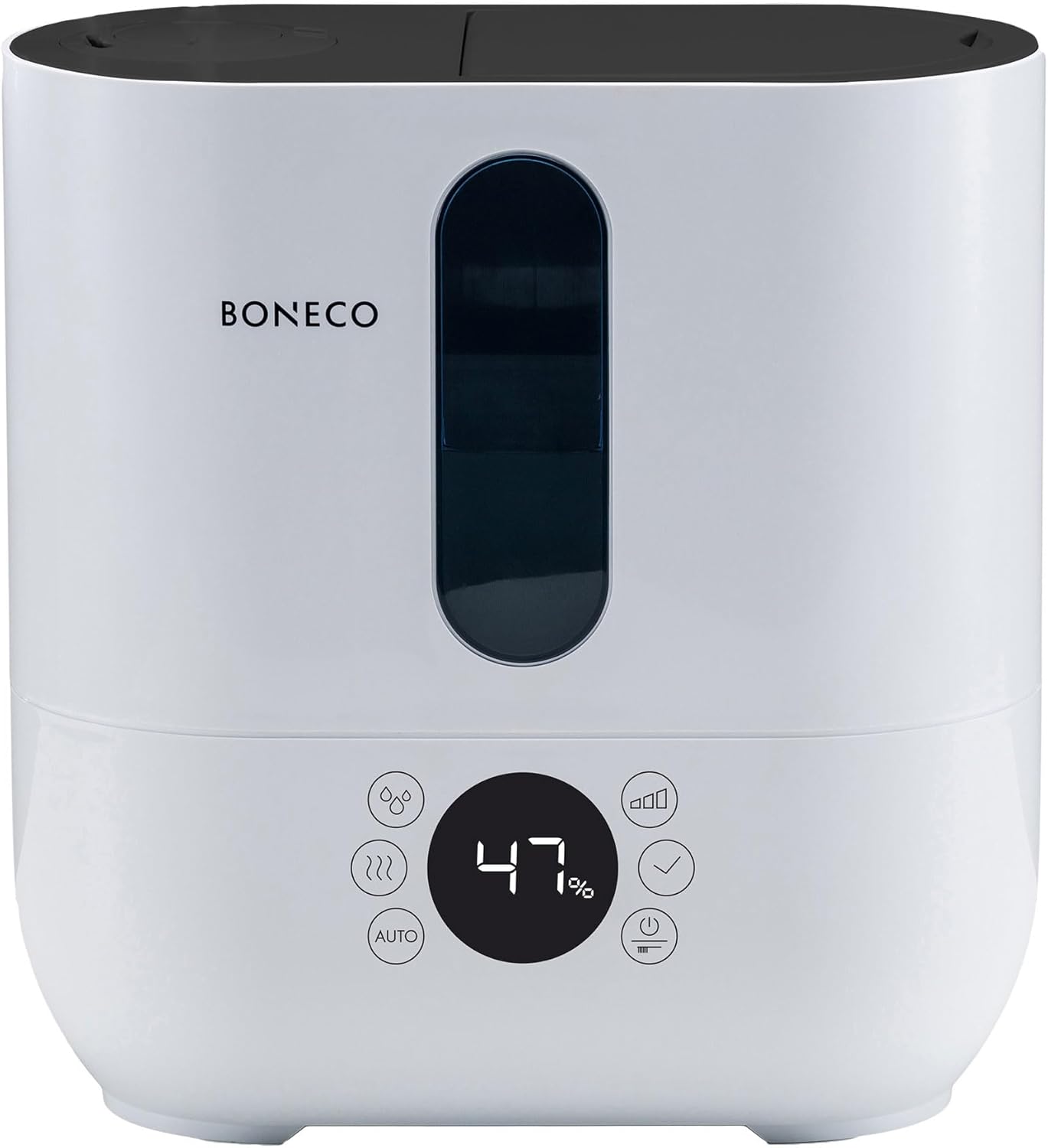
ภาพ: ด้านหน้า view of the BONECO U350 humidifier, highlighting its digital display and touch controls. The display shows '47%' humidity.
5.1. การทำงานพื้นฐาน
- เปิด/ปิดเครื่อง: กดปุ่มเปิด/ปิดบนแผงควบคุมเพื่อเปิดหรือปิดเครื่อง
- ปรับเอาต์พุตหมอก: The humidifier offers 3 performance levels (Low, Medium, High). Use the mist output button to cycle through these levels.
- Warm or Cool Mist: Select between warm or cool mist output using the dedicated button. Warm mist provides faster humidification during colder months.
- Double Jet Nozzle: The mist can be directed in two directions using the double jet nozzle. Adjust the nozzles as desired to distribute mist effectively in the room.
5.2. โหมดอัตโนมัติ
The AUTO mode simplifies humidification by automatically maintaining an optimal relative humidity level.
- Activate AUTO Mode: Press the 'AUTO' button on the control panel.
- Automatic Humidification: In AUTO mode, the humidifier will automatically adjust its output to achieve and maintain a relative humidity of 50%. This is measured by the built-in humidistat.
- Customizing AUTO Mode: The target humidity can be adjusted from the default 50% if desired.
5.3. Fragrance Tray
The BONECO U350 includes a fragrance tray for using essential oils to scent your room.

Image: A hand holding a small bottle, adding drops of essential oil into the pull-out fragrance tray located at the back of the BONECO U350 humidifier.
- ถาดสำหรับเข้าถึง: Locate the small pull-out tray on the side or back of the unit.
- เพิ่มน้ำมันหอมระเหย: Place a few drops of your preferred essential oil onto the felt pad in the tray.
- Do Not Add to Water Tank: Never add essential oils directly into the water tank, as this can damage the unit.
5.4. Digital Display Reminders
The digital display provides helpful reminders:
- เติมน้ำ: Indicates when the water tank needs refilling.
- Replace Water Filter: Reminds you when it's time to replace the A250 AQUA PRO filter.
- ตัวบ่งชี้ความชื้น: Shows the current relative humidity level in the room.
5.5. สินค้าหมดview วีดีโอ
Video: An official product video from BONECO North America Corp. demonstrating the features and operation of the BONECO U350 humidifier, including its top-fill design, mist output, and overall aesthetic.
6. การบำรุงรักษา
Regular cleaning and maintenance are crucial for the optimal performance and longevity of your humidifier.
6.1. การบำรุงรักษาประจำวัน
- เติมน้ำ: Always use fresh water when refilling the tank.
- เช็ดลง: Wipe any condensation or water droplets from the exterior of the unit.
6.2. การทำความสะอาดรายสัปดาห์
- ถอดปลั๊ก: ควรถอดปลั๊กเครื่องเพิ่มความชื้นทุกครั้งก่อนทำความสะอาด
- น้ำเปล่า: เทน้ำที่เหลือออกจากถังและฐาน
- ถังเก็บน้ำสะอาด: Use the provided cleaning brush to gently scrub the inside of the water tank and remove any mineral deposits or film. Rinse thoroughly.
- ตลับกรองแร่ธาตุ: The integrated demineralization cartridge helps prevent limescale. Replace the A250 AQUA PRO filter as indicated by the display or approximately every 2-3 months, depending on water hardness and usage.
- การขจัดตะกรัน: Periodically descale the unit using the EZCal cleaning solution or a vinegar solution as per the instructions provided with the cleaning solution. This helps remove stubborn mineral buildup.
- เช็ดให้แห้ง: ทำให้ชิ้นส่วนทั้งหมดแห้งสนิทก่อนประกอบกลับเข้าไปใหม่
7 การแก้ไขปัญหา
If you encounter issues with your BONECO U350, refer to the following common problems and solutions:
| ปัญหา | สาเหตุที่เป็นไปได้ | สารละลาย |
|---|---|---|
| ไม่มีเอาต์พุตหมอก | ระดับน้ำต่ำ การสะสมของแร่ธาตุบนตัวแปลงสัญญาณ Unit not properly assembled | เติมถังน้ำ Clean the transducer with the cleaning brush and descale Ensure all parts are correctly seated and lid is closed |
| กลิ่นไม่พึงประสงค์ | Stagน้ำแนนท์ ถังเก็บน้ำสกปรก | Empty and refill with fresh water daily ทำความสะอาดแท้งค์น้ำให้สะอาด |
| มีฝุ่นสีขาวปกคลุมอยู่รอบๆ ตัวเครื่อง | น้ำกระด้าง Worn demineralization cartridge | ใช้น้ำกลั่น Replace the A250 AQUA PRO water filter |
| หน่วยมีเสียงดัง | หน่วยไม่อยู่บนพื้นผิวระดับ การสั่นสะเทือนของส่วนประกอบภายใน | ตรวจสอบให้แน่ใจว่าหน่วยอยู่บนพื้นผิวที่เรียบและมั่นคง Contact customer support if noise persists after checking water levels and placement |
หากปัญหายังคงอยู่หลังจากลองวิธีแก้ปัญหาเหล่านี้แล้ว โปรดติดต่อฝ่ายบริการลูกค้าของ BONECO
8. ข้อมูลจำเพาะ
Detailed technical specifications for the BONECO U350 Humidifier:
| คุณสมบัติ | รายละเอียด |
|---|---|
| ยี่ห้อ | BONECO |
| ชื่อรุ่น | ยู350 |
| คุณสมบัติพิเศษ | Humidistat, Quiet Operation |
| สี | สีขาว |
| พื้นที่ห้องแนะนำ | พื้นที่สูงสุดถึง 860 ตร.ฟุต |
| โหมดการทำงาน | อัตโนมัติ |
| ขนาดสินค้า (ลึก x กว้าง x สูง) | 6.5" x 12.1" x 12.7" |
| น้ำหนักสินค้า | 7.7 ปอนด์ |
| เอาต์พุตความชื้น | Up to 3 gallons/day |
| ส่วนประกอบที่รวมอยู่ | Aqua Pro Filter, cleaning brush, EZCal cleaning solution |
| ยูพีซี | 834546000978 |
| ผู้ผลิต | โบเนโก อเมริกาเหนือ คอร์ป |
| วันที่พร้อมใช้งานครั้งแรก | วันที่ 17 สิงหาคม 2017 |
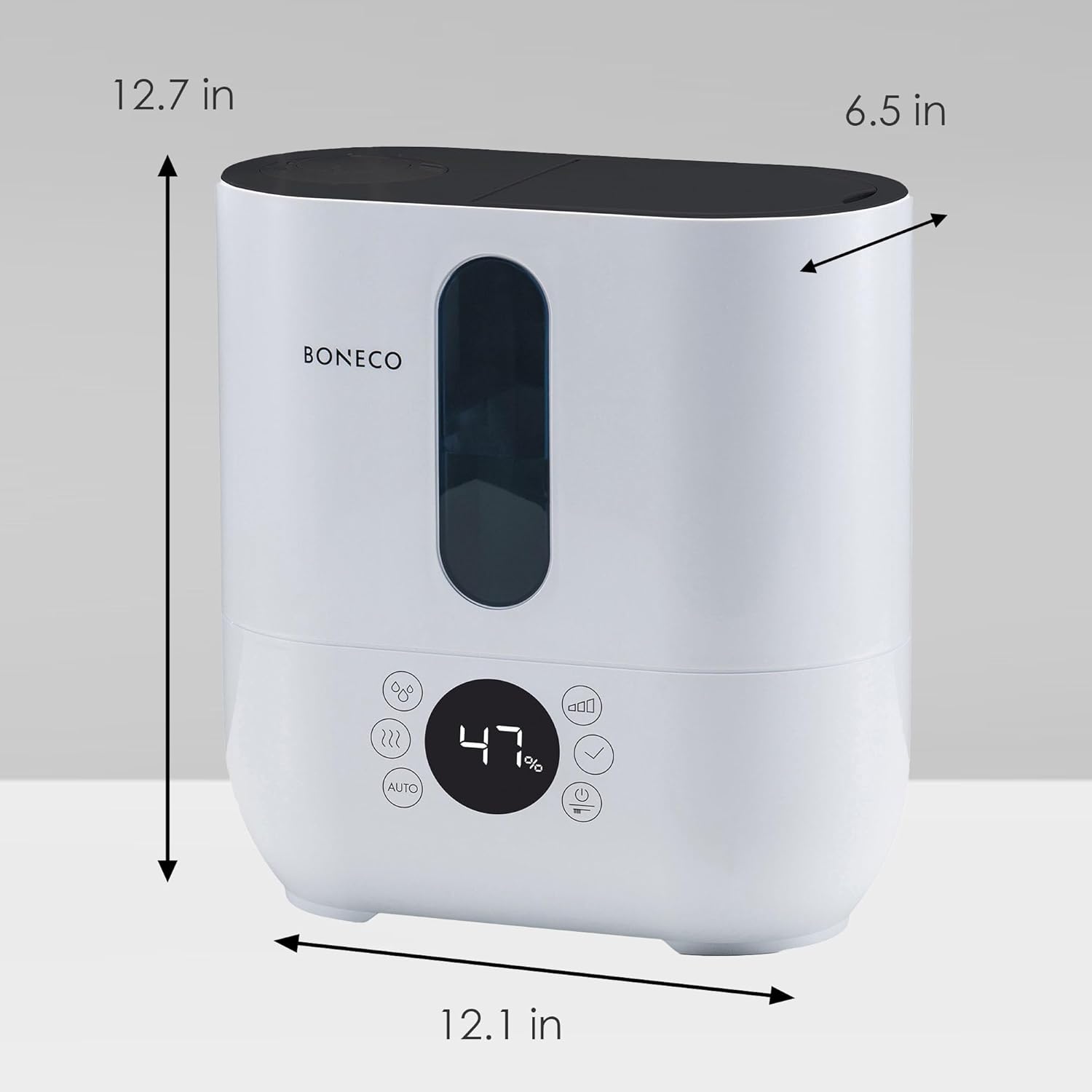
Image: A diagram showing the dimensions of the BONECO U350 humidifier: 12.7 inches high, 12.1 inches wide, and 6.5 inches deep.
9. การรับประกันและการสนับสนุน
For warranty information and customer support, please refer to the official BONECO website or contact BONECO North America Corp. directly. Keep your proof of purchase for any warranty claims.
- การสนับสนุนทางออนไลน์: Visit the official BONECO webไซต์สำหรับคำถามที่พบบ่อย การลงทะเบียนผลิตภัณฑ์ และทรัพยากรสนับสนุน
- ติดต่อผู้ผลิต: Refer to the contact information provided in your product packaging or on the BONECO webเว็บไซต์สำหรับให้ความช่วยเหลือโดยตรง


