1. สินค้าหมดview
The JLab JBuddies Studio Wireless On-Ear Kids Headphones are designed for young listeners, offering a safe and comfortable audio experience. These headphones feature wireless Bluetooth connectivity, a built-in volume limiter to protect sensitive ears, and a durable, adjustable design suitable for children aged 6 and up.
คุณสมบัติหลัก
- การออกแบบที่เป็นมิตรต่อเด็ก: Specifically sized for children, with comfortable Eco Leather Cushions and a padded headband.
- ตัวจำกัดระดับเสียง: Built-in regulators ensure audio never exceeds 85dB to protect hearing.
- 13-Hour Bluetooth Playtime: Extended wireless listening on a single charge.
- ปรับพอดี: Smooth-sliding metal adjustments and pinch-free hinges accommodate growing children.
- การควบคุมแบบบูรณาการ: Easy-to-use buttons for play, pause, volume, track control, and call management.
- ไมโครโฟนในตัว: Enables clear communication for calls or online learning.
- การแยกเสียงรบกวน: Over-ear design helps reduce external distractions.

Image: JLab JBuddies Studio Wireless On-Ear Kids Headphones, showcasing their graphite and blue design.
2. อะไรอยู่ในกล่อง
Your JLab JBuddies Studio Wireless Headphones package includes the following items:
- JLab JBuddies Studio Wireless Headphones
- สาย AUX 3.5 มม
- สายชาร์จไมโคร USB

Image: The JLab JBuddies Studio Wireless Headphones along with their included 3.5mm AUX cable and Micro-USB charging cable.
3. การตั้งค่า
การชาร์จหูฟังของคุณ
Before first use, fully charge your JBuddies Studio Wireless Headphones. A full charge provides up to 13 hours of Bluetooth playtime.
- Locate the Micro-USB charging port on the left earcup.
- Connect the provided Micro-USB charging cable to the port on the headphones.
- Plug the other end of the USB cable into a USB power source (e.g., computer, wall adapter).
- The LED indicator will show charging status (typically red while charging, turning off or blue when fully charged).

ภาพ: รายละเอียด view of the headphone earcup, highlighting the charging port and integrated controls.
จับคู่บลูทู ธ
Follow these steps to connect your headphones wirelessly via Bluetooth:
- ตรวจสอบให้แน่ใจว่าหูฟังปิดอยู่
- Press and hold the Power On/Off button for approximately 10 seconds until the LED indicator flashes blue and red, indicating pairing mode.
- บนอุปกรณ์ของคุณ (สมาร์ทโฟน แท็บเล็ต คอมพิวเตอร์) เปิดใช้งาน Bluetooth และค้นหาอุปกรณ์ที่มีอยู่
- Select "JLab JBuddies Studio" from the list of devices to connect.
- เมื่อเชื่อมต่อแล้ว ไฟ LED จะเปลี่ยนเป็นสีน้ำเงินทึบหรือกะพริบสีน้ำเงินช้าๆ
Video: An official JLab video demonstrating the features and Bluetooth pairing process of the JBuddies Studio Wireless Kids Headphones.
การเชื่อมต่อแบบใช้สาย
For a wired connection, use the included 3.5mm AUX cable:
- Plug one end of the 3.5mm AUX cable into the AUX input/output port on the headphones.
- Plug the other end of the AUX cable into the audio jack of your device.
- The headphones will now function in wired mode, conserving battery life.

Image: A child using the JLab JBuddies Studio Wireless Headphones with a wired connection to a tablet.
4. การดำเนินการ
การควบคุมหูฟัง
All controls are conveniently located on the bottom left earcup for easy access:
- เปิด/ปิดเครื่อง: กดปุ่มเปิด/ปิดค้างไว้ 3 วินาที
- เล่น/หยุดชั่วคราว: คลิกปุ่มมัลติฟังก์ชันเพียงครั้งเดียว
- เพิ่ม/ลดระดับเสียง: Single click the '+' or '-' buttons.
- ติดตามไปข้างหน้า/ข้างหลัง: Press and hold the '+' or '-' buttons for 2 seconds.
- รับ/วางสาย: คลิกปุ่มมัลติฟังก์ชันเพียงครั้งเดียว
- เปิดใช้งาน Voice Assistant: Double click the multi-function button.

ภาพ: รายละเอียด view of the control panel on the headphone earcup, illustrating the various buttons and their functions.
Volume Safe Listening
The JBuddies Studio headphones are engineered with a built-in volume regulator to ensure sound output never exceeds 85dB. This feature is crucial for protecting young, sensitive ears from potential damage due to prolonged exposure to high volume levels.

Image: A child enjoying content with the headphones, emphasizing the volume-safe listening feature.
โหมดแชร์
The headphones support a Share Mode feature, allowing two headphones to listen to the same audio source simultaneously. This is ideal for shared viewการสร้างประสบการณ์
- Connect the included 3.5mm AUX cable to the AUX input/output port of the first headphone.
- Connect the other end of the AUX cable to the AUX input/output port of a second compatible headphone.
- The audio from your device will now play through both connected headphones.
5. ความสะดวกสบายและการออกแบบ
The JLab JBuddies Studio headphones are built with comfort and durability in mind for active children:
- การออกแบบแบบครอบหู: Plush circular earcups with Eco Leather Cushions provide all-day comfort.
- ที่คาดศีรษะแบบบุนวม: The headband is padded with faux leather for additional comfort on the head.
- ปรับพอดี: Smooth-sliding metal adjustments allow for a perfect fit for various head sizes, suitable for ages 6-16.
- Pinch-Free Hinges: Designed to protect little fingers from getting caught.
- โครงสร้างน้ำหนักเบา: Lightweight construction ensures comfortable wear for extended periods.
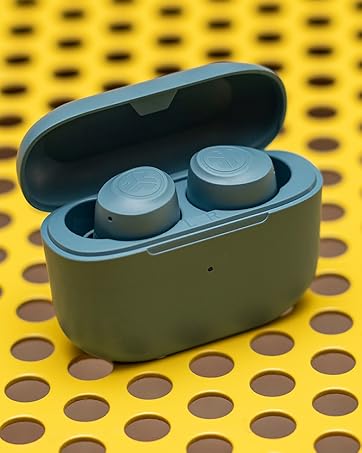
Image: The headphones demonstrating their foldable design for easy portability and storage.
6. ข้อมูลจำเพาะ
| คุณสมบัติ | รายละเอียด |
|---|---|
| ชื่อรุ่น | JBuddies Studio Wireless |
| เทคโนโลยีการเชื่อมต่อ | ไร้สาย (Bluetooth) |
| เทคโนโลยีการสื่อสารไร้สาย | บลูทูธ |
| ส่วนประกอบที่รวมอยู่ | 3.5mm AUX Cable, Micro-USB Charging Cable |
| ช่วงอายุ (คำอธิบาย) | เด็ก (อายุ 6-16 ปี) |
| วัสดุ | หนังเทียม |
| การใช้งานเฉพาะของผลิตภัณฑ์ | บ้าน, การเดินทาง |
| เวลาในการชาร์จ | 13 Hours (for full battery life) |
| การใช้งานที่แนะนำสำหรับผลิตภัณฑ์ | 13 hours Bluetooth playtime |
| อุปกรณ์ที่รองรับ | Any device with Bluetooth or a 3.5mm audio input jack |
| ประเภทการควบคุม | Volume Control, Track Control, Play/Pause, Call Answer/End |
| คุณสมบัติสายเคเบิล | Without Cable (Wireless), With Cable (Wired) |
| น้ำหนักสินค้า | 6.8 ออนซ์ |
| สไตล์ | บลูทูธ |
| วิธีการควบคุม | ปุ่ม |
| อายุการใช้งานแบตเตอรี่ | 13 ชั่วโมง |
| ประเภทไดร์เวอร์เสียง | ไดร์เวอร์แบบไดนามิก |
| ช่วงบลูทูธ | 30 ฟุต |
| เวอร์ชันบลูทูธ | 4.2 |
| รูปทรงของหูฟัง | รอบหู |
| ฮาร์ดแวร์อินเตอร์เฟซ | บลูทูธ 5 |
| ยูพีซี | 812887016025 |
| คุณสมบัติการควบคุมเสียงรบกวน | การแยกสัญญาณรบกวนแบบพาสซีฟ |
| คุณสมบัติพิเศษ | Adjustable Headband, Microphone Included, Noise Isolation, Volume Control, Wireless |
| ผู้ผลิต | เจแล็บ |
| ขนาดสินค้า | 5.91 x 1.06 x 3.54 นิ้ว |
| สี | Graphite / Blue |
| การวางตำแหน่งหู | ครอบหู |
| ฟอร์มแฟกเตอร์ | ครอบหู |
| แจ็คหูฟัง | 3.5 mm Jack, Bluetooth |
7. การบำรุงรักษา
Proper care and maintenance will extend the life of your JLab JBuddies Studio Wireless Headphones:
- การทำความสะอาด: ใช้ผ้าแห้งนุ่มเช็ดทำความสะอาดที่ครอบหูและแถบคาดศีรษะ หลีกเลี่ยงการใช้สารเคมีรุนแรงหรือวัสดุที่มีฤทธิ์กัดกร่อน
- พื้นที่จัดเก็บ: When not in use, fold the headphones for compact storage and keep them in a cool, dry place away from direct sunlight and extreme temperatures.
- การดูแลสายเคเบิล: Handle the charging and AUX cables gently to prevent damage. Avoid sharp bends or excessive pulling.
8 การแก้ไขปัญหา
หากคุณประสบปัญหาเกี่ยวกับหูฟังของคุณ ให้ลองวิธีแก้ไขต่อไปนี้:
- ไม่มีไฟฟ้า: ตรวจสอบให้แน่ใจว่าหูฟังชาร์จเต็มแล้ว จากนั้นเชื่อมต่อหูฟังเข้ากับแหล่งจ่ายไฟโดยใช้สาย Micro-USB
- ไม่มีเสียง (ไร้สาย): Check if the headphones are properly paired with your device. Ensure the device's volume is turned up and the headphones are not muted. Try re-pairing the headphones.
- No Sound (Wired): Ensure the 3.5mm AUX cable is securely connected to both the headphones and your device. Test with a different AUX cable if available.
- ปัญหาการจับคู่: Turn off Bluetooth on your device and then turn it back on. Forget the headphones from your device's Bluetooth list and attempt to pair again. Ensure no other Bluetooth devices are interfering.
- ปริมาณต่ำ: Remember that the headphones have a built-in 85dB volume limiter. Ensure your device's volume is at its maximum.
9. การรับประกันและการสนับสนุน
JLab stands behind the quality of its products. Your JLab JBuddies Studio Wireless On-Ear Kids Headphones come with the following:
- การรับประกันจำกัด 2 ปี: Covers manufacturing defects for up to two years from the date of purchase.
- การรับประกันคืนเงินภายใน 30 วัน: Ensures customer satisfaction. If you are not happy with your purchase, you can return it within 30 days for a full refund.
For further assistance, please visit the official JLab support webเว็บไซต์หรือติดต่อฝ่ายบริการลูกค้าของพวกเขา


