1. บทนำ
This manual provides detailed instructions for the safe and proper installation, operation, and maintenance of your MANHATTAN Universal Flat-Panel TV Articulating Wall Mount, Model 461399. This single-arm mount is designed to securely hold flat-panel televisions ranging from 13 to 42 inches and weighing up to 20 kg (44 lbs). It offers adjustable tilt, swivel, and level functionalities to optimize your viewการสร้างประสบการณ์

ภาพที่ 1.1: มุม view of the MANHATTAN Universal Flat-Panel TV Articulating Wall Mount.
2. ข้อมูลด้านความปลอดภัย
คำเตือน: Read all instructions carefully before installation. Improper installation can result in property damage, serious injury, or death. If you do not understand these instructions or have doubts about the safety of the installation, contact a qualified installer.
- ตรวจสอบให้แน่ใจว่าพื้นผิวที่ติดตั้งสามารถรองรับน้ำหนักรวมของขาตั้งและโทรทัศน์ได้อย่างปลอดภัย
- ห้ามเกินขีดจำกัดการรับน้ำหนักสูงสุดที่ 20 กก. (44 ปอนด์)
- ผลิตภัณฑ์นี้มีวัตถุประสงค์สำหรับใช้ภายในอาคารเท่านั้น
- Use only the provided mounting hardware. If any parts are missing or damaged, contact customer support.
- Always use a stud finder to locate wall studs for secure mounting in wood stud walls.
- Wear appropriate safety gear during installation, including eye protection.
3. เนื้อหาบรรจุภัณฑ์
Verify that all components are present and undamaged before beginning installation. If any parts are missing or defective, do not proceed with installation and contact customer support.
- Wall Mount Assembly (Single Arm)
- TV Mounting Brackets (VESA Plate)
- Hardware Kit (Screws, Washers, Spacers, Wall Anchors)
- คู่มือการใช้งาน
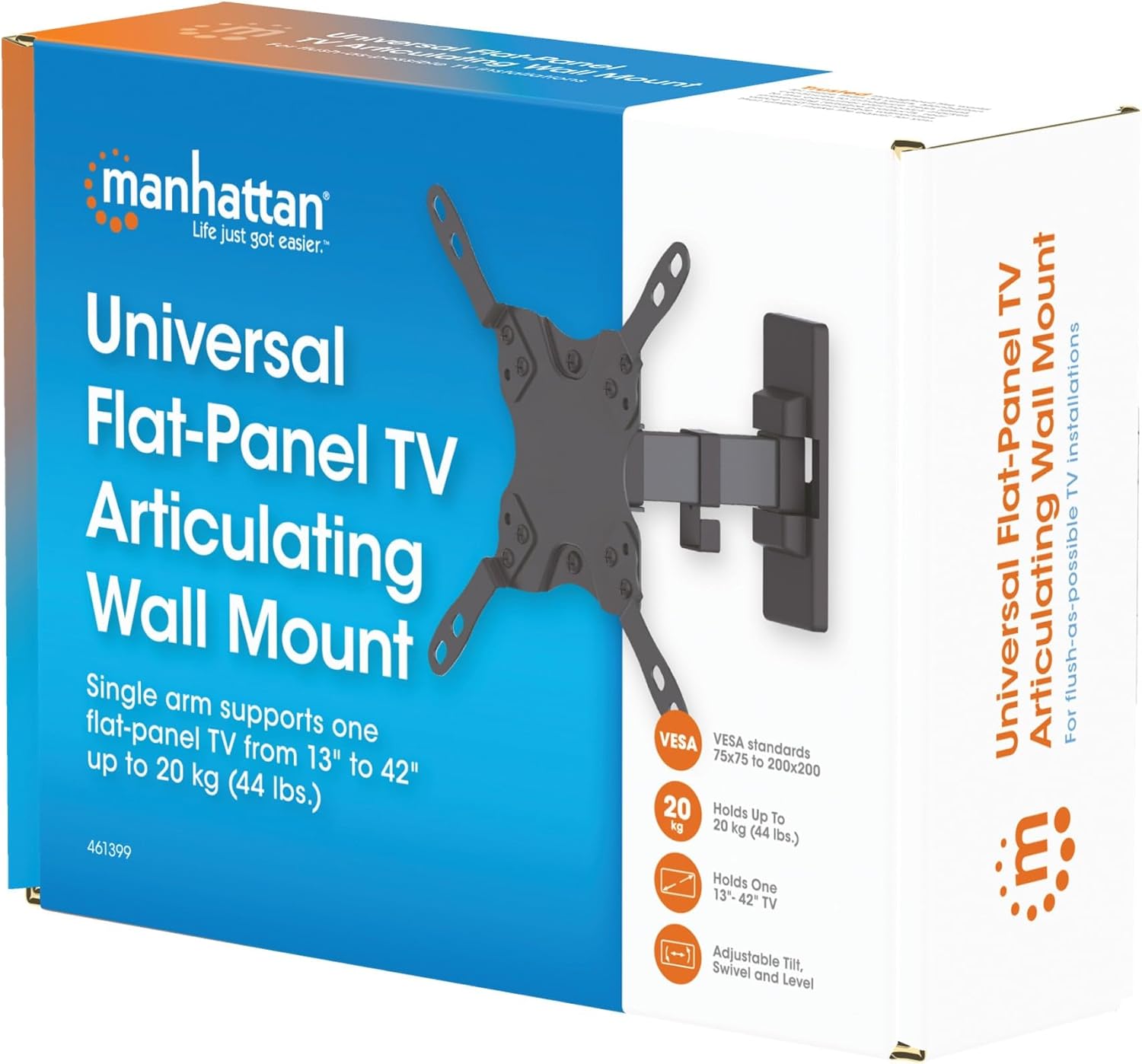
Image 3.1: Packaging of the MANHATTAN Universal Flat-Panel TV Articulating Wall Mount.
4. การตั้งค่าและการติดตั้ง
4.1 การตรวจสอบก่อนการติดตั้ง
- ความเข้ากันได้ของทีวี: Ensure your TV's weight is within 20 kg (44 lbs) and its screen size is between 13 and 42 inches. Check the VESA mounting pattern on your TV (typically 75x75mm, 100x100mm, 200x100mm, or 200x200mm).
- ประเภทผนัง: Determine your wall type (wood stud, concrete, brick). Different wall types require specific mounting hardware and techniques.
- เครื่องมือที่จำเป็น: Pencil, drill, stud finder (for wood walls), level, Phillips head screwdriver, socket wrench.
4.2 การติดตั้งขาตั้งทีวีเข้ากับทีวี
- วางทีวีคว่ำหน้าลงบนพื้นผิวที่นุ่มและสะอาดอย่างระมัดระวัง เพื่อป้องกันความเสียหายของหน้าจอ
- ระบุรูยึด VESA ที่ด้านหลังทีวีของคุณ
- เลือกสกรู แหวนรอง และตัวเว้นระยะที่เหมาะสมจากชุดอุปกรณ์ให้พอดีกับรูยึดของทีวีของคุณ
- Attach the TV mounting brackets to the back of your TV using the selected hardware. Ensure they are securely fastened but do not overtighten.

ภาพที่ 4.2.1: ด้านหลัง view of the VESA plate, showing mounting holes for TV attachment.

ภาพที่ 4.2.2: ด้านหน้า view of the VESA plate, showing mounting holes for TV attachment.
4.3 การติดตั้งแผ่นยึดผนัง
- Determine the desired height and position for your TV. Use a pencil to mark the top center of where the mount will be.
- Place the wall plate against the wall at the marked position and use a level to ensure it is perfectly horizontal. Mark the drill holes.
- สำหรับผนังโครงไม้: Use a stud finder to locate the center of a wood stud. Drill pilot holes (recommended size in manual, typically 5mm) into the stud. Secure the wall plate using the lag bolts and washers.
- สำหรับผนังคอนกรีต/อิฐ: Drill pilot holes (recommended size in manual, typically 10mm) into the solid concrete or brick. Insert wall anchors into the holes. Secure the wall plate using the lag bolts and washers.
- Ensure the wall plate is firmly and securely attached to the wall.

ภาพที่ 4.3.1: ด้านข้าง view of the mount, illustrating its extension from the wall.
4.4 การแขวนทีวี
- ขอความช่วยเหลือจากผู้อื่น ค่อยๆ ยกทีวีพร้อมขายึดที่ให้มา และเกี่ยวเข้ากับแผ่นยึดผนัง
- ตรวจสอบให้แน่ใจว่าทีวีติดตั้งบนแผ่นยึดผนังอย่างแน่นหนาแล้ว
- Tighten any safety screws or locking mechanisms to prevent accidental dislodgement.
5. คำแนะนำการใช้งาน (การปรับแต่ง)
This articulating wall mount allows for flexible positioning of your TV to achieve optimal viewมุมการเอียง
- การปรับเอียง: Loosen the tilt knobs on the VESA plate, adjust the TV to the desired vertical angle (+5° to -12°), and then retighten the knobs.
- การปรับหมุน: Gently push or pull the TV to swivel it horizontally (up to 180° depending on TV size and wall distance).
- การปรับระดับ: If your TV is slightly unlevel after installation, there may be a mechanism to adjust the horizontal level (typically +/-3°). Consult the specific diagram for your model.

Image 5.1: Technical diagram showing dimensions and available adjustment angles (tilt, swivel, level).
5.1 การจัดการสายเคเบิล
Utilize the integrated cable clips on the arm to route and organize your TV cables, ensuring a neat appearance and preventing damage.

Image 5.1.1: Detail of the mount arm showing cable management clips.
6. การบำรุงรักษา
- ตรวจสอบสกรูและการเชื่อมต่อทั้งหมดเป็นระยะๆ เพื่อให้แน่ใจว่าแน่นหนาและปลอดภัย
- ทำความสะอาดฐานยึดด้วยผ้าแห้งเนื้อนุ่ม หลีกเลี่ยงการใช้สารทำความสะอาดที่มีฤทธิ์กัดกร่อนหรือตัวทำละลาย
- If the mount becomes stiff, a small amount of silicone-based lubricant can be applied to the articulating joints.
7 การแก้ไขปัญหา
| ปัญหา | สาเหตุที่เป็นไปได้ | สารละลาย |
|---|---|---|
| ทีวีไม่ได้ตั้งตรง | Wall plate not level during installation; level adjustment needed. | Re-check wall plate level and adjust if necessary. Use the mount's level adjustment feature if available. |
| เมาท์รู้สึกหลวมหรือไม่มั่นคง | Mounting screws are not fully tightened; wall anchors not properly installed; wall surface is inadequate. | Ensure all mounting screws are securely tightened. Verify wall anchors are correctly installed for your wall type. If the wall is inadequate, consult a professional. |
| Difficulty moving/adjusting TV | ข้อต่อแน่นเกินไปหรือต้องการการหล่อลื่น | Loosen adjustment screws slightly. Apply silicone-based lubricant to articulating joints if needed. |
8. ข้อมูลจำเพาะ
| หมายเลขรุ่น | 461399 |
| ยี่ห้อ | แมนฮัตตัน |
| ประเภทการติดตั้ง | ข้อต่อติดผนัง |
| ประเภทการเคลื่อนไหว | การแสดงออก |
| วัสดุ | โลหะ |
| สี | สีดำ |
| อุปกรณ์ที่รองรับ | Television (13" - 42") |
| ความจุน้ำหนักสูงสุด | 20 กก. (44 ปอนด์) |
| ความเข้ากันได้ของ VESA | 75x75mm, 100x100mm, 200x100mm, 200x200mm |
| ช่วงความเอียง | +5° ถึง -12° |
| ช่วงหมุน | สามารถปรับมุมมองได้สูงสุด 180° (ขึ้นอยู่กับขนาดทีวี) |
| การปรับระดับ | +/-3° |
| ขนาดสินค้า | 7.48 x 8.66 x 8.66 inches (approximate, folded) |
| น้ำหนักสินค้า | 2.31 ปอนด์ |
9. การรับประกันและการสนับสนุน
For warranty information or technical support, please refer to the documentation included with your purchase or visit the official MANHATTAN webไซต์นี้ โปรดเก็บหลักฐานการซื้อไว้เพื่อใช้ยืนยันการรับประกัน
ผู้ผลิต: แมนฮัตตัน
วันที่เข้าใช้งานครั้งแรก: วันที่ 9 มิถุนายน 2017


