1. บทนำและเรื่องอื่นๆview
This manual provides essential information for the safe and effective operation, maintenance, and troubleshooting of your WORX WX279.9 20V-2Ah Cordless Brushless Impact Wrench. Please read this manual thoroughly before using the tool and retain it for future reference.
คุณสมบัติผลิตภัณฑ์:
- 3-Speed Variable Design: Allows for precise control across various fastening applications.
- ขนาดกะทัดรัดและน้ำหนักเบา: Facilitates access to confined spaces and reduces user fatigue.
- ไฟ LED ในตัว: ช่วยเพิ่มทัศนวิสัยในพื้นที่ทำงานที่มีแสงสว่างน้อย
- ไฟแสดงสถานะแบตเตอรี่ต่ำ: Provides real-time battery status.
- Overmolded Rubber Grip: Ensures comfort and improved control during operation.

Figure 1: WORX WX279.9 Cordless Brushless Impact Wrench, showing its compact design and ergonomic grip.
2. ข้อมูลความปลอดภัยทั่วไป
ควรปฏิบัติตามข้อควรระวังด้านความปลอดภัยขั้นพื้นฐานเสมอ เพื่อลดความเสี่ยงจากไฟไหม้ ไฟฟ้าช็อต และการบาดเจ็บส่วนบุคคลเมื่อใช้เครื่องมือไฟฟ้า การไม่ปฏิบัติตามคำแนะนำเหล่านี้อาจส่งผลให้เกิดการบาดเจ็บร้ายแรงได้
ความปลอดภัยในพื้นที่ทำงาน:
- รักษาพื้นที่ทำงานให้สะอาดและมีแสงสว่างเพียงพอ พื้นที่ที่รกหรือมืดอาจเกิดอุบัติเหตุได้
- ห้ามใช้เครื่องมือไฟฟ้าในบรรยากาศที่อาจเกิดการระเบิดได้ เช่น ในบริเวณที่มีของเหลวไวไฟ ก๊าซ หรือฝุ่น เครื่องมือไฟฟ้าอาจก่อให้เกิดประกายไฟซึ่งอาจทำให้ฝุ่นหรือไอระเหยติดไฟได้
- ระวังเด็กและผู้คนรอบข้างไม่ให้ใช้เครื่องมือไฟฟ้า เพราะสิ่งรบกวนอาจทำให้คุณควบคุมเครื่องไม่ได้
ความปลอดภัยทางไฟฟ้า:
- หลีกเลี่ยงการสัมผัสร่างกายกับพื้นผิวที่ต่อสายดิน เช่น ท่อ หม้อน้ำ เตา และตู้เย็น หากร่างกายต่อสายดิน มีความเสี่ยงต่อการเกิดไฟฟ้าช็อตเพิ่มขึ้น
- อย่าให้เครื่องมือไฟฟ้าโดนฝนหรือเปียกน้ำ น้ำที่เข้าไปในเครื่องมือไฟฟ้าจะเพิ่มความเสี่ยงต่อการเกิดไฟฟ้าช็อต
ความปลอดภัยส่วนบุคคล:
- สวมอุปกรณ์ป้องกันดวงตาทุกครั้ง สวมแว่นตานิรภัย แว่นตานิรภัย หรือหน้ากากป้องกันใบหน้า
- Wear appropriate personal protective equipment (PPE) such as hearing protection, non-skid safety shoes, and work gloves.
- แต่งกายให้เหมาะสม ไม่ควรสวมเสื้อผ้าหลวมๆ หรือใส่เครื่องประดับ เก็บผม เสื้อผ้า และถุงมือให้ห่างจากชิ้นส่วนที่เคลื่อนไหว
- จงตื่นตัว ระวังสิ่งที่คุณกำลังทำ และใช้สามัญสำนึกเมื่อใช้งานเครื่องมือไฟฟ้า
การใช้และการดูแลเครื่องมือ:
- อย่าใช้เครื่องมือไฟฟ้าอย่างฝืนๆ ใช้เครื่องมือไฟฟ้าให้เหมาะสมกับการใช้งานของคุณ
- ถอดแบตเตอรี่ออกจากเครื่องมือไฟฟ้าก่อนทำการปรับแต่ง เปลี่ยนอุปกรณ์เสริม หรือจัดเก็บเครื่องมือไฟฟ้า
- เก็บเครื่องมือไฟฟ้าที่ไม่ได้ใช้งานให้พ้นจากมือเด็ก และอย่าให้บุคคลที่ไม่คุ้นเคยกับเครื่องมือไฟฟ้าหรือคำแนะนำเหล่านี้ใช้งานเครื่องมือไฟฟ้า
- บำรุงรักษาเครื่องมือไฟฟ้า ตรวจสอบการไม่ตรงแนวหรือการยึดติดของชิ้นส่วนที่เคลื่อนไหว การแตกหักของชิ้นส่วน และสภาวะอื่นๆ ที่อาจส่งผลต่อการทำงานของเครื่องมือไฟฟ้า
3. ส่วนประกอบผลิตภัณฑ์
The WORX WX279.9 Impact Wrench typically includes the following components:
- WORX WX279.9 Cordless Brushless Impact Wrench body
- กระเป๋าใส่อุปกรณ์
- ขอเกี่ยวเข็มขัด
บันทึก: Battery and charger are sold separately and are not included with the WX279.9 tool body.

รูปที่ 2: ด้านข้าง view of the WORX WX279.9 Impact Wrench, highlighting its compact form factor.
4. การตั้งค่า
4.1 การติดตั้งและการถอดแบตเตอรี่
- การติดตั้ง: Align the battery pack with the tool's battery port. Slide the battery pack into the tool until it clicks securely into place. Ensure it is fully seated.
- การลบออก: กดปุ่มปลดล็อคแบตเตอรี่ (โดยปกติจะอยู่บนตัวแบตเตอรี่) แล้วเลื่อนแบตเตอรี่ออกจากเครื่องมือ
Always ensure the battery is fully charged before use. Refer to your battery charger's manual for charging instructions.
4.2 Attaching Accessories (Sockets)
- โปรดตรวจสอบให้แน่ใจว่าได้ปิดเครื่องมือและถอดแบตเตอรี่ออกแล้ว
- Select the appropriate square drive socket for your application.
- ดันหัวซ็อกเก็ตลงบนแท่นรองสี่เหลี่ยมของประแจกระแทกให้แน่นจนกระทั่งล็อคเข้าที่
- To remove, pull the socket off the anvil. Some sockets may require a slight twist while pulling.

รูปที่ 3: ระยะใกล้ view of the impact wrench with a socket attached, ready for use on a fastener.
4.3 Installing the Belt Hook
The belt hook can be attached to either side of the tool for convenient carrying. Secure it with the provided screw.
5. คู่มือการใช้งาน
5.1 การเปิด/ปิดเครื่อง
The tool is activated by pressing the trigger switch. The speed is variable depending on the pressure applied to the trigger. Release the trigger to turn the tool off.
5.2 Direction of Rotation (Forward/Reverse)
A forward/reverse selector switch is located above the trigger. Push the switch to the left for forward rotation (tightening) and to the right for reverse rotation (loosening). Ensure the switch is fully engaged in the desired direction before operating the tool.
เลือกความเร็วได้ 5.3 ระดับ
The WX279.9 features a 3-speed variable design. A speed selector button or switch allows you to cycle through different speed settings (low, medium, high) to match the application requirements. Lower speeds are suitable for delicate tasks, while higher speeds provide maximum torque for stubborn fasteners.
ไฟ LED ทำงาน 5.4 ดวง
ไฟ LED ในตัวจะส่องสว่างพื้นที่ทำงานเมื่อกดไกปืน ช่วยเพิ่มทัศนวิสัยในที่มืดหรือพื้นที่แคบ
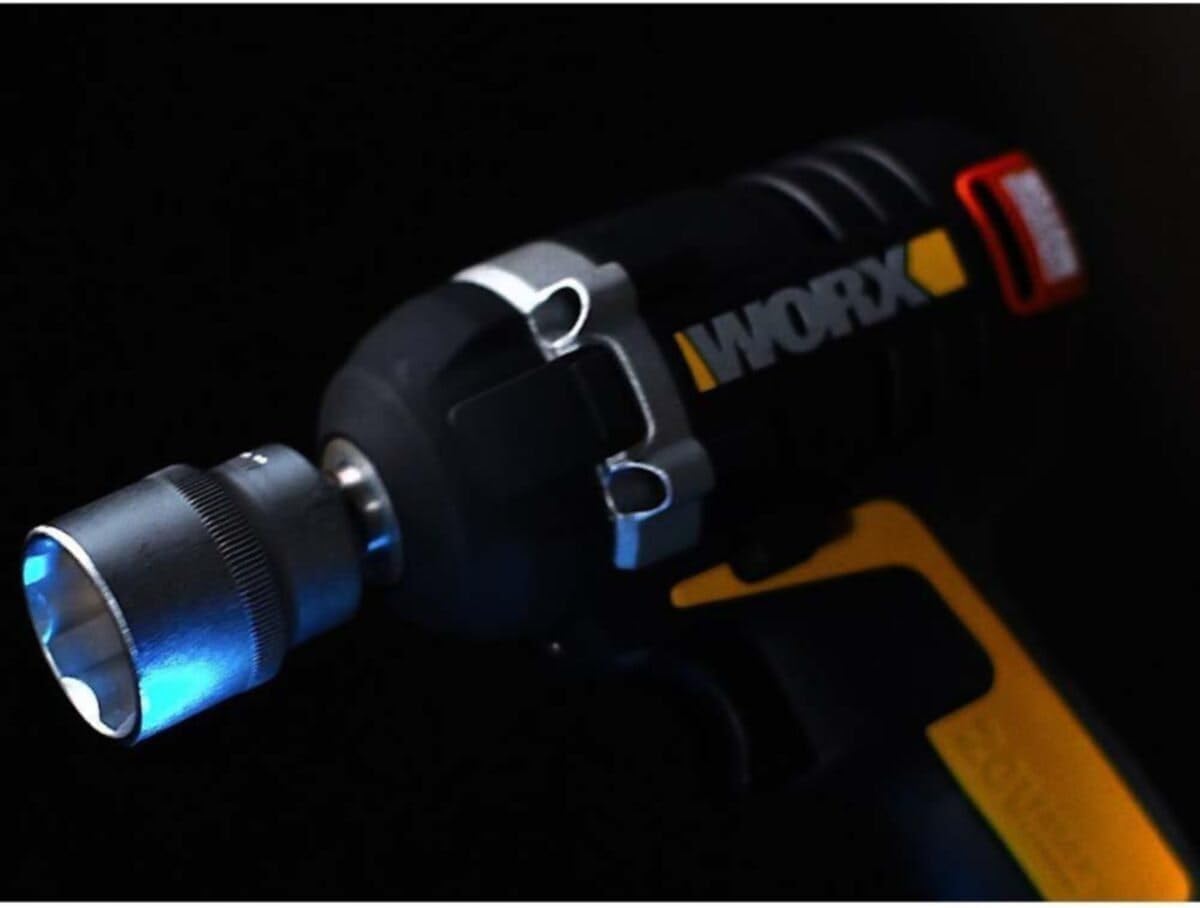
Figure 4: The impact wrench's LED light illuminating the work area.
5.5 ไฟแสดงสถานะแบตเตอรี่ต่ำ
The tool is equipped with an indicator that signals when the battery capacity is low, prompting you to recharge or replace the battery pack.
5.6 เคล็ดลับการใช้งานทั่วไป
- Hold the tool firmly with both hands if possible, especially when dealing with high torque applications.
- Ensure the socket is fully engaged with the fastener to prevent stripping or damage.
- For tightening, apply short bursts of power to avoid over-tightening, then use a torque wrench for final precise tightening if required.
- For loosening, apply steady pressure until the fastener breaks free.

Figure 5: Demonstrating the use of the impact wrench for automotive tasks, such as changing a car wheel.
6. การบำรุงรักษา
การบำรุงรักษาตามปกติจะช่วยให้ประแจกระแทกของคุณมีอายุการใช้งานยาวนานและมีประสิทธิภาพเหมาะสมที่สุด
6.1 การทำความสะอาด
- ควรถอดแบตเตอรี่ออกทุกครั้งก่อนทำความสะอาด
- ใช้ของสะอาดดamp ใช้ผ้าเช็ดทำความสะอาดภายนอกเครื่องมือ ห้ามใช้สารเคมีรุนแรงหรือน้ำยาทำความสะอาดที่มีฤทธิ์กัดกร่อน
- รักษาช่องระบายอากาศให้ปราศจากฝุ่นและเศษขยะเพื่อป้องกันความร้อนสูงเกินไป ใช้ลมอัดหากจำเป็น
6.2 พื้นที่จัดเก็บ
- เก็บเครื่องมือไว้ในกล่องใส่เครื่องมือในสถานที่แห้งและปลอดภัย และพ้นมือเด็ก
- ถอดชุดแบตเตอรี่ออกจากเครื่องมือก่อนจัดเก็บเป็นเวลานาน
- ควรเก็บแบตเตอรี่ไว้ในที่แห้งและเย็น หลีกเลี่ยงแสงแดดโดยตรงและอุณหภูมิที่สูงหรือต่ำเกินไป
6.3 การดูแลแบตเตอรี่
- Do not store battery packs in a discharged state. Recharge them periodically if not in use.
- Avoid exposing battery packs to water or moisture.
- Do not attempt to open or modify battery packs.
7 การแก้ไขปัญหา
หัวข้อนี้จะกล่าวถึงปัญหาทั่วไปที่คุณอาจพบกับประแจกระแทกของคุณ
| ปัญหา | สาเหตุที่เป็นไปได้ | สารละลาย |
|---|---|---|
| เครื่องมือไม่เริ่มทำงาน | ติดตั้งแบตเตอรี่ไม่ถูกต้อง แบตเตอรี่หมด เครื่องมือทำงานผิดปกติ | ตรวจสอบให้แน่ใจว่าแบตเตอรี่อยู่เต็ม ชาร์จแบตเตอรี่ ติดต่อฝ่ายสนับสนุนลูกค้า |
| กำลัง/แรงบิดลดลง | แบตเตอรี่ต่ำ การตั้งค่าความเร็วไม่ถูกต้อง Worn accessories | ชาร์จแบตเตอรี่ เลือกการตั้งค่าความเร็วที่สูงขึ้น Replace worn sockets |
| แรงสั่นสะเทือนมากเกินไป | Loose accessory Damaged tool component | Ensure accessory is securely attached หยุดใช้งานและติดต่อฝ่ายบริการลูกค้า |
| ไฟ LED ไม่ทำงาน | เครื่องมือทำงานผิดปกติ | ติดต่อฝ่ายสนับสนุนลูกค้า |
If you encounter issues not listed here or if the suggested solutions do not resolve the problem, please contact WORX customer support.
8. ข้อมูลจำเพาะ
Technical specifications for the WORX WX279.9 Cordless Brushless Impact Wrench:
| ข้อมูลจำเพาะ | ค่า |
|---|---|
| หมายเลขรุ่น | WX279.9 |
| ยี่ห้อ | เวิร์คซ์ |
| ผู้ผลิต | Worx |
| แหล่งพลังงาน | ใช้พลังงานจากแบตเตอรี่ |
| เล่มที่tage | 20 โวลต์ |
| แรงบิดสูงสุด | 300 นิวตันเมตร |
| ความเร็วในการหมุนสูงสุด | 3300 รอบ/นาที |
| จำนวนความเร็ว | 3 |
| ประเภทหัว | สแควร์ไดรฟ์ |
| วัสดุ | พลาสติก |
| สี | สีดำ/สีส้ม |
| น้ำหนักสินค้า | 1.1 กิโลกรัม |
| ขนาดสินค้า (กว้าง x ยาว x สูง) | 16.9 x 6.9 x 23.6 ซม. |
| Battery Capacity (Required) | 2 Ampere-hours (20V) |
| รวมส่วนประกอบ | Carrying case, Belt hook |
9. การรับประกันและการสนับสนุน
WORX products are manufactured to high-quality standards and are typically covered by a manufacturer's warranty. Please refer to the warranty card included with your product or visit the official WORX webเว็บไซต์สำหรับข้อกำหนดและเงื่อนไขการรับประกันโดยละเอียดที่เฉพาะเจาะจงกับภูมิภาคของคุณ
For technical assistance, spare parts, or service inquiries, please contact WORX customer support. Contact information can usually be found on the WORX official webเว็บไซต์หรือในบรรจุภัณฑ์ของผลิตภัณฑ์
การสนับสนุนทางออนไลน์: For additional resources, FAQs, and product registration, visit the official WORX Brand Store.


