การแนะนำ
The UBeesize Flexible Mini Phone Tripod is a versatile and portable camera stand designed for capturing stable shots from various angles. Its adjustable octopus-style legs allow for flexible positioning on almost any surface, while the wireless remote provides convenient control from a distance. This manual provides detailed instructions for setting up, operating, maintaining, and troubleshooting your tripod to ensure optimal performance.

The UBeesize Flexible Mini Phone Tripod, showcasing its main components and versatility with different devices.
ส่วนประกอบ
Your UBeesize Flexible Mini Phone Tripod package includes the following items:
- Flexible Mini Tripod
- ที่วางโทรศัพท์อเนกประสงค์
- ชัตเตอร์ระยะไกลไร้สาย
- อะแดปเตอร์ GoPro

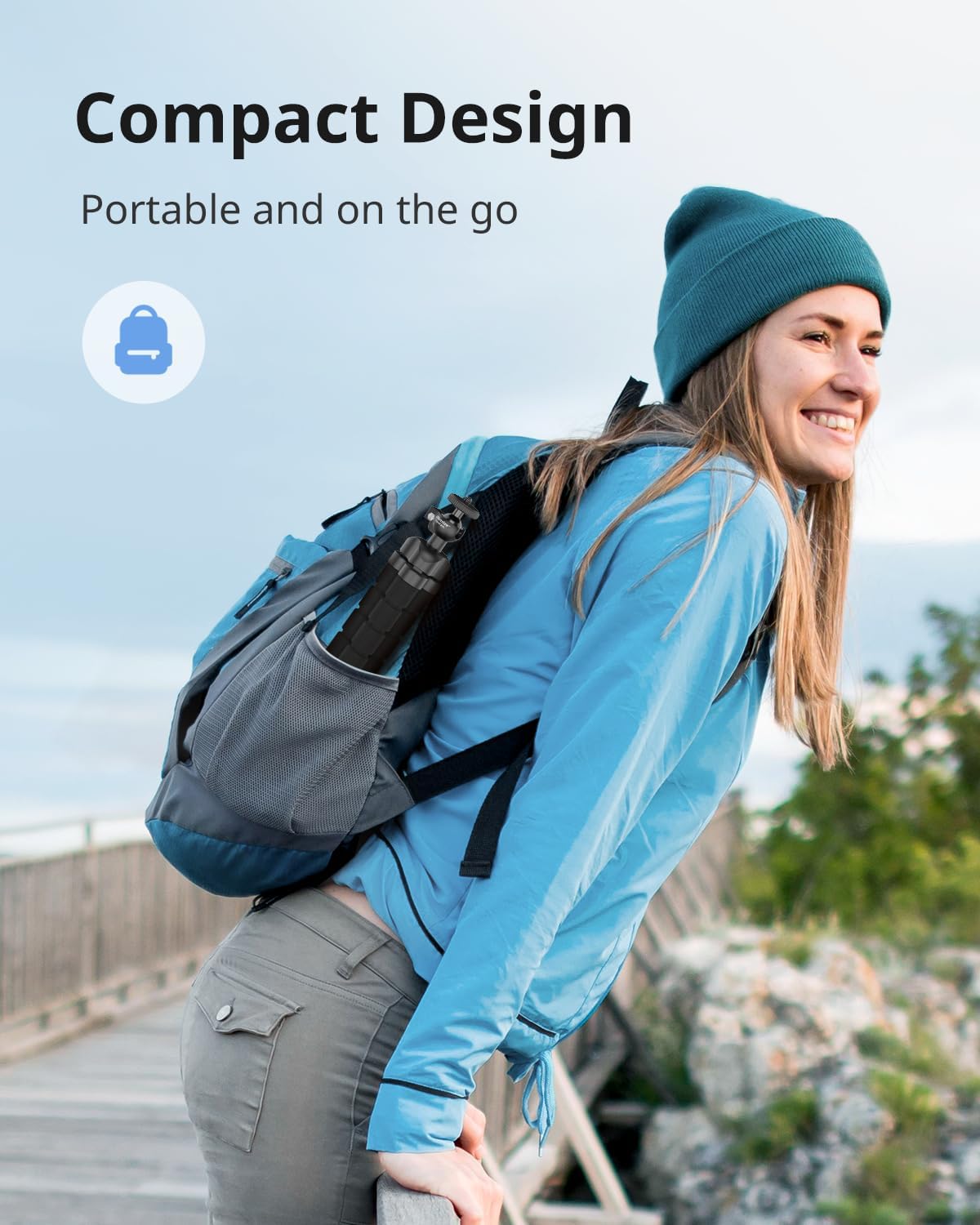
The compact design allows for easy portability, fitting into a backpack.
คู่มือการติดตั้ง
การเชื่อมต่ออุปกรณ์ของคุณ
- สำหรับสมาร์ทโฟน: Extend the retractable phone holder (2.7"-5.3" wide) and securely place your smartphone within its grips. Ensure the phone is centered for balance.
- For Digital Cameras/GoPro: The tripod features a standard 1/4" screw. Attach your digital camera directly to this screw. For GoPro cameras, use the included GoPro adapter to mount it onto the tripod.
- การเชื่อมต่อที่ปลอดภัย: Tighten the screw connection to ensure your device is firmly attached to the tripod head.

The retractable phone holder accommodates devices from 2.7 to 5.3 inches wide.

The standard 1/4" screw ensures wide compatibility with various devices.
คู่มือการตั้งค่าวิดีโอ
Watch this official UBeesize video for a visual guide on setting up and using your Flexible Mini Phone Tripod.
คำแนะนำการใช้งาน
Adjusting the Tripod Legs
The tripod features flexible, octopus-style legs that can be bent and wrapped around objects to secure your device. To adjust:
- Bend each leg individually to achieve the desired height and angle.
- Wrap the legs around poles, branches, or uneven surfaces for stable mounting.
- Ensure all three legs are firmly positioned to prevent tipping.

The flexible legs allow for creative positioning, such as wrapping around a bike handle.
การใช้รีโมทไร้สาย
The included wireless remote allows you to capture photos and videos from up to 30 feet away.
- การจับคู่: Turn on the remote. On your smartphone, enable Bluetooth and search for 'UBeesize' or a similar device name. Select it to pair.
- การดำเนินการ: Once paired, press the appropriate button on the remote (iOS or Android) to trigger your phone's camera shutter or start/stop video recording.
การถ่ายภาพแนวนอนและแนวตั้ง
The tripod head allows for 360-degree rotation, enabling both horizontal and vertical shooting orientations.
- Adjust the ball head to tilt your device to the desired orientation.
- Tighten the locking knob on the ball head to secure the position.
Achieve perfect shots with 360-degree rotation for both horizontal and vertical orientations.
การซ่อมบำรุง
To ensure the longevity and optimal performance of your UBeesize Flexible Mini Phone Tripod, follow these maintenance guidelines:
- การทำความสะอาด: Wipe down the tripod legs and body with a damp ผ้าเพื่อขจัดฝุ่นและสิ่งสกปรก หลีกเลี่ยงการใช้สารเคมีที่รุนแรงหรือน้ำยาทำความสะอาดที่มีฤทธิ์กัดกร่อน
- พื้นที่จัดเก็บ: เก็บขาตั้งกล้องไว้ในที่แห้งและเย็น หลีกเลี่ยงแสงแดดโดยตรงและอุณหภูมิที่สูงหรือต่ำเกินไป ตรวจสอบให้แน่ใจว่าสะอาดและแห้งสนิทก่อนจัดเก็บ
- หลีกเลี่ยงการก้มตัวมากเกินไป: While the legs are flexible, avoid excessive or sharp bending that could damage the internal structure.
- ตรวจสอบการเชื่อมต่อ: ตรวจสอบสกรูและจุดเชื่อมต่อทั้งหมดเป็นระยะ เพื่อให้แน่ใจว่าแน่นหนาดีแล้ว
การแก้ไขปัญหา
If you encounter any issues with your UBeesize Flexible Mini Phone Tripod, refer to the following table for common problems and solutions:
| ปัญหา | สาเหตุที่เป็นไปได้ | สารละลาย |
|---|---|---|
| Tripod is unstable/tips over | Uneven leg distribution; device too heavy or off-center. | Ensure legs are spread evenly and firmly planted. Center your device on the holder. Check device weight against limit. |
| Wireless remote not pairing | Remote not turned on; Bluetooth off on phone; remote battery low. | Ensure remote is ON. Turn on phone's Bluetooth. Recharge/replace remote battery. Try re-pairing. |
| Phone not fitting in holder | Phone too wide for holder. | Check phone dimensions against holder's 2.7"-5.3" range. Remove bulky phone cases if necessary. |
| Device not securely attached | Mounting screw loose; device not properly seated. | Tighten the 1/4" screw firmly. Ensure phone/camera is correctly seated in the holder/mount. |
ข้อมูลจำเพาะ
| คุณสมบัติ | รายละเอียด |
|---|---|
| ยี่ห้อ | UBesize |
| สี | สีดำ |
| อุปกรณ์ที่รองรับ | iPhone, GoPro, Camera, Android |
| คุณสมบัติพิเศษ | แบบพกพา, ปรับได้ |
| วัสดุ | พลาสติก |
| น้ำหนักสินค้า | 5.28 ออนซ์ |
| จำกัด น้ำหนัก | 6.6 ปอนด์ |
| ชื่อรุ่น | FBA_TRIPODFOAMBLACK1 |
| ความสูงสูงสุด | 4.5 เซนติเมตร |
| ประเภทหัวขาตั้งกล้อง | หัวบอล |
การรับประกันและการสนับสนุน
UBeesize products are designed for durability and performance. This product is backed by UBeesize's commitment to quality. For specific warranty details, product support, or to contact customer service, please visit the official UBeesize store or contact their support team directly.
Official UBeesize Store: เยี่ยมชมร้านค้า


