1. บทนำ
This manual provides detailed instructions for the setup, operation, maintenance, and troubleshooting of your Fanvil X3G Enterprise IP Phone. Please read this manual thoroughly before using the device to ensure proper functionality and to prevent damage.
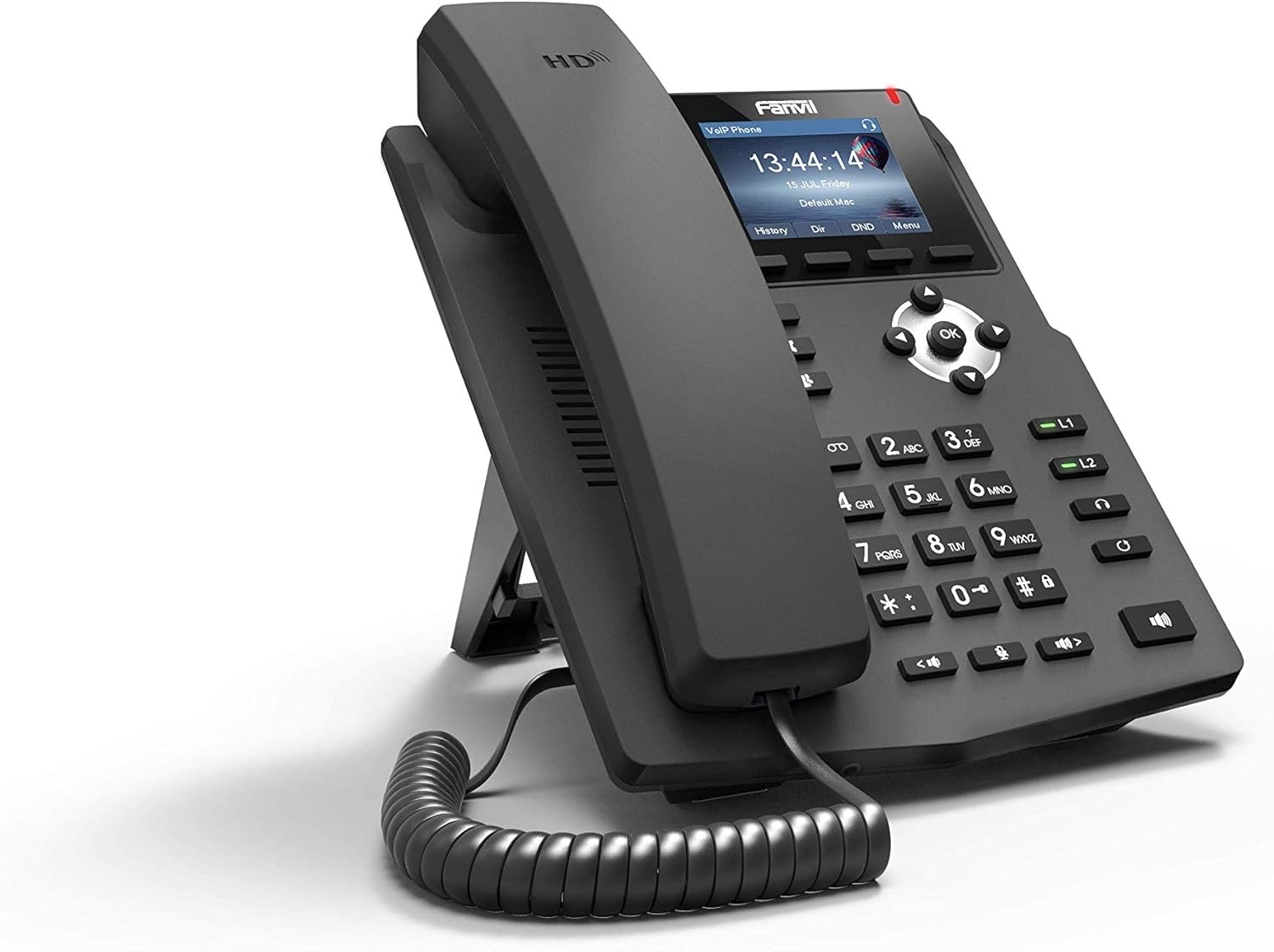
ภาพที่ 1.1: มุมมองด้านหน้า view of the Fanvil X3G Enterprise IP Phone.
2. เนื้อหาบรรจุภัณฑ์
ตรวจสอบว่ามีรายการทั้งหมดอยู่ในแพ็คเกจ:
- Fanvil X3G IP Phone Unit
- โทรศัพท์มือถือ
- สายโทรศัพท์
- สายเคเบิลอีเทอร์เน็ต
- ยืน
- คู่มือการติดตั้งฉบับย่อ (เอกสารนี้)
3. การตั้งค่า
3.1 การประกอบโทรศัพท์
- Attach the stand to the back of the phone unit. The stand allows for desktop placement at an optimal viewing angle or can be configured for wall-mount installation.
- Connect the coiled handset cord to the handset and the designated handset port on the phone unit.
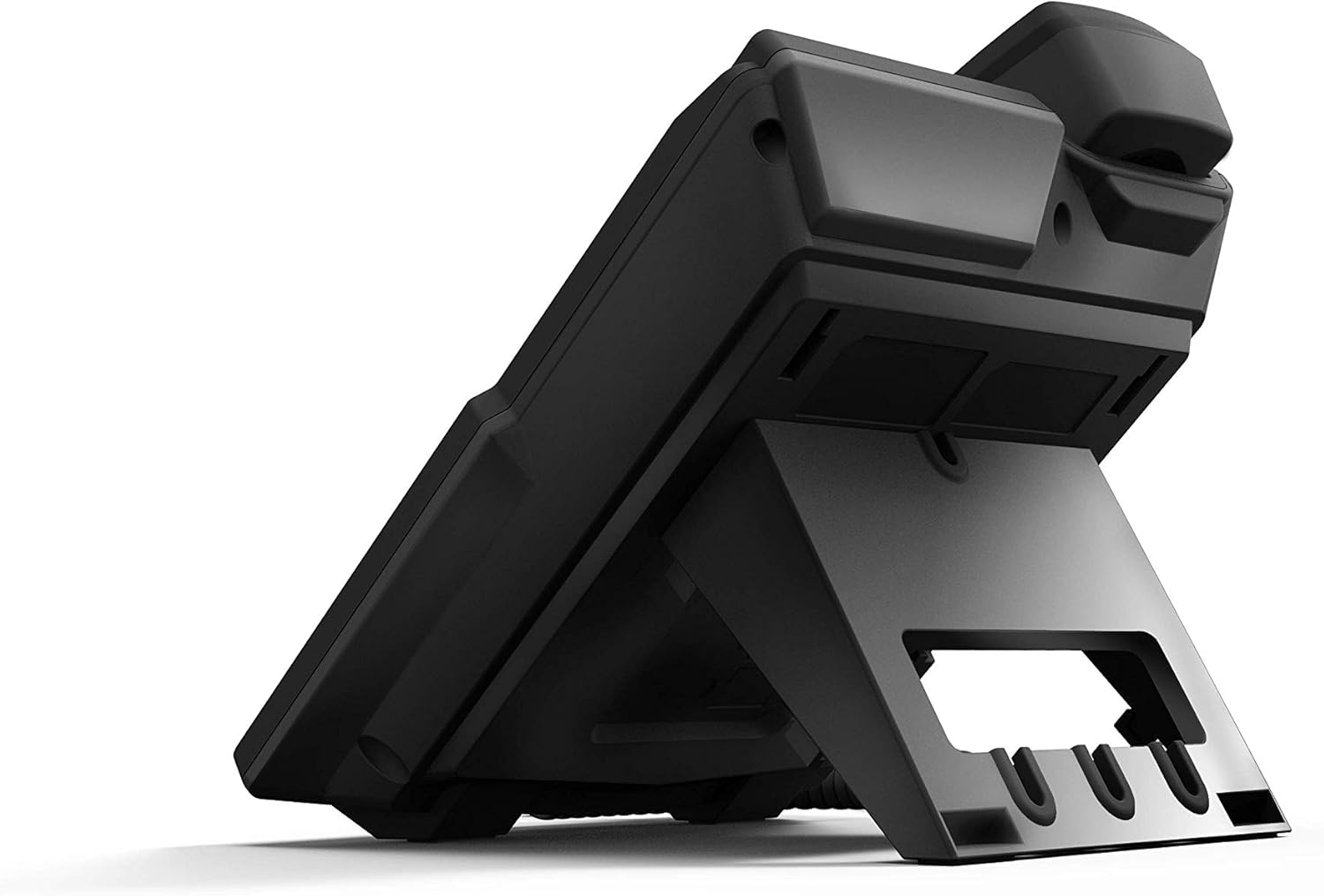
ภาพที่ 3.1: ด้านหลัง view of the Fanvil X3G IP Phone with stand and connection ports.
3.2 การเชื่อมต่อโทรศัพท์
- การเชื่อมต่อเครือข่าย: ต่อปลายด้านหนึ่งของสายอีเธอร์เน็ตเข้ากับพอร์ต LAN บนโทรศัพท์ และปลายอีกด้านหนึ่งเข้ากับสวิตช์เครือข่ายหรือเราเตอร์ หากเครือข่ายของคุณรองรับ Power over Ethernet (PoE) โทรศัพท์จะเปิดเครื่องโดยอัตโนมัติ
- การเชื่อมต่อแหล่งจ่ายไฟ (หากไม่ได้ใช้ PoE): If PoE is not available, connect a compatible power adapter (not included) to the power port on the phone and then to an electrical outlet.
- Headset Connection (Optional): For hands-free operation, connect a compatible headset to the headset port. The phone supports EHS (Electronic Hook Switch) for Plantronics headsets.
The phone will initiate its boot sequence upon receiving power. The display will show the Fanvil logo and then proceed to load the operating system.
4. คู่มือการใช้งาน
4.1 ฟังก์ชันการโทรพื้นฐาน

ภาพที่ 4.1: ด้านหน้า view of the Fanvil X3G IP Phone, highlighting the display and keypad.
- การโทร:
- Pick up the handset, press the speakerphone button, or press the Headset button.
- กดหมายเลขที่ต้องการโดยใช้ปุ่มกด
- กดปุ่ม โทรออก ปุ่มซอฟต์คีย์หรือปุ่ม # สำคัญ.
- รับสาย:
- Pick up the handset, press the speakerphone button, or press the Headset button.
- อีกวิธีหนึ่งคือกด คำตอบ ซอฟต์คีย์
- การวางสาย:
- Hang up the handset, press the speakerphone button again, or press the Headset button again.
- อีกวิธีหนึ่งคือกด วางสาย ซอฟต์คีย์
4.2 คุณสมบัติการโทร
- เสียงความละเอียดสูง: The Fanvil X3G supports HD Voice for superior audio clarity during calls.
- สปีกเกอร์โฟน: กดปุ่ม ลำโพง ปุ่มสำหรับสลับโหมดลำโพงสนทนา
- โหมดหูฟัง: กดปุ่ม ชุดหูฟัง button to use a connected headset.
- ปิดเสียง: กดปุ่ม ปิดเสียง ปุ่มนี้ใช้เพื่อปิดเสียงไมโครโฟนระหว่างการโทร กดอีกครั้งเพื่อเปิดเสียง
- การปรับระดับเสียง: ใช้ ปริมาณ buttons to adjust the handset, speaker, or headset volume during a call, or the ringer volume when idle.
- สาย SIP 2 สาย: The phone supports two independent SIP lines, allowing you to manage multiple calls simultaneously. Use the line keys (L1, L2) to switch between lines.
- การประชุมทางโทรศัพท์แบบ 3 ฝ่าย:
- เริ่มการสนทนากับคู่สนทนาหลัก
- กดปุ่ม การประชุม soft key. The first party is put on hold.
- กดหมายเลขของคู่สนทนาคนที่สองแล้วกด โทรออก.
- เมื่อเชื่อมต่อกับคู่สนทนาอีกฝ่ายแล้ว ให้กดปุ่ม การประชุม soft key again to join all three parties in a conference call.
5. การบำรุงรักษา
Proper maintenance ensures the longevity and optimal performance of your Fanvil X3G IP Phone.
- การทำความสะอาด: ใช้ผ้าแห้งนุ่มเช็ดทำความสะอาดพื้นผิวโทรศัพท์ สำหรับคราบฝังแน่น ให้ใช้ผ้าชุบน้ำหมาดๆ เช็ดเบาๆampชุบผ้าให้เปียกหมาดๆ หลีกเลี่ยงการใช้สารเคมีรุนแรง น้ำยาทำความสะอาดที่มีฤทธิ์กัดกร่อน หรือตัวทำละลาย เพราะอาจทำให้พื้นผิวเสียหายได้
- สิ่งแวดล้อม: เก็บโทรศัพท์ไว้ในสภาพแวดล้อมที่แห้ง หลีกเลี่ยงแสงแดดโดยตรง ความร้อนสูง และความชื้น
- สาย: Ensure all cables are securely connected and not strained or kinked.
6 การแก้ไขปัญหา
If you encounter issues with your Fanvil X3G IP Phone, refer to the following common troubleshooting steps:
- ไม่มีไฟ/โทรศัพท์เปิดไม่ติด:
- Check if the Ethernet cable is securely connected to the LAN port and the network switch/router.
- If not using PoE, ensure the power adapter (if applicable) is correctly connected to the phone and a working electrical outlet.
- Verify that the network switch/router is powered on and functioning.
- ไม่มีเสียงสัญญาณโทรศัพท์:
- Ensure the phone is properly registered with your VoIP service provider. Check the display for registration status.
- ตรวจสอบการเชื่อมต่อเครือข่าย
- Restart the phone by disconnecting and reconnecting the power/Ethernet cable.
- Poor Call Quality (Echo, Static):
- ตรวจสอบการเชื่อมต่อเครือข่ายของคุณเพื่อดูความเสถียรและแบนด์วิดท์
- ตรวจสอบให้แน่ใจว่าสายโทรศัพท์เชื่อมต่อแน่นสนิทแล้ว
- If using a headset, try using the handset to determine if the issue is headset-related.
- ไม่สามารถโทรออก/รับสายได้:
- Confirm that the phone is registered with your SIP server.
- Check network settings and ensure the phone has an IP address.
- Contact your VoIP service provider or network administrator for assistance with SIP registration or network configuration.
7. ข้อมูลจำเพาะ
Technical specifications for the Fanvil X3G Enterprise IP Phone:
| คุณสมบัติ | รายละเอียด |
|---|---|
| ยี่ห้อ | แฟนวิล |
| หมายเลขรุ่น | H3 PHONE (also known as X3G) |
| ขนาดสินค้า | 1 x 1 x 1 นิ้ว (2.54 x 2.54 x 2.54 ซม.) |
| น้ำหนักสินค้า | 1.95 ปอนด์ (0.88 กก.) |
| ASIN | B06VX2V8B2 |
| ประเภทโทรศัพท์ | แบบมีสาย |
| แหล่งพลังงาน | ระบบไฟฟ้าแบบมีสาย (รองรับ PoE) |
| ประเภทผู้โทรออก | ปุ่มกดเดียว |
| ประเภทของระบบตอบรับ | ดิจิตอล |
| ความสามารถในการประชุมทางโทรศัพท์ | 3 ทาง |
| การระบุผู้โทร | เลขที่ |
| ยูพีซี | 756676089350 |
| สาย SIP | 2 |
| เสียง HD | ใช่ |
| การรองรับชุดหูฟัง | การสนับสนุน EHS สำหรับชุดหูฟัง Plantronics |
| ตัวเลือกการติดตั้ง | ตั้งโต๊ะ / ติดผนัง |
8. การรับประกันและการสนับสนุน
For warranty information, please refer to the documentation provided at the time of purchase or contact your reseller. For technical support, please reach out to your service provider or the Fanvil customer support team through their official webเว็บไซต์.