1. สินค้าหมดview
The ZOTAC GeForce GTX 1080 Mini is a high-performance graphics card designed for gaming and VR applications. It features NVIDIA Pascal architecture, 8GB GDDR5X memory, and a compact design suitable for smaller PC builds. This manual provides essential information for the installation, operation, and maintenance of your graphics card.
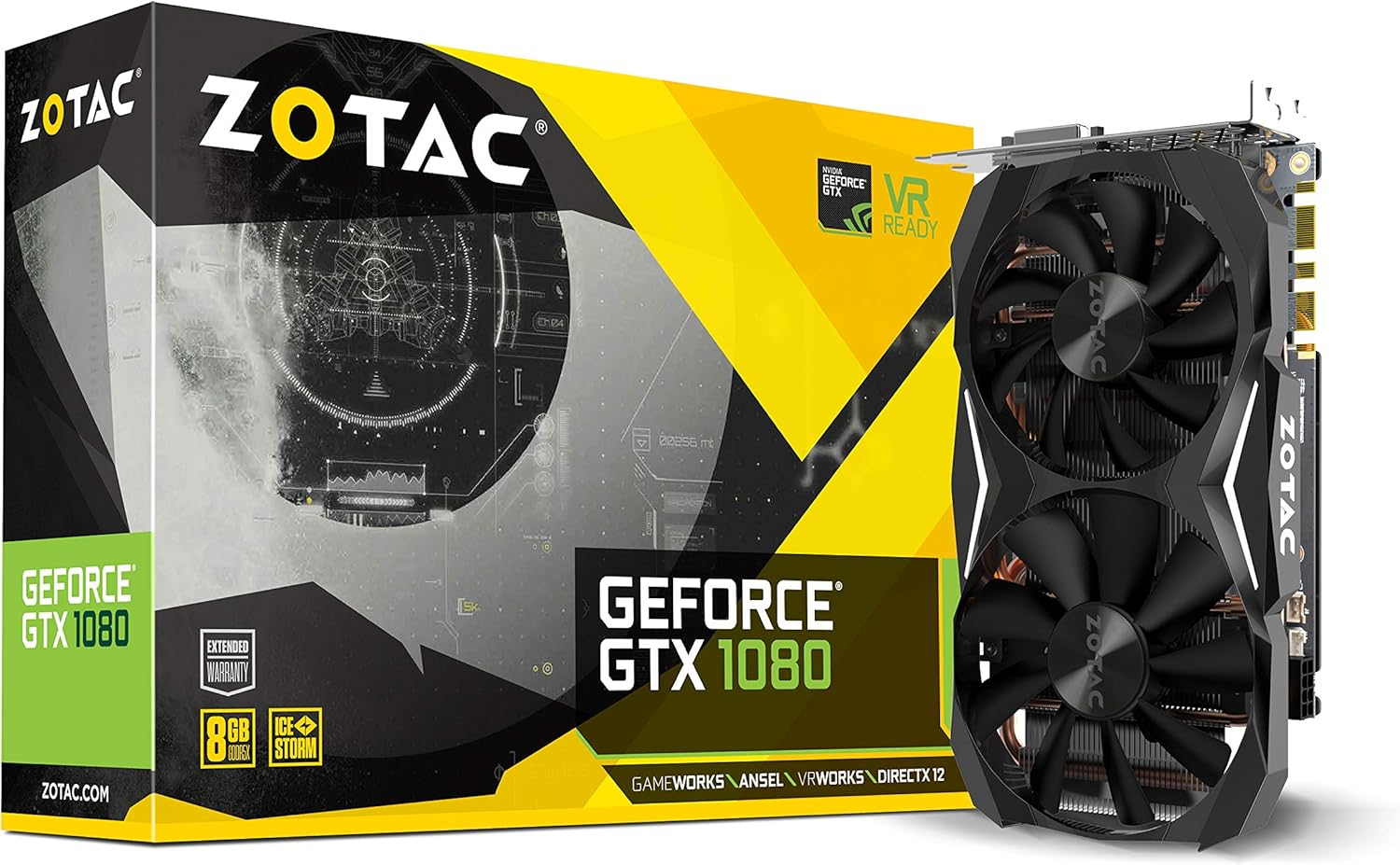
Figure 1: ZOTAC GeForce GTX 1080 Mini Graphics Card, front view with dual fans.
2. อะไรอยู่ในกล่อง
ตรวจสอบว่าส่วนประกอบทั้งหมดมีอยู่ก่อนดำเนินการติดตั้ง:
- ZOTAC GeForce GTX 1080 Mini Graphics Card
- 2 x Dual 6-pin to 8-pin power cable
- คู่มือการใช้งาน
- แผ่นไดร์เวอร์
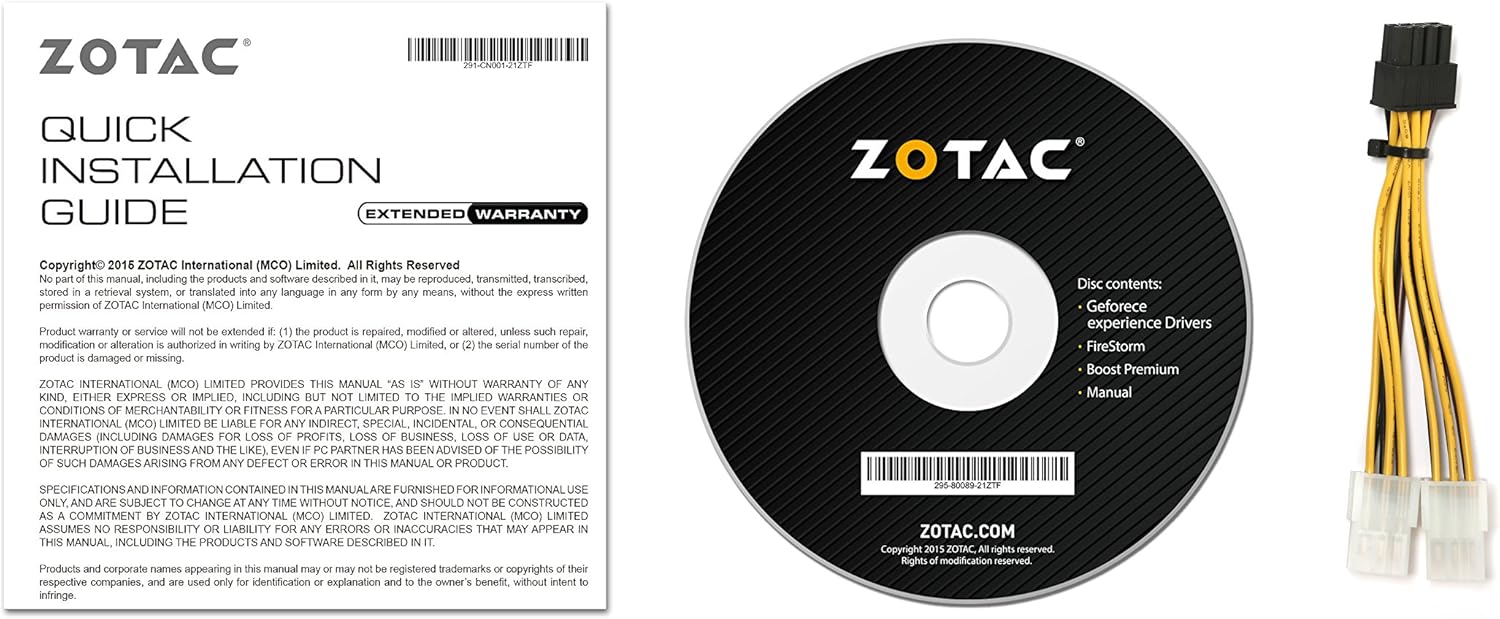
Figure 2: Included accessories and documentation.
3. การตั้งค่าและการติดตั้ง
Before installing the graphics card, ensure your computer is powered off and unplugged from the wall outlet. It is recommended to wear an anti-static wrist strap to prevent damage from electrostatic discharge.
3.1 ข้อกำหนดของระบบ
- มาเธอร์บอร์ดที่รองรับ PCI Express พร้อมสล็อตกราฟิก x16 สองความกว้างหนึ่งช่อง
- Minimum 500 watt power supply recommended.
- 180 watt minimum power consumption.
- 8-pin PCI Express power connectors (use included adapter if necessary).
- Microsoft Windows 10/8/7 x86/x64.
3.2 การติดตั้งทางกายภาพ
- เปิดเคสคอมพิวเตอร์ของคุณ
- ค้นหาสล็อต PCI Express x16 ที่ว่างบนเมนบอร์ดของคุณ
- Remove any expansion slot covers that correspond to the graphics card's size.
- Carefully align the graphics card with the PCI Express slot and press firmly until it is securely seated.
- Secure the graphics card to the chassis with the appropriate screws.
- Connect the 8-pin PCI Express power connector(s) from your power supply to the graphics card. Use the provided dual 6-pin to 8-pin adapter if your power supply only has 6-pin connectors.
- ปิดเคสคอมพิวเตอร์ของคุณ

Figure 3: Graphics card display outputs (3x DisplayPort 1.4, 1x HDMI 2.0b, 1x Dual-Link DVI).
3.3 การติดตั้งไดรเวอร์
- Connect your display to one of the graphics card's output ports.
- เปิดเครื่องคอมพิวเตอร์ของคุณ
- Insert the included driver disc into your optical drive and follow the on-screen instructions. Alternatively, download the latest drivers from the official ZOTAC website or NVIDIA webไซต์เพื่อประสิทธิภาพและความเข้ากันได้สูงสุด
- รีสตาร์ทเครื่องคอมพิวเตอร์ของคุณหลังจากการติดตั้งไดรเวอร์เสร็จสมบูรณ์
4. การใช้งานการ์ดจอของคุณ
The ZOTAC GeForce GTX 1080 Mini is equipped with advanced NVIDIA technologies to enhance your gaming and visual experience.
4.1 คุณสมบัติหลัก
- NVIDIA Pascal Architecture: Delivers superior performance and power efficiency.
- หน่วยความจำ GDDR5X ขนาด 8GB: จัดเตรียมให้ ample memory for high-resolution gaming and demanding applications.
- VR พร้อม: Optimized for virtual reality experiences.
- NVIDIA GameWorks Technology: Delivers interactive and cinematic experiences.
- NVIDIA VRWorks Technology: Enables next-generation VR performance, low latency, and plug-and-play compatibility.
- NVIDIA G-Sync Ready: Synchronizes display refresh rates to the GPU for smooth, tear-free gaming.
- NVIDIA Ansel Technology: A revolutionary way to capture in-game screenshots.
- NVIDIA SLI Ready: Allows for multi-GPU configurations for increased performance (requires compatible motherboard and additional card).
- 4K Gaming Support: Capable of delivering high-resolution gaming experiences.
- การสนับสนุนหลายจอแสดงผล: รองรับการแสดงผลสูงสุด 4 จอพร้อมกัน
4.2 Software Utility (FireStorm)
The ZOTAC FireStorm software utility provides an intuitive interface for monitoring and tuning your graphics card. It allows for fan speed control, clock speed adjustments, and LED lighting customization.
Video 1: Official ZOTAC overview of the GeForce GTX 1080 Mini, highlighting key features and the FireStorm software.
5. การบำรุงรักษา
การบำรุงรักษาอย่างเหมาะสมจะช่วยให้การ์ดจอของคุณมีอายุการใช้งานยาวนานและมีประสิทธิภาพเหมาะสมที่สุด
- อัปเดตไดรเวอร์อยู่เสมอ: Regularly check the ZOTAC or NVIDIA website for the latest graphics drivers to ensure compatibility and performance improvements.
- ทำความสะอาดเป็นประจำ: Use compressed air to gently remove dust from the fans and heatsink fins. Ensure the computer is powered off and unplugged before cleaning.
- ตรวจสอบอุณหภูมิ: Use monitoring software (like ZOTAC FireStorm) to keep an eye on the GPU temperature, especially during heavy loads, to prevent overheating.

รูปที่ 4: ด้านบน view of the graphics card, showing the dual fan cooling system.
6 การแก้ไขปัญหา
หากคุณพบปัญหาเกี่ยวกับการ์ดแสดงผล โปรดดูขั้นตอนการแก้ไขปัญหาทั่วไปต่อไปนี้:
- ไม่มีการแสดงผล:
- ตรวจสอบให้แน่ใจว่าสายเคเบิลจอภาพเชื่อมต่อกับการ์ดจอและจอภาพอย่างแน่นหนา
- Verify the graphics card is properly seated in the PCI Express slot.
- Check that all necessary power connectors are attached to the graphics card.
- ทดสอบด้วยสายจอแสดงผลหรือจอภาพอื่นหากเป็นไปได้
- ความไม่เสถียรของระบบหรือเกิดการขัดข้อง:
- Ensure graphics drivers are up-to-date.
- ตรวจสอบอุณหภูมิ GPU อย่างสม่ำเสมอเพื่อให้แน่ใจว่าไม่ร้อนเกินไป
- ตรวจสอบว่าแหล่งจ่ายไฟของคุณตรงตามวัตต์ขั้นต่ำtagความต้องการ
- ผลงานไม่ดีในการแข่งขัน:
- Ensure graphics drivers are up-to-date.
- ตรวจสอบการตั้งค่ากราฟิกในเกม และลดระดับลงหากจำเป็น
- ปิดแอพพลิเคชันพื้นหลังที่ไม่จำเป็น
- Monitor GPU and CPU usage to identify potential bottlenecks.
7. ข้อมูลจำเพาะ
| คุณสมบัติ | รายละเอียด |
|---|---|
| โคโปรเซสเซอร์กราฟิก | การ์ดจอ NVIDIA GeForce GTX 1080 |
| แกน CUDA | 2560 |
| หน่วยความจำวิดีโอ | 8GB GDDR5X |
| บัสหน่วยความจำ | 256 บิต |
| Engine Clock (Base) | 1620 เมกะเฮิรตซ์ |
| Engine Clock (Boost) | 1759 เมกะเฮิรตซ์ |
| นาฬิกาความจำ | 10 กิกะเฮิรตซ์ |
| พีซีไอ เอ็กซ์เพรส | 3.0 |
| การแสดงผลเอาท์พุต | 3 x DisplayPort 1.4, 1 x HDMI 2.0b, 1 x Dual-Link DVI |
| ความละเอียดหน้าจอสูงสุด | ขนาด 3840x2160 |
| รองรับการแสดงผลหลายจอ | แสดงผลพร้อมกัน Quad ได้ |
| ขั้วต่อไฟฟ้า | 8-pin PCI Express |
| PSU ที่แนะนำ | Minimum 500W |
| การใช้พลังงาน | 180W (minimum) |
| ขนาด (กxยxส) | 8.3 x 1.61 x 4.92 นิ้ว |
| น้ำหนักสินค้า | 1 ปอนด์ |
8. การรับประกันและการสนับสนุน
An extended warranty is included with every ZOTAC graphics card purchase. User registration is required on the official ZOTAC website to activate the extended warranty.
For technical support, driver downloads, or further product information, please visit the official ZOTAC webเว็บไซต์: www.zotac.com


