1. บทนำ
The Crenova iScope Digital Waterproof Handheld Endoscope is a portable, handheld, multifunctional inspection system designed for various applications. It features a 2.7-inch LCD screen for real-time viewing and recording, an 8.2mm diameter snake camera with adjustable LED lights, and a high-performance camera for clear output. Its lightweight and portable design, powered by a rechargeable battery, makes it ideal for inspecting hard-to-reach or hard-to-see areas without the need for external devices like PCs or mobile phones.
การใช้งานประกอบด้วย:
- การซ่อมแซมและบำรุงรักษายานยนต์ / ดีเซล
- การตรวจสอบพื้นที่หรืออุปกรณ์ที่เข้าถึงยากหรือมองเห็นยาก
- Plumbing, construction, and restoration applications
- การศึกษาด้านวิทยาศาสตร์
- การสำรวจกลางแจ้ง
2. เนื้อหาบรรจุภัณฑ์
กรุณาตรวจสอบสิ่งของภายในบรรจุภัณฑ์เมื่อเปิดออกเพื่อให้แน่ใจว่ามีสินค้าครบทั้งหมด:
- 1 x Digital Endoscope Unit (with 2.7-inch LCD monitor)
- 1 x คู่มือผู้ใช้
- 1 x Probe (3-meter cable with 8.2mm camera)
- 1 x Video-out cable
- 1 x Micro USB cable (for charging)
- Accessories: Hook, Magnet, Mirror
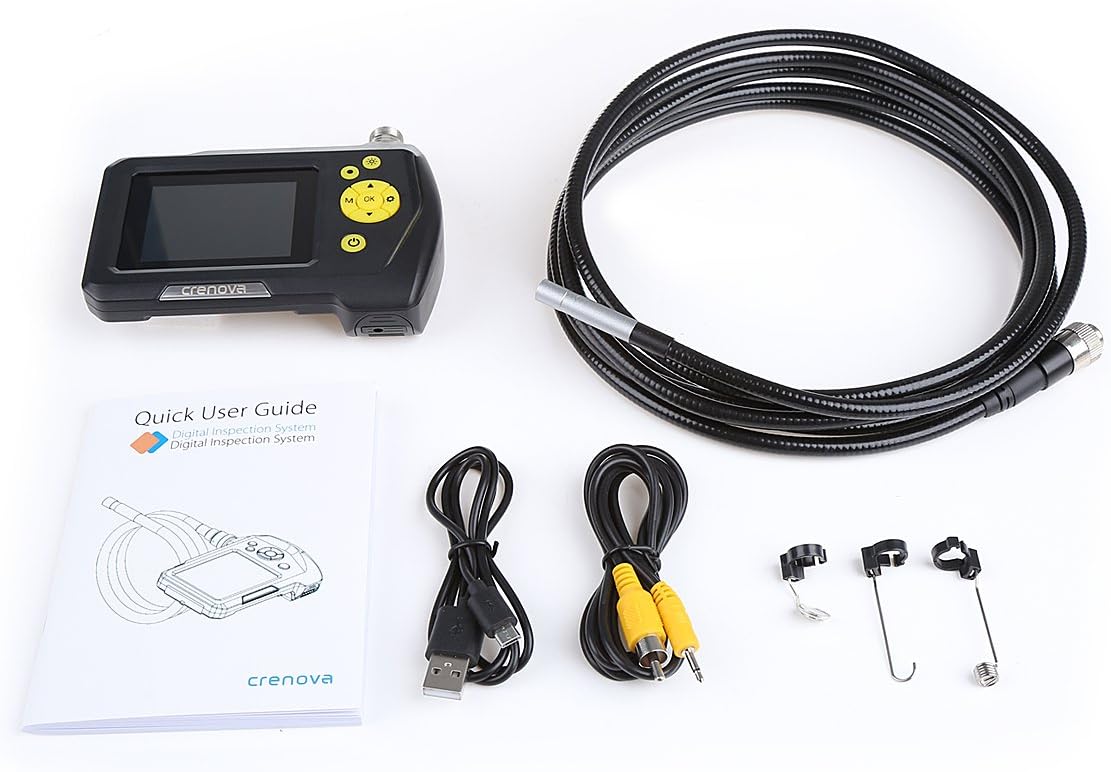
Figure 2.1: Complete package contents including the endoscope unit, probe, cables, and accessories.
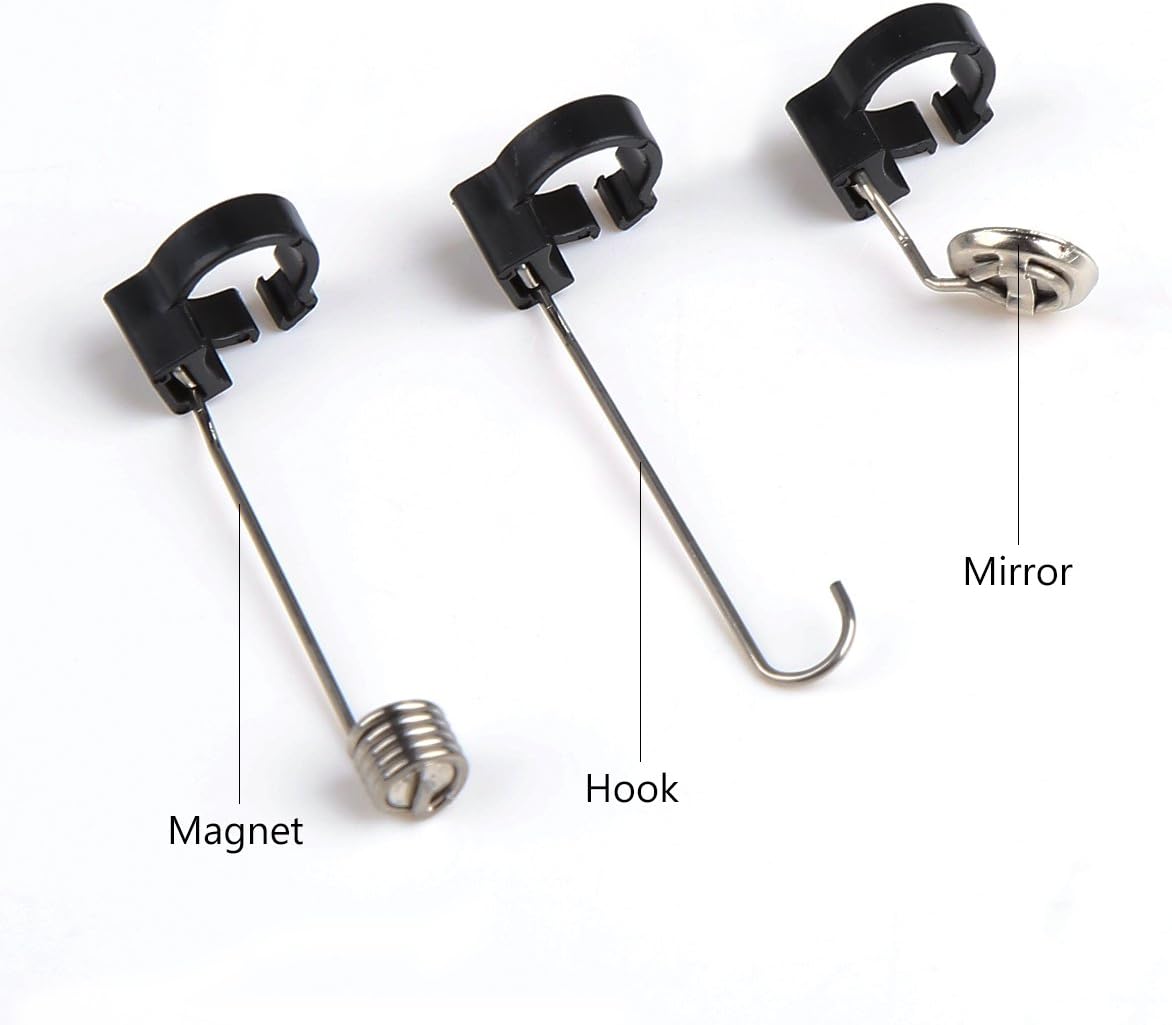
รูปที่ 2.2: ระยะใกล้ view of the included accessories: magnet, hook, and mirror attachments.
3. คุณสมบัติของผลิตภัณฑ์
The Crenova Endoscope is equipped with several features to enhance its utility:
- จอแสดงผลแบบบูรณาการ: 2.7-inch Color LCD screen for direct viewการไอเอ็นจี
- Rotatable Screen: Display can be rotated 360° for optimal viewมุมการเอียง
- การถ่ายภาพความละเอียดสูง: Supports image capturing up to 2048x1536 pixels and video recording up to 1280x720 pixels.
- ไฟ LED ปรับได้: 6 adjustable LED lights on the camera tip for illumination in dark environments.
- กล้องกันน้ำ: The camera and tube part are IP67 waterproof, allowing for underwater inspection.
- อายุการใช้งานแบตเตอรี่ยาวนาน: Powered by a 2600mAh Lithium Battery, providing 5-6 hours of continuous operation.
- การออกแบบพกพา: Lightweight and handheld, eliminating the need for external devices.

Figure 3.1: The Crenova endoscope unit held in hand, showing its compact and portable design.

Figure 3.2: The endoscope unit with its 3-meter flexible cable, highlighting the front and back views of the monitor.
4. การตั้งค่า
- ชาร์จอุปกรณ์: Before first use, fully charge the endoscope unit using the provided Micro USB cable. Connect the Micro USB cable to the unit's USB port and the other end to a standard USB power adapter (not included). The charging indicator will show the status.
- Insert TF Card (Not Included): For saving images and videos, insert a TF (microSD) card into the designated slot on the side of the unit. Ensure the card is inserted correctly until it clicks into place.
- เชื่อมต่อโพรบ: Align the connector of the 3-meter probe cable with the port on top of the endoscope unit. Push firmly until it is securely connected.

รูปที่ 4.1: ด้านข้าง view of the endoscope unit, indicating the TF Card slot, AV output, and USB (Power Interface) port.
5. คู่มือการใช้งาน
Familiarize yourself with the control buttons on the endoscope unit:

Figure 5.1: Layout of the control buttons on the Crenova endoscope unit, including LED control, Snap, Power, Up/Zoom, Down/Rotate, Menu, Mode, and OK keys.
- เปิด/ปิดเครื่อง: กดปุ่มค้างไว้ พลัง ปุ่ม () เพื่อเปิดหรือปิดอุปกรณ์
- ปรับไฟ LED: กดปุ่ม LED of camera ปุ่ม () to cycle through different brightness levels of the camera's LED lights.
- จับภาพ: อยู่ในสด view โหมดกดปุ่ม สแนป ปุ่ม () to take a still photograph.
- บันทึกวิดีโอ: กดปุ่ม โหมด ปุ่ม () to switch to video recording mode. Then, press the OK ปุ่ม () to start/stop recording.
- การนำทางเมนู: กดปุ่ม เมนู ปุ่ม () to access settings. Use the Up/Zoom () และ ลง/หมุน () buttons to navigate options, and OK เพื่อยืนยัน.
- Viewสื่อสิ่งพิมพ์: In playback mode (switch with โหมด button), use the navigation buttons to browse captured images and videos.
- การใช้อุปกรณ์เสริม: The hook, magnet, and mirror accessories can be attached to the camera tip for retrieving objects, picking up metallic items, or viewing at a 90-degree angle, respectively.
6. การบำรุงรักษา
- การทำความสะอาด: หลังการใช้งานทุกครั้ง ให้เช็ดเลนส์กล้องและหัววัดเบาๆ ด้วยผ้าแห้งเนื้อนุ่ม สำหรับคราบสกปรกที่ติดแน่น ให้ใช้ผ้าชุบน้ำยาทำความสะอาดเล็กน้อยเช็ดamp cloth can be used, ensuring no liquid enters the main unit.
- การดูแลแบตเตอรี่ เพื่อยืดอายุการใช้งานแบตเตอรี่ ควรหลีกเลี่ยงการปล่อยให้แบตเตอรี่หมดจนเกลี้ยงบ่อยๆ ชาร์จอุปกรณ์เป็นประจำ โดยเฉพาะอย่างยิ่งหากจะเก็บไว้เป็นเวลานาน
- พื้นที่จัดเก็บ: Store the endoscope in a cool, dry place, away from direct sunlight and extreme temperatures. Keep the probe coiled neatly to prevent kinks or damage.
- Waterproof Note: The IP67 waterproof level applies only to the camera (including the tube) part. The main monitor unit is NOT waterproof and should not be submerged in water.
7 การแก้ไขปัญหา
- ปุ่มไม่มีการตอบสนอง:
- If some of the buttons cannot be pressed to work, try re-plugging the TF card (not included) in its slot. Ensure it is seated correctly.
- ไม่มีภาพบนหน้าจอ:
- Ensure the probe cable is securely connected to the main unit. Check if the device is powered on and fully charged.
- คุณภาพของภาพไม่ดี:
- Adjust the LED light brightness using the dedicated button. Clean the camera lens if it appears dirty or smudged.
- อุปกรณ์ไม่เปิดเครื่อง:
- Ensure the battery is charged. Connect the Micro USB cable and attempt to power on while charging.
สำหรับปัญหาที่ไม่ได้กล่าวถึงในที่นี้ โปรดดูข้อมูลการติดต่อในส่วนการรับประกันและการสนับสนุน
8. ข้อมูลจำเพาะ
| หมวดหมู่ | ข้อมูลจำเพาะ |
|---|---|
| ประเภทหน้าจอมอนิเตอร์ | 2.7 นิ้ว LCD สี |
| ตรวจสอบการหมุน | การหมุน 360° |
| ความละเอียดในการบันทึกวิดีโอ | 320x240, 640x480, 1280x720 (Pixels) |
| ความละเอียดในการจับภาพ | 640x480, 1600x1200, 2048x1536 (Pixels) |
| แหล่งพลังงาน | แบตเตอรี่ลิเธียม 2600mAh |
| อายุการใช้งานแบตเตอรี่สูงสุด | 5-6 ชั่วโมง |
| เส้นผ่านศูนย์กลางของกล้อง | 8.2มม. |
| เส้นผ่านศูนย์กลางเพลา | 7.0มม. |
| ความยาวเพลา | 100 ซม. (3 เมตร) |
| Viewอิงแองเกิล | 60° |
| ระดับการกันน้ำ | IP67 (for camera and tube part only) |
| ประเภทแหล่งกำเนิดแสง | นำ |
| ยูพีซี | 713803783819 |
9. การรับประกันและการสนับสนุน
This Crenova endoscope product comes with a รับประกัน 12 เดือน ตั้งแต่วันที่ซื้อสินค้า
If you encounter any problems or have concerns regarding your device, please do not hesitate to contact Crenova customer support. You can reach us via Amazon E-mail for assistance. Please provide your order details and a clear description of the issue to facilitate a quick resolution.


