การแนะนำ
This manual provides detailed instructions for the Logitech M221 Wireless Mouse. Designed for quiet operation and reliable performance, the M221 offers a comfortable, ambidextrous design with an 18-month battery life. Please read this manual thoroughly to ensure proper setup and optimal use of your device.
คู่มือการติดตั้ง
ทำตามขั้นตอนต่อไปนี้เพื่อตั้งค่าเมาส์ไร้สาย Logitech M221 ของคุณ:
- ติดตั้งแบตเตอรี่:
Locate the battery compartment on the underside of the mouse. Slide the battery cover off. Insert the included AA battery, ensuring correct polarity. Replace the battery cover.

ภาพ: ด้านล่าง view of the Logitech M221 mouse, showing the battery compartment and the location of the USB receiver.
- ค้นหาตัวรับ USB:
The tiny USB receiver is stored inside the battery compartment for convenience during transport. Carefully remove it from its slot.
- Connect the Receiver to Your Computer:
Plug the USB receiver into an available USB port on your computer (PC or Mac). The mouse will automatically connect to your computer.
- เปิดเครื่องเมาส์:
Ensure the power switch on the underside of the mouse is in the "ON" position. The mouse is now ready for use.
คำแนะนำการใช้งาน
The Logitech M221 is designed for intuitive and comfortable use:
- การคลิกแบบเงียบ: The M221 features 90% reduced click sound, providing a quiet working environment without sacrificing the familiar click feel.
- การออกแบบตีสองหน้า: Its comfortable, contoured shape is suitable for both left and right-handed users.
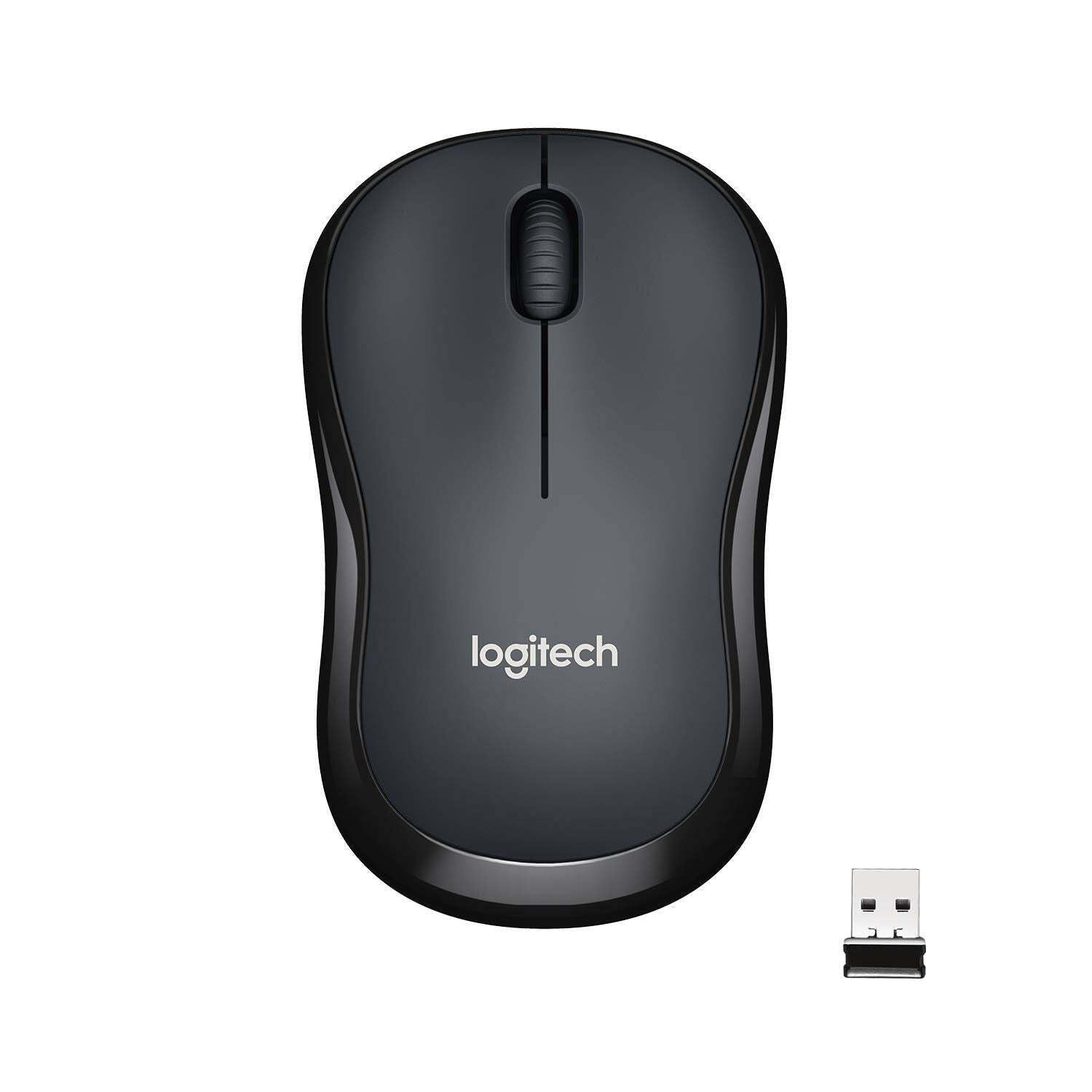
ภาพ: ด้านบน view of the Logitech M221 Wireless Mouse in charcoal, alongside its compact USB receiver.
- การติดตามด้วยแสง: The mouse uses 1000 DPI optical tracking for smooth and precise cursor control.
- ระยะสัญญาณไร้สาย: Enjoy reliable wireless connectivity up to 10 meters (33 feet) from your computer. Actual range may vary based on environmental conditions.
- ฟังก์ชันปิดเครื่องอัตโนมัติ: To conserve battery life, the mouse automatically enters a sleep mode when not in use. Move the mouse or click a button to wake it up.
การซ่อมบำรุง
Proper maintenance ensures the longevity and optimal performance of your M221 mouse.
- การเปลี่ยนแบตเตอรี่: The M221 mouse boasts an 18-month battery life. When the mouse performance degrades or the indicator light (if present) signals low battery, replace the AA battery. Refer to the "Install the Battery" step in the Setup Guide.
- การทำความสะอาด: Use a soft, dry cloth to clean the mouse. Avoid abrasive cleaners or solvents.
- พื้นที่จัดเก็บ: When not in use for extended periods, turn off the mouse using the power switch on the underside to further conserve battery life. Store the USB receiver inside the battery compartment to prevent loss.
การแก้ไขปัญหา
หากคุณพบปัญหาเกี่ยวกับเมาส์ Logitech M221 โปรดลองวิธีแก้ปัญหาต่อไปนี้:
- เมาส์ไม่ตอบสนอง:
- ตรวจสอบให้แน่ใจว่าเมาส์เปิดอยู่
- ตรวจสอบแบตเตอรี่ เปลี่ยนแบตเตอรี่หากจำเป็น
- ตรวจสอบว่าตัวรับสัญญาณ USB เสียบเข้ากับพอร์ต USB ที่ใช้งานได้บนคอมพิวเตอร์ของคุณอย่างแน่นหนา ลองใช้พอร์ต USB อื่น
- ขยับเมาส์ให้ใกล้กับตัวรับสัญญาณ USB มากขึ้นเพื่อตรวจสอบว่ามีปัญหาเรื่องระยะการใช้งานหรือไม่
- การเคลื่อนไหวของเคอร์เซอร์ที่ไม่แน่นอน:
- ทำความสะอาดเซ็นเซอร์ออปติคัลที่ด้านล่างเมาส์ด้วยผ้าแห้งและนุ่ม
- ตรวจสอบให้แน่ใจว่าคุณใช้เมาส์บนพื้นผิวที่เหมาะสม หลีกเลี่ยงพื้นผิวที่สะท้อนแสงหรือโปร่งใส
- ตรวจสอบสัญญาณรบกวนจากอุปกรณ์ไร้สายอื่นๆ
- ปุ่มหรือล้อเลื่อนไม่ทำงาน:
- รีสตาร์ทเครื่องคอมพิวเตอร์ของคุณ
- เสียบตัวรับสัญญาณ USB กลับเข้าไปใหม่
- If the issue persists, the mouse may require replacement.
ข้อมูลจำเพาะ
| คุณสมบัติ | รายละเอียด |
|---|---|
| ยี่ห้อ | โลจิเทค |
| แบบอย่าง | M221 (Item model number: 910-004882) |
| เทคโนโลยีการเชื่อมต่อ | 2.4 GHz ไร้สาย (ตัวรับสัญญาณ USB) |
| การตรวจจับการเคลื่อนไหว | ออปติคอล (1000 DPI) |
| Silent Buttons | Yes (90% reduced click sound) |
| ประเภทแบตเตอรี่ | 1 x AA แบตเตอรี่ (รวมอยู่ด้วย) |
| อายุการใช้งานแบตเตอรี่โดยเฉลี่ย | 18 เดือน |
| การออกแบบตีสองหน้า | ใช่ |
| ระบบปฏิบัติการที่รองรับ | Windows 10 or later, Windows 8, Windows RT, Windows 7, Mac OS X 10.5 or later, Chrome OS, Linux Kernel 2.6+2 |
| ขนาดสินค้า | 6 x 4 x 10 ซม. (กว้าง x ยาว x สูง) |
| น้ำหนักสินค้า | 77 กรัม |
| ส่วนประกอบที่รวมอยู่ | Mouse, Nano Receiver, 1 AA Battery, User Documentation |

Image: Diagram showing the dimensions of the Logitech M221 Wireless Mouse: 99mm length, 60mm width, 39mm height, and 75g weight.
การรับประกันและการสนับสนุน
สำหรับข้อมูลการรับประกันและการสนับสนุนทางเทคนิค โปรดดูที่ Logitech อย่างเป็นทางการ website or the documentation included with your product. Logitech provides customer support for product inquiries and assistance.
You can typically find support resources, FAQs, and contact information by visiting www.logitech.com/support.


