สินค้าเกินview
The Logitech K780 Multi-Device Wireless Keyboard is a versatile, full-sized keyboard designed to work seamlessly across multiple devices, including computers, smartphones, and tablets. Its integrated stand securely holds mobile devices, providing an optimal typing angle. This keyboard supports both Logitech Unifying and Bluetooth Smart technologies for flexible connectivity.
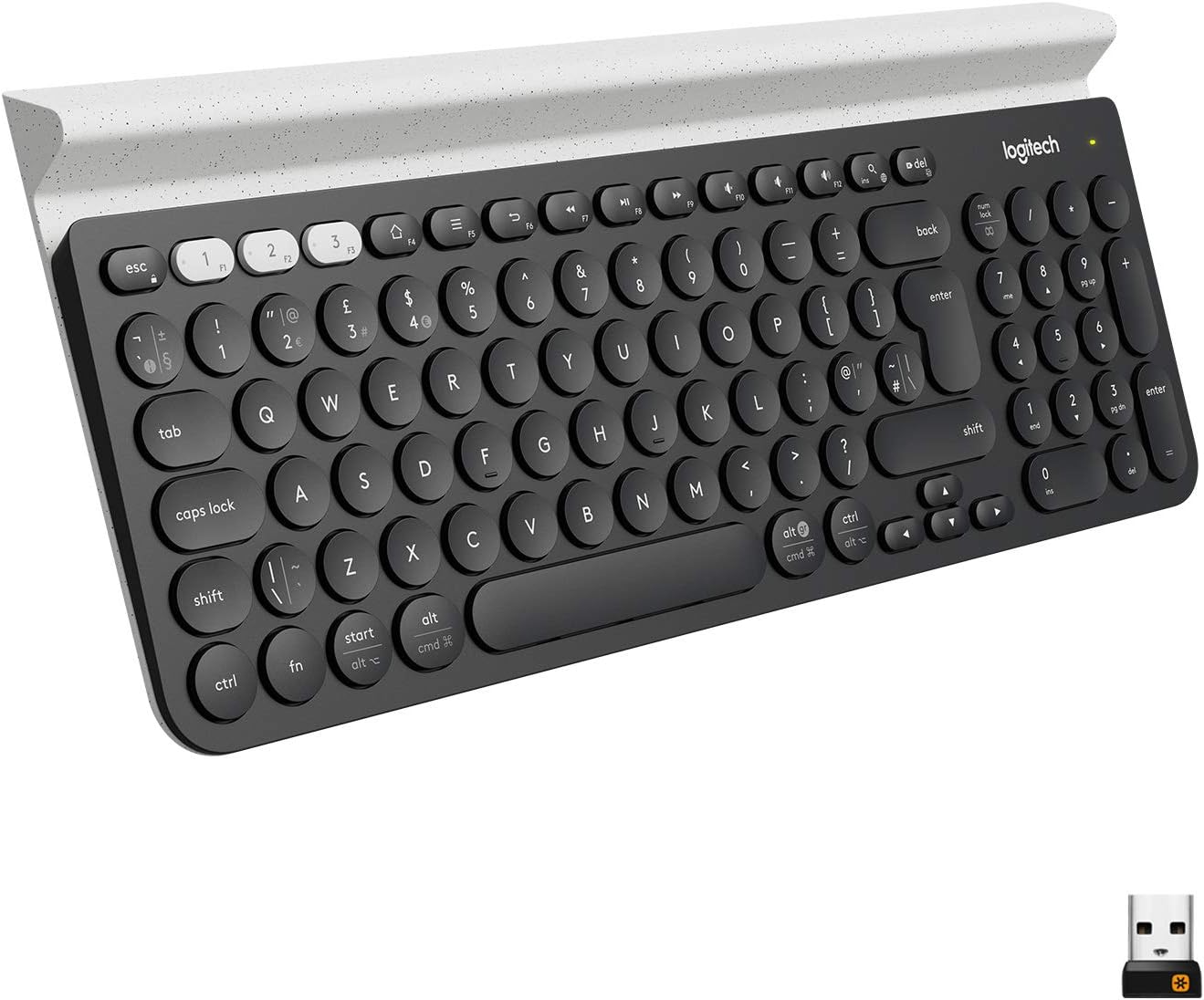
Image: Logitech K780 Multi-Device Wireless Keyboard, showcasing การจัดวางแบบเต็มและขาตั้งอุปกรณ์แบบรวม
การตั้งค่า
มีอะไรอยู่ในกล่อง
- คีย์บอร์ดไร้สายสำหรับหลายอุปกรณ์ Logitech K780
- แบตเตอรี่ AAA 2 ก้อน (ติดตั้งไว้ล่วงหน้า)
- ตัวรับสัญญาณ USB Unifying
- คู่มือผู้ใช้การเริ่มต้นอย่างรวดเร็ว
การติดตั้งแบตเตอรี่
The keyboard comes with two AAA batteries pre-installed. To activate, remove the plastic pull tab from the battery compartment located on the underside of the keyboard. If replacing batteries, ensure correct polarity.
ตัวเลือกการเชื่อมต่อ
The K780 keyboard offers two primary connection methods: the Logitech Unifying Receiver and Bluetooth Smart technology.
Using the Logitech Unifying Receiver
- Locate the USB Unifying Receiver in the keyboard's battery compartment or packaging.
- เสียบตัวรับสัญญาณ Unifying Receiver เข้ากับพอร์ต USB ที่ว่างอยู่บนคอมพิวเตอร์ของคุณ
- Turn on the keyboard using the On/Off switch located on the right side.
- The keyboard should automatically connect. If not, download and use the Logitech Options software for pairing.

Image: Logitech K780 keyboard shown with the small USB Unifying Receiver, illustrating its compact size.
โดยใช้เทคโนโลยีบลูทูธสมาร์ท
The K780 can connect to up to three Bluetooth-enabled devices.
- เปิดคีย์บอร์ด
- Press and hold one of the three easy-switch buttons (1, 2, or 3) located at the top left of the keyboard until the LED light above it starts blinking rapidly. This indicates pairing mode.
- On your device (computer, smartphone, or tablet), go to Bluetooth settings and search for new devices.
- เลือก "Logitech K780" จากรายการอุปกรณ์ที่มีอยู่
- Follow any on-screen prompts to complete the pairing process. The LED light on the keyboard will turn solid for a few seconds and then turn off once connected.
- Repeat for up to two more devices using the other easy-switch buttons.
ความเข้ากันได้ของระบบ
The Logitech K780 is compatible with a wide range of operating systems:
- หน้าต่าง: Windows 8 or later, Windows 10, 11 or later
- MacOS: OS X 10.10 or later, macOS 10.14 or later, macOS 10.15 or later
- ไอโอเอส: iOS 5 or later, iOS 11 or later, iPadOS 13.4 or later
- แอนดรอยด์: Android 5.0 or later, Android 7 or later
- ระบบปฏิบัติการ Chrome
การใช้งานแป้นพิมพ์
การสลับระหว่างอุปกรณ์
To switch between paired devices, simply press the corresponding easy-switch button (1, 2, or 3) at the top left of the keyboard. The keyboard will connect to the selected device within a few seconds.

Image: Logitech K780 keyboard demonstrating a tablet securely placed in its integrated stand, highlighting multi-device functionality.
Integrated Device Stand
The K780 features an integrated rubber cradle that securely holds your smartphone or tablet at an ideal typing angle. This stand is designed to accommodate devices of various sizes, including larger tablets.
ฟังก์ชั่นหลักและเค้าโครง
The K780 features a full-size QWERTY layout with a numeric keypad. It includes function keys (F1-F12) that can be used for media control, volume adjustment, and other shortcuts. The keyboard automatically adapts its key layout to the connected operating system (Windows, macOS, Android, iOS) to provide familiar shortcuts.
- ปุ่มฟังก์ชั่น (F1-F12): Perform system-specific actions. By default, they often control media, volume, and brightness.
- OS-Specific Keys: Keys like 'Start' (Windows) or 'Cmd' (macOS) will function according to the connected operating system.
- ปุ่มกดตัวเลข: Provides a dedicated section for number entry.
โหมดประหยัดแบตเตอรี่
To conserve battery life, the keyboard will enter a sleep mode after a period of inactivity. To wake it up, simply press any key. The keyboard will reconnect to the last active device within a few seconds.
การซ่อมบำรุง
ทำความสะอาดคีย์บอร์ด
To clean your K780 keyboard, use a soft, lint-free cloth slightly dampened with water or a mild cleaning solution. Avoid using abrasive cleaners, solvents, or harsh chemicals, as these can damage the surface and key legends. Do not immerse the keyboard in liquid.
การเปลี่ยนแบตเตอรี่
When the battery indicator light (usually located near the On/Off switch or an easy-switch button) turns red, it's time to replace the batteries. The K780 uses two AAA batteries. To replace them:
- Turn off the keyboard using the On/Off switch.
- เปิดฝาช่องใส่แบตเตอรี่ที่อยู่ด้านล่างของแป้นพิมพ์
- ถอดแบตเตอรี่ AAA เก่าออก
- Insert two new AAA batteries, ensuring correct polarity (+ and -).
- ปิดฝาช่องใส่แบตเตอรี่
- เปิดคีย์บอร์ด
Properly dispose of used batteries according to local regulations.
การแก้ไขปัญหา
ปัญหาการเชื่อมต่อ
- แป้นพิมพ์ไม่เชื่อมต่อ:
- ตรวจสอบให้แน่ใจว่าได้เปิดแป้นพิมพ์แล้ว
- ตรวจสอบระดับแบตเตอรี่ เปลี่ยนหากแบตเตอรี่เหลือน้อย
- For Unifying Receiver: Ensure the receiver is securely plugged into a working USB port. Try a different USB port.
- For Bluetooth: Ensure Bluetooth is enabled on your device. Try re-pairing the keyboard by holding down an easy-switch button until it blinks, then re-selecting it in your device's Bluetooth settings.
- Move the keyboard closer to your device/receiver to reduce interference.
- Lag or dropped connection:
- Ensure there are no large metal objects or other wireless devices causing interference between the keyboard and receiver/device.
- Update your device's Bluetooth drivers or Logitech Options software.
คีย์ไม่ตอบสนอง
- ตรวจสอบระดับแบตเตอรี่
- Ensure the keyboard is connected to the correct device (check the easy-switch button LED).
- รีสตาร์ทเครื่องคอมพิวเตอร์หรืออุปกรณ์ของคุณ
- ทำความสะอาดเศษสิ่งสกปรกรอบ ๆ คีย์ที่ได้รับผลกระทบ
Num Lock / Caps Lock Indicator
The K780 keyboard does not have dedicated indicator lights for Num Lock or Caps Lock. You may need to rely on on-screen indicators provided by your operating system or software.
หากต้องการความช่วยเหลือเพิ่มเติม โปรดไปที่เว็บไซต์ฝ่ายสนับสนุนอย่างเป็นทางการของ Logitech website or consult the full user manual available for download.
ข้อมูลจำเพาะ
| หมายเลขรุ่น | 920-008149 |
| เทคโนโลยีการเชื่อมต่อ | Logitech Unifying protocol (2.4 GHz), Bluetooth Smart technology |
| ช่วงสาย | >33 ft / 10m (may vary) |
| แหล่งพลังงาน | ใช้พลังงานจากแบตเตอรี่ |
| แบตเตอรี่ | 2 x AAA (รวมอยู่ด้วย) |
| น้ำหนักสินค้า | 1.92 ปอนด์ (ประมาณ 871 กรัม) |
| ขนาดสินค้า (กxยxส) | 14.9 x 6.2 x 0.9 นิ้ว (ประมาณ 37.8 x 15.7 x 2.3 ซม.) |
| สี | White (referring to the accent color/device holder) |
| จำนวนคีย์ | 96 |
| คำอธิบายแป้นพิมพ์ | คีย์บอร์ด QWERTY |
| แพลตฟอร์มฮาร์ดแวร์ | Tablet, PC, Smartphone |
การรับประกันและการสนับสนุน
ข้อมูลการรับประกัน
Logitech products typically come with a limited hardware warranty. For specific warranty terms and conditions applicable to your region and purchase date, please refer to the warranty card included with your product or visit the official Logitech webเว็บไซต์.
การสนับสนุนลูกค้า
For technical support, frequently asked questions, and driver downloads, please visit the official Logitech support webเว็บไซต์:
You can also find the official User Manual (PDF) and Installation Manual (PDF) for this product through the following links:


