คู่มือการใช้งานมัลติมิเตอร์ดิจิทัลแบบพกพา KEYSIGHT U1242C
รุ่น: U1242C
1. บทนำ
The KEYSIGHT U1242C is a robust and reliable handheld digital multimeter (DMM) designed for professional and industrial use. It offers high accuracy, durability, and advanced features for various electrical measurements. This manual provides essential information for the safe and efficient operation, maintenance, and troubleshooting of your U1242C DMM.
คุณสมบัติที่สำคัญ ได้แก่:
- 50,000 counts resolution on dual display
- 0.03% basic DC voltagความแม่นยำ
- True RMS AC measurement
- Data logging to DMM (max. 200 points) & PC with software bundle
- IP 67 certified for dust and water resistance
- Withstands up to 3-meter (10 feet) drop
- ไฟฉาย LED ในตัว
2. ข้อมูลด้านความปลอดภัย
WARNING: Read and understand all safety instructions before operating this device. Failure to follow these instructions may result in injury or damage to the meter.
- ผลิตภัณฑ์นี้มีไว้สำหรับการใช้งานระดับมืออาชีพเท่านั้น
- ปฏิบัติตามรหัสความปลอดภัยระดับท้องถิ่นและระดับประเทศเสมอ
- ห้ามใช้มิเตอร์หากพบว่าชำรุดหรือฉนวนเสียหาย
- ตรวจสอบให้แน่ใจว่าสายวัดอยู่ในสภาพดีและเชื่อมต่ออย่างถูกต้องก่อนทำการวัด
- ห้ามป้อนค่าเกินขีดจำกัดสูงสุดสำหรับฟังก์ชันใดๆ
- ใช้ความระมัดระวังเมื่อทำงานกับ voltages สูงกว่า 30V AC RMS, 42V peak หรือ 60V DC ปริมาตรเหล่านี้tagอาจทำให้เกิดอันตรายจากการช็อตได้
- ควรปิดสวิตช์ไฟและปล่อยประจุไฟฟ้าแรงสูงทั้งหมดก่อนเสมอtagตรวจสอบตัวเก็บประจุก่อนทำการทดสอบความต้านทาน ความต่อเนื่อง หรือไดโอด
- เปลี่ยนแบตเตอรี่และฟิวส์ด้วยชนิดและพิกัดที่ระบุไว้เท่านั้น
3. สินค้าหมดview
3.1 ด้านหน้า View

This image displays the front of the KEYSIGHT U1242C Digital Multimeter, showing its large orange casing, the dual display screen, the rotary dial for function selection, and the input jacks for test leads. Various buttons for functions like Max/Min, Hz, Log, Hold, and Range are visible around the display.
3.2 ด้านข้าง View
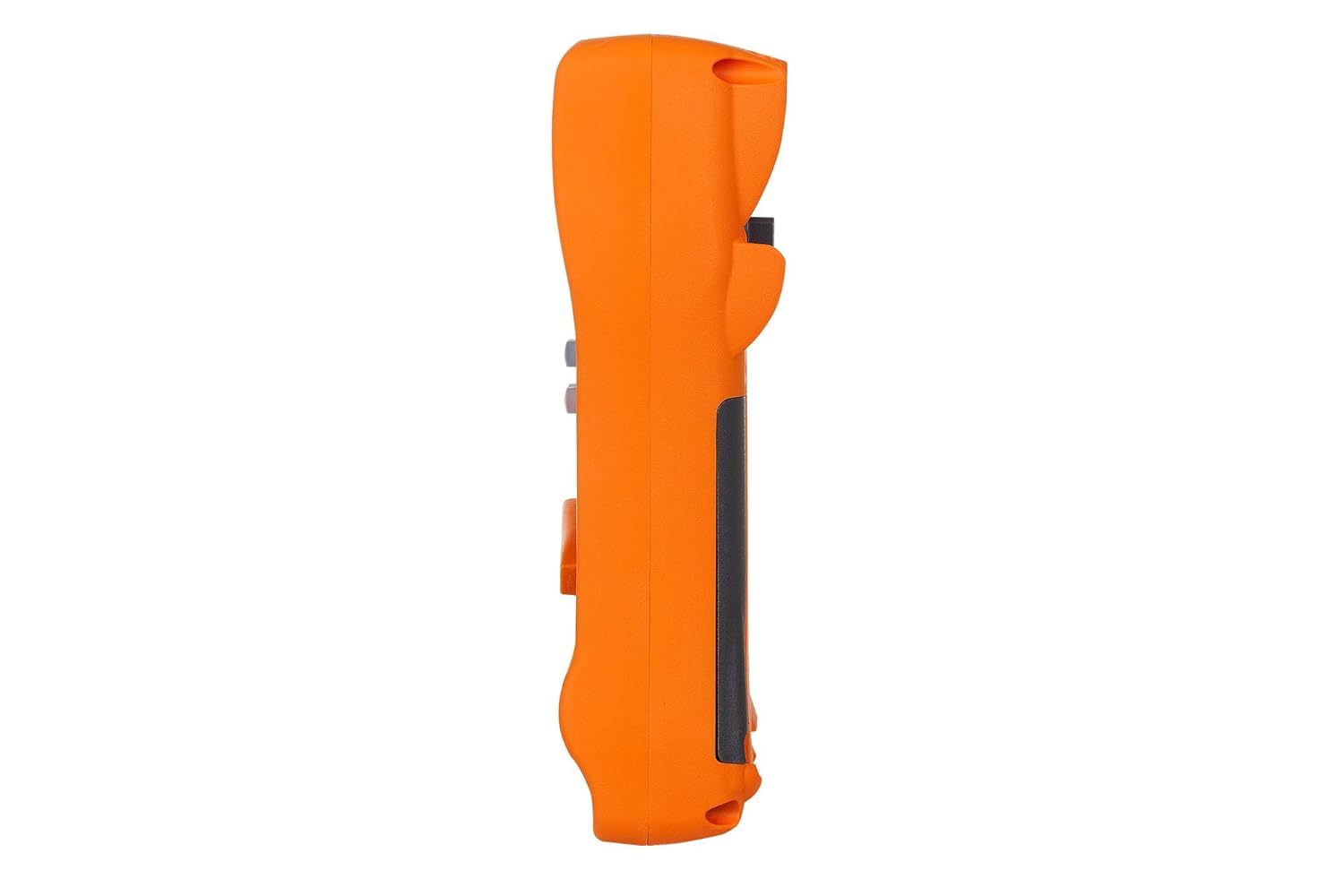
ภาพนี้แสดงด้านข้างโปรfile of the KEYSIGHT U1242C Digital Multimeter, highlighting its ergonomic design and the textured grip on the orange casing. The side view emphasizes the compact and robust build of the device.
3.3 ย้อนกลับ View

This image presents the back of the KEYSIGHT U1242C Digital Multimeter, revealing the battery compartment cover, the kickstand for hands-free operation, and the product label with model and serial number information. The robust construction of the casing is also evident.
3.4 การควบคุมและขั้วต่อ
- แสดง: Large dual display for primary and secondary readings.
- สวิตช์โรตารี่: เลือกฟังก์ชันการวัด (ปริมาตร)tagเช่น กระแสไฟฟ้า ความต้านทาน ฯลฯ)
- ปุ่มฟังก์ชั่น: Max/Min, Hz, Log, Hold, Range, View, Shift.
- แจ็คอินพุต:
- VΩเฮิร์ตซ์: อินพุตสำหรับ voltage, resistance, frequency, capacitance, and diode tests.
- คอม: Common input for all measurements.
- มิลลิแอมป์: อินพุตสำหรับมิลลิampเอเร่และไมโครampมีการวัดปัจจุบัน
- ฟิวส์สูงสุด 10A: ช่องรับสัญญาณสำหรับการวัดกระแสไฟฟ้าสูง (สูงสุด 10A)
4. การตั้งค่า
4.1 การติดตั้งแบตเตอรี่
- ตรวจสอบให้แน่ใจว่ามัลติมิเตอร์ปิดอยู่
- หาช่องใส่แบตเตอรี่ที่ด้านหลังของมิเตอร์
- ใช้ไขควงคลายสกรูที่ยึดฝาครอบแบตเตอรี่ออก
- ถอดฝาครอบแบตเตอรี่ออก
- Insert the specified batteries (e.g., 4 x AAA batteries) observing the correct polarity (+/-).
- ใส่ฝาครอบแบตเตอรี่กลับเข้าไปและขันสกรูให้แน่น
4.2 การเชื่อมต่อสายทดสอบ
Always connect the test leads to the appropriate input jacks for the measurement you intend to perform. Incorrect connection can lead to damage to the meter or personal injury.
- สำหรับการวัดส่วนใหญ่ (Vol.tage, Resistance, Continuity, Diode, Capacitance, Frequency), connect the black test lead to the คอม แจ็คและการทดสอบสีแดงนำไปสู่ VΩเฮิร์ตซ์ แจ็ค.
- For current measurements (mA/µA), connect the black test lead to the คอม แจ็คและการทดสอบสีแดงนำไปสู่ มิลลิแอมป์ แจ็ค.
- For high current measurements (up to 10A), connect the black test lead to the คอม แจ็คและการทดสอบสีแดงนำไปสู่ 10A MAX FUSED แจ็ค.
5. คู่มือการใช้งาน
This section outlines the basic steps for performing common measurements with your U1242C DMM.
5.1 การวัดปริมาณไฟฟ้ากระแสสลับ/กระแสตรงtage
- หมุนสวิตช์หมุนไปที่ระดับที่ต้องการtage range (V~ for AC, V- for DC). The meter may have an auto-ranging feature.
- เชื่อมต่อสายทดสอบสีดำเข้ากับ คอม แจ็คและการทดสอบสีแดงนำไปสู่ VΩเฮิร์ตซ์ แจ็ค.
- เชื่อมต่อโพรบวัดทดสอบแบบขนานเข้ากับวงจรหรือชิ้นส่วนที่ต้องการวัด
- อ่านเล่มที่tagค่า e บนจอแสดงผล
5.2 การวัดกระแสไฟฟ้า AC/DC
ข้อควรระวัง: ห้ามต่อมิเตอร์แบบขนานกับโวลต์มิเตอร์เด็ดขาดtagอย่าต่อแหล่งจ่ายไฟเข้ากับมิเตอร์ขณะวัดกระแสไฟฟ้า เพราะอาจทำให้ฟิวส์ขาดหรือมิเตอร์เสียหายได้
- Turn the rotary switch to the desired current range (A~ for AC, A- for DC, or mA/µA ranges).
- เชื่อมต่อสายทดสอบสีดำเข้ากับ คอม แจ็ค.
- For mA/µA measurements, connect the red test lead to the มิลลิแอมป์ jack. For 10A measurements, connect the red test lead to the 10A MAX FUSED แจ็ค.
- เปิดวงจรที่ต้องการวัดกระแสไฟฟ้า และต่อมิเตอร์อนุกรมเข้ากับวงจร
- อ่านค่าปัจจุบันบนจอแสดงผล
5.3 การวัดความต้านทาน
- Turn the rotary switch to the Ω (Ohms) range.
- เชื่อมต่อสายทดสอบสีดำเข้ากับ คอม แจ็คและการทดสอบสีแดงนำไปสู่ VΩเฮิร์ตซ์ แจ็ค.
- ตรวจสอบให้แน่ใจว่าวงจรหรืออุปกรณ์นั้นไม่มีกระแสไฟฟ้าไหลผ่านก่อนทำการวัดค่าความต้านทาน
- เชื่อมต่อหัววัดทดสอบเข้ากับชิ้นส่วนที่ต้องการวัด
- อ่านค่าความต้านทานบนจอแสดงผล
5.4 การทดสอบความต่อเนื่อง
- Turn the rotary switch to the continuity symbol (speaker icon).
- เชื่อมต่อสายทดสอบสีดำเข้ากับ คอม แจ็คและการทดสอบสีแดงนำไปสู่ VΩเฮิร์ตซ์ แจ็ค.
- ตรวจสอบให้แน่ใจว่าวงจรไม่มีพลังงาน
- เชื่อมต่อหัววัดทดสอบเข้ากับวงจรหรือชิ้นส่วนนั้น
- The meter will beep if continuity is detected (resistance below a certain threshold).
5.5 การบันทึกข้อมูล
The U1242C supports data logging. Refer to the detailed user manual for specific instructions on activating and managing data logging functions, including connecting to a PC with the software bundle for extended logging capabilities.
6. การบำรุงรักษา
6.1 การทำความสะอาด
เช็ดทำความสะอาดมิเตอร์asinจีกับโฆษณาamp ผ้าและผงซักฟอกอ่อนๆ ห้ามใช้สารกัดกร่อนหรือตัวทำละลาย ตรวจสอบให้แน่ใจว่ามิเตอร์แห้งสนิทก่อนใช้งาน
6.2 การเปลี่ยนแบตเตอรี่
When the battery indicator appears on the display, replace the batteries as described in Section 4.1. Prompt battery replacement ensures accurate readings and proper operation.
6.3 การเปลี่ยนฟิวส์
WARNING: Always replace blown fuses with fuses of the exact same type and rating to maintain safety and performance.
- ตรวจสอบให้แน่ใจว่ามัลติมิเตอร์ปิดอยู่และถอดสายวัดทั้งหมดออกแล้ว
- เปิดช่องใส่แบตเตอรี่ตามที่อธิบายไว้ในหัวข้อ 4.1
- Locate the fuse(s) inside the compartment.
- Gently remove the blown fuse.
- Insert a new fuse of the correct rating (e.g., 10A/1000V for the 10A input).
- ใส่ฝาครอบแบตเตอรี่กลับเข้าไปและขันสกรูให้แน่น
6.4 การสอบเทียบ
The U1242C is factory calibrated. For continued accuracy, periodic calibration by a qualified service center is recommended. Refer to KEYSIGHT's official support channels for calibration services.
7 การแก้ไขปัญหา
| ปัญหา | สาเหตุที่เป็นไปได้ | สารละลาย |
|---|---|---|
| มิเตอร์ไม่เปิด | แบตเตอรี่หมดหรือติดตั้งไม่ถูกต้อง | เปลี่ยนแบตเตอรี่ ตรวจสอบขั้ว |
| ไม่มีการแสดงค่าการอ่านหรือ "OL" (โอเวอร์โหลด) | Incorrect function selected; Open circuit; Input exceeds range | Select correct function; Check circuit continuity; Select higher range or auto-range |
| การอ่านที่ไม่ถูกต้อง | Low battery; Dirty test leads; Environmental interference; Needs calibration | Replace battery; Clean leads; Move away from interference; Consider calibration |
| การวัดกระแสไฟฟ้าไม่ทำงาน | Blown fuse; Incorrect lead connection; Meter not in series | Check/replace fuse; Verify lead connection; Ensure meter is in series with circuit |
8. ข้อมูลจำเพาะ
| คุณสมบัติ | ข้อมูลจำเพาะ |
|---|---|
| หมายเลขรุ่น | U1242C |
| จำนวนการแสดงผล | 50,000 |
| Basic DC Voltagอี ความแม่นยำ | 0.03% |
| การวัดกระแสสลับ | ค่า RMS ที่แท้จริง |
| ระดับการป้องกันน้ำเข้า (IP) | ไอพี 67 |
| การป้องกันการตกหล่น | สูงถึง 3 เมตร (10 ฟุต) |
| แหล่งพลังงาน | ใช้พลังงานจากแบตเตอรี่ |
| น้ำหนักสินค้า | 1 ปอนด์ (16 ออนซ์) |
| ผู้ผลิต | คีย์ไซท์ |
| วันที่พร้อมใช้งานครั้งแรก | 22 พฤษภาคม 2018 |
9. การรับประกันและการสนับสนุน
9.1 ข้อสงวนสิทธิ์ทางกฎหมาย
Keysight Technologies products are classified as industrial monitoring and control equipment designed exclusively for professional or industrial use and related training programs. Keysight products are designed and certified to meet national industrial safety standards (such as Electrical Equipment for Measurement, Control and Laboratory Use) where products are sold solely for use by trained professionals. Keysight products are not intended for consumer use in a residential setting and may not meet consumer level standards for EMC and other regulated radiated emissions. Keysight products are intended for use in the country where the product was originally sold.
9.2 การสนับสนุนด้านเทคนิค
For technical assistance, service, or warranty claims, please contact KEYSIGHT customer support through their official website or authorized service centers. Provide your product model number (U1242C) and serial number when seeking support.


