1. บทนำ
การ weBoost Drive 4G-X OTR is a powerful cell phone signal booster designed to enhance cellular connectivity for all types of trucks, including semis and pickup trucks, as well as for off-road enthusiasts in remote areas. This manual provides essential information for the proper installation, operation, and maintenance of your device to ensure optimal performance.
ระบบ amplifies cell signals from all major U.S. carrier networks, including Verizon, AT&T, Sprint, T-Mobile, and U.S. Cellular, supporting bands 4, 5, 12/17, 13, and 2. It is engineered to provide fewer dropped calls, better voice quality, faster data speeds, increased hotspot capability, and improved audio and video streaming while on the road.

รูปที่ 1.1: การ weBoost Drive 4G-X OTR system components. This image displays the main booster unit, the external trucker antenna, the power supply, and the product box, highlighting its 5G compatibility and U.S. design and assembly.
2. อะไรอยู่ในกล่อง
โปรดตรวจสอบว่าส่วนประกอบทั้งหมดมีอยู่ก่อนเริ่มการติดตั้ง:
- Drive 4G-X Booster
- 4G Trucker Mirror Mount antenna
- DC/DC 6V/2A power supply
- สลิมโลว์โปรfile antenna (internal antenna)
- ติดตั้งแบบ 3 ทาง
3. การตั้งค่าและการติดตั้ง
Proper installation is crucial for the optimal performance of your weBoost Drive 4G-X OTR. Follow these general steps. For detailed, step-by-step instructions, refer to the official User Guide PDF linked in the Support section.
3.1 External Antenna Placement
Mount the 4G Trucker Mirror Mount antenna on the exterior of your truck. Choose a location that is as high as possible and clear of obstructions. The included 3-way CB antenna mount and mast extension can assist with flexible placement.

รูปที่ 3.1: External antenna mounted on a truck. This image shows the omnidirectional, weather-resistant 17-inch antenna installed on the side of a large truck, emphasizing its ability to provide reliable cell signal wherever work takes you.
3.2 Internal Antenna Placement
Place the slim low profile antenna inside the vehicle, typically on the dashboard or near the area where you will be using your mobile device. Ensure there is sufficient separation between the external and internal antennas to prevent oscillation.
3.3 Booster Unit Connection
Connect the external antenna cable to the designated port on the Drive 4G-X Booster. Then, connect the internal antenna cable to its respective port on the booster unit.
3.4 การเชื่อมต่อสายไฟ
Connect the DC/DC 6V/2A power supply to the booster unit and then plug it into your vehicle's power outlet (e.g., cigarette lighter socket). The booster will power on automatically.
3.5 การใช้ weBoost App for Installation
For easier installation and troubleshooting, download the official weBoost App. It provides step-by-step video guides, an antenna positioning guide, and allows you to see before-and-after signal readings.

รูปที่ 3.2: การ weBoost App interface. This image illustrates how the app helps users easily install and troubleshoot their weBoost device by providing step-by-step videos, an antenna positioning guide, and signal readings.
4. คู่มือการใช้งาน
Once installed and powered on, the weBoost Drive 4G-X OTR operates automatically. The booster will detect available cellular signals, amplify them, and rebroadcast them inside your vehicle.
- ตัวบ่งชี้สัญญาณ: The booster unit typically has an LED indicator that shows its operational status. Refer to the full user manual for specific LED patterns and their meanings.
- การจัดวางอุปกรณ์: For best results, keep your mobile device within the coverage area of the internal antenna. The closer your device is to the internal antenna, the stronger the boosted signal will be.
- ฟังก์ชั่นผู้ใช้หลายคน: The Drive 4G-X OTR supports multiple users simultaneously, allowing all passengers to benefit from the boosted signal.
5. การบำรุงรักษา
การ weBoost Drive 4G-X OTR is designed for durability and requires minimal maintenance. However, regular checks can ensure its longevity and optimal performance.
- การเชื่อมต่อสายเคเบิล: ตรวจสอบการเชื่อมต่อสายเคเบิลทั้งหมดเป็นระยะๆ เพื่อให้แน่ใจว่ามีความปลอดภัยและไม่มีความเสียหาย
- สภาพเสาอากาศ: Inspect the external antenna for any physical damage, especially after long trips or exposure to harsh weather conditions. Ensure it remains firmly mounted.
- การทำความสะอาด: Clean the booster unit and antennas with a soft, dry cloth. Do not use harsh chemicals or abrasive cleaners.
- การอัปเดตซอฟต์แวร์: While not typically user-updatable, ensure your device is registered with weBoost for any potential firmware updates or important notifications.
6 การแก้ไขปัญหา
หากคุณประสบปัญหาเกี่ยวกับ weBoost Drive 4G-X OTR, try the following troubleshooting steps:
- ไม่มีการปรับปรุงสัญญาณ:
- ตรวจสอบให้แน่ใจว่าการเชื่อมต่อทั้งหมดมีความปลอดภัย
- Verify the power supply is working and the booster is powered on (check LED indicator).
- Increase the separation distance between the external and internal antennas.
- Reposition the external antenna for better signal reception from the nearest cell tower.
- Confirm there is at least one bar of existing signal outside the vehicle for the booster to ampทำให้มีชีวิตชีวา
- Flashing Lights on Booster:
- Refer to the full user manual for specific flashing light patterns, as they often indicate oscillation (feedback loop) or other operational issues.
- เพิ่มขึ้นasing antenna separation is a common solution for oscillation.
- Poor Voice Quality or Data Speeds:
- Ensure your mobile device is close to the internal antenna.
- Check for any physical obstructions between your device and the internal antenna.
If problems persist after attempting these steps, please contact weBoost customer support.
7. ข้อมูลจำเพาะ
| คุณสมบัติ | รายละเอียด |
|---|---|
| หมายเลขรุ่น | 470510 |
| ขนาดสินค้า | 21.75 x 1.5 x 3.5 นิ้ว |
| น้ำหนักสินค้า | 5 ปอนด์ |
| เทคโนโลยีการเชื่อมต่อ | ไร้สาย |
| มาตรฐานการสื่อสารไร้สาย | ความถี่วิทยุ |
| ประเภทขั้วต่อ | SMA หญิง |
| แหล่งจ่ายไฟ | DC/DC 6V/2A |
| แบนด์ที่รองรับ | 4, 5, 12/17, 13, 2 |
| กำไรสูงสุด | สูงถึง 50 เดซิเบล |
| กำลังอัปลิงค์ | สูงถึง 24.8 dBm |
| ดาวน์ลิงค์เพาเวอร์ | สูงถึง 2.9 dBm |
8. การรับประกันและการสนับสนุน
weBoost products are designed, engineered, and assembled in the USA, ensuring high quality and reliability. They are certified by the FCC and authorized by every cellular carrier in the US, Canada, and Mexico, and are 5G compatible.
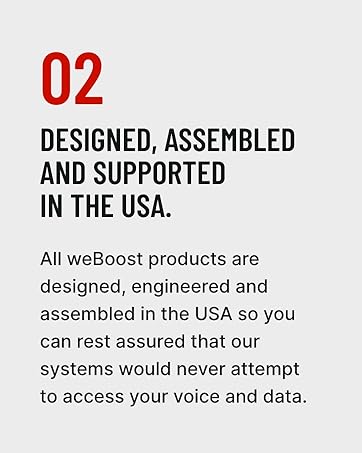
รูปที่ 8.1: Commitment to USA design and assembly. This image highlights weBoost's dedication to designing, engineering, and assembling all products in the USA, ensuring quality and data privacy.
weBoost offers a 30-day money-back guarantee. If you are not satisfied with your purchase, you may return it within 30 days.
For further assistance, detailed user guides, or to contact support, please visit the official weBOost website or refer to the documents provided with your product:
Note: No official product videos with 'creator_type: Seller' were found in the provided data to embed in this manual.


