1. บทนำ
This manual provides instructions for the Avery Big Tab Write & Erase 8-Tab Dividers, Model 73079. These dividers are designed to help organize documents within a 3-ring binder, offering a flexible and reusable solution for various organizational needs, including schoolwork, projects, and financial records. The unique write-and-erase feature allows for easy updates to tab labels.

รูปที่ 1: เกินview of Avery Big Tab Write & Erase 8-Tab Dividers (Model 73079).
2. คุณสมบัติหลัก
- Write & Erase Functionality: Tabs can be written on with a ballpoint pen or pencil and erased for repeated use, allowing for quick and easy updates to your organization system.
- Big Tab Design: Provides 1.5 times more writing space compared to standard dividers, ensuring titles and notes are clearly visible and legible.

Figure 2: Illustration comparing the larger writing area of Big Tabs.
- โครงสร้างทนทาน: Features gold-reinforced binding edges to prevent tearing at the binder holes, enhancing the longevity and durability of the dividers.

Figure 3: Detail of the gold-reinforced binding edge for tear resistance.
- Multicolor Tabs: Each set includes tabs in various colors, facilitating color-coding for quick identification and access to different sections.
- การใช้งานอเนกประสงค์: Ideal for organizing documents, school assignments, financial records, and other materials in any standard 3-ring binder.
3. คำแนะนำในการตั้งค่า
- Prepare Your Binder: Ensure you have a standard 3-ring binder ready for use.
- ใส่แผ่นกั้น: Align the three pre-punched holes on the divider with the rings of your binder. Open the binder rings, insert the divider, and close the rings securely. Repeat for all desired dividers.
- Arrange Sections: Place your documents behind the appropriate dividers to create organized sections.
- Label Tabs: Use a ballpoint pen or pencil to write your desired section titles directly onto the colored tabs. The large tab design provides ample space for clear labeling.
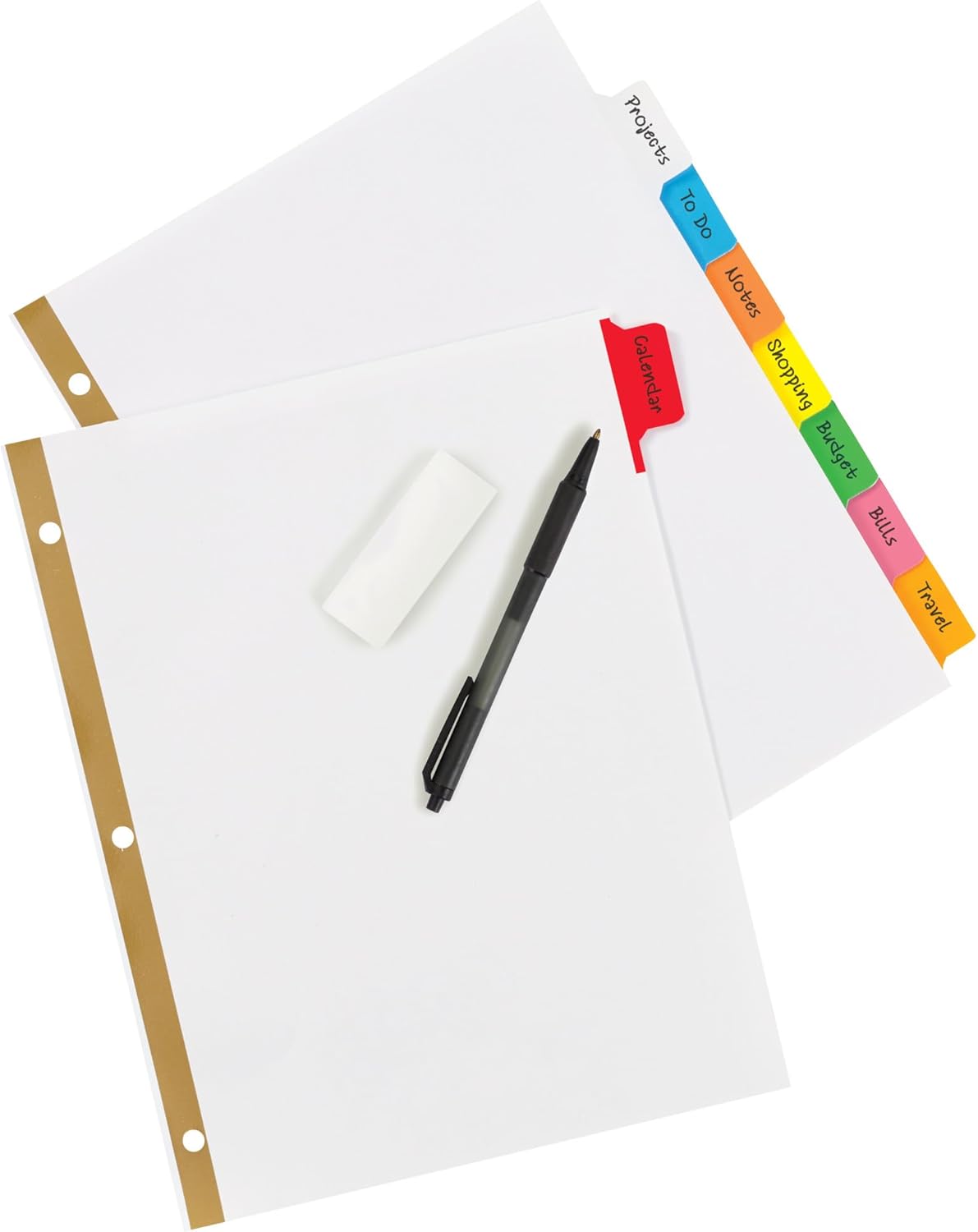
Figure 4: Dividers with writing tools, demonstrating the write-on feature.
4. คู่มือการใช้งาน
4.1 Writing on Tabs
To label your sections, use a standard ballpoint pen or a pencil. Write clearly and concisely on the surface of each tab. The smooth plastic surface is designed to accept ink and graphite without smudging once dry.
4.2 เอ้อasing and Reusing Tabs
When changes are needed, simply use a standard eraser to remove the existing writing from the tab. The "Write & Erase" surface allows for clean removal of pen or pencil marks, enabling you to relabel your tabs as often as necessary without damaging the divider.

Figure 5: Demonstrating the erase and rewrite capability of the tabs.
4.3 Organizing Documents
Utilize the multicolor tabs to create a visual organization system. Assign different colors to specific subjects, projects, or categories for quick and intuitive navigation within your binder.

รูปที่ 6: อดีตample of organized documents within a binder using the dividers.
5. การบำรุงรักษา
- การทำความสะอาด: If the divider surface becomes dirty, wipe it gently with a soft, damp cloth. Avoid abrasive cleaners or harsh chemicals, as these may damage the write-and-erase surface.
- พื้นที่จัดเก็บ: Store dividers in a cool, dry place away from direct sunlight to prevent material degradation.
- การจัดการ: While durable, avoid excessive bending or creasing of the dividers to maintain their shape and integrity.
6 การแก้ไขปัญหา
6.1 Difficulty Erasing
- Check Writing Instrument: Ensure you are using a ballpoint pen or pencil. Markers, permanent pens, or gel pens may not erase completely.
- Use a Quality Eraser: A clean, soft eraser typically works best. Avoid old or hardened erasers that might leave smudges or residue.
- แรงกดเบาๆ: Apply moderate pressure when erasing. Excessive force is not necessary and could potentially damage the tab surface over time.
6.2 Divider Tearing at Holes
- Overloaded Binder: Ensure your binder is not excessively full, as this can put strain on the divider holes.
- การแทรกที่เหมาะสม: Always open and close binder rings carefully to avoid snagging or tearing the reinforced holes.
- Check Binder Rings: Ensure binder rings are properly aligned and close completely, preventing dividers from catching on misaligned rings.
7. ข้อมูลจำเพาะ
| คุณลักษณะ | รายละเอียด |
|---|---|
| ยี่ห้อ | เอเวอรี่ |
| หมายเลขรุ่น | 73079 |
| น้ำหนักสินค้า | 15.5 ออนซ์ |
| ขนาดสินค้า | 11.25 x 9.88 x 1.5 นิ้ว |
| สี | หลากสี |
| ประเภทวัสดุ | พลาสติก |
| Number of Dividers | 48 (6 sets of 8 tabs) |
| ขนาดแผ่น | Tabloid (compatible with standard letter size documents) |
| จำนวนรู | 3 |

Figure 7: Product dimensions and quantity information.
8. การรับประกันและการสนับสนุน
For specific warranty information and customer support regarding your Avery Big Tab Write & Erase Dividers, please refer to the official Avery website or contact Avery customer service directly. Contact details and warranty terms are typically available on the manufacturer's packaging or their official support pages.
You can visit the Avery webเว็บไซต์สำหรับข้อมูลเพิ่มเติม: www.avery.com
9. ข้อมูลผลิตภัณฑ์ที่เกี่ยวข้อง
9.1 Avery Product Overview
วิดีโอ 1: จบแล้วview of Avery products, showcasing various organizational solutions including binders and dividers. This video provides context on the brand's offerings.


