1. บทนำ
This manual provides detailed instructions for the setup, operation, and maintenance of your TECKNET Wireless Mouse Jiggler. Please read this manual thoroughly before using the product to ensure optimal performance and longevity.
2. เนื้อหาบรรจุภัณฑ์
- เมาส์ไร้สาย TECKNET
- คู่มือการใช้งาน
3. สินค้าหมดview
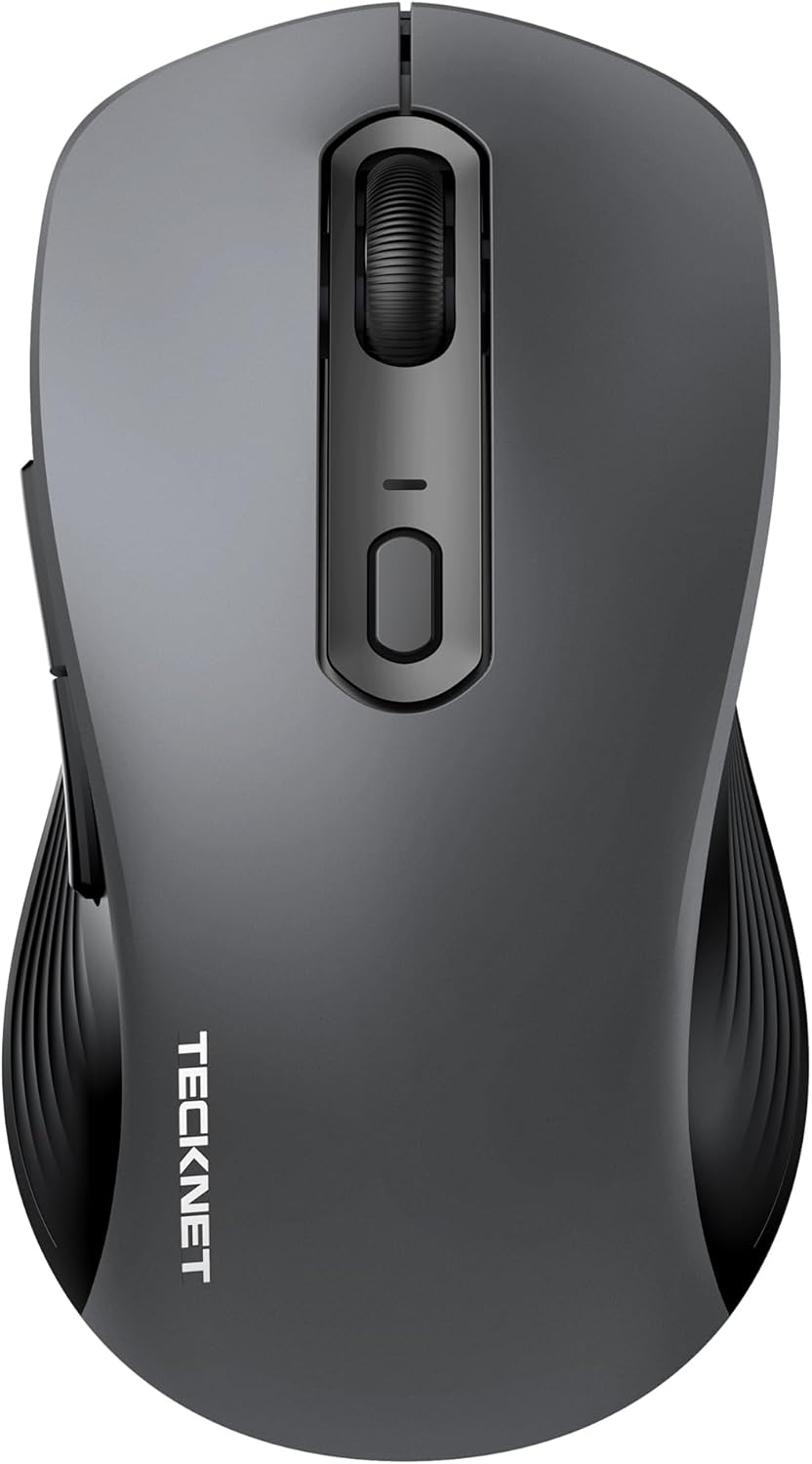
Figure 1: TECKNET Wireless Mouse Jiggler (Dark Grey)
The TECKNET Wireless Mouse Jiggler is designed for comfort and efficiency. It features a silent click mechanism, adjustable DPI settings, and a built-in mouse jiggler function to keep your screen active. The ergonomic design ensures a comfortable grip for extended use.
คุณสมบัติหลัก:
- คลิกเงียบ: Reduces clicking noise for a quiet work environment.
- DPI ที่ปรับได้: Cycle through multiple DPI settings (up to 6400 DPI) for precise control.
- Built-in Mouse Jiggler: Keeps your computer active, preventing sleep mode.
- การออกแบบตามหลักสรีรศาสตร์: Contoured shape for comfortable right-hand use.
- การเชื่อมต่อ: 2.4G Wireless via USB-C adapter.
- พลัง: ต้องใช้แบตเตอรี่ AAA จำนวน 2 ก้อน
4. การตั้งค่า
4.1 การติดตั้งแบตเตอรี่
- ค้นหาฝาปิดช่องใส่แบตเตอรี่ที่ด้านล่างของเมาส์
- เลื่อนฝาเปิดออก
- ใส่แบตเตอรี่ AAA สองก้อน โดยตรวจสอบให้แน่ใจว่าขั้วถูกต้อง (+/-)
- ปิดฝาช่องใส่แบตเตอรี่ให้แน่น
4.2 การเชื่อมต่อ
The TECKNET Wireless Mouse connects via a 2.4G USB-C adapter.
- เปิดเมาส์โดยใช้สวิตช์เปิด/ปิดที่อยู่ด้านล่าง
- Plug the USB-C adapter into an available USB-C port on your computer (Mac, Laptop, Desktop, PC).
- คอมพิวเตอร์ของคุณควรตรวจจับและติดตั้งไดรเวอร์ที่จำเป็นโดยอัตโนมัติ
- The mouse is ready for use once the installation is complete.
5. คู่มือการใช้งาน
5.1 การปรับ DPI (ความไว)
The mouse features an adjustable DPI button, typically located near the scroll wheel. Press this button to cycle through different sensitivity levels (e.g., 800, 1200, 1600, 2400, 6400 DPI) to match your preference and task requirements.
5.2 Using the Built-in Mouse Jiggler
The mouse includes a built-in jiggler function to prevent your computer from entering sleep mode or showing an inactive status. To activate this feature, press and hold the designated button (refer to the mouse diagram in the user manual for exact button location, typically a side button or a specific combination). The mouse cursor will subtly move, simulating activity.
5.3 Silent Click
The left and right click buttons are designed for silent operation, providing a quiet user experience without the traditional clicking sound.
6. การบำรุงรักษา
6.1 การดูแลทั่วไป
- รักษาเมาส์ให้สะอาดด้วยการเช็ดด้วยผ้าแห้งเนื้อนุ่ม
- Avoid exposing the mouse to extreme temperatures, humidity, or direct sunlight.
- Do not disassemble the mouse, as this may void the warranty.
6.2 การเปลี่ยนแบตเตอรี่
When the battery indicator light (if present) flashes, it's time to replace the AAA batteries. Follow the battery installation steps in Section 4.1.
7 การแก้ไขปัญหา
| ปัญหา | วิธีแก้ปัญหาที่เป็นไปได้ |
|---|---|
| เมาส์ไม่ตอบสนอง |
|
| การเคลื่อนไหวของเคอร์เซอร์ไม่แน่นอน |
|
| Mouse Jiggler not working |
|
8. ข้อมูลจำเพาะ
| คุณสมบัติ | รายละเอียด |
|---|---|
| หมายเลขรุ่น | 842079 |
| เทคโนโลยีการเชื่อมต่อ | 2.4G Wireless (USB-C Adapter) |
| เทคโนโลยีตรวจจับการเคลื่อนไหว | ออฟติคอล |
| การตั้งค่า DPI | สูงถึง 6400 DPI |
| คุณสมบัติพิเศษ | Silent Click, Built-in Mouse Mover |
| แหล่งพลังงาน | ต้องใช้แบตเตอรี่ AAA 2 ก้อน |
| ขนาดสินค้า | 2.68 x 1.52 x 4.21 นิ้ว |
| น้ำหนักสินค้า | 2.08 ออนซ์ |
9. การรับประกันและการสนับสนุน
TECKNET products typically come with a manufacturer's warranty. For specific warranty details, registration, or technical support, please refer to the information provided in your product packaging or visit the official TECKNET website. You may also contact TECKNET customer service directly for assistance.


