1. บทนำ
This manual provides detailed instructions for the setup, operation, and maintenance of your Cobra ACXT360 Water Resistant Walkie Talkies. These two-way radios are designed for reliable communication in various environments, featuring water resistance, multiple channels, and NOAA weather alerts.

ภาพ: ด้านหน้า view of a Cobra ACXT360 Walkie Talkie, displaying its screen and control buttons.
2. เนื้อหาบรรจุภัณฑ์
ตรวจสอบว่ารายการทั้งหมดที่ระบุไว้ด้านล่างนี้รวมอยู่ในแพ็คเกจของคุณ:
- 3 x Cobra ACXT360 Walkie Talkies
- 9 x AAA Rechargeable NiMH Batteries
- 3 x เข็มขัดคลิป
- 1 x USB-Y Cable for charging
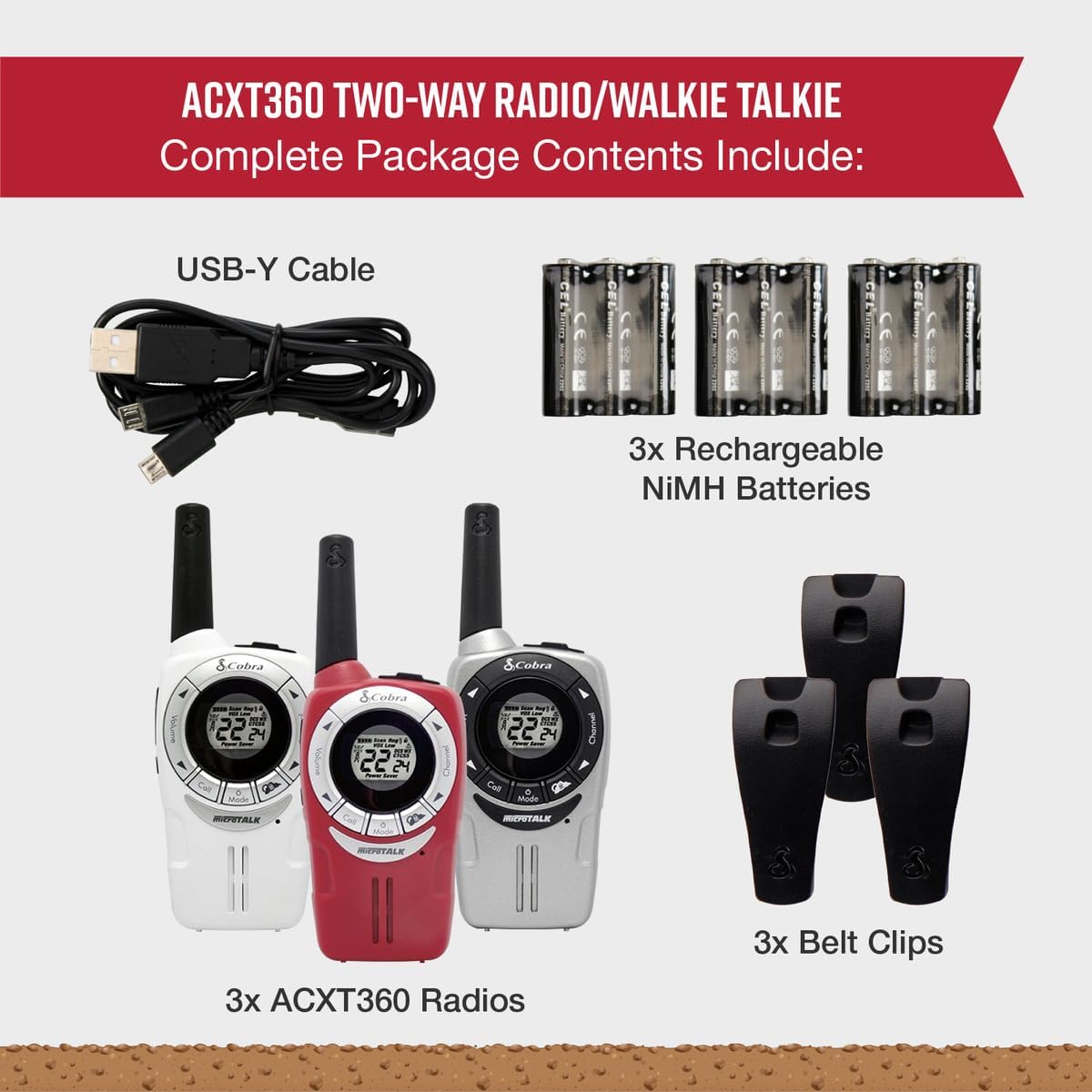
Image: A visual representation of the Cobra ACXT360 package contents, showing three radios, batteries, belt clips, and the charging cable.
3. การตั้งค่า
3.1 การติดตั้งแบตเตอรี่
- ตรวจสอบให้แน่ใจว่าวิทยุปิดอยู่
- ค้นหาฝาปิดช่องใส่แบตเตอรี่ที่ด้านหลังวิทยุ
- กดสลักลงแล้วเลื่อนฝาครอบออก
- Insert 3 AAA rechargeable NiMH batteries into each radio, observing the polarity markings (+/-).
- ใส่ฝาครอบช่องใส่แบตเตอรี่กลับเข้าไป โดยให้แน่ใจว่าล็อคเข้าที่อย่างแน่นหนา
3.2 การชาร์จแบตเตอรี่
The included NiMH batteries are rechargeable. For optimal performance, fully charge the batteries before first use.
- Connect the USB-Y cable to the charging port on the radio.
- Connect the other end of the USB-Y cable to a compatible USB power source (e.g., computer USB port, USB wall adapter).
- The battery indicator on the radio display will show charging status.
- Charging time may vary. Disconnect the cable once charging is complete.
4. คู่มือการใช้งาน
4.1 เปิด/ปิดเครื่อง
- เพื่อเปิดเครื่อง: กดปุ่มค้างไว้ พลังงาน/เมนู กดปุ่มจนกระทั่งหน้าจอสว่างขึ้น
- วิธีปิดเครื่อง: กดปุ่มค้างไว้ พลังงาน/เมนู จนกระทั่งจอแสดงผลดับลง
4.2 การปรับระดับเสียง
- ใช้ เพิ่มระดับเสียง และ ลดระดับเสียง buttons (typically located on the side or front) to adjust the listening volume.
4.3 การเลือกช่องสัญญาณ
Your ACXT360 radios operate on 22 FRS/GMRS channels.
- กดปุ่ม ช่องขึ้น or ช่องลง buttons to cycle through available channels.
- หมายเลขช่องที่เลือกจะปรากฏบนหน้าจอ
4.4 การส่งและรับ
- วิธีการส่ง: กดปุ่มค้างไว้ Push-to-Talk (ปตท.) กดปุ่ม พูดให้ชัดเจนใส่ไมโครโฟน ปล่อยปุ่ม PTT เพื่อหยุดการส่งสัญญาณ
- To receive: Ensure the PTT button is not pressed. The radio will automatically receive transmissions on the selected channel.
4.5 รหัสความเป็นส่วนตัว (CTCSS/DCS)
The radios support 121 privacy codes (38 CTCSS and 83 DCS) to help reduce interference from other users on the same channel.
- To set a privacy code: With the radio on, press the เมนู button until the privacy code setting flashes. Use the ช่องขึ้น/ลง buttons to select a code. Press เมนู เพื่อยืนยันอีกครั้ง
- Both radios must be set to the same channel and privacy code to communicate.
4.6 VOX (การส่งสัญญาณด้วยเสียง)
VOX allows for hands-free operation, transmitting automatically when you speak.
- To enable/disable VOX: Press the เมนู button until the VOX icon flashes. Use the ช่องขึ้น/ลง buttons to select a VOX sensitivity level (1-5) or turn it off. Press เมนู เพื่อยืนยัน.
4.7 เสียงเรียกเข้า
You can select from 5 different call tones to alert other users.
- To select a call tone: Press the เมนู button until the call tone setting flashes. Use the ช่องขึ้น/ลง ปุ่มล่วงหน้าview and select a tone. Press เมนู เพื่อยืนยัน.
- To send a call tone: Briefly press the เรียก ปุ่ม.
4.8 ช่องอากาศ NOAA
Access 24/7 NOAA weather channels for alerts and updates.
- To access NOAA channels: Refer to your radio's specific menu options for weather channel access. This is typically a dedicated button or a menu option.
4.9 ช่องสแกน
The scan feature allows you to automatically scan all 22 channels for activity.
- To activate scan: Press the สแกน button (often labeled 'S' or integrated with another button). The radio will scan channels until activity is detected.
- To stop scan: Press the สแกน button again or the PTT button.
5. คุณสมบัติมากกว่าview
The Cobra ACXT360 radios offer several features for enhanced communication:
- Weather-Resistant (IPX2): Designed to withstand light splashes and rain, ensuring reliable operation in various outdoor conditions.
- 22 Channels & 121 Privacy Codes: จัดเตรียมให้ ample communication options and helps minimize interference.
- การแจ้งเตือนสภาพอากาศจาก NOAA: Keeps you informed of changing weather conditions.
- VOX Transmission: ช่วยให้สามารถสื่อสารแบบแฮนด์ฟรี
- เสียงเรียกเข้าที่ปรับแต่งได้: Allows for distinct alerts from different callers.
- การสแกนช่อง: Quickly finds active channels.
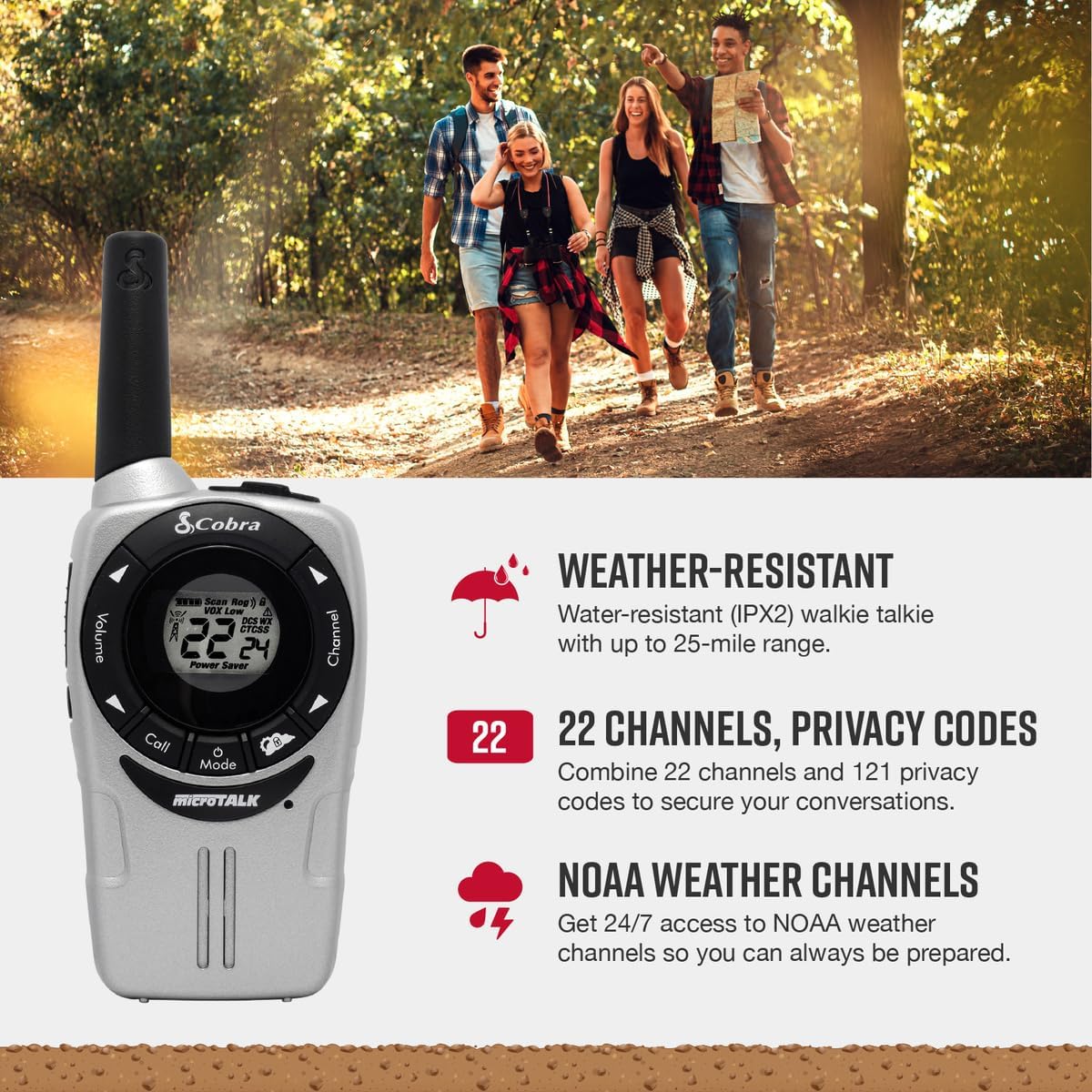
Image: A Cobra ACXT360 radio with icons indicating weather resistance, 22 channels, and NOAA weather alerts.

Image: A Cobra ACXT360 radio with icons indicating VOX transmission, call tones, and channel scan features.
5.1 Understanding Range
The maximum range of a walkie talkie is tested under ideal conditions, such as flat, open terrain with a clear line of sight and no obstructions. The actual usable range can be significantly affected by environmental factors.
- ช่วงสูงสุด: Achieved in optimal conditions with no obstructions.
- Usable Range: Influenced by weather, landscape (hills, valleys), radio signals, elevation, and physical obstructions like trees, foliage, buildings, and mountains.

Image: An illustration explaining the difference between maximum theoretical range and actual usable range for walkie talkies, listing influencing factors.
6. การบำรุงรักษา
6.1 การดูแลทั่วไป
- Avoid exposing the radios to extreme temperatures, direct sunlight for prolonged periods, or excessive moisture beyond their IPX2 rating.
- Do not drop or subject the radios to severe impacts.
6.2 การทำความสะอาด
- Wipe the radio surfaces with a soft, damp ผ้า ห้ามใช้สารทำความสะอาดที่มีฤทธิ์กัดกร่อนหรือตัวทำละลาย
- ตรวจสอบให้แน่ใจว่าพอร์ตการชาร์จสะอาดและไม่มีสิ่งสกปรก
6.3 การดูแลแบตเตอรี่
- Use only the specified AAA rechargeable NiMH batteries.
- If storing the radios for an extended period, remove the batteries to prevent leakage.
- กำจัดแบตเตอรี่เก่าตามข้อบังคับท้องถิ่น
7 การแก้ไขปัญหา
| ปัญหา | วิธีแก้ปัญหาที่เป็นไปได้ |
|---|---|
| วิทยุไม่สามารถเปิดได้ | Check battery installation and ensure batteries are charged. Replace batteries if necessary. |
| ไม่สามารถส่งหรือรับได้ | Ensure both radios are on the same channel and privacy code. Check battery level. Verify PTT button is functioning. |
| คุณภาพเสียงไม่ดีหรือมีสัญญาณรบกวน | Move closer to the other radio. Check for obstructions. Adjust volume. Ensure antenna is not obstructed. |
| มีขอบเขตจำกัด | Range is affected by terrain, weather, and obstructions. Try moving to a higher or more open area. |
| VOX not activating. | Adjust VOX sensitivity level in the menu. Speak louder or closer to the microphone. |
8. ข้อมูลจำเพาะ
| คุณสมบัติ | รายละเอียด |
|---|---|
| หมายเลขรุ่น | ACXT360 |
| ขนาดสินค้า | 1.25 x 2 x 5 นิ้ว (3.18 x 5.08 x 12.7 ซม.) |
| น้ำหนักสินค้า | 3.76 ออนซ์ (106.6 กรัม) |
| แบตเตอรี่ | 6 AAA NiMH rechargeable batteries (3 per radio) |
| จำนวนช่องสัญญาณ | ช่อง FRS/GMRS จำนวน 22 ช่อง |
| รหัสความเป็นส่วนตัว | 121 (38 CTCSS, 83 DCS) |
| ช่วงความถี่ | 400-512 MHz (estimated) |
| ระยะการสนทนาสูงสุด | Up to 25 Miles (under ideal conditions) |
| ระดับความต้านทานต่อน้ำ | IPX2 (ทนน้ำ) |
| คุณสมบัติพิเศษ | Battery Strength Indicator, Dust Proof, Long Range, Rechargeable |
9. ข้อมูลการรับประกัน
Cobra products are designed and manufactured to high standards. For specific warranty details, including coverage period and terms, please refer to the warranty card included with your product or visit the official Cobra webไซต์นี้ โปรดเก็บหลักฐานการซื้อไว้เพื่อใช้ยืนยันการรับประกัน
10. การสนับสนุน
หากคุณพบปัญหาหรือมีข้อสงสัยใด ๆ ที่ไม่ได้กล่าวถึงในคู่มือนี้ โปรดดูข้อมูลเพิ่มเติมจากแหล่งข้อมูลต่อไปนี้:
- การสนับสนุนทางออนไลน์: Visit the official Cobra website for FAQs, product registration, and additional support documentation.
- บริการลูกค้า: Contact Cobra customer service directly for technical assistance. Contact information can typically be found on the manufacturer's webบรรจุภัณฑ์ไซต์หรือผลิตภัณฑ์


