การแนะนำ
The SRAM eTap and AXS Battery is a high-performance power source designed for seamless integration with all SRAM eTap, Eagle AXS, and RockShox AXS components. Engineered with advanced lithium-ion technology, this lightweight 24-gram battery ensures reliable, long-lasting power for your derailleurs, RockShox Reverb AXS seatposts, and Flight Attendant suspension systems. It features fast-charging capability, allowing a full charge in 60 minutes or less, minimizing downtime and keeping your cycling experience uninterrupted. This battery is an essential component for maintaining the optimal efficiency and performance of your high-end mountain and road bike setups.
การตั้งค่า
1. การแกะกล่องและการชาร์จครั้งแรก
Upon receiving your SRAM eTap and AXS Battery, carefully remove it from its packaging. It is recommended to fully charge the battery before its first use. The battery supports fast charging and can reach a full charge in 60 minutes or less. Please note that the charger is sold separately.
2. การติดตั้งแบตเตอรี่
The SRAM AXS Battery is designed for easy and secure installation into compatible SRAM eTap, Eagle AXS, and RockShox AXS components. Ensure the component is clean and free of debris before installation. Align the battery with the designated slot on your component (e.g., derailleur, seatpost) and gently push until it clicks securely into place. The battery includes a durable terminal cover for protection during transport and storage; remove this cover before installation.

SRAM AXS Battery with its protective terminal cover (red) detached.

ภาพระยะใกล้ view of the SRAM AXS Battery contacts, essential for charging and connecting to your cycling components.
การดำเนินงาน
1. Powering Your Components
Once installed, the SRAM AXS Battery provides power to your electronic shifting or suspension components. The system will automatically power on when the battery is correctly inserted. Refer to your specific component's manual for details on its power-on sequence and indicator lights.
2. การตรวจสอบระดับแบตเตอรี่
To check the battery level, press the function button on your derailleur or component. An LED indicator will typically show the charge status (e.g., green for full, red for low). For precise percentage readings, a separate battery tester (not included) may be used.
วิดีโอนี้นำเสนอผลิตภัณฑ์มากกว่าview of the SRAM AXS Battery, demonstrating its physical characteristics and general use.
การซ่อมบำรุง
1. หลักเกณฑ์การคิดค่าบริการ
Always use a compatible SRAM charger for your AXS battery. Avoid overcharging or completely draining the battery to prolong its lifespan. Charge the battery in a cool, dry environment, away from direct sunlight or extreme temperatures.
2. การทำความสะอาดและการเก็บรักษา
Keep the battery contacts clean and dry. Use a soft, dry cloth to wipe away any dirt or moisture. When not in use, store the battery with its terminal cover attached to prevent damage to the contacts and ensure a secure connection for future use. Store batteries in a cool, dry place.
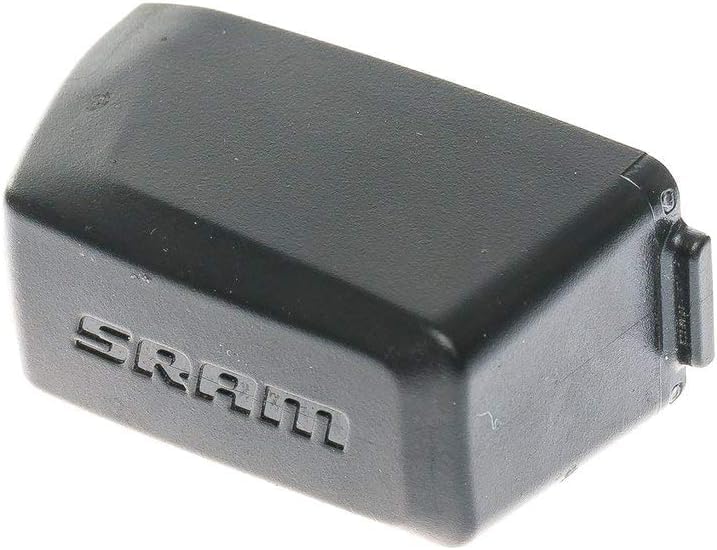
ทั่วไป view of the SRAM AXS Battery, highlighting its compact design.
การแก้ไขปัญหา
- แบตเตอรี่ไม่ชาร์จ: Ensure the charger is properly connected to a power source and the battery. Check for any visible damage to the battery or charger.
- Component Not Powering On: Verify that the battery is fully charged and correctly installed in the component. Check for any loose connections.
- อายุการใช้งานแบตเตอรี่สั้น: Ensure the battery is being charged fully each time. Extreme temperatures can affect battery performance. Consider replacing the battery if it consistently shows significantly reduced life after proper charging.
ข้อมูลจำเพาะ
| ยี่ห้อ | เอสแรม |
| ชื่อรุ่น | AXS/ETap |
| หมายเลขชิ้นส่วน | เอสเอ็มอี8102000 |
| น้ำหนักสินค้า | 0.11 ปอนด์ (ประมาณ 50 กรัม) |
| ส่วนประกอบของเซลล์แบตเตอรี่ | ลิเธียมไอออน |
| ความจุของแบตเตอรี่ | 389 มิลลิวินาทีamp ชั่วโมง |
| ชาร์จเร็ว | Full charge in 60 minutes or less |
| ความเข้ากันได้ | SRAM eTap, Eagle AXS, RockShox AXS components |
การรับประกัน
This SRAM eTap and AXS Battery is covered by a การรับประกันแบบจำกัด. For complete details regarding warranty terms, conditions, and claim procedures, please refer to the official SRAM website or contact your authorized SRAM dealer.
สนับสนุน
For additional support, frequently asked questions, or to contact customer service, please visit the official SRAM webเว็บไซต์: www.sram.com. You may also consult your local authorized SRAM dealer for assistance.


