การแนะนำ
This manual provides comprehensive instructions for the installation, operation, and maintenance of your Chacon 34548 Outdoor Wi-Fi IP Camera. This device allows for remote monitoring of your property, day and night, through the dedicated Chacon application. Please read this manual thoroughly before using the product to ensure proper function and safety.
ข้อมูลด้านความปลอดภัย
- Ensure the camera is installed in a secure location, out of reach of unauthorized individuals.
- Use only the power adapter supplied with the camera.
- Do not expose the camera to extreme temperatures, humidity, or direct water immersion (beyond its IP66 rating).
- ควรหลีกเลี่ยงการวางกล้องไว้ใกล้สนามแม่เหล็กไฟฟ้าที่มีความเข้มสูง
- ตัดการเชื่อมต่อไฟฟ้าก่อนทำความสะอาดหรือดำเนินการบำรุงรักษาใดๆ
เนื้อหาแพ็คเกจ
ตรวจสอบว่ามีรายการทั้งหมดอยู่ในแพ็คเกจ:
- Chacon 34548 Outdoor Wi-Fi IP Camera
- อะแดปเตอร์แปลงไฟ
- ชุดติดตั้ง (สกรู, ปลั๊กผนัง)
- คู่มือการใช้งาน (เอกสารนี้)
สินค้าเกินview
The Chacon 34548 is an outdoor-rated Wi-Fi IP camera designed for robust surveillance. It features a durable housing, integrated night vision, and Wi-Fi connectivity for remote access.

รูปที่ 1: ด้านหน้า view of the Chacon 34548 Outdoor Wi-Fi IP Camera, showing the lens, IR illuminator, and mounting bracket.

รูปที่ 2: Frontal perspective of the camera, highlighting the main lens, infrared sensor, and external Wi-Fi antenna for improved signal reception.

รูปที่ 3: ด้านข้าง view of the Chacon 34548 camera, illustrating its compact design and the position of the Wi-Fi antenna.

รูปที่ 4: หลัง view of the camera, displaying the model number (34548), regulatory marks, and a QR code for easy setup.
การตั้งค่า
1. การติดตั้งทางกายภาพ
- เลือกตำแหน่ง: เลือกสถานที่กลางแจ้งที่ให้บรรยากาศที่ต้องการ viewing angle and is within range of your Wi-Fi network. Ensure the location offers protection from direct impact and allows for proper cable management.
- ติดตั้งกล้อง:
- Mark the drilling points on the wall or ceiling using the camera's mounting bracket as a template.
- เจาะรูและเสียบพุกที่ให้มาลงไป
- ยึดขายึดด้วยสกรู
- ติดตั้งกล้องเข้ากับขาตั้งและปรับมุมตามต้องการ
2. การเชื่อมต่อไฟฟ้า
Connect the supplied power adapter to the camera's power input port. Plug the adapter into a suitable outdoor power outlet. Ensure the connection is secure and protected from weather elements.
3. การติดตั้งแอพ
Download the official Chacon application from the App Store (for iOS devices) or Google Play Store (for Android devices). ค้นหา "Chacon" and install the application.
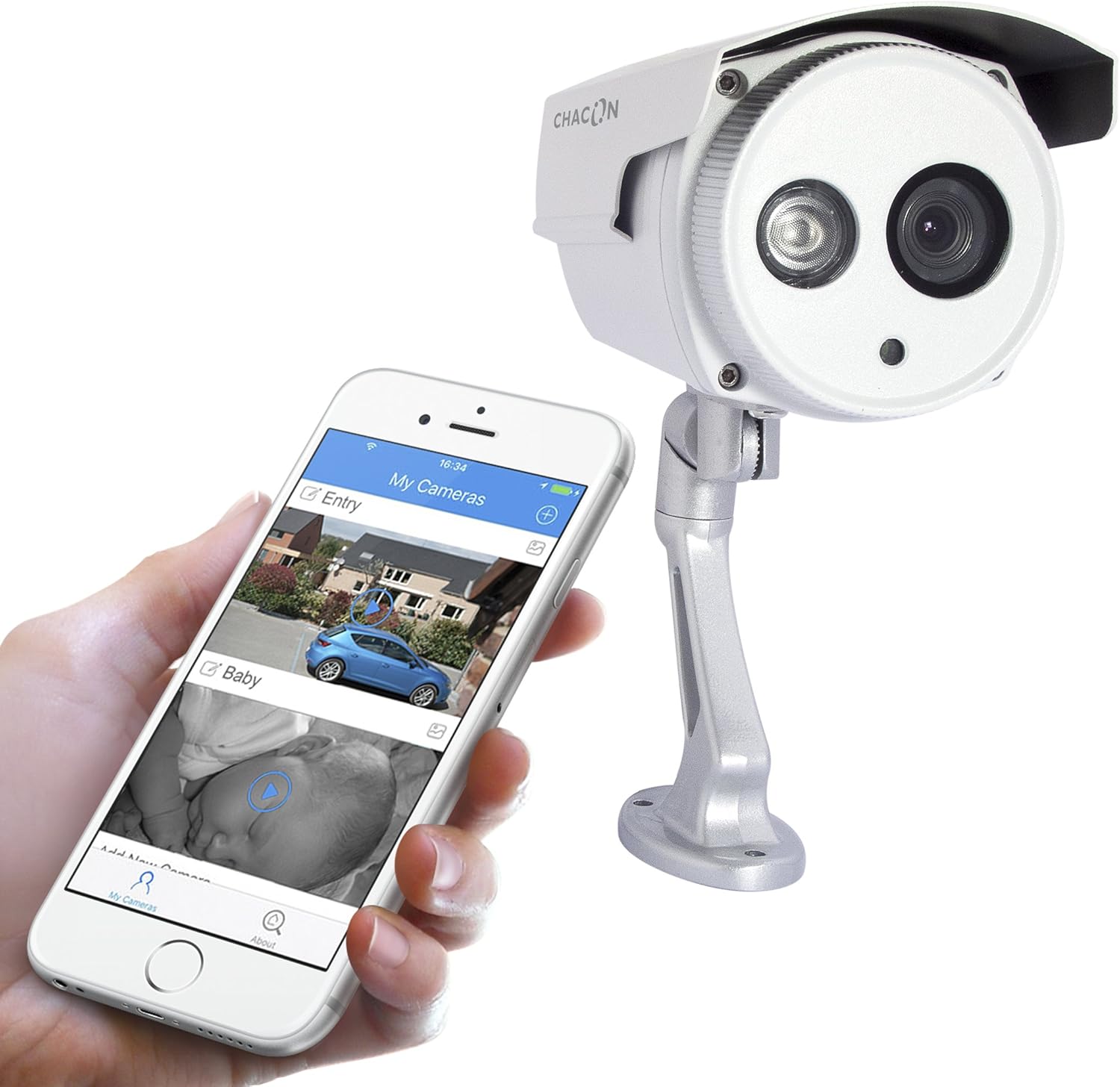
รูปที่ 5: The Chacon 34548 camera shown alongside a smartphone running the Chacon application, demonstrating remote viewความสามารถในการพัฒนา
4. การเชื่อมต่อเครือข่าย (Wi-Fi)
- Open the Chacon app and create an account or log in.
- Follow the in-app instructions to add a new device. This typically involves scanning a QR code on the camera (refer to Figure 4) or manually entering the device ID.
- Select your Wi-Fi network and enter the password. Ensure your camera is within range of your Wi-Fi router.
- Wait for the camera to connect to the network. The app will indicate successful connection.
คำแนะนำการใช้งาน
1. Viewกำลังถ่ายทอดสด
Once connected, open the Chacon app and select your camera from the device list to view the live video feed. You can monitor your property in real-time.
2. การมองเห็นในเวลากลางคืน
The camera is equipped with automatic night vision, providing clear images up to 20 meters in low-light conditions. This feature activates automatically when ambient light levels are insufficient.
3. Remote Access and Control
The Chacon app allows you to access your camera feed from anywhere with an internet connection. You can also adjust settings, such as video resolution (720p), and monitor the horizontal viewing angle of 70 degrees and diagonal viewทำมุม 75 องศา
4. การบันทึกและการเล่น
Refer to the Chacon app's specific features for information on motion detection recording, cloud storage options, or local storage (if a microSD card slot is present, which is not explicitly mentioned in specifications but common). Instructions for playback of recorded footage will be available within the app.
การซ่อมบำรุง
- การทำความสะอาด: ค่อยๆ เช็ดเลนส์และตัวกล้องด้วยผ้าเนื้อนุ่มและแห้งamp ผ้า. อย่าใช้สารเคมีที่รุนแรงหรือน้ำยาทำความสะอาดที่มีฤทธิ์กัดกร่อน
- อัพเดตเฟิร์มแวร์: Periodically check the Chacon app for available firmware updates. Keeping your camera's firmware updated ensures optimal performance and security.
- การตรวจสอบสายเคเบิล: ตรวจสอบสายไฟและสายเครือข่ายอย่างสม่ำเสมอเพื่อดูว่ามีร่องรอยการสึกหรอหรือความเสียหายหรือไม่ โดยเฉพาะอย่างยิ่งในการติดตั้งภายนอกอาคาร
การแก้ไขปัญหา
| ปัญหา | สาเหตุที่เป็นไปได้ | สารละลาย |
|---|---|---|
| กล้องไม่เปิดเครื่อง | ไม่มีไฟ อะแดปเตอร์ชำรุด การเชื่อมต่อหลวม | ตรวจสอบเต้ารับไฟฟ้า ตรวจสอบให้แน่ใจว่าอะแดปเตอร์เสียบแน่นดีแล้ว ลองเสียบกับเต้ารับอื่นดู |
| ไม่สามารถเชื่อมต่อ Wi-Fi ได้ | Incorrect Wi-Fi password, camera out of range, network interference | Verify Wi-Fi password, move camera closer to router, restart router, check for 2.4GHz network compatibility. |
| ไม่มีการถ่ายทอดสดวิดีโอ | Network issue, camera offline, app malfunction | Check internet connection, restart camera, restart Chacon app, ensure camera is connected to Wi-Fi. |
| คุณภาพของภาพไม่ดี | เลนส์สกปรก, แสงน้อย, แบนด์วิดท์เครือข่าย | Clean the camera lens, ensure adequate lighting or check night vision activation, check network speed. |
ข้อมูลจำเพาะ
| คุณสมบัติ | รายละเอียด |
|---|---|
| หมายเลขรุ่น | 34548 |
| ยี่ห้อ | ชาคอน |
| เทคโนโลยีการเชื่อมต่อ | ไร้สาย (Wi-Fi) |
| ความละเอียดในการบันทึกวิดีโอ | 720p |
| ความละเอียดวิดีโอที่มีประสิทธิภาพ | 720 พิกเซล |
| คุณสมบัติพิเศษ | การมองเห็นตอนกลางคืน |
| ช่วงการมองเห็นตอนกลางคืน | 20 เมตร |
| Viewing มุม (แนวนอน) | 70 องศา |
| Viewing มุม (แนวทแยง) | 75 องศา |
| ระดับความต้านทานต่อน้ำ | Water-repellent (IP66 rating implied by "voor buiten" and common for outdoor cameras) |
| อุปกรณ์ที่รองรับ | สมาร์ทโฟน (iOS, Android) |
| แหล่งพลังงาน | สายไฟฟ้า |
| ประเภทการติดตั้ง | ติดผนัง |
| สี | สีขาว |
| วัสดุ | พีวีซี |
| ส่วนประกอบที่รวมอยู่ | Wi-Fi IP Camera for outdoor use |
ข้อมูลการรับประกัน
For detailed warranty information, please refer to the warranty card included with your product packaging or consult your purchase documentation. Warranty terms and conditions may vary by region and retailer.
การสนับสนุนลูกค้า
If you encounter any issues or have questions not covered in this manual, please contact Chacon customer support. Visit the official Chacon webไซต์สำหรับรายละเอียดการติดต่อ คำถามที่พบบ่อย และแหล่งข้อมูลเพิ่มเติม


