1. บทนำ
Welcome to the Futaba 10J 10-channel air radio system. This manual provides essential information for the proper setup, operation, and maintenance of your T10J transmitter and R3008SB receiver. The 10J system utilizes both T-FHSS and S-FHSS transmission systems, offering reliable control and integrated telemetry capabilities for various aircraft models.
2. เนื้อหาเกี่ยวกับชุดอุปกรณ์
โปรดตรวจสอบว่ารายการทั้งหมดที่ระบุไว้ด้านล่างมีอยู่ในแพ็คเกจของคุณหรือไม่:
- Futaba T10J Transmitter (Mode 1)
- ตัวรับ Futaba R3008SB
- 2800 mAh LIPO Battery for Transmitter
- LIPO Charger
- 1 สายสวิตช์
- คู่มือการใช้งาน (เอกสารนี้)
3. T10J Transmitter Overview
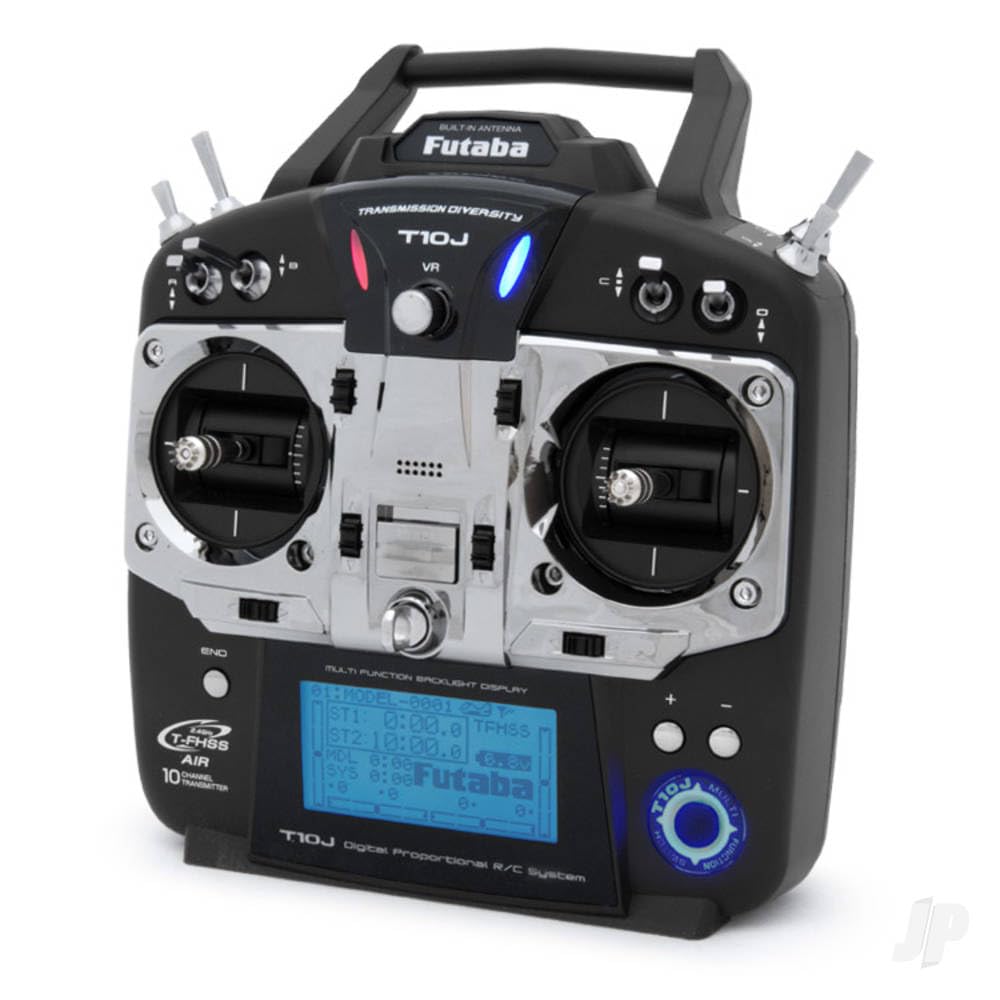
The T10J transmitter is designed for ergonomic comfort and precise control. It features high-precision control sticks for sensitive piloting and a large, backlit display (65 x 34 mm) for clear readability in various lighting conditions. Navigation through menus is intuitive with a 4-position pad. The system supports multiple languages, including German, English, French, Italian, Spanish, Japanese, and Dutch, and offers multi-mode operation (Modes 1, 2, 3, 4).
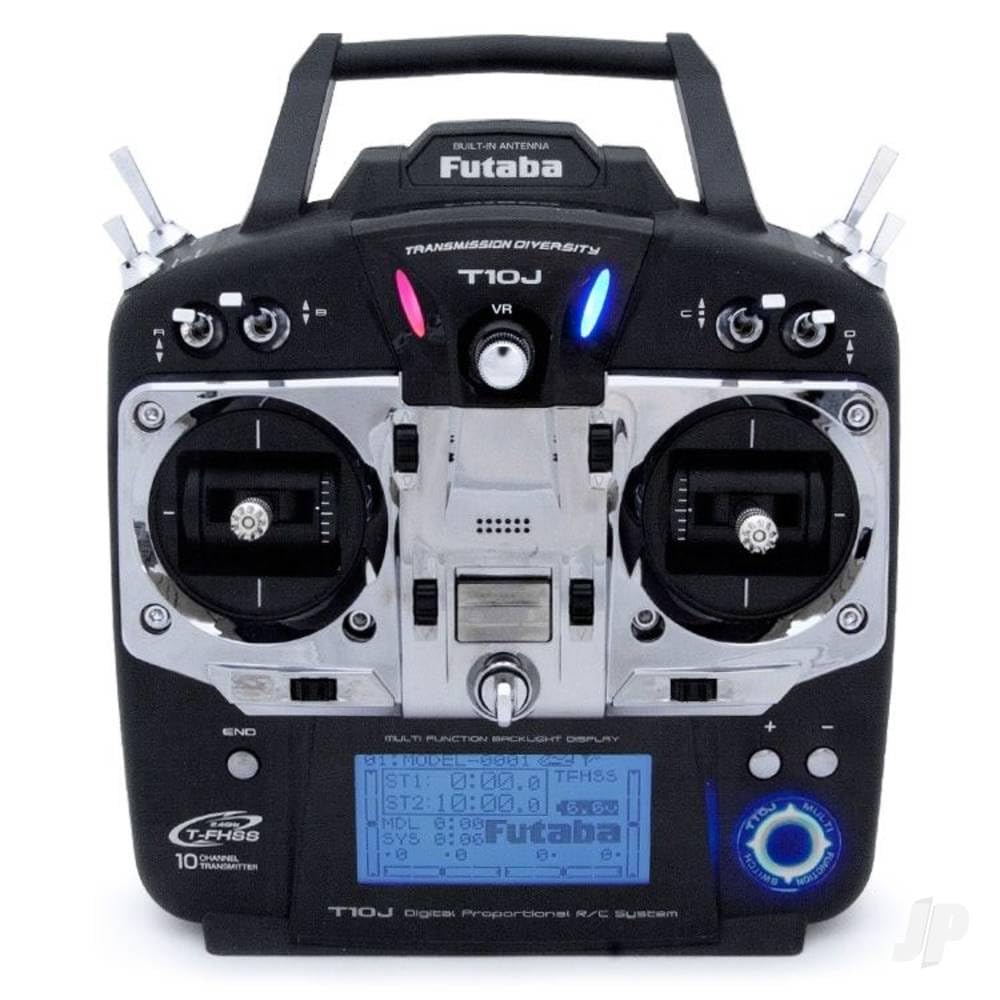
รูปที่ 1: Futaba T10J 10-channel transmitter. This image shows the front view of the T10J transmitter, highlighting its backlit display, dual control sticks, and various buttons and switches for operation.
4. R3008SB Receiver Overview
The R3008SB is an 8-channel receiver compatible with the T-FHSS and S-FHSS transmission systems. It features SBUS2 technology, allowing for the connection of multiple servos and telemetry sensors via a single cable. The receiver is designed for reliable signal reception with its patch antenna.
รูปที่ 2: Futaba R3008SB 8-channel receiver. This image displays the compact R3008SB receiver, showing its antenna wires, SBUS2 port, and channel outputs.
5. การตั้งค่า
5.1. Charging the Transmitter Battery
Before initial use, fully charge the included 2800 mAh LIPO battery using the provided LIPO charger. Refer to the charger's instructions for safe charging procedures.
5.2. การผูกมัดผู้รับ
To establish communication between the T10J transmitter and R3008SB receiver, a binding process is required. Consult the detailed instructions in the full user manual for the specific steps to bind your receiver to the transmitter's selected transmission mode (T-FHSS or S-FHSS).
5.3. การกำหนดค่าเริ่มต้น
Upon powering on the transmitter, you may need to select your preferred operating mode (Mode 1, 2, 3, or 4) and language. Use the 4-position pad to navigate the initial setup menus on the backlit display.
6. ปฏิบัติการ
6.1. ฟังก์ชันการวัดระยะทาง
The 10J system features integrated telemetry with a range of up to 1000 meters. Real-time telemetry data can be viewed directly on the transmitter's display. Audio alerts are available via an internal beeper or optional 3.5mm jack headphones. The system also provides vibration alerts and a low voltage warning for receiver monitoring. Telemetry characteristics can be configured via screen, sound, language, and vibration settings. The system is compatible with all Futaba telemetry sensors.
6.2. Basic Programming Features
- ความทรงจำแบบจำลอง: จัดเก็บการตั้งค่าได้ถึง 30 รุ่นที่แตกต่างกัน
- สัญญาณเตือนภัย: สามารถปรับแต่งระบบเตือนภัยสำหรับพารามิเตอร์ต่างๆ ได้
- การผสม: Configure custom mixing functions.
- ส่วนย่อย: Fine-tune servo neutral positions.
- ตัวจับเวลา: Utilize integrated timers for flight duration or other purposes.
- แบบจำลองสำเนา: Duplicate model settings for new models or training.
- Throttle Inversion: Reverse throttle channel operation if needed.
- โหมดระยะทาง: A reduced power mode for range checking.
- SBUS Programming: Configure SBUS channels directly from the T10J.
7. การบำรุงรักษา
To ensure the longevity and optimal performance of your Futaba 10J system, follow these maintenance guidelines:
- รักษาเครื่องส่งและเครื่องรับให้สะอาด ปราศจากฝุ่นและสิ่งสกปรก ใช้ผ้าแห้งนุ่มๆ ในการทำความสะอาด
- เก็บระบบไว้ในที่แห้งและเย็น หลีกเลี่ยงแสงแดดโดยตรงและอุณหภูมิที่สูงหรือต่ำเกินไป
- ตรวจสอบสายเคเบิลและขั้วต่อทั้งหมดอย่างสม่ำเสมอเพื่อหาสัญญาณของการสึกหรอหรือความเสียหาย
- Ensure the transmitter battery is charged appropriately and not left discharged for extended periods.
8 การแก้ไขปัญหา
If you encounter issues with your Futaba 10J system, consider the following common troubleshooting steps:
- ไม่มีไฟฟ้า: Check the transmitter battery charge level and ensure it is properly connected.
- ไม่สามารถควบคุมได้: Verify that the receiver is correctly bound to the transmitter. Check all servo connections.
- Intermittent Control/Reduced Range: Ensure the transmitter antenna is properly oriented. Check for potential sources of interference in your operating environment.
- Telemetry Data Missing: Confirm that telemetry sensors are correctly connected and configured.
For more detailed troubleshooting, refer to the comprehensive user manual or contact Futaba support.
9. ข้อมูลจำเพาะ
| คุณสมบัติ | ข้อมูลจำเพาะ |
|---|---|
| ช่องทางการ | 10 (T-FHSS), 8 (S-FHSS) |
| ระบบส่งกำลัง | T-FHSS, S-FHSS |
| ตัวรับสัญญาณ | R3008SB (8-channel, SBUS2) |
| ช่วงการวัดระยะไกล | สูงถึง 1000 ม. |
| แสดง | Backlit LCD (65 x 34 mm) |
| หน่วยความจำโมเดล | 30 |
| ภาษาที่รองรับ | German, English, French, Italian, Spanish, Japanese, Dutch |
| แบตเตอรี่เครื่องส่งสัญญาณ | 2800 mAh LIPO |
| น้ำหนัก (รายการ) | 1.6 กิโลกรัม |
| จำเป็นต้องประกอบ | ใช่ |
10. การรับประกันและการสนับสนุน
Futaba products are manufactured to high standards. For warranty information and technical support, please refer to the documentation included with your purchase or visit the official Futaba webไซต์นี้ โปรดเก็บหลักฐานการซื้อไว้เพื่อใช้ยืนยันการรับประกัน


