1. บทนำ
ขอขอบคุณที่คุณเลือกใช้ AmpliVox S1695 Wireless Hand Microphone. This manual provides essential information for the proper setup, operation, and maintenance of your device. Please read this manual thoroughly before using the microphone to ensure optimal performance and safety.
การ AmpliVox S1695 is a wireless handheld microphone with a built-in transmitter, offering 16 UHF channels for clear and reliable audio transmission. It is designed to work seamlessly with compatible AmpliVox sound systems, such as the Executive Sound Column, Presidential Plus, or Elite lectern SW models.
2. ข้อมูลด้านความปลอดภัยที่สำคัญ
- ความปลอดภัยของแบตเตอรี่: Use only the specified type and number of batteries. Ensure correct polarity (+/-). Do not mix old and new batteries, or different types of batteries. Remove batteries if the device will not be used for an extended period.
- การรบกวน: Wireless devices are susceptible to interference. To minimize this, ensure no other transmitters are broadcasting on the same frequency. UHF frequencies are generally less prone to environmental noise.
- สภาพแวดล้อม : Do not expose the microphone to extreme temperatures, humidity, water, or direct sunlight. Avoid dropping or subjecting the device to strong impacts.
- การทำความสะอาด: Clean the microphone with a soft, dry cloth. Do not use liquid cleaners or aerosols.
- การบริการ: Do not attempt to open or service the microphone yourself. Refer all servicing to qualified AmpliVox personnel.
3. เนื้อหาบรรจุภัณฑ์
เมื่อเปิดบรรจุภัณฑ์ โปรดตรวจสอบว่าสินค้าทั้งหมดอยู่ในบรรจุภัณฑ์และอยู่ในสภาพดี:
- AmpliVox S1695 Wireless Hand Microphone (1)
- คู่มือผู้ใช้ (เอกสารนี้)
- Note: Batteries are required and sold separately.
4. การระบุชิ้นส่วน
Familiarize yourself with the components of your AmpliVox S1695 Wireless Hand Microphone:
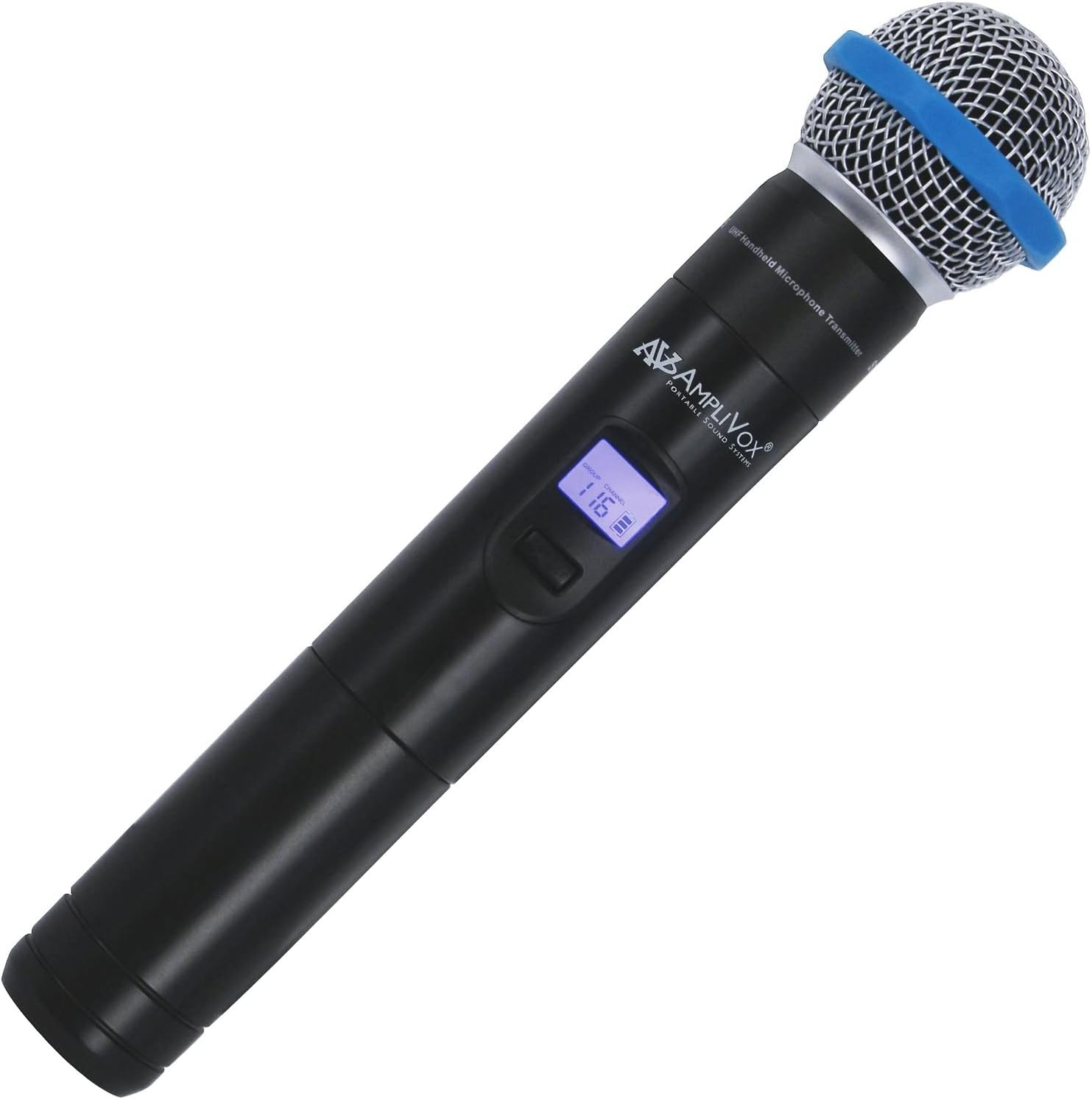
รูปที่ 1: AmpliVox S1695 Wireless Hand Microphone. This image shows the black handheld microphone with a silver mesh grille and a blue ring near the top. A small digital display is visible on the body, showing "GROUP" and "CHANNEL" with the number "116". The AmpliVox logo is also visible.
- ตะแกรงไมโครโฟน: ช่วยปกป้องแคปซูลไมโครโฟนและช่วยลดเสียงระเบิด
- หน้าจอแสดงผล: Shows current group, channel, and battery status.
- ปุ่มเปิดปิด/ปิดเสียง: กดค้างไว้เพื่อเปิด/ปิดเครื่อง กดสั้นๆ เพื่อปิด/เปิดเสียง
- Channel/Group Selection Buttons: Used to change frequency channels or groups.
- ช่องใส่แบตเตอรี่: Located at the bottom, houses the required batteries.
5. การตั้งค่า
5.1. การติดตั้งแบตเตอรี่
การ AmpliVox S1695 requires two batteries (not included). Ensure you use the correct type and insert them with the proper polarity.
- คลายเกลียวฝาครอบด้านล่างของไมโครโฟนเพื่อเข้าถึงช่องใส่แบตเตอรี่
- Insert two fresh batteries, observing the polarity markings (+ and -) inside the compartment.
- ขันฝาครอบด้านล่างกลับเข้าที่ไมโครโฟนอย่างแน่นหนา
5.2. Pairing with a Receiver
This microphone is designed for use with compatible AmpliVox wireless receivers (e.g., those found in Executive Sound Column, Presidential Plus, or Elite lectern SW models). Refer to your receiver's manual for specific pairing instructions. Generally, the process involves:
- Ensure both the microphone and the receiver are powered on.
- Select a clear channel on the microphone using the channel/group selection buttons.
- Tune your AmpliVox receiver to the same frequency channel as the microphone.
- Confirm successful pairing by checking the receiver's indicator lights or display.
Note: The microphone offers 16 UHF channels with a frequency range from 584 MHz to 602.45 MHz. Choose a channel that is free from local interference.
6. คู่มือการใช้งาน
6.1. การเปิด/ปิดเครื่อง
- ถึง เปิดเครื่อง the microphone, press and hold the Power/Mute button until the display illuminates.
- ถึง ปิดเครื่อง the microphone, press and hold the Power/Mute button until the display turns off.
6.2. ฟังก์ชั่นปิดเสียง
- While the microphone is powered on, a short press of the Power/Mute button will toggle the mute function.
- When muted, the microphone will not transmit audio, but it will remain powered on.
6.3. การเลือกช่อง
Use the Channel/Group Selection buttons (usually up/down arrows) to cycle through the available 16 UHF channels. Ensure the selected channel matches that of your AmpliVox receiver to avoid interference and ensure proper audio transmission.
6.4. เคล็ดลับการใช้งาน
- ถือไมโครโฟนให้ห่างจากปากประมาณ 2-6 นิ้ว เพื่อคุณภาพเสียงที่ดีที่สุด
- Avoid covering the microphone grille with your hand, as this can affect sound pickup.
- Monitor the battery indicator on the microphone's display and replace batteries promptly when low.
7. การบำรุงรักษา
- การทำความสะอาด: Wipe the exterior of the microphone with a soft, dry, lint-free cloth. Do not use abrasive cleaners, solvents, or chemical sprays.
- พื้นที่จัดเก็บ: When not in use, store the microphone in a cool, dry place, away from direct sunlight and extreme temperatures. Remove batteries if storing for an extended period to prevent leakage.
- การเปลี่ยนแบตเตอรี่: Replace batteries as soon as the low battery indicator appears on the display to ensure uninterrupted performance.
8 การแก้ไขปัญหา
| ปัญหา | สาเหตุที่เป็นไปได้ | สารละลาย |
|---|---|---|
| ไม่มีเสียงจากไมโครโฟน |
|
|
| Distortion or static. |
|
|
| ระยะการใช้งานสั้น |
|
|
9. ข้อมูลจำเพาะ
| คุณสมบัติ | รายละเอียด |
|---|---|
| หมายเลขรุ่น | Ampli-S1695 |
| เทคโนโลยีการเชื่อมต่อ | ไร้สาย (UHF) |
| ช่วงความถี่ | 584 MHz ถึง 602.45 MHz |
| จำนวนช่องสัญญาณ | 16 |
| ปัจจัยรูปแบบไมโครโฟน | แบบถือด้วยมือ |
| รูปแบบขั้ว | ทิศทางเดียว |
| แหล่งพลังงาน | Battery Powered (Requires two batteries) |
| สี | สีดำ |
| น้ำหนักสินค้า | 1.03 ปอนด์ (ประมาณ 0.47 กก.) |
| ขนาดแพ็คเกจ | 10 x 8 x 4 นิ้ว (ประมาณ 25.4 x 20.3 x 10.2 ซม.) |
| ยูพีซี | 800188018107 |
| ผู้ผลิต | AmpliVox Sound Systems |
10. การรับประกันและการสนับสนุน
For information regarding warranty coverage, technical support, or service inquiries for your AmpliVox S1695 Wireless Hand Microphone, please refer to the warranty card included with your purchase or visit the official Ampลิวอกซ์ website. You may also contact AmpliVox customer service directly for assistance.
AmpliVox Sound Systems
www.amplivox.คอม


