1. บทนำ
This manual provides essential information for the Intel Pentium Processor G4400, model number BX80662G4400. It covers product overview, package contents, technical specifications, installation guidelines, operational considerations, maintenance, and troubleshooting.
The Intel Pentium G4400 processor is designed for desktop systems, offering a balance of performance and value for everyday computing needs. Utilizing Intel's 14nm processor technology and a modern microarchitecture, it provides reliable performance for running daily applications efficiently. This processor is suitable for both home and office environments, delivering solid productivity and visual experiences.
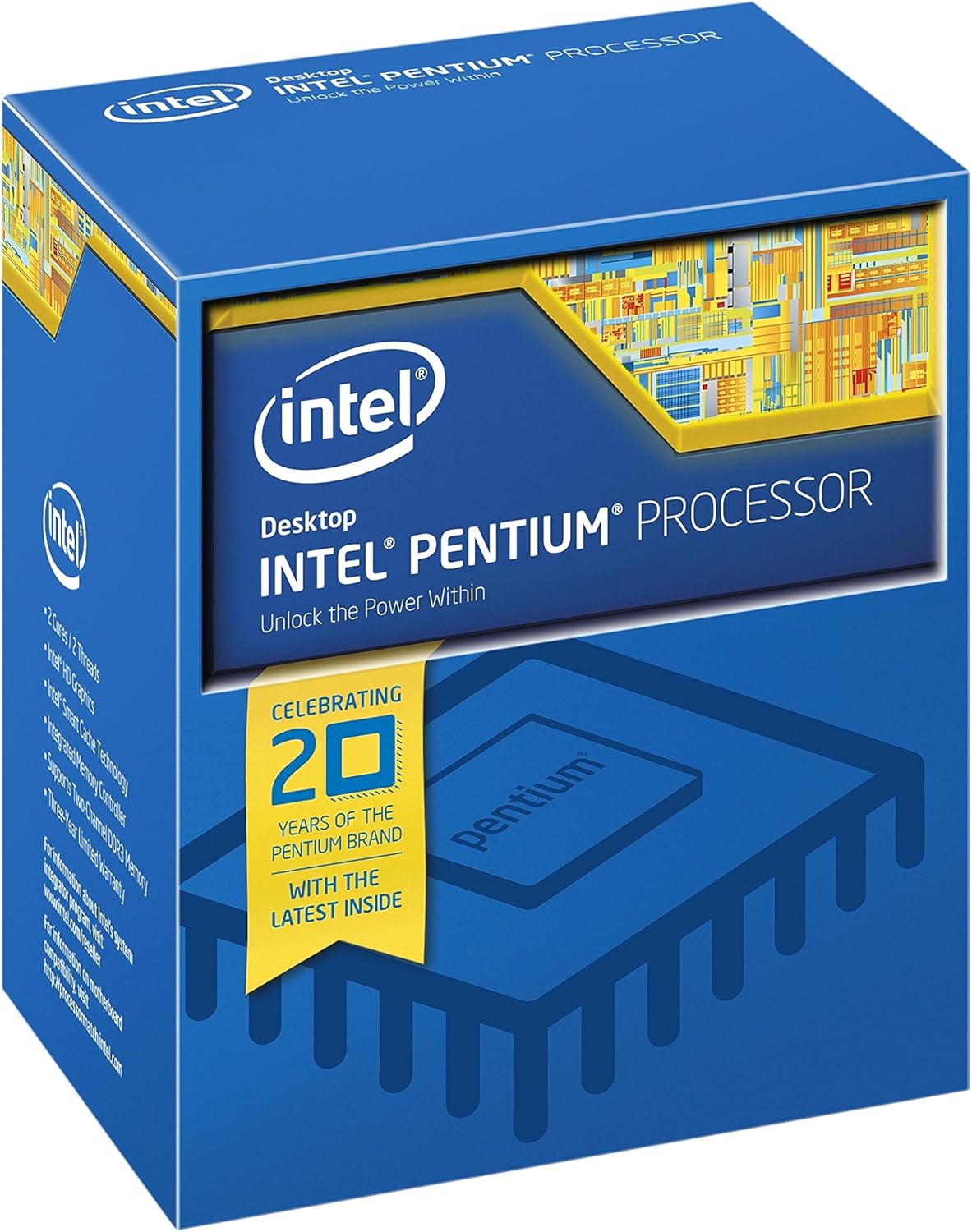
ภาพที่ 1.1: Retail packaging for the Intel Pentium G4400 Processor.
2. เนื้อหาบรรจุภัณฑ์
Verify that your Intel Pentium Processor G4400 package contains the following items:
- Intel Pentium G4400 Processor
- Intel Stock CPU Cooler
- คู่มือการติดตั้งและเอกสารประกอบ

ภาพที่ 2.1: Contents of the Intel Pentium G4400 retail package, including the processor and stock cooler.
3. ข้อมูลจำเพาะทางเทคนิค
The following table outlines the key technical specifications for the Intel Pentium Processor G4400:
| คุณสมบัติ | ข้อมูลจำเพาะ |
|---|---|
| รุ่นโปรเซสเซอร์ | เพนเทียม G4400 |
| ความเร็วของโปรเซสเซอร์ | 3.3 กิกะเฮิรตซ์ |
| ยี่ห้อโปรเซสเซอร์ | อินเทล |
| ซ็อคเก็ตซีพียู | แอลจีเอ 1151 |
| จำนวนโปรเซสเซอร์ | 1 |
| ชุดคำสั่ง | 64 บิต |
| ส่วนขยายชุดคำสั่ง | Intel SSE4.1, Intel SSE4.2 |
| กราฟิกแบบบูรณาการ | กราฟิก Intel HD 510 |
| แคช | 3M Cache |
| ประเภทหน่วยความจำคอมพิวเตอร์ | แรม DDR4 |
| เล่มที่tage | 1.35 โวลต์ |
| น้ำหนักสินค้า | 9.6 ออนซ์ |
| ขนาดสินค้า (กxยxส) | 7.1 x 6.6 x 6.6 นิ้ว |
4. การติดตั้ง
Installing a CPU requires careful handling and adherence to specific procedures. It is recommended that installation be performed by an experienced individual or a qualified technician. Always consult your motherboard's manual for detailed, model-specific installation instructions.
4.1. การเตรียมพร้อม
- ความเข้ากันได้: Ensure your motherboard supports the LGA 1151 socket and the Intel Pentium G4400 processor. Check your motherboard's CPU support list.
- ไฟฟ้าสถิต: Take anti-static precautions, such as using an anti-static wrist strap or touching a grounded metal object before handling components.
- พื้นที่ทำงาน : Prepare a clean, well-lit, and organized workspace.
- เครื่องมือ: You may need a Phillips head screwdriver and thermal paste (if not pre-applied to the cooler or if using an aftermarket cooler).
4.2 ขั้นตอนการติดตั้ง CPU
- เปิดซ็อกเก็ต CPU: Locate the CPU socket on your motherboard. Gently push down the small metal lever on the side of the socket and pull it away from the socket to open the retention plate.
- Orient the CPU: Carefully remove the Intel Pentium G4400 processor from its packaging. Observe the gold triangle or notch on one corner of the CPU. Align this with the corresponding mark on the CPU socket.
- Place the CPU: Gently lower the CPU straight down into the socket. Do not force it. If it does not sit perfectly, re-check the orientation.
- Close CPU Socket: Close the retention plate over the CPU and push the metal lever back into its locked position. This will secure the CPU firmly.
- ทาซิลิโคนระบายความร้อน (ถ้าจำเป็น): หากพัดลมระบายความร้อนของคุณไม่มีซิลิโคนระบายความร้อนทามาให้ ให้ทาซิลิโคนปริมาณเล็กน้อยเท่าเมล็ดถั่วลงตรงกลางแผ่นกระจายความร้อน (IHS) ของซีพียู
- ติดตั้งตัวระบายความร้อน CPU: Place the Intel stock cooler onto the CPU, aligning the four pins with the holes on the motherboard. Push down firmly on each pin until it clicks into place. Connect the cooler's fan cable to the 'CPU_FAN' header on the motherboard.

ภาพที่ 4.1: ภาพระยะใกล้ view of the Intel Pentium G4400 processor chip.
5. การดำเนินการ
The Intel Pentium G4400 processor functions as the central processing unit (CPU) of your computer system. Once correctly installed and integrated with a compatible motherboard, RAM, storage, and power supply, it will execute instructions and manage data processing for all software applications.
5.1. ข้อกำหนดของระบบ
- เมนบอร์ด : Compatible with LGA 1151 socket and supporting the G4400 processor.
- แรม : DDR4 SDRAM is required. Consult motherboard specifications for supported speeds and capacities.
- แหล่งจ่ายไฟ: A stable power supply unit (PSU) with sufficient wattage สำหรับส่วนประกอบระบบทั้งหมด
- ระบบปฏิบัติการ: Compatible with 64-bit instruction sets.
5.2. Integrated Graphics
The G4400 processor includes integrated Intel HD Graphics 510, which can provide display output without the need for a dedicated graphics card. Ensure your motherboard has appropriate video output ports (e.g., HDMI, DisplayPort, DVI, VGA) to utilize the integrated graphics.
6. การบำรุงรักษา
Proper maintenance ensures the longevity and optimal performance of your processor and computer system.
- การจัดการฝุ่น: Regularly clean the interior of your computer case to prevent dust buildup on the CPU cooler and other components. Dust can impede airflow and lead to overheating.
- น้ำยาระบายความร้อน: Over several years, thermal paste can dry out. If you notice increased CPU temperatures, consider reapplying fresh thermal paste. This typically involves removing the CPU cooler, cleaning off old paste, and applying new paste.
- การตรวจติดตามอุณหภูมิ: Use system monitoring software to keep track of CPU temperatures. Ensure temperatures remain within safe operating limits, especially under load.
- อัปเดต BIOS/UEFI: Keep your motherboard's BIOS/UEFI firmware updated. These updates often include performance improvements, bug fixes, and enhanced CPU compatibility.
7 การแก้ไขปัญหา
If you encounter issues with your system after installing the Intel Pentium G4400 processor, consider the following troubleshooting steps:
7.1. ระบบไม่บูต / ไม่มีภาพแสดงผล
- ตรวจสอบการเชื่อมต่อ: Ensure all power cables (24-pin ATX, 8-pin CPU) are securely connected to the motherboard. Verify that the CPU cooler fan is connected to the 'CPU_FAN' header.
- ที่นั่ง CPU: Re-open the CPU socket and carefully re-seat the processor, ensuring it is correctly aligned and the retention lever is locked.
- แรม : Ensure RAM modules are properly seated in their slots. Try booting with only one RAM stick if multiple are installed.
- ความเข้ากันได้ของเมนบอร์ด: Double-check that your motherboard BIOS/UEFI version supports the G4400 processor. An older BIOS might not recognize newer CPUs.
7.2. ปัญหาความร้อนสูงเกินไป
- การติดตั้งคูลเลอร์: Verify that the CPU cooler is correctly installed and making firm contact with the CPU's IHS. Ensure all four push-pins (for stock cooler) are fully engaged.
- น้ำยาระบายความร้อน: Confirm that thermal paste was applied correctly and evenly between the CPU and cooler.
- การไหลเวียนของอากาศ: Ensure adequate airflow within the computer case. Check that case fans are functioning and oriented correctly.
7.3. Performance Problems
- ไดรเวอร์: Ensure all system drivers, especially chipset and integrated graphics drivers, are up to date.
- กระบวนการเบื้องหลัง: Check for excessive background applications consuming CPU resources.
- การตั้งค่าพลังงาน: Verify that your operating system's power plan is set to 'High Performance' or a balanced mode that allows the CPU to reach its full clock speed.
8. การรับประกันและการสนับสนุน
For information regarding the manufacturer's warranty for your Intel Pentium Processor G4400, please refer to the official Intel website or the warranty documentation included with your product. Intel provides various support resources, including:
- การสนับสนุนทางออนไลน์: Access to knowledge bases, FAQs, and troubleshooting guides.
- ดาวน์โหลดไดร์เวอร์: Latest drivers and software updates for your processor and integrated graphics.
- ติดต่อฝ่ายสนับสนุน: Options to contact Intel customer service for technical assistance.
Always register your product if required to ensure full warranty coverage and access to support services.


