1. บทนำ
This manual provides comprehensive instructions for the safe and efficient operation of your DBPOWER RD-805 Portable Multimedia Mini LED Projector. Please read this manual thoroughly before using the projector and retain it for future reference. This projector is designed for versatile multimedia applications, offering a compact solution for home entertainment, presentations, and more.
2. ข้อมูลด้านความปลอดภัย
- อย่ามองตรงเข้าไปในเลนส์โปรเจ็กเตอร์เมื่อลamp เปิดอยู่ แสงจ้าอาจทำให้ดวงตาเสียหายได้
- Ensure proper ventilation. Do not block ventilation openings. Overheating can damage the projector.
- Use only the power adapter supplied with the projector. Using an incorrect adapter may cause malfunction or fire.
- ควรเก็บโปรเจคเตอร์ให้ห่างจากน้ำหรือของเหลวอื่นๆ และห้ามใช้งานในสภาพแวดล้อมที่มีความชื้นสูง
- หลีกเลี่ยงการวางโปรเจ็กเตอร์บนพื้นผิวที่ไม่มั่นคง
- ถอดสายไฟออกในระหว่างที่เกิดพายุฝนฟ้าคะนองหรือเมื่อไม่ได้ใช้งานเป็นเวลานาน
- อย่าพยายามซ่อมโปรเจคเตอร์ด้วยตนเอง โปรดส่งซ่อมโดยช่างผู้ชำนาญการเท่านั้น
3. เนื้อหาบรรจุภัณฑ์
ตรวจสอบว่าสินค้าทั้งหมดที่ระบุไว้ด้านล่างนี้รวมอยู่ในบรรจุภัณฑ์ของคุณแล้ว หากมีสินค้าใดสูญหายหรือเสียหาย โปรดติดต่อผู้ค้าปลีกของคุณ
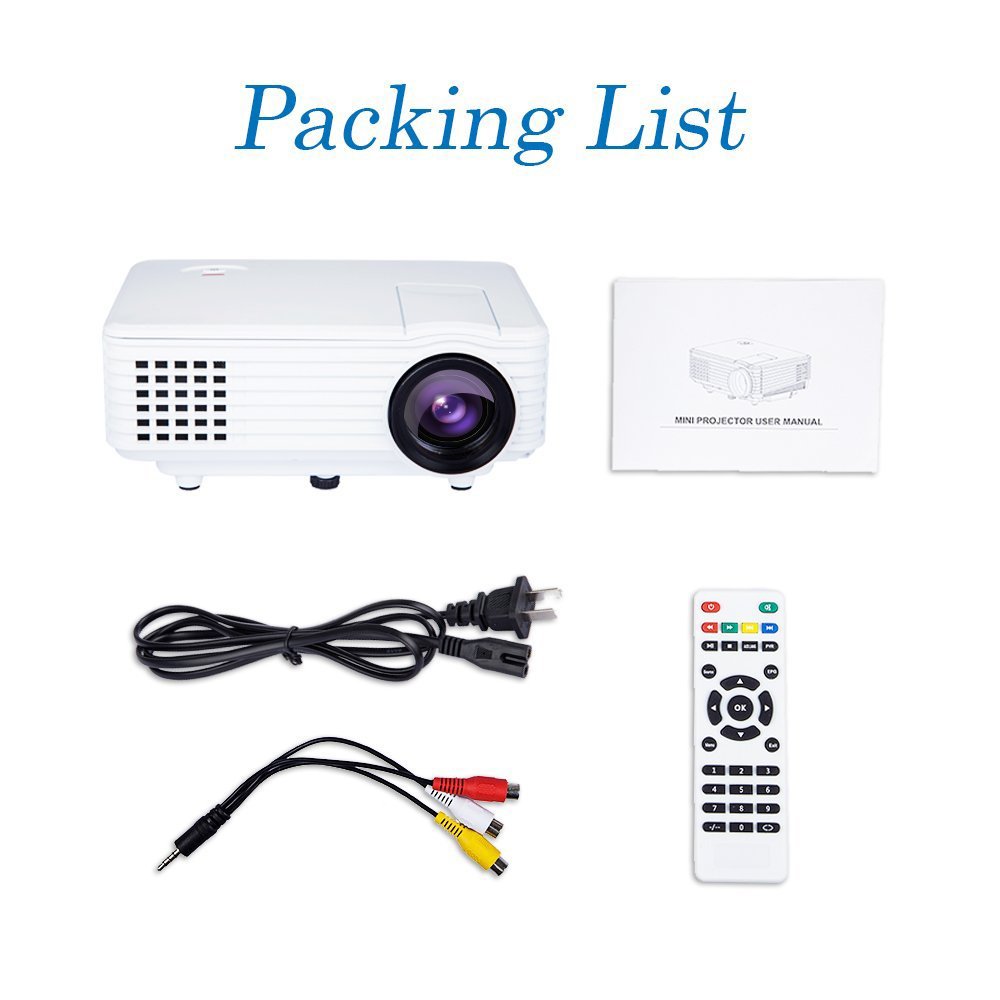
Image: Contents of the DBPOWER RD-805 projector package, showing the projector unit, power cable, AV cable, remote control, and user manual.
- DBPOWER RD-805 Mini LED Projector
- สายไฟ
- รีโมทคอนโทรล
- เคเบิ้ล AV
- คู่มือการใช้งาน
4. สินค้าหมดview
ทำความคุ้นเคยกับส่วนต่างๆ ของโปรเจ็กเตอร์ของคุณ

Image: The DBPOWER RD-805 projector held in a hand, illustrating its portable and compact design.
4.1 ด้านหน้าและด้านบน View
- เลนส์ฉายภาพ: ปล่อยภาพออกมา
- วงแหวนโฟกัส: ปรับความคมชัดของภาพ
- แป้นหมุนปรับแก้คีย์สโตน: แก้ไขการบิดเบี้ยวของภาพรูปทรงสี่เหลี่ยมคางหมู
- แผงควบคุม: Buttons for menu navigation and basic functions.
4.2 แผงด้านหลังและการเชื่อมต่อ

ภาพ: รายละเอียด view of the rear panel of the DBPOWER RD-805 projector, highlighting the power button, on/off switch, USB port, HDMI port, AV input, VGA input, and audio output jack.
- ปุ่มเปิด/ปิด: เปิด/ปิดโปรเจ็กเตอร์
- On/Off Button (Main Switch): สวิตซ์ไฟฟ้าหลัก
- พอร์ต USB: เชื่อมต่อไดรฟ์ USB สำหรับการเล่นสื่อ
- พอร์ต HDMI: Connect devices via HDMI cable (e.g., laptops, gaming consoles).
- พอร์ต AV IN: Connect devices using the AV cable (e.g., DVD players).
- พอร์ต VGA: เชื่อมต่อคอมพิวเตอร์ผ่านสาย VGA
- Audio Output (Earphone) Jack: เชื่อมต่อลำโพงภายนอกหรือหูฟัง
- ไมโคร USB: (Not explicitly labeled in image, but mentioned in features) For specific connectivity.
5. การตั้งค่า
5.1 การจัดวาง
Place the projector on a stable, flat surface. Ensure there is adequate space around the projector for ventilation. The projection distance will determine the image size (20-80 inches recommended).

Image: The DBPOWER RD-805 projector set up on a tripod next to a laptop, demonstrating a typical usage scenario for presentations or media viewการไอเอ็นจี
5.2 การเชื่อมต่อสายไฟ
- ต่อสายไฟเข้ากับช่องเสียบไฟของโปรเจ็กเตอร์
- เสียบปลายสายไฟอีกด้านหนึ่งเข้ากับเต้ารับไฟฟ้าที่ผนัง
- Flip the main On/Off switch on the rear panel to the 'On' position.
5.3 การเชื่อมต่ออุปกรณ์
โปรเจ็กเตอร์รองรับแหล่งสัญญาณเข้าหลายประเภท:

Image: A circular diagram illustrating the wide range of devices compatible with the DBPOWER RD-805 projector, including laptops, desktops, gaming consoles (PS4, Xbox 360, Wii), mobile phones, tablets, DVD players, and MP4/MP5 players.
- ช่องต่อ HDMI: Connect laptops, gaming consoles (PS4, Xbox 360), Blu-ray players.
- VGA: เชื่อมต่อคอมพิวเตอร์ตั้งโต๊ะหรือแล็ปท็อปรุ่นเก่า
- เอวี: Connect DVD players, set-top boxes using the included AV cable.
- ยูเอสบี: Insert USB flash drives for direct playback of photos, videos, and music.
- ไมโคร USB: For specific device connections (refer to device manual for compatibility).
- เสียงออก: เชื่อมต่อลำโพงภายนอกหรือหูฟังเพื่อเพิ่มประสิทธิภาพเสียง
6. การใช้งานโปรเจ็กเตอร์
6.1 การเปิด/ปิดเครื่อง
- Ensure the main On/Off switch on the rear is in the 'On' position.
- Press the Power button on the projector or remote control to turn on the unit.
- To power off, press the Power button again. The indicator light will change.
6.2 การปรับแต่งภาพ
- จุดสนใจ: หมุนวงแหวนปรับโฟกัสใกล้เลนส์จนกว่าภาพที่ฉายจะคมชัด
- การแก้ไขคีย์สโตน: Use the keystone correction dial to adjust the image if it appears trapezoidal (wider at the top or bottom). The projector supports up to 15 degrees of keystone correction.
6.3 การเลือกแหล่งที่มาของอินพุต
Use the 'Source' button on the remote or projector control panel to cycle through available input sources (HDMI, VGA, AV, USB).
6.4 การเล่นมัลติมีเดีย
When a USB drive is connected, navigate the on-screen menu to select the desired media type (Photo, Music, Movie, Text) and browse files. The projector supports MP3/WMA/OGG/AAC/FLAC/APE/WAV audio and JPEG/BMP/PNG image formats.
6.5 การสมัคร
The DBPOWER RD-805 is suitable for a variety of uses:

Image: A collage depicting various applications of the DBPOWER RD-805 projector, including outdoor movie nights, classroom teaching, business meetings, and gaming sessions.

ภาพ: อดีตสี่คนamples of home theater environments utilizing the DBPOWER RD-805 projector for immersive viewการสร้างประสบการณ์
- ความบันเทิงภายในบ้าน: เพลิดเพลินไปกับภาพยนตร์ รายการทีวี และกีฬาบนจอขนาดใหญ่
- การเล่นเกม: Connect your gaming console for an immersive gaming experience.
- การนำเสนอ: Ideal for small business meetings or educational purposes.
- รูปถ่าย Viewการลง: Share your photos with friends and family on a big display.
7. การบำรุงรักษา
7.1 การทำความสะอาดเลนส์
ใช้ผ้าเนื้อนุ่ม ปราศจากขน และออกแบบมาสำหรับเลนส์แว่นตาโดยเฉพาะ ห้ามใช้สารทำความสะอาดที่มีฤทธิ์กัดกร่อนหรือผ้าที่อาจทำให้เลนส์เป็นรอย
7.2 การทำความสะอาดตัวโปรเจ็กเตอร์
เช็ดทำความสะอาดภายนอกโปรเจคเตอร์ด้วยผ้าแห้งนุ่มๆ สำหรับคราบฝังแน่น ให้ใช้ผ้าชุบน้ำหมาดๆ เช็ดอีกครั้งamp สามารถใช้ผ้าชุบน้ำเช็ดได้ ตามด้วยผ้าแห้งอีกผืนหนึ่ง
7.3 การระบายอากาศ
Regularly check and clean the ventilation grilles to prevent dust buildup, which can impede airflow and cause overheating.
7.4 ลิตรamp ชีวิต
ไฟ LED ลamp in your projector has a long lifespan, rated for approximately 50,000 hours, significantly reducing the need for lamp การทดแทน
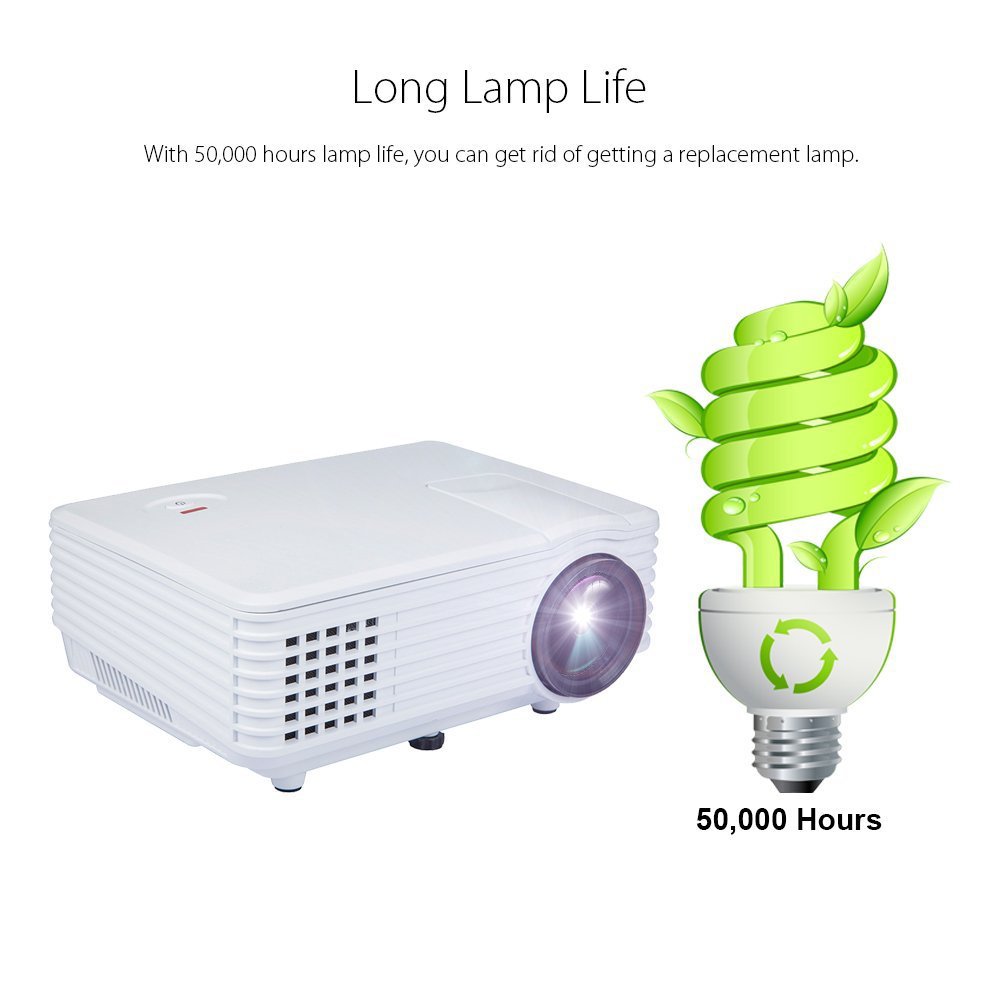
Image: An illustration highlighting the long lamp life of the DBPOWER RD-805 projector, indicating an estimated lifespan of 50,000 hours for its LED light source.
8 การแก้ไขปัญหา
| ปัญหา | สาเหตุที่เป็นไปได้ | สารละลาย |
|---|---|---|
| ไม่มีภาพที่ฉาย | ไม่ได้ต่อสายไฟ; แหล่งสัญญาณเข้าไม่ถูกต้อง; ปิดฝาเลนส์อยู่ | ตรวจสอบการเชื่อมต่อสายไฟ เลือกแหล่งสัญญาณเข้าที่ถูกต้อง ถอดฝาครอบเลนส์ออก |
| ภาพเบลอ | ไม่ได้ปรับโฟกัส โปรเจ็กเตอร์อยู่ใกล้/ไกลจากหน้าจอมากเกินไป | Adjust focus ring; Adjust projection distance (20-80 inches). |
| รูปภาพเป็นรูปสี่เหลี่ยมคางหมู | ไม่ได้ปรับคีย์สโตน | Adjust keystone correction dial. |
| ไม่มีเสียง | Volume too low; External speakers not connected; Audio format not supported. | Increase volume; Connect external speakers to audio out; Check audio format compatibility. |
| รีโมตคอนโทรลไม่ทำงาน | Batteries dead; Obstruction between remote and projector. | เปลี่ยนแบตเตอรี่ ตรวจสอบให้แน่ใจว่ามองเห็นตัวรับสัญญาณอินฟราเรดได้อย่างชัดเจน |
9. ข้อมูลจำเพาะ

Image: The DBPOWER RD-805 projector with its physical dimensions (21cm length, 14.5cm width, 8cm height) and weight (1250g) indicated, alongside a "1 Year Warranty" badge.
| ยี่ห้อ | DB POWER |
| ชื่อรุ่น | RD-805 |
| หมายเลขรุ่นสินค้า | FP8048H1W-IV6 |
| เทคโนโลยีการแสดงผล | จอแอลซีดี |
| ประเภทจอภาพ | นำ |
| ขนาดการฉายภาพ | 20-80 inches (recommended) |
| Max Screen Display Size | 120 นิ้ว / 305 ซม. |
| Keystone Correction | Manual, 15 degrees |
| Lamp ชีวิต | นานถึง 50,000 ชั่วโมง |
| อินเทอร์เฟซอินพุต | USB, VGA, HDMI, AV, Micro USB |
| อินเทอร์เฟซเอาท์พุต | Earphone (3.5mm Audio Jack) |
| รูปแบบเสียงที่รองรับ | MP3 / WMA / OGG / AAC / FLAC / APE / WAV |
| รูปแบบภาพที่รองรับ | JPEG/BMP/PNG (with zoom, 360 degree rotate) |
| การใช้พลังงาน | 20 วัตต์ |
| แหล่งพลังงาน | AC |
| ขนาดสินค้า (กxยxส) | 21.08 x 14.48 x 7.87 ซม. |
| น้ำหนักสินค้า | 907.18 กรัม |
10. การรับประกันและการสนับสนุน
Your DBPOWER RD-805 Projector comes with a รับประกัน 1 ปี นับจากวันที่ซื้อ การรับประกันนี้ครอบคลุมข้อบกพร่องในการผลิตและฝีมือการผลิตภายใต้การใช้งานปกติ
For technical support, warranty claims, or any inquiries, please contact DBPOWER customer service through the contact information provided on their official website or your purchase platform. Please have your model number (RD-805) and purchase details ready when contacting support.


