1. สินค้าหมดview
The OMNITRONIC STR-1000 is a robust and durable pocket receiver designed for in-ear monitoring applications. It functions as a replacement or extension unit for the OMNITRONIC IEM-1000 in-ear monitoring system, operating within the 823-832 MHz duplex frequency range. This device provides reliable audio reception for performers and presenters, ensuring clear sound transmission directly to the user's earphones.
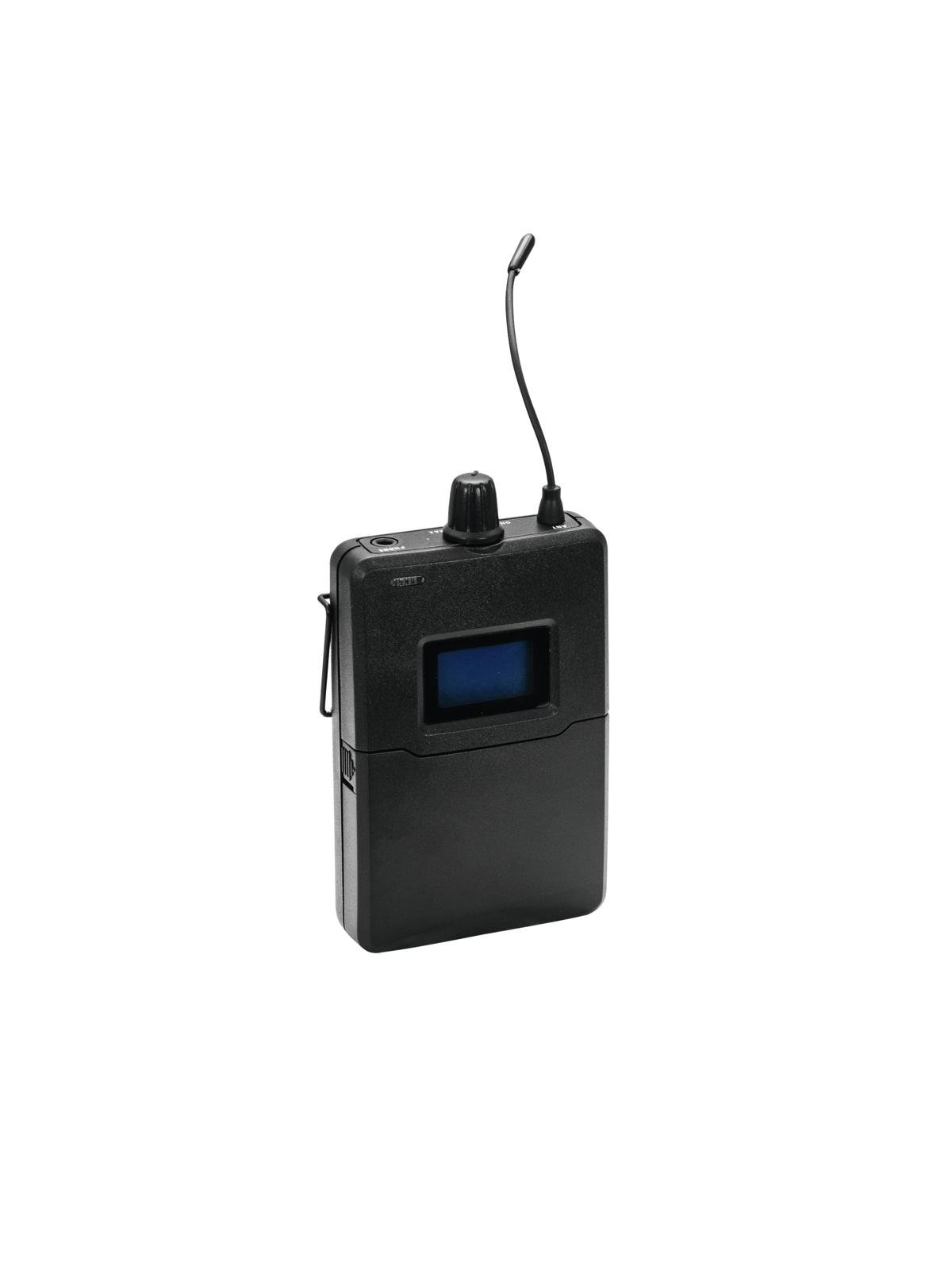
ภาพที่ 1.1: ด้านหน้า view of the OMNITRONIC STR-1000 Pocket Receiver, showing its compact design and controls.
2. เนื้อหาบรรจุภัณฑ์
ตรวจสอบว่าสินค้าทั้งหมดอยู่ในบรรจุภัณฑ์ครบถ้วน หากมีสินค้าใดขาดหายหรือเสียหาย โปรดติดต่อตัวแทนจำหน่ายของคุณทันที
- 1x OMNITRONIC STR-1000 Pocket Receiver
- 1x Pair of Mini Earphones
- กล่องสำหรับขนส่ง 1 ใบ
- 1x คู่มือผู้ใช้ (เอกสารนี้)
3. คำแนะนำในการตั้งค่า
Follow these steps for the initial setup of your STR-1000 pocket receiver.
- ติดตั้งแบตเตอรี่: Open the battery compartment cover on the back of the receiver. Insert two fresh AA batteries, ensuring correct polarity (+/-). Close the cover securely.
- เชื่อมต่อหูฟัง: Plug the mini earphones into the 3.5mm (1/8-inch) stereo jack located on the top or side of the receiver. Ensure the plug is fully inserted.
- เปิดเครื่อง: Press and hold the power button (usually located on the front or side) until the display illuminates.
- การซิงโครไนซ์ความถี่: The STR-1000 must be synchronized with an OMNITRONIC IEM-1000 transmitter. Refer to the IEM-1000 transmitter manual for specific instructions on how to pair or synchronize the receiver's frequency with the transmitter's output. Typically, this involves setting the receiver to the same frequency channel as the transmitter.
- การปรับระดับเสียง: Start with the volume control at a low setting before placing the earphones in your ears. Gradually increase the volume to a comfortable listening level once audio is received.
4. Operating the STR-1000
The STR-1000 is designed for straightforward operation. Familiarize yourself with the controls for optimal use.
- เปิด/ปิดเครื่อง: Press and hold the power button to turn the unit on or off. A short press may activate a mute function or display backlight, depending on the model's specific design.
- การควบคุมระดับเสียง: Use the dedicated volume up/down buttons or rotary knob to adjust the listening level. Always adjust to a comfortable level to prevent hearing damage.
- การเลือกช่อง: If your receiver supports multiple channels, use the channel selection buttons (often labeled "Up" and "Down" or "CH") to cycle through available frequencies. Ensure the selected channel matches the transmitter's output.
- ข้อมูลการแสดงผล: The receiver's display typically shows the current channel, battery status, and signal strength. Monitor these indicators during operation.
- ช่วงความถี่: The STR-1000 operates in the 823-832 MHz duplex range. This frequency band is generally license-free and registration-free within the EU. However, it is crucial to verify specific regulations in your country of use, as local laws may vary.
5. การบำรุงรักษาและการดูแล
Proper maintenance ensures the longevity and reliable performance of your STR-1000 receiver.
- การทำความสะอาด: Use a soft, dry cloth to clean the exterior of the receiver. Do not use liquid cleaners, solvents, or abrasive materials, as these can damage the finish or internal components.
- การดูแลแบตเตอรี่ Remove batteries if the receiver will not be used for an extended period to prevent leakage and damage. Dispose of used batteries responsibly according to local regulations.
- พื้นที่จัดเก็บ: Store the receiver in its transport case in a cool, dry place, away from direct sunlight, extreme temperatures, and high humidity.
- Earphone Care: Clean earphones regularly with a soft, damp cloth. Replace ear tips if they become worn or damaged for optimal hygiene and sound quality.
6. คำแนะนำการแก้ไขปัญหา
If you encounter issues with your STR-1000, consult the following table before contacting support.
| ปัญหา | สาเหตุที่เป็นไปได้ | สารละลาย |
|---|---|---|
| ไม่มีเสียงออกจากหูฟัง |
|
|
| Static or intermittent audio |
|
|
| เครื่องรับสัญญาณไม่เปิดใช้งาน |
|
|
7. ข้อมูลจำเพาะทางเทคนิค
| คุณสมบัติ | ข้อมูลจำเพาะ |
|---|---|
| ยี่ห้อ | ออมนิโทรนิกส์ |
| ชื่อรุ่น | STR-1000 |
| หมายเลขรุ่น | 14013241 |
| ASIN | B00TZP6PFK |
| ช่วงความถี่ | 823-832 MHz (Duplex) |
| การเชื่อมต่อ | AUX (3.5mm stereo jack for earphones) |
| แหล่งจ่ายไฟ | แบตเตอรี่ AA 2 ก้อน (ไม่รวม) |
| ความเข้ากันได้ | OMNITRONIC IEM-1000 In-Ear Monitoring System |
| License Status (EU) | License-free and registration-free (verify local regulations) |
8. ข้อมูลด้านความปลอดภัยที่สำคัญ
Read and follow all safety instructions to prevent injury or damage to the device.
- การป้องกันการได้ยิน: Avoid listening at high volume levels for extended periods to prevent hearing damage. Always start with a low volume and gradually increase it.
- ความปลอดภัยของแบตเตอรี่: Use only specified battery types. Do not mix old and new batteries, or different types of batteries. Do not expose batteries to excessive heat or fire.
- น้ำและความชื้น: Do not expose the receiver to rain, moisture, or liquids. If the device comes into contact with liquid, immediately power it off and remove batteries.
- ความร้อน: Do not place the receiver near heat sources such as radiators, heat registers, stoves, or other apparatus (including ampเครื่องให้ความร้อน) ที่ผลิตความร้อน
- การบริการ: อย่าพยายามให้บริการผลิตภัณฑ์นี้ด้วยตนเอง ส่งต่อการบริการทั้งหมดไปยังช่างบริการที่ผ่านการรับรอง
- การกำจัด: Dispose of this product and its batteries in accordance with local environmental regulations. Do not dispose of with household waste.
9. การรับประกันและการสนับสนุน
For warranty information, technical support, or service inquiries, please refer to the documentation provided with your purchase or contact your authorized Omnitronic dealer. Keep your proof of purchase for warranty claims.
Omnitronic products are manufactured by Steinigke Showtechnic, a company known for reliable quality since 1979.


