การแนะนำ
Thank you for choosing the iTouchless 50 Liter / 13 Gallon Sensor Kitchen Trash Can. This manual provides essential information for the proper setup, operation, maintenance, and troubleshooting of your new automatic garbage bin. Please read these instructions carefully before use to ensure optimal performance and longevity of your product.
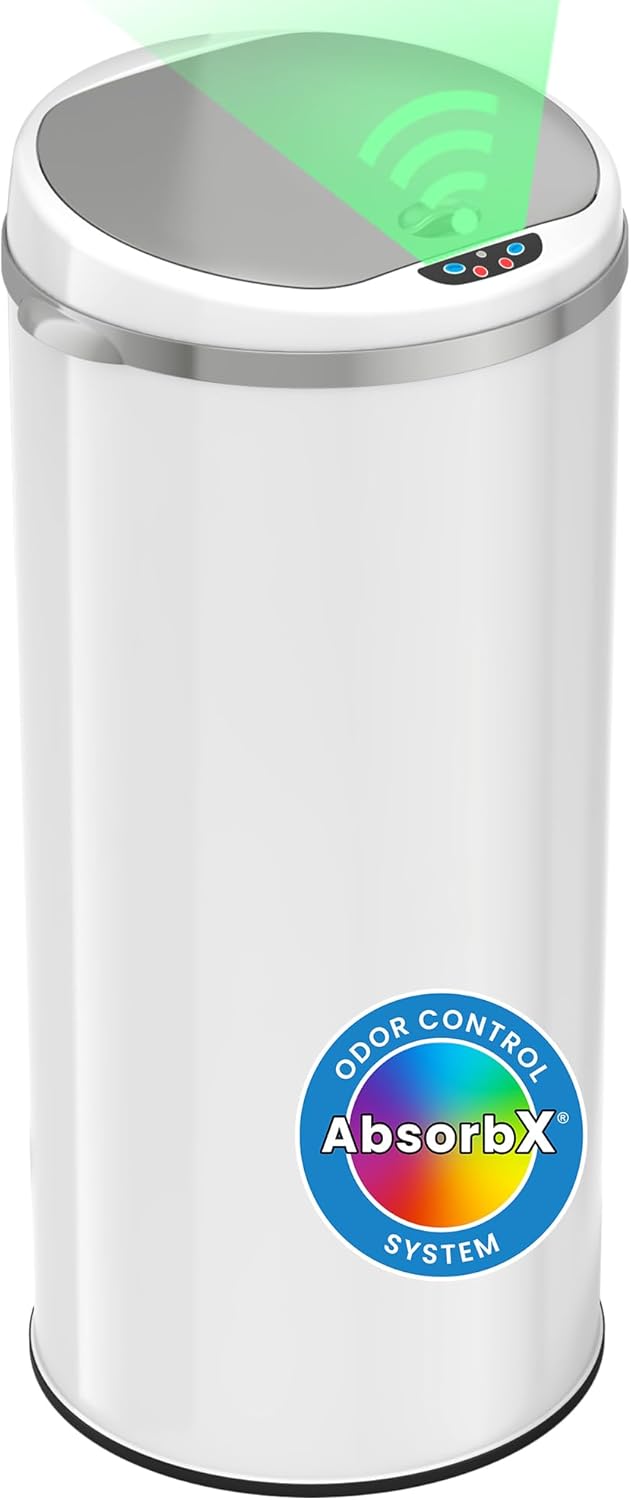
Image: The iTouchless 50 Liter / 13 Gallon Sensor Kitchen Trash Can in Pearl White, featuring the motion sensor lid and AbsorbX Odor Control System label.
คำแนะนำการตั้งค่า
Follow these steps to set up your iTouchless sensor trash can:
- การแกะกล่อง: Carefully remove all components from the packaging. Ensure all parts are present: the trash can body, sensor lid, odor filter compartment, and retainer ring.
- การติดตั้งแบตเตอรี่: Locate the battery compartment on the underside of the lid. Insert 4 AA batteries (not included) according to the polarity indicators. Close the compartment securely.
- อะแดปเตอร์ AC เสริม: For continuous power, an optional AC adapter (sold separately) can be connected. Plug the adapter into the port located on the back of the lid and then into a standard wall outlet.
- Odor Filter Installation: Open the odor filter compartment located inside the lid. Insert one AbsorbX odor filter (first filter included) into the compartment. Close the compartment.
- การติดตั้งถุงขยะ: Place a 13-gallon trash bag into the can. Secure the bag by placing the retainer ring over the top edge of the bag and fitting it into the can's rim. This hides the bag overhang and prevents it from slipping.
- การจัดวาง: Position the trash can in your desired location. Ensure there is adequate space around the sensor on the lid to avoid accidental activation.

ภาพ: ด้านหลัง view of the sensor lid, showing the power port for an optional AC adapter.

Image: Illustration demonstrating the choice between battery power (4 AA batteries) and an optional AC adapter for continuous operation.
คำแนะนำการใช้งาน
Your iTouchless sensor trash can offers convenient hands-free operation:
- การเปิดใช้งานเซนเซอร์จับความเคลื่อนไหว: Wave your hand approximately 6 inches above the sensor on the lid. The lid will open automatically. It will remain open for a few seconds and then close gently and silently.
- Stay Open Feature: To keep the lid open for a longer duration, press the 'Open' button on the sensor panel. Press the 'Close' button to close the lid manually, or it will close automatically after approximately 4 minutes.
- การควบคุมกลิ่น: The built-in AbsorbX odor filter system actively traps and neutralizes odors, helping to maintain a fresh environment.

Image: A hand waving over the motion sensor on the trash can lid, illustrating the automatic opening function.
Image: A finger pressing the 'Open' button on the sensor panel to activate the stay-open lid feature.
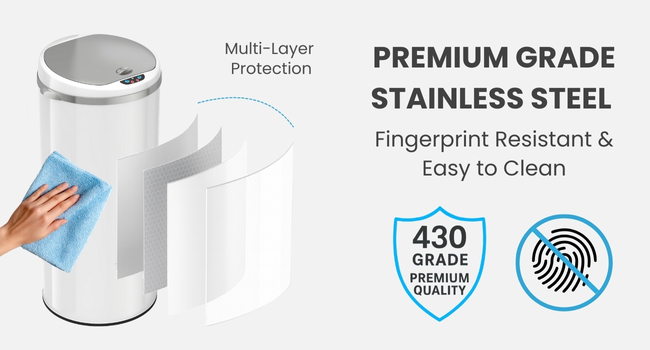
Image: A visual representation of the soft and silent closing mechanism of the trash can lid.
การซ่อมบำรุง
Regular maintenance ensures your trash can operates efficiently:
- การทำความสะอาด: The stainless steel surface is fingerprint-resistant and easy to clean. Use a soft, damp cloth and mild detergent to wipe down the exterior. Avoid abrasive cleaners or harsh chemicals. For the sensor area, use a dry cloth to gently wipe away dust.
- Odor Filter Replacement: The AbsorbX odor filter should be replaced every three months, or sooner depending on usage, to maintain effective odor control. You can sign up for text reminders for filter replacement.
- การเปลี่ยนแบตเตอรี่: When the batteries are low, the lid's operation may become slower or inconsistent. Replace all 4 AA batteries simultaneously with new ones.
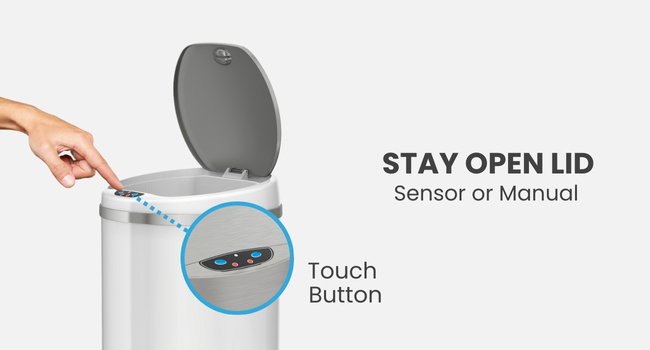
Image: A hand wiping the premium grade stainless steel surface of the trash can with a microfiber cloth, highlighting its easy-to-clean and fingerprint-resistant properties.

ภาพ: ระเบิด view illustrating the AbsorbX odor filter compartment within the lid, showing how activated carbon absorbs odors and VOCs for fresh air.
การแก้ไขปัญหา
If you encounter issues with your iTouchless sensor trash can, refer to the following common solutions:
- Lid Not Opening/Closing:
- Check battery installation and replace with fresh batteries if needed.
- Ensure the AC adapter is securely plugged in if using external power.
- Verify that the sensor area is clean and free from obstructions.
- Lid Opens Unexpectedly:
- Ensure the trash can is not placed in a high-traffic area where movement might trigger the sensor.
- Check for direct sunlight or strong artificial light sources shining on the sensor, which can cause interference.
- Odor Persists:
- Replace the AbsorbX odor filter.
- Ensure the trash bag is properly sealed and the retainer ring is correctly seated.
- Lid Closes Too Quickly/Slowly:
- นี่อาจบ่งชี้ว่าแบตเตอรี่ใกล้หมด เปลี่ยนแบตเตอรี่
สำหรับการแก้ไขปัญหาโดยละเอียดเพิ่มเติม โปรดดูที่เว็บไซต์อย่างเป็นทางการ คู่มือการแก้ไขปัญหา (PDF).
ข้อมูลจำเพาะ
| คุณสมบัติ | รายละเอียด |
|---|---|
| ยี่ห้อ | iTouchless |
| หมายเลขรุ่น | MT13RW |
| ความจุ | 50 ลิตร / 13 แกลลอน |
| สี | สีขาวมุก |
| กลไกการเปิด | เซ็นเซอร์ |
| วัสดุ | สแตนเลส |
| ประเภทการเสร็จสิ้น | ปัด |
| ขนาดสินค้า | 12.6 นิ้ว (ยาว) x 11.6 นิ้ว (กว้าง) x 31.3 นิ้ว (สูง) (32.0 ซม. (ยาว) x 29.5 ซม. (กว้าง) x 79.5 ซม. (สูง) |
| น้ำหนักสินค้า | 8.3 ปอนด์ (3.76 กก.) |
| แหล่งพลังงาน | 4 AA batteries (not included) or optional AC adapter (sold separately) |
| คุณสมบัติพิเศษ | Motion Sensor, Odor Filter, Smudge Resistant, Soft-Close Lid |
| ยูพีซี | 897112000086 |

Image: A diagram illustrating the key dimensions of the iTouchless 50 Liter / 13 Gallon Sensor Trash Can, including height, width, and depth.
ข้อมูลการรับประกัน
This iTouchless product comes with a รับประกันอะไหล่ 1 ปี. Please retain your proof of purchase for warranty claims. For specific terms and conditions, refer to the warranty documentation included with your product or contact customer support.
การสนับสนุนลูกค้า
For further assistance, technical support, or to inquire about replacement parts and accessories, please visit the official iTouchless website or contact their customer service department. You can also refer to the comprehensive คู่มือผู้ใช้ (PDF) สำหรับข้อมูลเพิ่มเติม


