การแนะนำ
The Canon PowerShot SX530 HS is a versatile digital camera designed to capture high-quality images and Full HD videos. Featuring a powerful 50x optical zoom, built-in Wi-Fi, and NFC capabilities, it offers advanced performance for various shooting scenarios. Its ergonomic design and intelligent systems, such as Intelligent IS and Zoom Framing Assist, aid in capturing clear and focused subjects. The camera is equipped with a 16.0 Megapixel High-Sensitivity CMOS sensor and a DIGIC 4+ Image Processor, forming the Canon HS SYSTEM for impressive results even in low-light conditions.
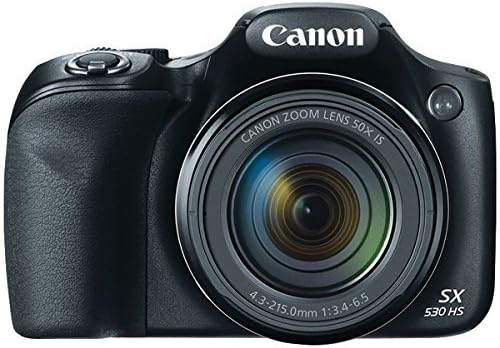
รูปที่ 1 : ด้านหน้า view ของกล้องดิจิทัล Canon PowerShot SX530 HS
มีอะไรอยู่ในกล่อง
- PowerShot SX530 HS Digital Camera
- Battery pack NB-6LH
- เครื่องชาร์จแบตเตอรี่ CB-2LY
- Lens Cap (with strap)
- สายคล้องคอ NS-DC11
- One Year Limited Warranty Card
คุณสมบัติหลัก
- ซูมออปติคอล 50 เท่า: Capture distant subjects with clarity (24-1200mm equivalent).
- Built-in Wi-Fi & NFC: Seamlessly share photos and videos with compatible devices.
- 16.0 Megapixel High-Sensitivity CMOS Sensor: Delivers high-quality images, especially in low light.
- DIGIC 4+ Image Processor: Enhances image quality and processing speed.
- วิดีโอ Full HD 1080p: Record smooth and lifelike videos at 30 frames per second.
- Intelligent IS: Automatically selects the optimal image stabilization mode for various shooting conditions.
- Zoom Framing Assist: Helps keep track of distant subjects while using high zoom.
การตั้งค่า
1. การใส่แบตเตอรี่และการ์ดหน่วยความจำ
Open the battery/memory card compartment cover located on the bottom of the camera. Insert the battery pack NB-6LH, ensuring the correct orientation. Insert a compatible SD/SDHC/SDXC memory card into the designated slot. Close the compartment cover securely.
Figure 2: Battery and memory card compartment.
2. การชาร์จแบตเตอรี่
Remove the battery pack from the camera. Insert the battery into the provided Battery Charger CB-2LY. Plug the charger into a power outlet. The charging indicator light will show the charging status. Once fully charged, remove the battery from the charger.

Figure 3: Battery and charger.
3. Initial Setup (Date/Time)
Upon first power-on or after the battery has been depleted, the camera may prompt you to set the date and time. Use the directional buttons and the SET button to adjust the settings as required.
4. Connecting to Wi-Fi / NFC
The PowerShot SX530 HS features built-in Wi-Fi and NFC for easy sharing. To connect to a smartphone or other device, press the Wi-Fi button on the camera. Follow the on-screen instructions to select your desired connection method (e.g., connect to a smartphone, connect to a computer, print from a Wi-Fi printer). For NFC, simply touch the camera to a compatible NFC-enabled device to establish a connection.
Video 1: Learn how to connect your Canon PowerShot SX530 Digital Camera to a mobile device for easy photo and video sharing.
การใช้งานกล้อง
1 โหมดการถ่ายภาพพื้นฐาน
Turn the mode dial to select your desired shooting mode. Options include: ออโต้ for automatic settings, P (Program AE) for semi-automatic control, Tv (Shutter-priority AE), Av (Aperture-priority AE), M (แมนนวล) for full manual control, and various SCN (Scene) modes for specific situations like Portrait, Snow, or Fireworks.

Figure 4: Camera back panel with mode dial.
2. ฟังก์ชั่นซูม
Use the zoom lever around the shutter button to adjust the 50x optical zoom. For distant subjects, utilize the Zoom Framing Assist button to quickly zoom out, locate your subject, and then zoom back in while keeping it framed.
3. การบันทึกวิดีโอ
To record Full HD 1080p video, press the dedicated movie button. The camera will immediately begin recording. Press the button again to stop recording.
4. การใช้งานแฟลช
The camera features a built-in flash. Depending on the shooting mode, the flash may pop up automatically or can be manually activated. Adjust flash modes (Auto, On, Off, Slow Sync) via the function menu.
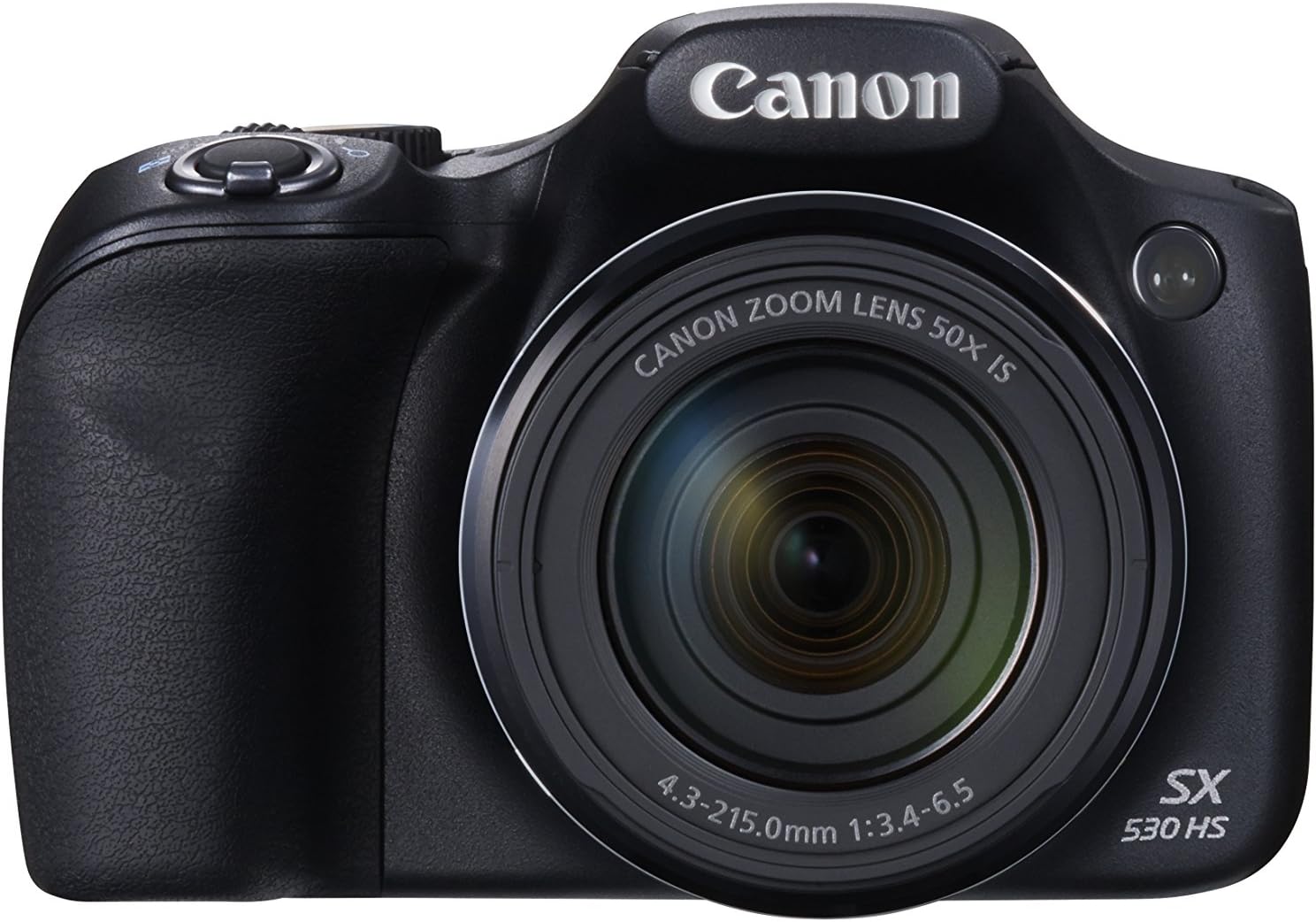
Figure 5: Camera with flash activated.
การซ่อมบำรุง
1. การทำความสะอาดกล้อง
Use a soft, lint-free cloth to clean the camera body. For the lens, use a lens brush or a specialized lens cleaning cloth and solution. Avoid touching the lens directly with your fingers.
2. การดูแลแบตเตอรี่
Store batteries in a cool, dry place. Avoid exposing them to extreme temperatures. Fully charge batteries before extended use and periodically if stored for long periods to maintain their lifespan.
3. Memory Card Handling
Always format new memory cards in the camera before first use. Avoid removing the memory card while the camera is writing data to prevent corruption. Store memory cards in a protective case when not in use.
การแก้ไขปัญหา
- กล้องไม่เปิด: ตรวจสอบให้แน่ใจว่าแบตเตอรี่ชาร์จเต็มและใส่เข้าไปอย่างถูกต้อง
- ภาพเบลอ: Check focus settings, ensure adequate lighting, and consider using a tripod or activating image stabilization.
- ปัญหาการเชื่อมต่อ Wi-Fi: Reset Wi-Fi settings in the camera menu and re-establish the connection. Ensure your mobile device has the Canon Camera Connect app installed and updated.
- แบตเตอรี่หมดเร็ว: Reduce screen brightness, limit Wi-Fi usage, and consider carrying a spare charged battery.
ข้อมูลจำเพาะ
| คุณสมบัติ | ข้อมูลจำเพาะ |
|---|---|
| ยี่ห้อ | แคนนอน |
| ชื่อรุ่น | พาวเวอร์ช็อต SX530 |
| ความละเอียดของภาพนิ่งที่มีประสิทธิภาพ | 16 MP |
| ขนาดเซนเซอร์ภาพ | 1/2.3 นิ้ว |
| ซูมออปติคอล | 50 เท่า |
| ความยาวโฟกัสสูงสุด | 1200 มิลลิเมตร |
| ความละเอียดวิดีโอ | 1080p |
| ระบบป้องกันภาพสั่นไหว | ออฟติคอล |
| ขนาดหน้าจอ | 3 นิ้ว |
| เทคโนโลยีการเชื่อมต่อ | HDMI, Wi-Fi, NFC |
| รองรับ File รูปแบบ | JPEG (Exif v2.3) |
| น้ำหนักสินค้า | 0.44 กิโลกรัม |
การรับประกันและการสนับสนุน
The Canon PowerShot SX530 HS Digital Camera comes with a รับประกันจำกัด 1 ปี covering both labor and parts. For detailed warranty information or technical support, please refer to the official Canon webเข้าชมเว็บไซต์หรือติดต่อฝ่ายบริการลูกค้าของ Canon


