1. บทนำ
This manual provides comprehensive instructions for the safe and effective use of the Mastech MS 6520B Infrared Thermometer. This non-contact device is designed for accurate temperature measurement across various applications. Please read this manual thoroughly before operating the device.

รูปที่ 1 : ด้านหน้า view of the Mastech MS 6520B Infrared Thermometer, showing the display and control buttons.
2. ข้อมูลด้านความปลอดภัย
To ensure safe operation and prevent damage to the device, observe the following precautions:
- ความปลอดภัยของเลเซอร์: Do not point the laser directly at eyes or indirectly off reflective surfaces. The laser is for targeting purposes only.
- สภาพแวดล้อม : Do not use the device in environments with explosive gas, steam, or dust. Avoid extreme temperatures and high humidity.
- สนามแม่เหล็กไฟฟ้า: Keep the device away from strong electromagnetic fields, which may affect accuracy.
- การแช่น้ำ: Do not immerse the device in water or other liquids. It is not waterproof.
- การซ่อมบำรุง: Refer to the maintenance section for proper cleaning and care.
3. คุณสมบัติและส่วนประกอบของผลิตภัณฑ์
The Mastech MS 6520B is a handheld infrared thermometer featuring a clear LCD display and intuitive controls.
คุณสมบัติหลัก:
- การวัดอุณหภูมิอินฟราเรดแบบไม่สัมผัส
- Wide temperature range: -20°C to 500°C (-4°F to 932°F)
- Selectable °C/°F units
- Built-in laser pointer for accurate targeting
- Backlight display for low-light conditions
- ฟังก์ชั่น Data Hold
- MAX/MIN/AVG temperature display modes
- การแจ้งสถานะแบตเตอรี่ต่ำ
การระบุส่วนประกอบ:
- เซ็นเซอร์อินฟราเรด
- Laser Pointer Aperture
- จอแสดงผล LCD
- ทริกเกอร์การวัด
- ปุ่มโหมด (M)
- Unit Selection Button (°F/°C)
- ปุ่มไฟแบ็คไลท์
- ปุ่มเปิด/ปิดเลเซอร์
- ช่องใส่แบตเตอรี่

รูปที่ 2: รายละเอียด view of the MS 6520B display and control buttons.
4. การตั้งค่า
4.1 การติดตั้งแบตเตอรี่
The Mastech MS 6520B requires one 9V 6F22 battery for operation.
- หาฝาปิดช่องใส่แบตเตอรี่ที่อยู่ด้านล่างของด้ามจับ
- เลื่อนหรือเปิดฝาช่องใส่แบตเตอรี่อย่างเบามือ
- Connect a new 9V 6F22 battery to the battery connector, ensuring correct polarity.
- ใส่แบตเตอรี่ลงในช่องใส่แบตเตอรี่แล้วปิดฝาให้สนิท

Figure 3: The battery compartment of the MS 6520B, showing the 9V battery connection.
5. คู่มือการใช้งาน
5.1 การวัดผล
- Point the infrared sensor towards the target object.
- Press and hold the measurement trigger. The display will show the real-time temperature reading.
- Release the trigger to hold the last measured temperature on the display (Data Hold). The device will automatically power off after a period of inactivity to conserve battery.
5.2 Distance to Spot Ratio (D:S)
The MS 6520B has a Distance to Spot Ratio (D:S) of 10:1. This means that at a distance of 10 units from the target, the measurement spot diameter will be 1 unit. For accurate readings, ensure the target area is larger than the measurement spot size.
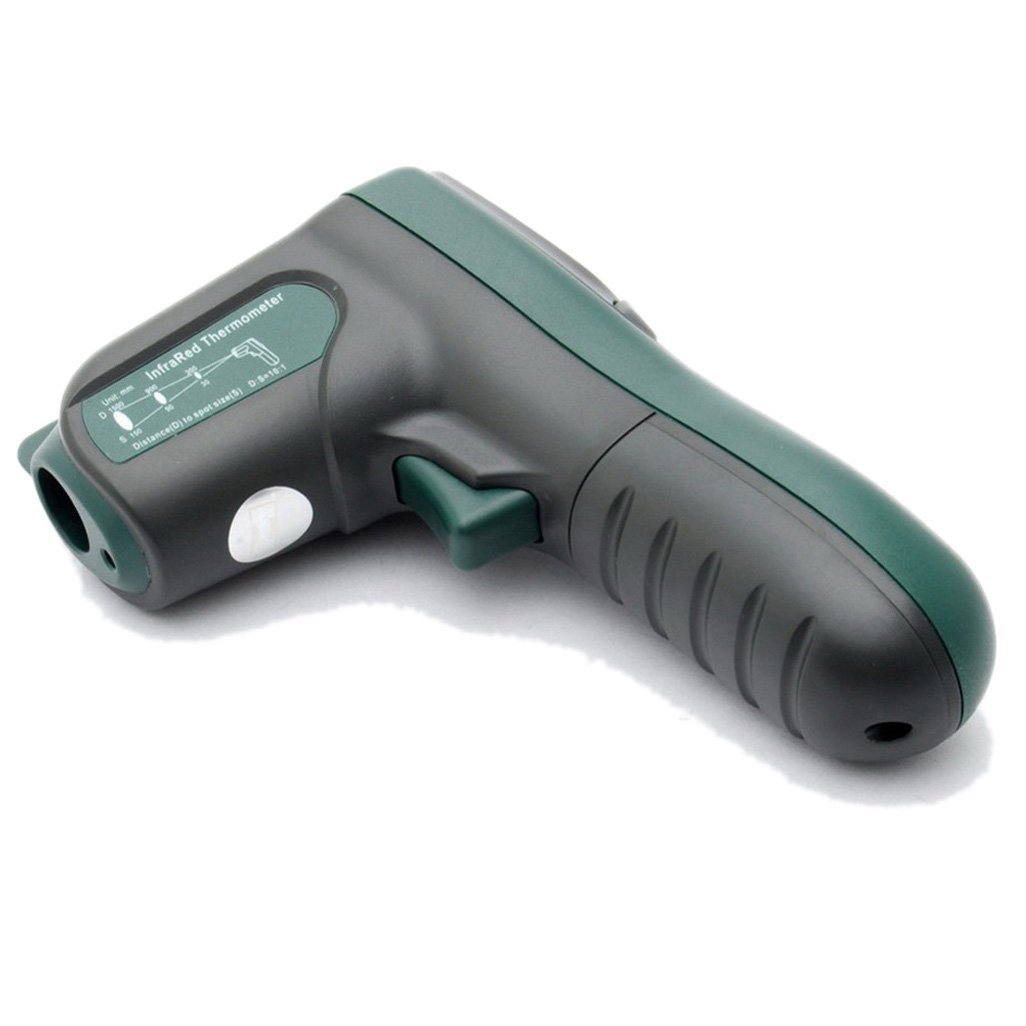
รูปที่ 4: ด้านข้าง view illustrating the 10:1 Distance to Spot Ratio for the infrared thermometer.
5.3 การปล่อยประจุ
The device has a fixed emissivity setting of 0.95, which is suitable for most organic materials, painted surfaces, and many non-metallic objects. For highly reflective surfaces, readings may be less accurate.
5.4 การเลือกหน่วย (°C/°F)
กดปุ่ม °ฟาเรนไฮต์/°เซลเซียส ปุ่มสำหรับสลับระหว่างหน่วยอุณหภูมิเซลเซียสและฟาเรนไฮต์
5.5 แสงพื้นหลัง
กดปุ่ม แสงไฟแบ็คไลท์ button to turn the display backlight on or off. This feature is useful in dimly lit environments.
5.6 ตัวชี้เลเซอร์
กดปุ่ม เลเซอร์ button to activate or deactivate the laser pointer. The laser helps in precisely identifying the measurement target.
5.7 MAX/MIN/AVG Modes
กดปุ่ม M (Mode) button to cycle through different display modes while the trigger is held down:
- สูงสุด: Displays the maximum temperature recorded during the current measurement session.
- นาที: Displays the minimum temperature recorded during the current measurement session.
- เฉลี่ย: Displays the average temperature recorded during the current measurement session.
6. การบำรุงรักษา
6.1 การทำความสะอาด
- ทำความสะอาดอุปกรณ์asing กับ d อ่อนamp ผ้า ห้ามใช้สารทำความสะอาดที่มีฤทธิ์กัดกร่อนหรือตัวทำละลาย
- Carefully clean the infrared lens with a soft cloth or cotton swab, slightly moistened with water or rubbing alcohol. Avoid scratching the lens.
6.2 พื้นที่จัดเก็บ
When not in use, store the thermometer in a dry, cool place, away from direct sunlight and extreme temperatures. If storing for an extended period, remove the battery to prevent leakage.
6.3 การเปลี่ยนแบตเตอรี่
Replace the 9V battery when the low battery indicator appears on the display to ensure accurate readings and proper device function. Refer to Section 4.1 for battery installation instructions.
7 การแก้ไขปัญหา
If you encounter issues with your Mastech MS 6520B, refer to the following common problems and solutions:
| ปัญหา | สาเหตุที่เป็นไปได้ | สารละลาย |
|---|---|---|
| อุปกรณ์ไม่เปิดเครื่อง | แบตเตอรี่หมดหรือติดตั้งไม่ถูกต้อง | Replace the 9V battery or ensure it is correctly installed. |
| การอ่านที่ไม่ถูกต้อง |
|
|
| Display shows "ERR" | Temperature outside measurement range | Ensure the target temperature is within -20°C to 500°C. |
8. ข้อมูลจำเพาะ
The following table outlines the technical specifications for the Mastech MS 6520B Infrared Thermometer:
| พารามิเตอร์ | ข้อมูลจำเพาะ |
|---|---|
| ช่วงอุณหภูมิ | -20°C ถึง 500°C (-4°F ถึง 932°F) |
| ความแม่นยำ | ±(1.5% + 2°C) or ±(1.5% + 4°F) |
| ความละเอียดของอุณหภูมิ | 0.1 องศาเซลเซียส / 0.1 องศาฟาเรนไฮต์ |
| ความสามารถในการทำซ้ำ | ±1 องศาเซลเซียส |
| อัตราส่วนระยะห่างต่อจุด (D:S) | 10:1 น. |
| emissivity | 0.95 (คงที่) |
| เวลาตอบสนอง | 500 มิลลิวินาที |
| แหล่งจ่ายไฟ | แบตเตอรี่ 9V 6F22 จำนวน 1 ก้อน |
| ขนาดสินค้า | 142mm x 92mm x 47mm (5.6 "x 3.6" x "1.85) |
| น้ำหนักผลิตภัณฑ์ | 231 กรัม (0.31 ปอนด์) |
| การรับรอง | ซีอี, โรเอชเอส |

Figure 5: Detailed specifications table for the Mastech MS 6520B.
9. การรับประกันและการสนับสนุน
For warranty information, technical assistance, or customer support regarding your Mastech MS 6520B Infrared Thermometer, please refer to the official Mastech webหรือติดต่อตัวแทนจำหน่ายในพื้นที่ของคุณ เก็บใบเสร็จรับเงินไว้เป็นหลักฐานการซื้อ


