1. บทนำ
This manual provides instructions for the proper setup, operation, and maintenance of your Amazon Basics Large Portable Bluetooth Speaker (Model BTV3_2). Please read this manual thoroughly before using the product to ensure optimal performance and safety.
2. ข้อมูลด้านความปลอดภัย
- อย่าให้ลำโพงโดนน้ำหรือความชื้นมากเกินไป
- ควรหลีกเลี่ยงการวางลำโพงไว้ใกล้แหล่งความร้อนหรือในที่ที่มีแสงแดดส่องโดยตรง
- ห้ามถอดประกอบหรือดัดแปลงลำโพง การกระทำดังกล่าวจะทำให้การรับประกันเป็นโมฆะ
- Use only the provided AC power adapter for charging.
- เก็บลำโพงให้ห่างจากเด็ก
3. เนื้อหาบรรจุภัณฑ์
ตรวจสอบว่ามีรายการทั้งหมดอยู่ในแพ็คเกจ:
- Amazon Basics Large Portable Bluetooth Speaker
- อะแดปเตอร์ AC

คำอธิบาย: This image shows the Amazon Basics Large Portable Bluetooth Speaker securely placed within its brown cardboard packaging, indicating how the product is received.
4. สินค้าหมดview
4.1. ด้านหน้า View

คำอธิบาย: This image displays the front of the Amazon Basics Large Portable Bluetooth Speaker, featuring a black mesh grille that covers the speaker drivers.
4.2. แผงควบคุมด้านบน

คำอธิบาย: This image shows the top panel of the speaker with four circular buttons and a small LED indicator. From left to right, the buttons are: Volume Down (-), Play/Pause, Volume Up (+), and Bluetooth Pairing/Call Answer. Below the buttons, a small Bluetooth logo and an LED indicator are visible.
- - (Volume Down): ลดระดับเสียง
- เล่น/หยุดชั่วคราว: เริ่มหรือหยุดการเล่นเสียงชั่วคราว
- + (Volume Up): เพิ่มระดับเสียง
- Bluetooth/Call: Initiates Bluetooth pairing mode or answers/ends phone calls.
- ไฟแสดงสถานะ LED: Displays power and Bluetooth status.
4.3. Side Panel Ports

คำอธิบาย: This image shows the right side panel of the speaker, featuring a power switch, a DC input port for charging, and an AUX input port for wired audio connections.
- สวิตช์เปิด/ปิด: เปิดหรือปิดลำโพง
- พอร์ต DC IN: Connects to the AC power adapter for charging.
- พอร์ต AUX: Connects to audio devices using a 3.5mm stereo cable (not included).
5. การตั้งค่า
5.1. ชาร์จลำโพง
- Connect the provided AC power adapter to the DC IN port on the side of the speaker.
- เสียบอะแดปเตอร์ไฟ AC เข้ากับเต้ารับไฟฟ้าที่ผนัง
- The LED indicator will illuminate to show charging status. A full charge provides up to 8 hours of playback.
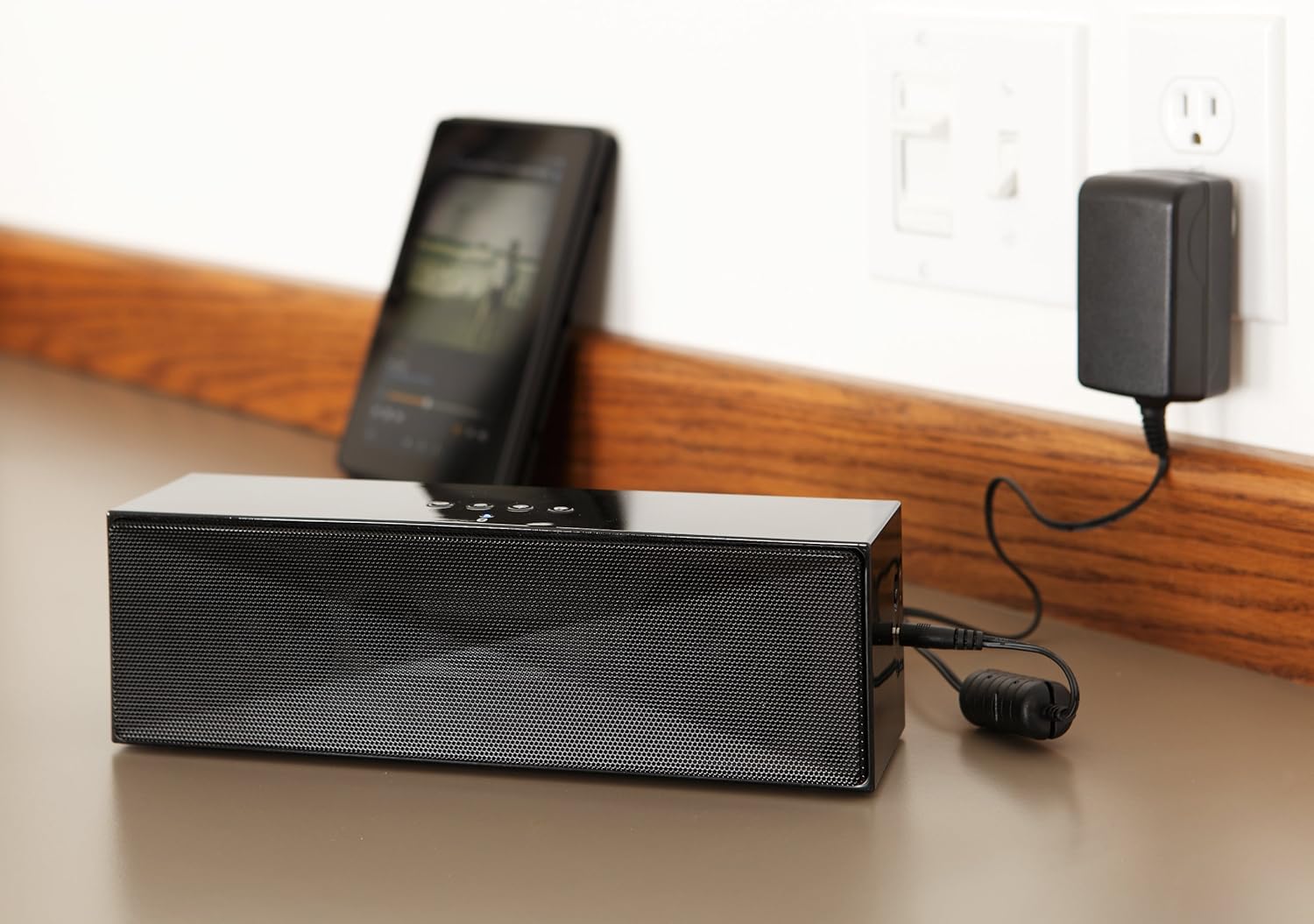
คำอธิบาย: This image shows the speaker placed on a surface, with its AC power adapter plugged into a wall outlet, illustrating the charging process.
5.2. การเปิด/ปิดเครื่อง
Slide the ON/OFF switch located on the side panel to the "ON" position to power on the speaker. Slide it to the "OFF" position to power off.
6. คู่มือการใช้งาน
6.1. การจับคู่บลูทู ธ
- Ensure the speaker is powered on. The LED indicator will flash, indicating it is in pairing mode.
- บนอุปกรณ์ที่รองรับ Bluetooth ของคุณ (สมาร์ทโฟน แท็บเล็ต แล็ปท็อป) ให้เปิดใช้งาน Bluetooth และค้นหาอุปกรณ์ที่มีอยู่
- Select "Amazon Basics BTV3_2" from the list of devices.
- Once paired, the LED indicator on the speaker will glow solid blue.
- The speaker can connect to devices up to 30 feet (10 meters) away.

คำอธิบาย: This image shows the speaker positioned next to a tablet displaying a music playback interface, demonstrating a typical Bluetooth connection scenario.
6.2. การเชื่อมต่อผ่านสาย AUX
- Connect one end of a 3.5mm stereo audio cable (not included) to the AUX port on the speaker.
- ต่อปลายอีกด้านของสายเคเบิลเข้ากับช่องเสียบสัญญาณเสียงออกของอุปกรณ์ของคุณ
- ลำโพงจะเปลี่ยนไปใช้โหมดอินพุต AUX โดยอัตโนมัติ
6.3. การโทรแบบแฮนด์ฟรี
The speaker features a built-in microphone for hands-free calls when connected via Bluetooth.
- รับสาย: กดปุ่มบลูทูธ/โทรออกหนึ่งครั้ง
- การวางสาย: กดปุ่มบลูทูธ/โทรออกหนึ่งครั้งระหว่างการโทร
- การปฏิเสธสาย: กดปุ่มบลูทูธ/โทรค้างไว้
7. การบำรุงรักษา
- Clean the speaker with a soft, dry cloth. Do not use liquid cleaners or aerosols.
- เก็บลำโพงไว้ในที่แห้งและเย็นเมื่อไม่ได้ใช้งานเป็นเวลานาน
- ควรหลีกเลี่ยงการทำลำโพงตกหรือการกระแทกอย่างแรง
8 การแก้ไขปัญหา
| ปัญหา | สาเหตุที่เป็นไปได้ | สารละลาย |
|---|---|---|
| ลำโพงไม่เปิดเครื่อง | แบตเตอรี่หมด | Connect the speaker to the AC power adapter and charge it. |
| ไม่สามารถจับคู่ผ่านบลูทูธได้ | Speaker is not in pairing mode; device Bluetooth is off; device is out of range. | Ensure speaker LED is flashing; enable Bluetooth on your device; move device closer to the speaker (within 30 feet/10 meters). |
| ไม่มีเสียงหรือเสียงเบา | Volume on speaker or connected device is too low; incorrect input source. | Increase volume on both the speaker and your connected device. Ensure correct connection (Bluetooth or AUX). |
| Speaker turns off automatically when using AUX. | Automatic power-off feature activated due to prolonged silence. | This model may have an automatic power-off feature after a period of inactivity or silence, even when connected via AUX. To resume playback, power the speaker off and then on again using the side switch. |
| ความผิดเพี้ยนของเสียง | Volume too high; weak battery; interference. | Reduce volume; charge the speaker; move away from other electronic devices. |
9. ข้อมูลจำเพาะ
| คุณสมบัติ | รายละเอียด |
|---|---|
| หมายเลขรุ่น | BTV3_2 |
| ขนาด (กว้าง x ยาว x สูง) | 10.2 x 2.9 x 3.1 นิ้ว (25.9 x 7.4 x 7.9 ซม.) |
| น้ำหนัก | 1.61 ปอนด์ (0.73 กก.) |
| เอาท์พุตของลำโพง | 2 x 5 วัตต์ (รวม 10 วัตต์) |
| การเชื่อมต่อ | บลูทูธ, 3.5 มม. AUX |
| ช่วงบลูทูธ | สูงถึง 30 ฟุต (10 เมตร) |
| อายุการใช้งานแบตเตอรี่ | นานถึง 8 ชั่วโมง |
| ความจุของแบตเตอรี่ | 8000 มิลลิแอมป์ |
| ไมโครโฟนในตัว | ใช่ |
| แหล่งพลังงาน | Battery Powered, AC Adapter |
| วัสดุ | พลาสติก |

คำอธิบาย: This image provides a visual representation of the speaker's dimensions, showing its length (10.2"), width (2.9"), and height (3.1").
10. การรับประกันและการสนับสนุน
For warranty information and customer support, please refer to the documentation included with your purchase or visit the official Amazon Basics webไซต์นี้ โปรดเก็บหลักฐานการซื้อไว้เพื่อใช้ยืนยันการรับประกัน
การสนับสนุนทางออนไลน์: ร้านค้า Amazon Basics


