1. บทนำ
This manual provides essential instructions for the installation, operation, maintenance, and troubleshooting of your Antec TruePower Classic TP-750C 750W 80 PLUS GOLD Certified Power Supply. Please read this manual thoroughly before installation and retain it for future reference. This power supply is designed to provide stable and efficient power to your personal computer system.
2. ข้อมูลด้านความปลอดภัย
- ตรวจสอบให้แน่ใจว่าได้ตัดการเชื่อมต่อแหล่งจ่ายไฟจากเต้ารับไฟฟ้า AC ก่อนการติดตั้งหรือการจัดการ
- ห้ามเปิดแหล่งจ่ายไฟ casinก. ปริมาตรสูงtagชิ้นส่วนอิเล็กทรอนิกส์ภายในก่อให้เกิดความเสี่ยงต่อการเกิดไฟฟ้าช็อต
- ติดตั้งแหล่งจ่ายไฟในบริเวณที่มีอากาศถ่ายเทได้ดีเพื่อป้องกันความร้อนสูงเกินไป
- ใช้เฉพาะสายเคเบิลที่ให้มาพร้อมกับแหล่งจ่ายไฟเท่านั้น
- หลีกเลี่ยงการให้แหล่งจ่ายไฟสัมผัสกับความชื้นหรืออุณหภูมิที่สูงหรือต่ำเกินไป
- This product is intended for use in personal computer systems only.
3. เนื้อหาบรรจุภัณฑ์
ตรวจสอบว่ามีรายการทั้งหมดอยู่ในบรรจุภัณฑ์ก่อนดำเนินการติดตั้ง
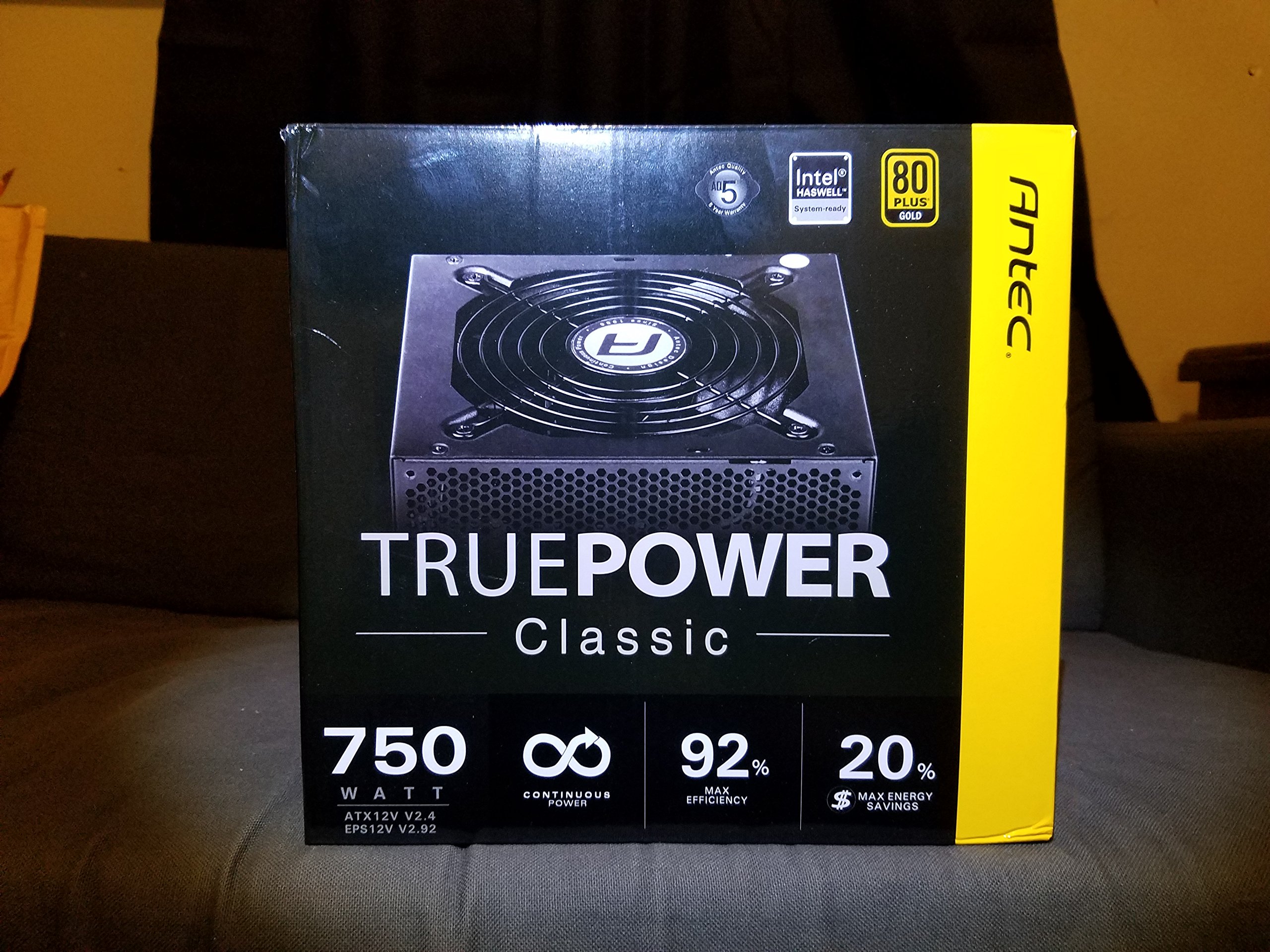
Image 1: Contents of the Antec TruePower Classic TP-750C package. The image displays the power supply unit, various power cables (including a main AC power cable), and user documentation neatly packed within a cardboard box.
- Antec TruePower Classic TP-750C Power Supply Unit
- Modular Cable Set (PCI-E, SATA, Molex, etc.)
- สายไฟ AC
- สกรูยึด
- คู่มือผู้ใช้ / เอกสารประกอบ
4. การตั้งค่าและการติดตั้ง
Follow these steps to properly install your power supply into your computer chassis.
- เตรียมโครงรถ: Ensure your computer chassis is powered off and disconnected from all power sources. Open the side panel of your computer case.
- ติดตั้งแหล่งจ่ายไฟ: Carefully slide the Antec TP-750C power supply into the designated power supply bay in your chassis. Align the screw holes on the power supply with those on the chassis. Secure the power supply using the provided mounting screws.
- เชื่อมต่อพลังงานเมนบอร์ด: Connect the 24-pin ATX main power connector from the power supply to the corresponding port on your motherboard. Ensure it clicks into place.
- เชื่อมต่อพลังงาน CPU: Connect the 4+4-pin (or 8-pin) EPS12V CPU power connector to the CPU power socket on your motherboard.
- เชื่อมต่อสายไฟการ์ดจอ (PCI-E): If your graphics card requires external power, connect the appropriate 6+2-pin PCI-E power cables from the power supply to your graphics card.
- Connect Peripheral Power (SATA/Molex): เชื่อมต่อสายไฟ SATA เข้ากับไดรฟ์จัดเก็บข้อมูล (SSD, HDD) และไดรฟ์ออปติคัล ใช้ขั้วต่อ Molex สำหรับอุปกรณ์ต่อพ่วงอื่นๆ ตามความจำเป็น
- การจัดการสายเคเบิล: Route cables neatly to improve airflow and aesthetics within your chassis.
- การตรวจสอบขั้นสุดท้าย: Double-check all connections to ensure they are secure. Close the chassis side panel.
- เชื่อมต่อไฟ AC: ต่อสายไฟ AC เข้ากับแหล่งจ่ายไฟ แล้วจึงต่อเข้ากับเต้ารับติดผนังหรืออุปกรณ์ป้องกันไฟกระชาก
5. คู่มือการใช้งาน
The Antec TP-750C power supply operates automatically once correctly installed and connected to an AC power source. It provides stable DC power to all connected components.
- เปิดเครื่อง: After connecting the AC power cord, flip the power switch on the back of the power supply to the "ON" (I) position.
- บูตระบบ: Press the power button on your computer chassis to start your system.
- หมดแรง: Shut down your computer through the operating system. For complete power disconnection, flip the power switch on the power supply to the "OFF" (O) position and unplug the AC power cord.
6. การบำรุงรักษา
การบำรุงรักษาอย่างถูกต้องจะช่วยให้แหล่งจ่ายไฟของคุณมีอายุการใช้งานยาวนานและประสิทธิภาพการทำงานเหมาะสมที่สุด
- การทำความสะอาดฝุ่น: Periodically clean dust from the power supply's fan and ventilation grilles using compressed air. Ensure the power supply is disconnected from AC power before cleaning.
- การระบายอากาศ : Ensure adequate airflow around the power supply. Do not block the intake or exhaust vents.
- ความสมบูรณ์ของสายเคเบิล: Regularly check power cables for any signs of damage or fraying. Replace damaged cables immediately.
- สภาพแวดล้อมการทำงาน: ควรใช้งานแหล่งจ่ายไฟภายในช่วงอุณหภูมิและความชื้นที่แนะนำ
7 การแก้ไขปัญหา
If you encounter issues with your power supply, refer to the following common problems and solutions.
| ปัญหา | สาเหตุที่เป็นไปได้ | สารละลาย |
|---|---|---|
| ระบบเปิดไม่ติด | AC power cord not connected, power switch off, loose internal connections, faulty components. |
|
| ระบบเปิดอยู่แต่ปิดลงทันที | Overload, overheating, short circuit, faulty component. |
|
| Unusual noise from the power supply. | Fan obstruction, faulty fan bearing, coil whine. |
|
If troubleshooting steps do not resolve the issue, contact Antec customer support for further assistance.
8. ข้อมูลจำเพาะ
| ชื่อรุ่น | TruePower Classic TP-750C |
| ยี่ห้อ | แอนเทค |
| วัดtage | 750 วัตต์ |
| ใบรับรอง 80 PLUS | ทอง |
| ฟอร์มแฟกเตอร์ | เอทีเอ็กซ์ |
| ประเภทขั้วต่อ | เอทีเอ็กซ์ |
| ปริมาณอินพุตขั้นต่ำtage | 100 โวลต์ |
| อุปกรณ์ที่รองรับ | เครื่องคอมพิวเตอร์ส่วนบุคคล |
| น้ำหนักสินค้า | 6.24 ปอนด์ (2.83 กก.) |
| ขนาดแพ็คเกจ | 9.7 x 9 x 5.5 นิ้ว (24.6 x 22.9 x 14 ซม.) |
| ASIN | B00JOFALL0 |
| ยูพีซี | 132018316306 |
9. การรับประกันและการสนับสนุน
The Antec TruePower Classic TP-750C Power Supply comes with a การรับประกันจากผู้ผลิต 3 ปีการรับประกันนี้ครอบคลุมถึงข้อบกพร่องในวัสดุและฝีมือการผลิตภายใต้การใช้งานปกติ
For technical support, warranty claims, or further inquiries, please visit the official Antec webหรือติดต่อฝ่ายบริการลูกค้า โปรดเก็บหลักฐานการซื้อไว้เพื่อใช้ยืนยันการรับประกัน
Please note: Opening the power supply casinจีจะทำให้การรับประกันเป็นโมฆะ


