1. บทนำ
Thank you for choosing the Solis Fan-Tastic 750 Pedestal Fan. This powerful and quiet fan is designed to provide effective and comfortable cooling, featuring an active anion generator for improved air quality. This manual provides detailed instructions for safe operation, assembly, maintenance, and troubleshooting to ensure optimal performance and longevity of your appliance.

Image 1.1: The Solis Fan-Tastic 750 Pedestal Fan, showcasing its sleek design and sturdy base.
2. คำแนะนำด้านความปลอดภัยที่สำคัญ
โปรดอ่านคำแนะนำทั้งหมดอย่างละเอียดก่อนใช้งานเครื่องใช้ไฟฟ้าและเก็บไว้เพื่อใช้อ้างอิงในอนาคต การไม่ปฏิบัติตามคำแนะนำเหล่านี้อาจส่งผลให้เกิดไฟฟ้าช็อต ไฟไหม้ หรือบาดเจ็บสาหัสได้
- ตรวจสอบแหล่งจ่ายไฟ voltage ตรงกับฉลากการจัดอันดับบนเครื่องใช้
- Do not operate the fan with a damaged cord or plug. If damaged, contact authorized service personnel.
- Keep fingers, hair, and loose clothing away from the rotating blades.
- Do not insert any objects into the fan grille.
- ถอดปลั๊กพัดลมทุกครั้งก่อนทำความสะอาดหรือบำรุงรักษา
- ห้ามใช้พัดลมในบริเวณที่เปียกหรืองamp สถานที่เช่นห้องน้ำ
- วางพัดลมบนพื้นผิวที่มั่นคงและเรียบ เพื่อป้องกันการล้ม
- เครื่องใช้ไฟฟ้าชนิดนี้มีไว้สำหรับใช้ในครัวเรือนเท่านั้น ห้ามใช้กลางแจ้งหรือเพื่อวัตถุประสงค์เชิงพาณิชย์
- The fan features a safety shut-off function: the fan will automatically stop if contact is made with the protective grille.
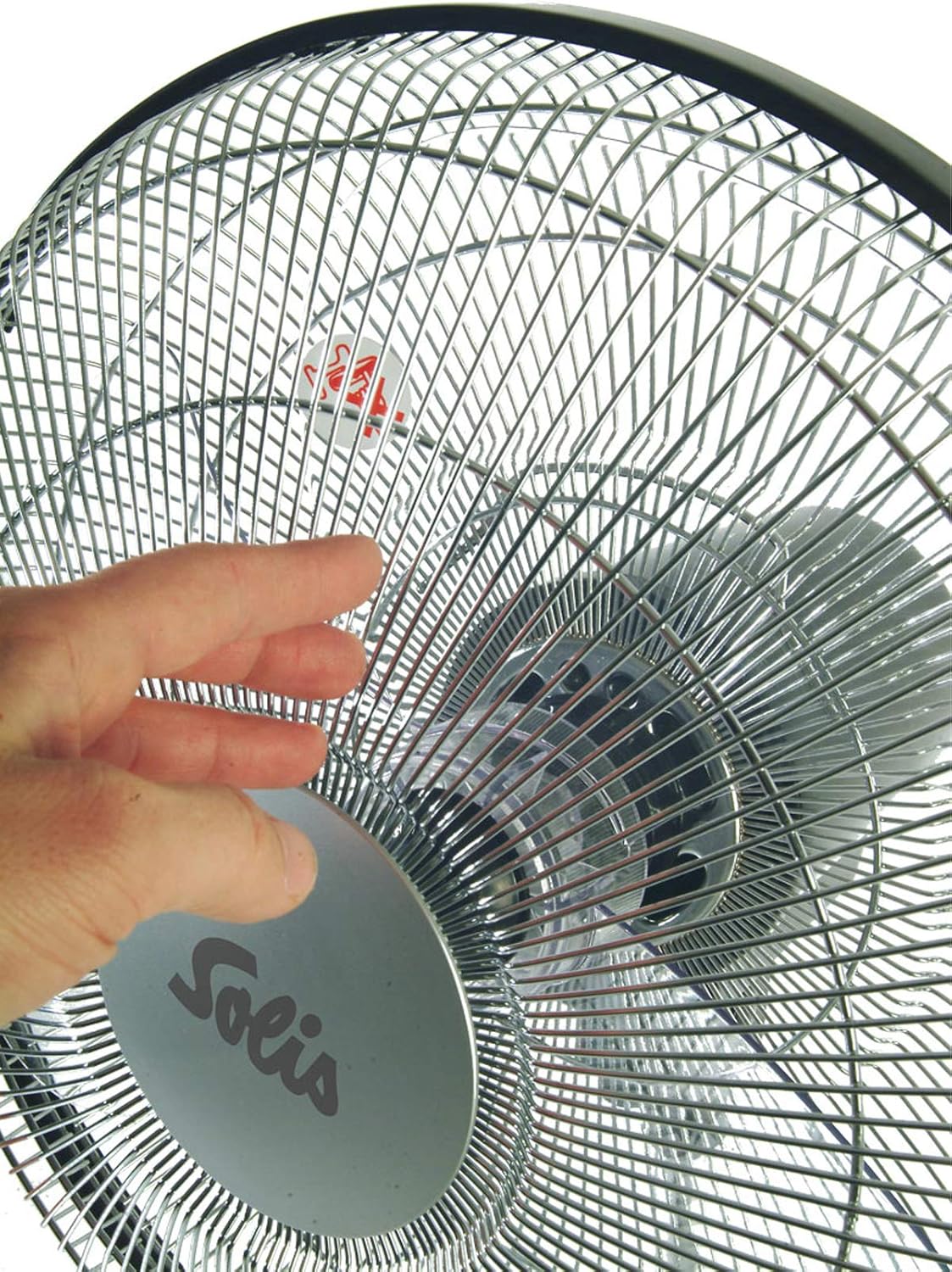
Image 2.1: Illustrates the safety shut-off feature, where the fan automatically stops if the grille is touched.
3. เนื้อหาบรรจุภัณฑ์
แกะกล่องอย่างระมัดระวังและตรวจสอบให้แน่ใจว่าสินค้าทุกชิ้นครบถ้วนและอยู่ในสภาพดี หากมีสินค้าใดขาดหายหรือเสียหาย โปรดติดต่อผู้ขายทันที
- Solis Fan-Tastic 750 Pedestal Fan Unit (main body, fan head, base)
- รีโมทคอนโทรล (ต้องใช้แบตเตอรี่ AAA 2 ก้อน ไม่รวมอยู่ด้วย)
- คู่มือการใช้งาน (เอกสารนี้)

Image 3.1: The Solis Fan-Tastic 750, highlighting its 5-year guarantee.
4. การติดตั้งและการประกอบ
Follow these steps to assemble your Solis Fan-Tastic 750 fan.
- การประกอบฐาน: วางฐานพัดลมบนพื้นผิวที่เรียบและมั่นคง
- Attach Pedestal: Insert the main pedestal pole into the base, ensuring it clicks securely into place.
- Connect Fan Head: Carefully attach the fan head unit to the top of the pedestal pole. Ensure all connections are firm.
- การเชื่อมต่อไฟฟ้า: เสียบสายไฟเข้ากับเต้ารับไฟฟ้าที่เหมาะสม
- แบตเตอรี่ควบคุมระยะไกล: Open the battery compartment on the remote control and insert 2 AAA batteries, observing polarity (+/-).

ภาพที่ 4.1: ด้านข้าง view of the fan, illustrating the connection points for assembly.
5. คู่มือการใช้งาน
Your Solis Fan-Tastic 750 can be operated using the control panel on the unit or the included remote control.
5.1. แผงควบคุมและจอแสดงผล
The fan features an LCD display and control buttons on the main unit for easy access to all functions.

ภาพที่ 5.1: รายละเอียด view of the fan's control panel and LCD display.
5.2. Power On/Off and Speed Adjustment
- พลัง: กดปุ่ม พลัง กดปุ่มบนแผงควบคุมหรือรีโมทเพื่อเปิดหรือปิดพัดลม
- ความเร็ว: The fan offers 3 adjustable speed settings. Press the ความเร็ว button repeatedly to cycle through low, medium, and high speeds. The current speed will be indicated on the LCD display.
- สวิตช์เท้า: For added convenience, a foot switch is located on the base of the fan. This allows you to activate/deactivate the fan and adjust the speed without bending down.
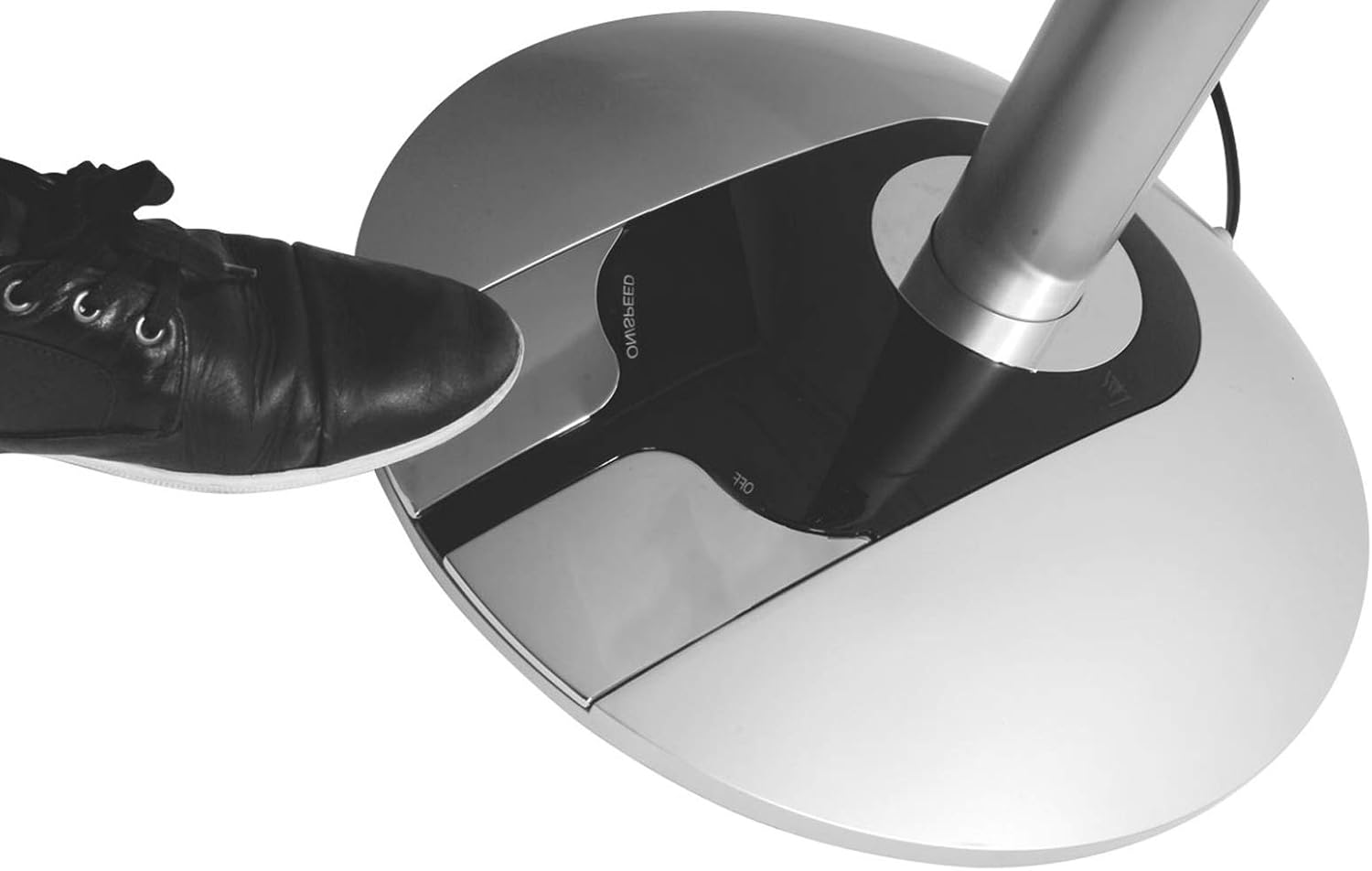
Image 5.2: Demonstrates the convenient foot switch located on the fan's base.
5.3. โหมดการทำงาน
กดปุ่ม โหมด ปุ่มสำหรับสลับโหมดการทำงานที่มีให้เลือก:
- โหมดปกติ: Provides a continuous airflow at the selected speed.
- โหมดธรรมชาติ: จำลองลมธรรมชาติโดยการปรับความเร็วพัดลม
- โหมดสลีป: Gradually reduces fan speed over time for quiet operation during sleep.
5.4. การสั่น
The fan offers both horizontal and vertical oscillation to distribute air more widely.
- กดปุ่ม แกว่ง button to activate or deactivate horizontal oscillation.
- The fan also supports vertical oscillation for comprehensive air circulation.
5.5. Anion Generator
The built-in anion generator helps improve air quality and promote well-being.
- กดปุ่ม ประจุลบ button to turn the anion generator on or off.
5.6. ฟังก์ชั่นจับเวลา
The timer function allows you to program the fan to automatically shut off after a set period.
- กดปุ่ม ตัวจับเวลา button repeatedly to set the desired shut-off time, from 0.5 to 7 hours, in 0.5-hour increments.
- The set time will be displayed on the LCD screen.
6. การบำรุงรักษาและการทำความสะอาด
การทำความสะอาดเป็นประจำจะช่วยรักษาประสิทธิภาพและรูปลักษณ์ของพัดลมของคุณ
- ควรถอดปลั๊กพัดลมออกจากเต้ารับไฟฟ้าทุกครั้งก่อนทำความสะอาด
- การทำความสะอาดภายนอก: เช็ดพื้นผิวภายนอกของพัดลมด้วยผ้านุ่มๆamp ผ้า ห้ามใช้สารทำความสะอาดที่มีฤทธิ์กัดกร่อนหรือตัวทำละลาย
- การทำความสะอาดกระจังหน้า: Use a vacuum cleaner with a brush attachment to remove dust from the fan grille. For deeper cleaning, the front grille can be carefully removed (refer to assembly instructions in reverse) to access the blades. Ensure the fan is completely unplugged before attempting this.
- พื้นที่จัดเก็บ: เมื่อไม่ได้ใช้งานเป็นเวลานาน ควรเก็บพัดลมไว้ในที่แห้งและเย็น โดยควรอยู่ในบรรจุภัณฑ์เดิม
7 การแก้ไขปัญหา
If you experience issues with your Solis Fan-Tastic 750, please consult the table below before contacting customer support.
| ปัญหา | สาเหตุที่เป็นไปได้ | สารละลาย |
|---|---|---|
| พัดลมไม่เปิด | Not plugged in; power outlet faulty; safety shut-off activated. | Ensure power cord is securely plugged in. Test outlet with another device. Check if anything is obstructing the grille. |
| การไหลเวียนของอากาศอ่อน | Fan speed too low; grille or blades are dusty. | Increase fan speed. Clean the fan grille and blades as per maintenance instructions. |
| พัดลมมีเสียงดัง | Fan not on a stable surface; loose parts; dust accumulation. | Place fan on a flat, stable surface. Check for any loose components. Clean the fan thoroughly. |
| รีโมทคอนโทรลไม่ทำงาน | Batteries are dead or incorrectly inserted; remote not aimed at sensor. | Replace batteries (2 AAA). Ensure correct polarity. Aim remote directly at the fan's control panel sensor. |
8. ข้อมูลจำเพาะทางเทคนิค
| ยี่ห้อ: | โซลิส |
| หมายเลขรุ่น: | 750 |
| สี: | สีเงิน/สีดำ |
| เส้นผ่านศูนย์กลาง : | 40 ซม. |
| พลัง: | 60 วัตต์ |
| เล่มที่tage: | กระแสสลับ 230 โวลต์ |
| วัสดุ: | พลาสติก |
| จำนวนความเร็ว: | 3 |
| กระแสลม (สูงสุด): | 67 ม³/นาที |
| ระดับเสียงรบกวน (สูงสุด): | 63 dB(A) (at step 3) |
| น้ำหนัก: | 8.7 กก. |
| ขนาด (สูง x Ø): | 125 x 40 ซม. |
| แบตเตอรี่ควบคุมระยะไกล: | 2 x AAA (ไม่รวม) |

Image 8.1: Visual representation of the fan's dimensions.
9. การรับประกันและการสนับสนุน
Solis products are manufactured with high-quality standards and come with a manufacturer's warranty. The Solis Fan-Tastic 750 includes a 5-year guarantee, subject to registration.
- การลงทะเบียนการรับประกัน: To activate your 5-year guarantee, please register your product at www.solis.com/registration.
- การสนับสนุนลูกค้า: For technical assistance, spare parts, or warranty claims, please contact Solis customer service or your local retailer. Refer to the Solis webเว็บไซต์สำหรับค้นหาข้อมูลการติดต่อในภูมิภาคของคุณ


