การแนะนำ
The M-Audio Keystation Mini 32 is a compact USB MIDI controller designed for music production and performance. This manual provides essential information to help you set up, operate, and maintain your device.

Figure 1: M-Audio Keystation Mini 32 USB MIDI Controller.
การตั้งค่า
เนื้อหาในกล่อง
- M-Audio Keystation Mini 32
- สาย USB
- Ignite Card (for software activation)
- คู่มือการเริ่มต้นอย่างรวดเร็ว
- คู่มือความปลอดภัยและการรับประกัน
การเชื่อมต่อกับคอมพิวเตอร์ของคุณ
The Keystation Mini 32 is a class-compliant, USB-powered device. This means it does not require separate drivers for most operating systems and draws power directly from the USB connection.
- Connect one end of the supplied USB cable to the USB port on the Keystation Mini 32.
- Connect the other end of the USB cable to an available USB port on your computer (Mac or PC).
- Your computer should automatically recognize the device.
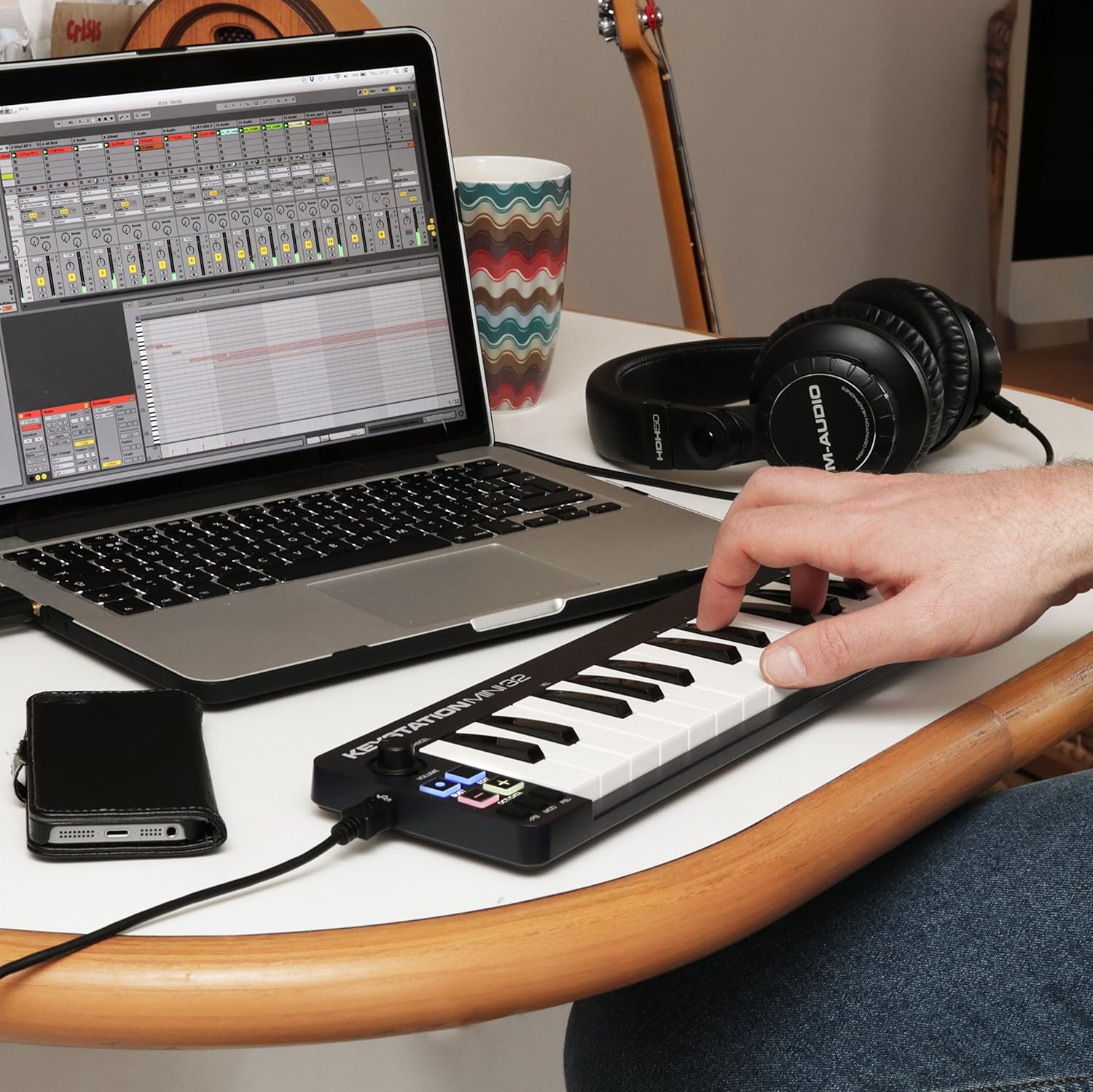
Figure 2: Keystation Mini 32 connected to a laptop, demonstrating a typical setup for music production.
iOS Connectivity
For iOS device connectivity, the Apple iPad Camera Connection Kit (sold separately) is required. This allows you to use the Keystation Mini 32 with audio applications on your iPad and other iOS devices.
การติดตั้งซอฟต์แวร์
The Keystation Mini 32 includes bundled software:
- AIR Music Technology's Ignite: Over 275 instrument sounds. Use the provided Ignite Card for activation.
- Ableton Live Lite: A popular performance and production program.
Refer to the Quickstart Guide and the Ignite Card for detailed instructions on downloading and activating the included software.
การดำเนินการ
The Keystation Mini 32 features 32 velocity-sensitive, synth-action mini keys and several controls for expressive performance.
คุณสมบัติหลักและการควบคุม

รูปที่ 3: ด้านบน view of the Keystation Mini 32, highlighting the various controls and keys.
- ปุ่มกดขนาดเล็ก 32 ปุ่มที่ไวต่อแรงกด: These keys respond to how hard you play them, allowing for dynamic musical expression.
- Octave/Data Buttons: Use these to shift the keyboard's octave range up or down, providing access to the full melodic keyboard range. These buttons can also function as data entry controls in certain modes.
- Pitch Bend Buttons: These buttons allow you to bend the pitch of notes up or down for expressive effects.
- Modulation Button: Engages modulation effects, often used for vibrato or other tonal changes.
- ปุ่ม Sustain: Functions like a sustain pedal, holding notes after the key is released. Some users note a mode where pressing and holding sustains, and releasing stops sustain.
- ปุ่มปรับระดับเสียง: ปรับระดับเสียงเอาท์พุต
- ปุ่มแก้ไข: Used to access advanced functions and settings. Refer to the full user guide for detailed information on edit mode.
การเล่นเครื่องดนตรี
Once connected and your software is running, select the Keystation Mini 32 as your MIDI input device within your Digital Audio Workstation (DAW) or virtual instrument software. You can then play virtual instruments, sequence music, and control various parameters using the keyboard and its dedicated controls.
การซ่อมบำรุง
To ensure the longevity and optimal performance of your Keystation Mini 32, follow these maintenance guidelines:
- การทำความสะอาด: Use a soft, dry cloth to clean the surface of the controller. Avoid abrasive cleaners, solvents, or waxes.
- พื้นที่จัดเก็บ: เก็บอุปกรณ์ไว้ในที่แห้งและเย็น หลีกเลี่ยงแสงแดดโดยตรง อุณหภูมิที่สูงหรือต่ำเกินไป และความชื้นสูง
- การจัดการ: โปรดใช้งานตัวควบคุมอย่างระมัดระวัง หลีกเลี่ยงการทำตกหรือการกระแทกอย่างแรง
- พอร์ต USB: The USB port is a critical component. Connect and disconnect the USB cable gently to prevent damage. Avoid excessive force or bending the cable while connected.
การแก้ไขปัญหา
If you encounter issues with your Keystation Mini 32, consider the following common solutions:
- ไม่มีไฟ/ระบบไม่รู้จัก:
- Ensure the USB cable is securely connected to both the Keystation Mini 32 and your computer.
- ลองใช้พอร์ต USB อื่นบนคอมพิวเตอร์ของคุณ
- หากใช้ฮับ USB ให้ลองเชื่อมต่อโดยตรงกับคอมพิวเตอร์
- ตรวจสอบให้แน่ใจว่าระบบปฏิบัติการของคอมพิวเตอร์ของคุณเป็นเวอร์ชันล่าสุด
- ไม่มีเสียงออก:
- Check your DAW or virtual instrument software settings to ensure the Keystation Mini 32 is selected as the MIDI input device.
- Confirm that the volume knob on the Keystation Mini 32 is turned up.
- Ensure your software instruments are loaded and active.
- Keys Not Responding or Incorrect Velocity:
- The keys are velocity-sensitive. Ensure you are pressing them with sufficient force if you expect a louder sound.
- Check your software's velocity curve settings, as these can often be adjusted to match your playing style.
- ตรวจสอบให้แน่ใจว่าไม่มีเศษขยะติดอยู่ใต้ปุ่ม
- Software Activation Issues:
- Refer to the instructions on the Ignite Card for software download and activation.
- Visit the M-Audio support website for assistance with software registration.
ข้อมูลจำเพาะ
| น้ำหนักสินค้า | 1.01 ปอนด์ |
| ขนาดสินค้า | 5.38 x 17.5 x 2.25 นิ้ว |
| หมายเลขรุ่น | 102432 |
| วันที่พร้อมใช้งานครั้งแรก | 14 เมษายน 2014 |
| ชื่อสี | สีดำ |
| อุปกรณ์ที่รองรับ | แล็ปท็อป, แท็บเล็ต |
| ประเภทขั้วต่อ | ยูเอสบี |
| ฮาร์ดแวร์อินเตอร์เฟซ | ยูเอสบี |
| ซอฟต์แวร์ที่รองรับ | เอเบิลตันไลฟ์ |
| ประเภทวัสดุ | ตะกั่ว |
| สไตล์ดนตรี | อิเล็กทรอนิกส์ |
| คีย์เครื่องดนตรี | ใดๆ |
| จำนวนแป้นคีย์บอร์ด | 32 |
| ขนาด | 32 mini-key |
| แพลตฟอร์มฮาร์ดแวร์ | x86_64, ARM |
| ยี่ห้อ | เอ็ม-ออดิโอ |
| เทคโนโลยีการเชื่อมต่อ | ยูเอสบี |
| คุณสมบัติพิเศษ | พกพาได้ |
| ชื่อรุ่น | Keystation Mini II |
การรับประกันและการสนับสนุน
For detailed warranty information, please refer to the "Safety & Warranty Manual" included in your product box. This document outlines the terms and conditions of your product warranty.
For technical support, software assistance, or further inquiries, please visit the official M-Audio website. Their support section typically provides FAQs, driver downloads, and contact information.
Note: This product is an International Version and may not include a U.S. Warranty. Please check your specific purchase details for warranty coverage.


