1. บทนำ
ขอบคุณสำหรับการซื้อasing the Gembird MHS-001-GW Stereo Headset. This manual provides essential information for the proper setup, operation, and maintenance of your headset. Please read these instructions carefully before use to ensure optimal performance and longevity of your product.
2. สินค้าหมดview
The Gembird MHS-001-GW is a stereo headset designed for clear audio and communication, suitable for music and VoIP applications. It features comfortable ear cups and an adjustable microphone.
คุณสมบัติหลัก:
- Stereo headset with adjustable microphone boom
- Convenient in-line control unit for microphone, volume, and mute functions
- Large, comfortable ear cups and an adjustable headband
- Clear and powerful sound reproduction
ส่วนประกอบ:
- แถบคาดศีรษะปรับได้
- Padded Ear Cups
- Adjustable Microphone Boom
- In-line Control Unit (Volume, Mute)
- ขั้วต่อเสียง 3.5 มม.
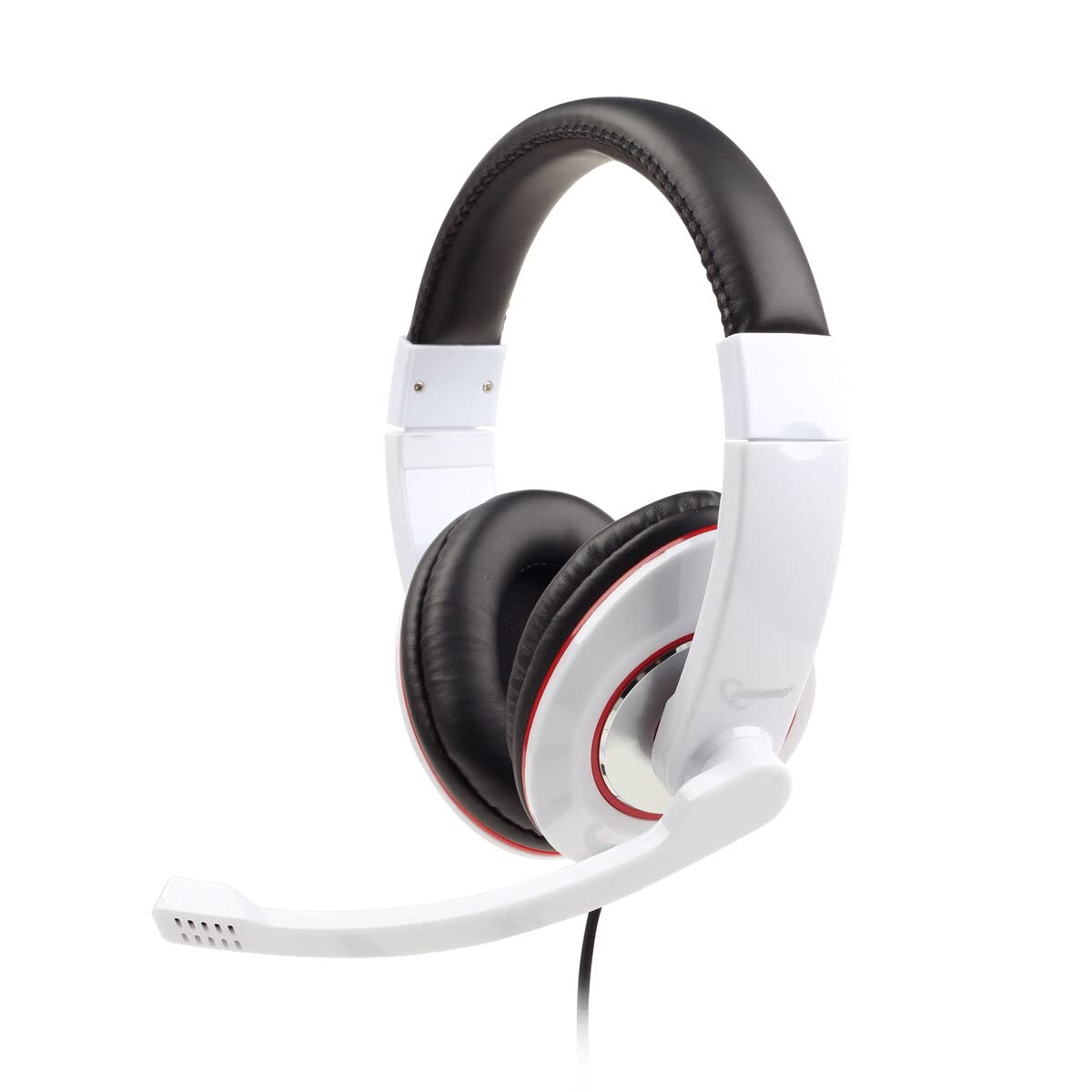
ภาพ: ด้านหน้า view of the Gembird MHS-001-GW Stereo Headset, showing the padded headband, ear cups, and the attached microphone boom.
3. คำแนะนำในการตั้งค่า
Follow these steps to set up your Gembird MHS-001-GW Stereo Headset:
- เชื่อมต่อชุดหูฟัง: Locate the 3.5mm audio jack on your computer, laptop, or compatible device. Insert the headset's 3.5mm connector firmly into the audio output/headphone jack. If your device has separate jacks for microphone and headphones, you may need a Y-splitter (not included) or ensure you are connecting to a combined audio jack.
- ปรับแถบคาดศีรษะ: Gently extend or retract the headband until the ear cups sit comfortably over your ears. The padded ear cups should fully cover your ears for optimal sound and comfort.
- วางตำแหน่งไมโครโฟน: Adjust the flexible microphone boom so that the microphone is positioned near your mouth, typically 2-5 cm away, for clear voice pickup. Ensure it is not directly in front of your mouth to avoid breath noises.
- ตรวจสอบปริมาณเบื้องต้น: Before playing audio or making calls, set the volume on the in-line control unit to a low level to prevent sudden loud sounds.
4. คู่มือการใช้งาน
Operating your Gembird MHS-001-GW Stereo Headset is straightforward:
- การควบคุมระดับเสียง: Use the rotary dial on the in-line control unit to increase or decrease the audio volume. Turn the dial clockwise to increase volume and counter-clockwise to decrease it.
- ปิดเสียงไมโครโฟน: The in-line control unit includes a switch to mute or unmute the microphone. Slide the switch to the 'Mute' position to temporarily disable the microphone, and slide it back to the 'Unmute' position to enable it.
- การเล่นเสียง: Once connected, your headset will function as the primary audio output device. Play music, videos, or any other audio content from your device.
- Voice Communication (VoIP): For applications like video conferencing or online gaming, ensure the headset is selected as both the input (microphone) and output (speakers) device in your software's audio settings.
5. การบำรุงรักษา
การดูแลรักษาอย่างถูกวิธีจะช่วยยืดอายุการใช้งานของหูฟังของคุณ:
- การทำความสะอาด: Use a soft, dry cloth to wipe the exterior of the ear cups and headband. For stubborn dirt, a slightly damp สามารถใช้ผ้าได้ แต่ต้องแน่ใจว่าไม่มีความชื้นเข้าไปในตะแกรงลำโพงหรือไมโครโฟน ห้ามใช้สารเคมีรุนแรงหรือน้ำยาทำความสะอาดที่มีฤทธิ์กัดกร่อน
- พื้นที่จัดเก็บ: เมื่อไม่ใช้งาน ควรเก็บหูฟังไว้ในที่สะอาดและแห้ง หลีกเลี่ยงแสงแดดโดยตรงและอุณหภูมิที่สูงหรือต่ำเกินไป ระวังอย่าให้สายพันกัน
- การดูแลสายเคเบิล: Do not pull the cable forcefully or wrap it too tightly around the headset. This can damage the internal wiring.
- หลีกเลี่ยงการหยด: Protect the headset from drops and impacts, which can damage internal components.
6 การแก้ไขปัญหา
หากคุณพบปัญหาเกี่ยวกับชุดหูฟัง โปรดดูปัญหาทั่วไปและวิธีแก้ไขต่อไปนี้:
- ไม่มีเสียง:
- Ensure the 3.5mm connector is fully inserted into the audio jack.
- ตรวจสอบปุ่มปรับระดับเสียงบนชุดควบคุมแบบอินไลน์และระดับเสียงของระบบในอุปกรณ์ของคุณ
- ตรวจสอบให้แน่ใจว่าได้เลือกชุดหูฟังเป็นอุปกรณ์ส่งสัญญาณเสียงเริ่มต้นในการตั้งค่าเสียงของคอมพิวเตอร์แล้ว
- ทดสอบชุดหูฟังกับอุปกรณ์อื่นเพื่อตัดปัญหาเฉพาะอุปกรณ์ออกไป
- ไมโครโฟนไม่ทำงาน:
- Ensure the microphone mute switch on the in-line control unit is in the 'Unmute' position.
- Check that the microphone is properly positioned and not obstructed.
- Verify that the headset microphone is selected as the default input device in your computer's sound settings and in any communication software you are using.
- ทดสอบไมโครโฟนกับอุปกรณ์หรือแอปพลิเคชันอื่น
- พอดีไม่สบาย:
- Adjust the headband length until the ear cups rest comfortably without excessive pressure.
- Ensure the ear cups are correctly oriented on your ears.
7. ข้อมูลจำเพาะ
| คุณสมบัติ | ข้อมูลจำเพาะ |
|---|---|
| แบบอย่าง | MHS-001-GW |
| ยี่ห้อ | นกเจมเบิร์ด |
| เทคโนโลยีการเชื่อมต่อ | ต่อสาย (แจ็คเสียง 3.5 มม.) |
| ฟอร์มแฟกเตอร์ | ครอบหู |
| ไมโครโฟน | ไมโครโฟนบูมปรับได้ |
| การควบคุมแบบอินไลน์ | ปุ่มปรับระดับเสียง, ปุ่มปิดเสียงไมโครโฟน |
| ข้อแนะนำการใช้ | Music, VoIP Applications |
| สี | สีขาว |
| น้ำหนักสินค้า | 200 กรัม |
| ขนาดสินค้า | 21.01 x 7.49 x 24 ซม. |
8. การรับประกันและการสนับสนุน
For warranty information or technical support, please refer to the documentation provided with your purchase or visit the official Gembird webไซต์นี้ โปรดเก็บหลักฐานการซื้อไว้เพื่อใช้ยืนยันการรับประกัน


