การแนะนำ
The StarTech.com 1-Port USB to RS232 DB9 Serial Adapter Cable provides a simple and reliable solution for connecting serial devices to modern computers lacking a built-in serial port. This adapter converts a USB port into an RS232 DB9 serial port, enabling connectivity with a wide range of serial peripherals such as point-of-sale terminals, serial modems, and industrial equipment. It supports data transfer rates up to 921.6 Kbps and offers broad operating system compatibility, including Windows, macOS, and Linux, ensuring seamless integration into diverse computing environments.
มีอะไรอยู่ในกล่อง
- 1 - USB to RS232 Adapter
- 1 - คู่มือการใช้งาน

Image: The product packaging, clearly indicating the contents: the USB to RS232 adapter cable and an instruction manual.
สินค้าเกินview

Image: The full length of the USB to RS232 DB9 Serial Adapter Cable, displaying both the USB-A male connector and the DB9 male serial connector.
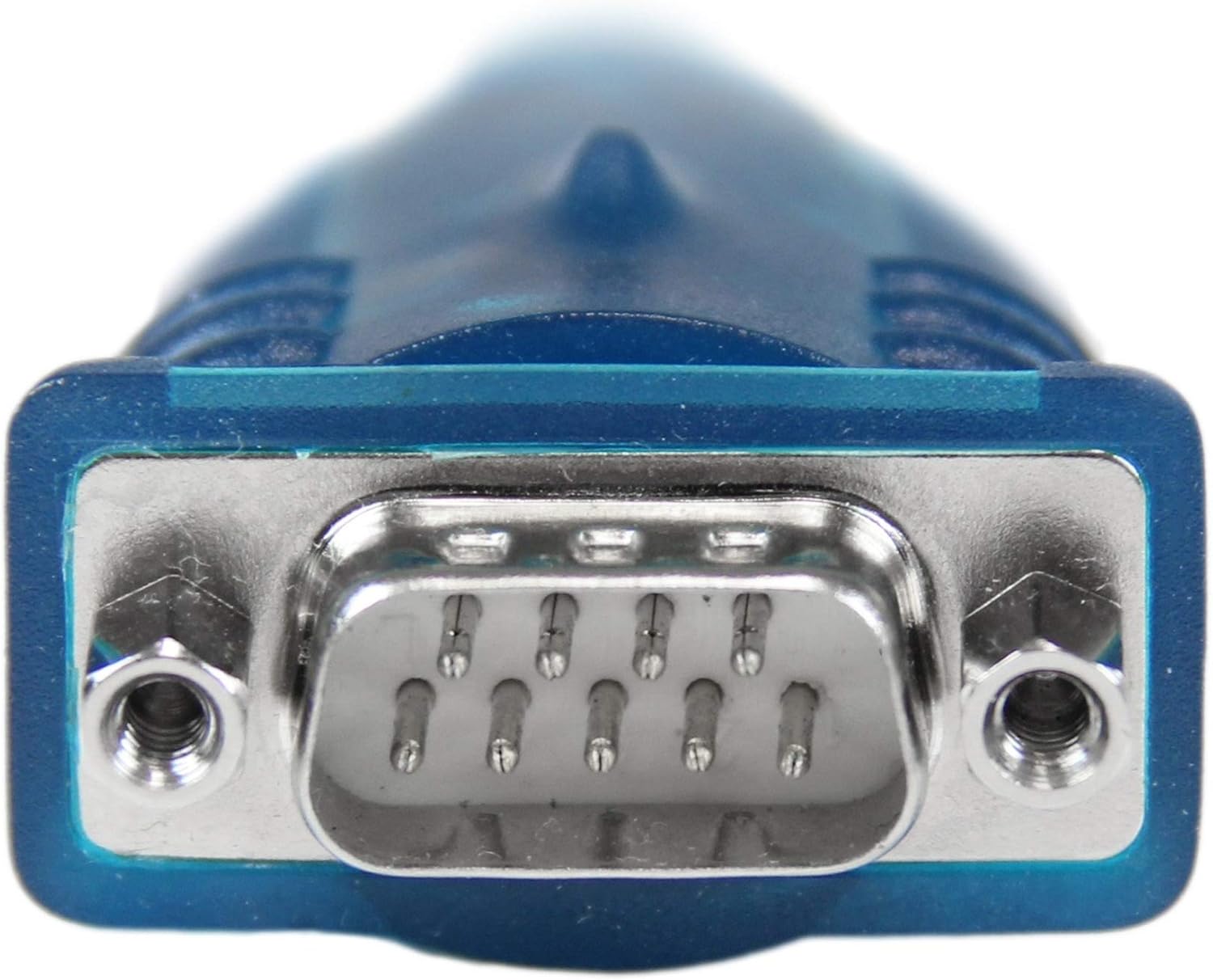
ภาพ: รายละเอียด view of the DB9 male serial connector, highlighting its nine pins and securing screws.

ภาพ: รายละเอียด view of the USB-A male connector, showing its standard rectangular shape and internal contacts.

Image: The USB-A male connector and a portion of the cable, illustrating its translucent blue housing.

Image: The DB9 male serial connector and a portion of the cable, showing its translucent blue housing and securing screws.
การตั้งค่า
การติดตั้งไดร์เวอร์
The StarTech.com USB to RS232 DB9 Serial Adapter Cable is designed for broad operating system compatibility. For most modern operating systems, including Windows 8 and later, macOS, and Linux, the necessary drivers are often installed automatically upon connection (Plug and Play). If automatic installation does not occur, or if you are using an older operating system, drivers can be downloaded from the official StarTech.com website. Refer to the product page for model ICUSB232V2 for the latest driver downloads and installation instructions.
การเชื่อมต่ออะแดปเตอร์
- Locate an available USB port on your computer (desktop, laptop, or server).
- Insert the USB-A male connector of the adapter cable into the USB port on your computer.
- Connect the DB9 male serial connector of the adapter cable to the DB9 female serial port on your peripheral device (e.g., POS terminal, modem, industrial equipment). Ensure the screws on the DB9 connector are tightened to secure the connection.
- Your operating system should recognize the new serial port. You may need to identify the assigned COM port number in your device manager for use with your serial communication software.
การดำเนินงาน
Once the adapter is connected and drivers are installed, it functions as a standard RS232 serial port. You can use any serial communication software (e.g., PuTTY, Tera Term, HyperTerminal) to interact with your connected serial device. Configure your software with the correct COM port number (identified during setup), baud rate, data bits, parity, and stop bits as required by your specific serial device.
The adapter supports data transfer rates up to 921.6 Kbps, providing efficient communication for most serial applications.
การซ่อมบำรุง
The StarTech.com USB to RS232 DB9 Serial Adapter Cable requires minimal maintenance. Keep the connectors clean and free from dust and debris. Store the cable in a cool, dry place when not in use to prevent damage. Avoid bending the cable sharply or subjecting it to excessive strain, which could damage the internal wiring.
การแก้ไขปัญหา
Device Not Recognized / Driver Issues
- ตรวจสอบการเชื่อมต่อ: Ensure the USB connector is fully inserted into a working USB port on your computer.
- ตรวจสอบตัวจัดการอุปกรณ์: On Windows, open Device Manager and look for 'Ports (COM & LPT)'. If the adapter is listed with a yellow exclamation mark, it indicates a driver issue.
- ติดตั้ง/อัปเดตไดรเวอร์: Download the latest drivers for model ICUSB232V2 directly from the StarTech.com product page. Follow the installation instructions provided with the driver package.
- ความเข้ากันได้ของระบบปฏิบัติการ: While broadly compatible, some specific OS versions (e.g., certain Windows 11 builds) might require specific driver versions. Always use the latest drivers from the manufacturer.
- ลองใช้พอร์ต USB อื่น: Test the adapter in a different USB port on your computer.
ข้อผิดพลาดในการสื่อสาร
- ตรวจสอบพอร์ต COM: Ensure your serial communication software is configured to use the correct COM port number assigned to the adapter (check Device Manager).
- Check Serial Settings: Confirm that the baud rate, data bits, parity, and stop bits in your software match the settings of your serial device.
- ความสมบูรณ์ของสายเคเบิล: ตรวจสอบสายเคเบิลว่ามีการชำรุดเสียหายใดๆ ที่มองเห็นได้
- ฟังก์ชั่นอุปกรณ์: Ensure the serial device you are connecting to is powered on and functioning correctly.
ข้อมูลจำเพาะ
| ชื่อรุ่น | 1 Port USB to RS232 DB9 Serial Adapter Cable - M/M |
| ยี่ห้อ | StarTech.com |
| ประเภทขั้วต่อ | ซีเรียล/USB |
| ประเภทสายเคเบิล | ซีเรียล |
| อุปกรณ์ที่รองรับ | POS Device, Serial Modems, Industrial Equipment |
| อัตราการถ่ายโอนข้อมูล | Up to 0.9 Megabits Per Second (921.6 Kbps) |
| เพศของตัวเชื่อมต่อ | ชายกับชาย |
| สี | สีเทา |
| น้ำหนักสินค้า | 1.41 ออนซ์ (0.04 กิโลกรัม) |
| ขนาดสินค้า | 16.9 x 1.4 x 0.8 นิ้ว |
| ความเข้ากันได้ของระบบปฏิบัติการ | Windows 8, Windows 7, Windows 10, Windows Server 2012/2016/2019, Linux, Mac OS X El Capitan (10.11), macOS Sierra (10.12), macOS High Sierra (10.13), macOS Mojave (10.14) |
| ยูพีซี | 065030852609 |
การรับประกัน
This StarTech.com product is backed by a 3-year warranty, ensuring reliability and peace of mind for your investment.
สนับสนุน
StarTech.com offers free lifetime 24/5 multi-lingual technical assistance for this product. For support, visit the official StarTech.com webไซต์หรือดูข้อมูลการติดต่อที่ให้มาพร้อมกับบรรจุภัณฑ์ผลิตภัณฑ์ของคุณ
For more information and resources, visit the product page: StarTech.com ICUSB232V2


