การแนะนำ
This user manual provides comprehensive instructions for the VTECH Communications CS6729-2 2 Handset Answering System. It covers setup, operation, maintenance, and troubleshooting to ensure optimal performance of your new telephone system. Please read this manual thoroughly before using your phone.
การติดตั้งและการตั้งค่า
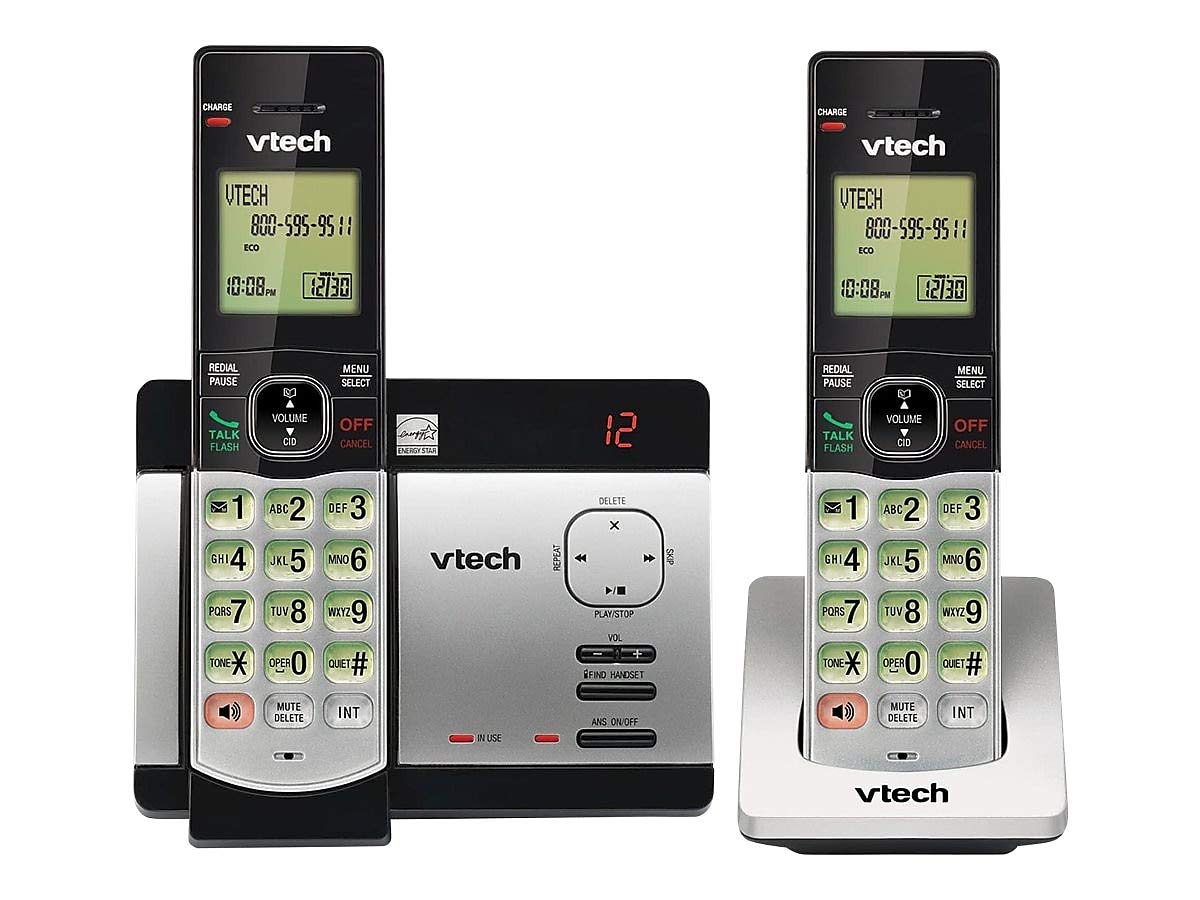
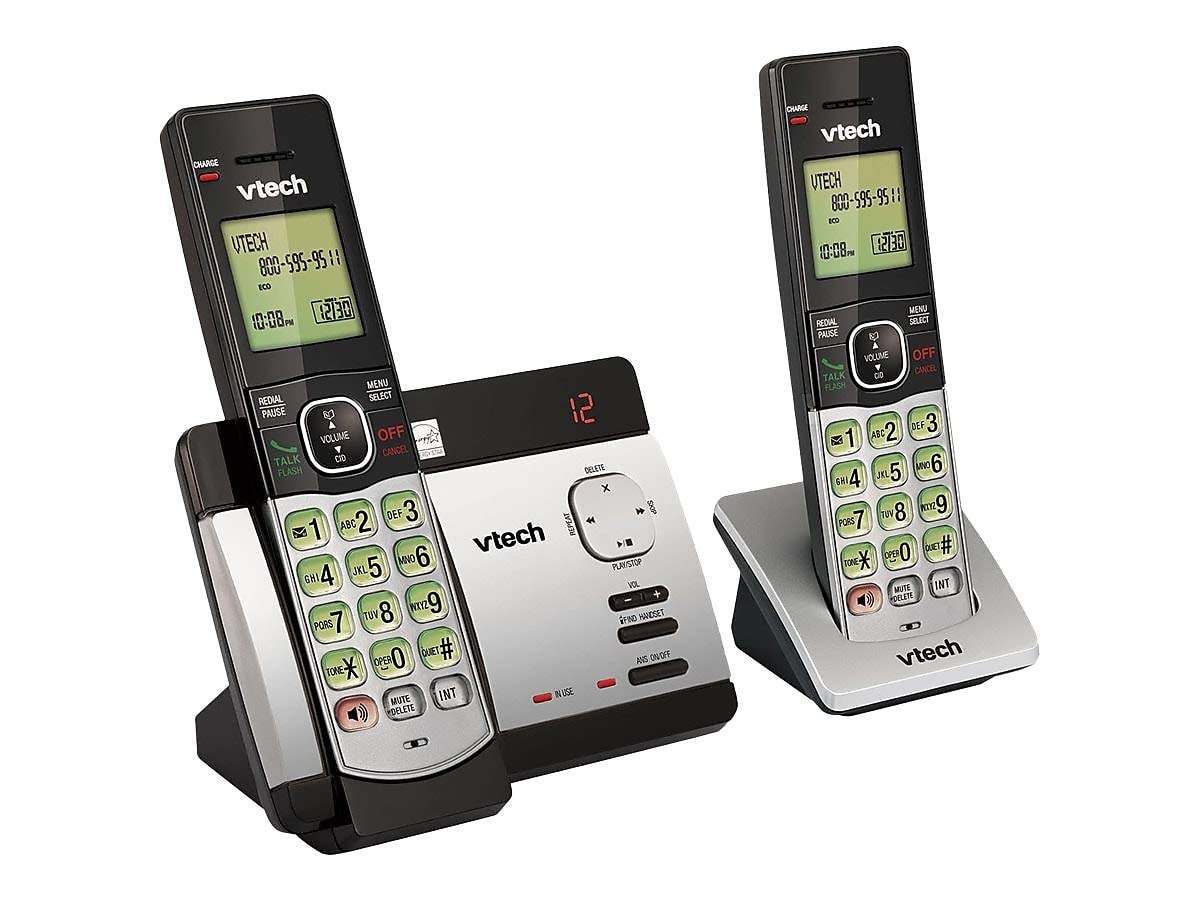
เนื้อหาแพ็คเกจ
ตรวจสอบให้แน่ใจว่ามีสินค้าทั้งหมดอยู่ในแพ็คเกจของคุณ:
- โทรศัพท์ไร้สาย (2)
- Base Unit with Digital Answering System
- อะแดปเตอร์ไฟ AC สำหรับยูนิตฐาน
- สายโทรศัพท์
- Rechargeable Batteries (4 AAA batteries required, included)
- ขายึดติดผนัง
การติดตั้งแบตเตอรี่
Before initial use, install the included AAA batteries into each cordless handset. Open the battery compartment cover on the back of the handset, insert the batteries according to the polarity markings, and close the cover. Place the handset on the base unit or charger to charge for at least 16 hours before first use.
การเชื่อมต่อหน่วยฐาน
Connect the small end of the AC power adapter to the power jack on the back of the telephone base. Plug the large end of the AC power adapter into a wall outlet not controlled by a wall switch. Connect one end of the telephone line cord to the telephone jack on the back of the telephone base. Plug the other end of the telephone line cord into a telephone wall jack.
คำแนะนำการใช้งาน
การโทรออกและรับสาย
หากต้องการโทรออก ให้กด พูดคุย/แฟลช or any dial pad key, then dial the number. To receive a call, press พูดคุย/แฟลช when the phone rings. To end a call, press ปิด/ยกเลิก หรือวางโทรศัพท์กลับลงบนฐานวาง/แท่นชาร์จ
Answering System Features
The integrated digital answering system can record up to 14 minutes of messages. You can retrieve messages from any handset or remotely. The voicemail waiting indicator will notify you of new messages. Messages are time and date stamped เพื่อการอ้างอิงที่ง่าย
หมายเลขผู้โทร/การรอสาย
The phone displays the caller's name and number (if available) before you answer. If you have Call Waiting service, the phone will alert you to an incoming call while you are on another call.
สมุดโทรศัพท์
Store up to 50 names and numbers in the phonebook directory for quick dialing. Refer to the handset menu for instructions on adding, editing, and deleting entries.
อินเตอร์คอม
Use the intercom feature to communicate between handsets. This system supports up to 5 handsets (additional handsets sold separately).
โทรซ้ำ
โทรศัพท์จะบันทึกหมายเลขที่โทรออกล่าสุด 10 หมายเลข กด โทรซ้ำ/หยุดชั่วคราว to access and redial these numbers.
การควบคุมระดับเสียง
ปรับระดับเสียงหูฟังและลำโพงระหว่างการโทรโดยใช้ ปริมาณ buttons on the side of the handset.
ปิดเสียง
กดปุ่ม ปิดเสียง/ลบ button during a call to mute your microphone. The other party will not hear you, but you can still hear them. Press again to unmute.
การประชุมทางโทรศัพท์
You can set up a 3-way conference call between an outside line and up to two cordless handsets.
Trilingual Prompts
The system offers trilingual prompts, allowing you to choose between English, Spanish, or French for voice announcements and menu options.
การซ่อมบำรุง
การทำความสะอาด
ทำความสะอาดโทรศัพท์และฐานด้วยผ้านุ่มๆamp cloth. Do not use cleaning sprays or harsh chemicals. Avoid getting moisture in any openings.
การดูแลแบตเตอรี่
To maintain optimal battery life, fully charge the handsets regularly. If the phone will not be used for an extended period, remove the batteries to prevent leakage.
การแก้ไขปัญหา
If you experience issues with your phone system, try the following solutions:
| ปัญหา | สารละลาย |
|---|---|
| ไม่มีเสียงสัญญาณโทรศัพท์ | Ensure the power adapter and telephone line cord are securely plugged into the base unit and wall outlets. Check if the phone line is active. |
| ไม่สามารถโทรออก/รับสายได้ | Check battery charge level. Ensure the handset is within range of the base unit. Verify the telephone line connection. |
| ระบบตอบรับอัตโนมัติไม่บันทึกข้อความ | ตรวจสอบให้แน่ใจว่าระบบตอบรับอัตโนมัติเปิดอยู่ ตรวจสอบว่าหน่วยความจำเต็มหรือไม่ ลบข้อความเก่าหากจำเป็น |
| คุณภาพเสียงไม่ดี | ขยับเข้าไปใกล้ตัวเครื่องหลักมากขึ้น ตรวจสอบว่ามีสัญญาณรบกวนจากอุปกรณ์อิเล็กทรอนิกส์อื่นๆ หรือไม่ |
| โทรศัพท์ไม่ชาร์จ | Ensure the handset is properly seated in the charging cradle. Clean the charging contacts on both the handset and cradle. |
ข้อมูลจำเพาะ
- แบบอย่าง: CS6729-2
- เทคโนโลยี: DECT 6.0 ดิจิทัล
- โทรศัพท์มือถือ: 2 (ขยายได้สูงสุด 5)
- ระบบตอบรับ: Digital, 14 minutes recording time
- ความจุสมุดโทรศัพท์: 50 ชื่อและหมายเลข
- หน่วยความจำการโทรซ้ำ: 10 ตัวเลขสุดท้าย
- แบตเตอรี่: แบตเตอรี่แบบชาร์จไฟขนาด AAA จำนวน 4 ก้อน (รวมอยู่ด้วย)
- ขนาดสินค้า : 1 x 3.2 x 6.9 inches (handset)
- น้ำหนักสินค้า: 1.3 ปอนด์
- สี: สีเทา
- แหล่งพลังงาน: สายไฟ
การรับประกันและการสนับสนุน
สำหรับข้อมูลการรับประกันและการสนับสนุนทางเทคนิค โปรดดูบัตรรับประกันที่แนบมากับผลิตภัณฑ์ของคุณ หรือเยี่ยมชมเว็บไซต์อย่างเป็นทางการของ VTech webไซต์ โปรดเก็บใบเสร็จรับเงินไว้เป็นหลักฐานการซื้อสำหรับการเรียกร้องการรับประกัน


