การแนะนำ
Thank you for choosing the Quantum QZA4600.4 4-Channel QZA Ampเครื่องอ่านบัตร คู่มือนี้ให้ข้อมูลสำคัญสำหรับการติดตั้ง การใช้งาน และการบำรุงรักษาเครื่องอ่านบัตรของคุณอย่างถูกต้อง ampโปรดอ่านคู่มือนี้อย่างละเอียดก่อนการติดตั้งหรือใช้งาน เพื่อให้มั่นใจถึงประสิทธิภาพและความปลอดภัยสูงสุด
The Quantum QZA4600.4 is designed to deliver high-quality audio performance for your vehicle's sound system. Proper installation and understanding of its features will maximize your listening experience.
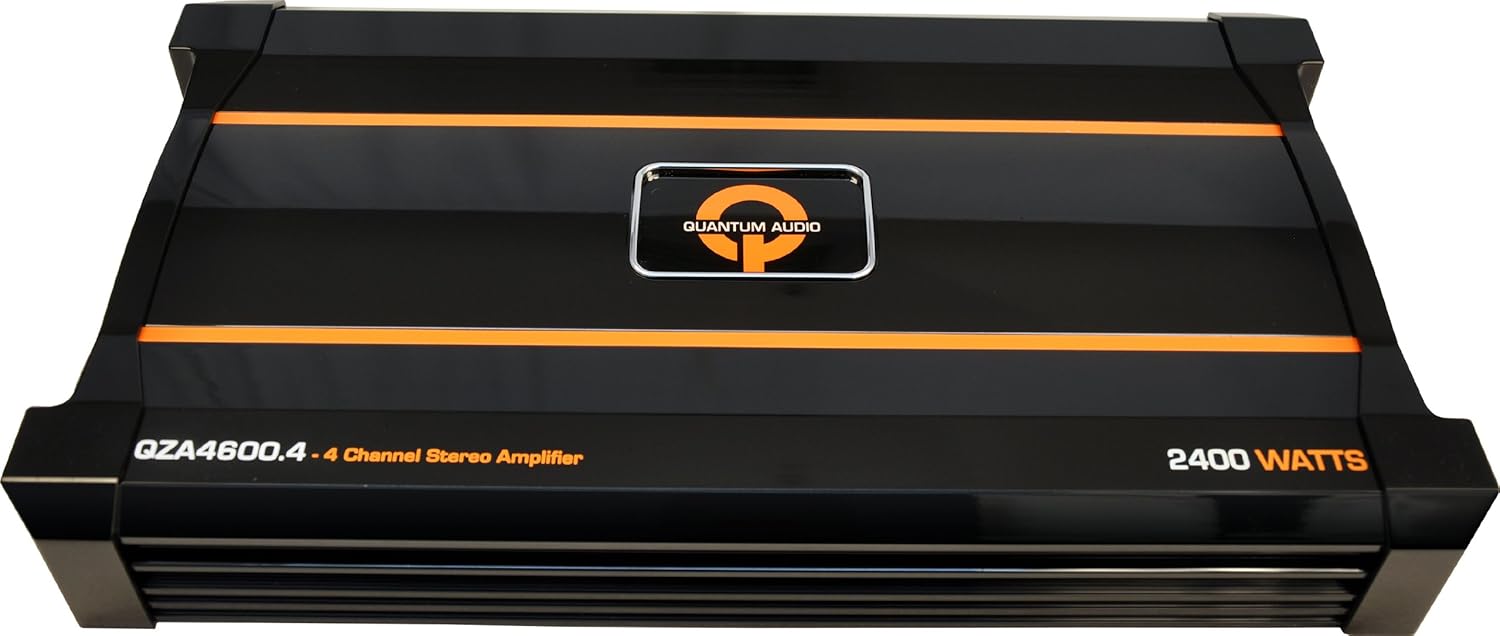
รูปที่ 1 : ด้านหน้า view of the Quantum QZA4600.4 4-Channel QZA Ampเครื่องแสดงasinจี มันเป็นสีดำซีasing with orange accents and the Quantum Audio logo.
ข้อมูลด้านความปลอดภัย
เพื่อป้องกันการบาดเจ็บหรือความเสียหายต่อ ampเมื่อใช้เครื่องขยายเสียง โปรดปฏิบัติตามข้อควรระวังด้านความปลอดภัยดังต่อไปนี้:
- แนะนำการติดตั้งอย่างมืออาชีพ: การติดตั้งอุปกรณ์เครื่องเสียงรถยนต์ต้องอาศัยประสบการณ์ด้านการเดินสายไฟฟ้าและขั้นตอนต่างๆ ของรถยนต์ หากไม่แน่ใจ โปรดปรึกษาผู้เชี่ยวชาญ
- ถอดแบตเตอรี่: ควรตัดการเชื่อมต่อขั้วลบของแบตเตอรี่รถยนต์ทุกครั้งก่อนเริ่มงานเกี่ยวกับระบบไฟฟ้า เพื่อป้องกันการลัดวงจร
- การเดินสายไฟที่ถูกต้อง: ตรวจสอบให้แน่ใจว่าสายไฟทั้งหมดเชื่อมต่อและหุ้มฉนวนอย่างถูกต้องเพื่อป้องกันไฟฟ้าลัดวงจรและอันตรายจากไฟฟ้า ใช้สายไฟขนาดที่เหมาะสมสำหรับการต่อไฟฟ้าและสายดิน
- การติดตั้ง: ติดตั้ง amplifier securely in a dry, well-ventilated location away from direct sunlight, heat sources, and moisture. Ensure adequate airflow around the ampไลเออร์สำหรับระบายความร้อน
- การป้องกันฟิวส์: Always use an external fuse on the main power cable, located within 18 inches (45 cm) of the battery. The fuse rating should match the ampข้อกำหนดของเครื่องขยายเสียง
- หลีกเลี่ยงการโอเวอร์โหลด: Do not connect speaker loads below the amplifier's minimum impedance rating. Refer to the specifications section.
คุณสมบัติหลัก
The Quantum QZA4600.4 amplifier incorporates several design elements for enhanced performance and reliability:
- QSINK Heat Management System: Designed for efficient heat dissipation, ensuring stable operation and longevity.
- 2 OHM Stereo Stable on 2 and 4 Channel Models: Provides flexibility in speaker configuration and power delivery.
- แหล่งจ่ายไฟ MOSFET: Utilizes a Metal-Oxide-Semiconductor Field-Effect Transistor power supply for efficient and stable power conversion.
- Variable Input Level Control: Allows precise matching of the amplifier's input sensitivity to the output of your head unit.
- Thermal/Overload/Short Circuit Protection: Integrated protection circuits safeguard the amplifier from potential damage due to excessive heat, current overload, or short circuits.
การติดตั้งและการตั้งค่า
Proper installation is critical for the performance and safety of your amplifier. It is highly recommended that installation be performed by a qualified car audio professional.
ตำแหน่งการติดตั้ง
เลือกตำแหน่งติดตั้งที่:
- แห้งและปราศจากความชื้น
- มีการระบายอากาศที่ดีเพื่อให้ความเย็นได้อย่างเหมาะสม
- Secure, preventing movement during vehicle operation.
- สามารถเดินสายไฟและปรับแต่งได้สะดวก
- Away from fuel lines, brake lines, and electrical harnesses.
การเชื่อมต่อสายไฟ
All wiring should be routed carefully to avoid pinching, chafing, or interference with vehicle components. Use high-quality connectors and ensure all connections are secure.
- กำลังไฟ (B+): Connect a heavy-gauge power cable directly from the positive terminal of the vehicle's battery to the amplifier's B+ terminal. Install an inline fuse holder within 18 inches (45 cm) of the battery.
- กราวด์ (GND): เชื่อมต่อสายดินขนาดใหญ่จาก amplifier's GND terminal to a clean, unpainted metal surface of the vehicle chassis. Ensure a solid, low-resistance connection.
- ระยะไกล (REM): เชื่อมต่อสายเปิดเครื่องระยะไกลจากเอาต์พุตระยะไกลของชุดอุปกรณ์หลักของคุณเข้ากับ ampขั้ว REM ของเครื่องขยายเสียง สายนี้ส่งสัญญาณ ampเครื่องขยายเสียงสามารถเปิดและปิดได้พร้อมกับชุดควบคุมหลัก
- อาร์ซีเออินพุต: เชื่อมต่อสาย RCA จากชุดเครื่องเสียงหลักของคุณamp ส่งออกไปยัง ampแจ็คอินพุต RCA ของเครื่องขยายเสียง
- เอาท์พุตลำโพง: เชื่อมต่อสายลำโพงจาก amplifier's speaker output terminals to your speakers. Observe correct polarity (+ to + and - to -). Refer to the amplifier's specifications for minimum impedance ratings.
Note: Specific wiring diagrams for various configurations (e.g., 2-channel, 4-channel, bridged) are typically provided in the full product manual or can be found through professional car audio resources. Always ensure your speaker impedance matches the ampความสามารถของลิไฟเออร์
คำแนะนำการใช้งาน
เมื่อครั้งหนึ่ง amplifier is correctly installed and wired, follow these steps for initial operation:
- การเพิ่มพลังเริ่มต้น: After all connections are made and checked, reconnect the vehicle's negative battery terminal. Turn on your head unit. The amplifier should power on, indicated by an illuminated power LED.
- Set Gain Control: เริ่มต้นด้วยการ amplifier's gain control set to minimum. Play a familiar piece of music at a moderate volume level on your head unit (around 75% of maximum). Slowly increase the ampปรับระดับเสียงของแอมป์จนกว่าจะได้ยินเสียงผิดเพี้ยน จากนั้นลดระดับเสียงลงเล็กน้อยจนกว่าเสียงจะชัดเจน
- Adjust Crossover (if applicable): หากคุณ amplifier has built-in crossover filters (e.g., Low Pass Filter, High Pass Filter), adjust them according to your speaker type and desired sound. For full-range speakers, a high-pass filter might be used to protect them from low bass. For subwoofers, a low-pass filter is essential.
- Bass Boost (if applicable): Use the bass boost feature sparingly. Excessive bass boost can lead to distortion and potential damage to speakers or the ampชีวิต.
Note: Fine-tuning the amplifier's settings often requires careful listening and adjustment to achieve the best sound quality for your specific vehicle and speaker setup.
การซ่อมบำรุง
The Quantum QZA4600.4 ampเครื่องขยายเสียงได้รับการออกแบบมาให้ใช้งานได้อย่างน่าเชื่อถือโดยต้องการการบำรุงรักษาเพียงเล็กน้อย อย่างไรก็ตาม การตรวจสอบเป็นระยะจะช่วยให้ใช้งานได้ยาวนานขึ้น:
- การทำความสะอาด: เก็บรักษาไว้ amplifier clean and free of dust and debris. Use a soft, dry cloth to wipe down the exterior. Do not use liquid cleaners or solvents.
- การระบายอากาศ : ให้แน่ใจว่า amplifier's cooling fins are not obstructed. Good airflow is essential for heat dissipation.
- การตรวจสอบการเชื่อมต่อ: Periodically inspect all power, ground, remote, and speaker connections to ensure they are secure and free from corrosion. Loose connections can cause performance issues or damage.
- การตรวจสอบฟิวส์: หากมีการ amplifier fails to power on, check the inline fuse on the power cable. Replace it only with a fuse of the same type and rating.
การแก้ไขปัญหา
หากคุณประสบปัญหาเกี่ยวกับ amplifier, refer to the following common problems and solutions before seeking professional service:
| ปัญหา | สาเหตุที่เป็นไปได้ | สารละลาย |
|---|---|---|
| Amplifier does not power on (no LED). |
|
|
| ไม่มีเสียงออก |
|
|
| เสียงเพี้ยน |
|
|
| Amplifier overheats (protection mode). |
|
|
If the problem persists after attempting these solutions, contact Quantum customer support or a qualified service technician.
ข้อมูลจำเพาะ
The following specifications are for the Quantum QZA4600.4 4-Channel QZA Ampเครื่องฟอก:
| หมายเลขรุ่น | คิวแซดเอ4600.4 |
| ขนาดสินค้า | 50.8 x 30.48 x 10.16 ซม. |
| น้ำหนักสินค้า | 5.67 กก. |
| ช่องทางการ | 4 ช่อง |
| อิมพีแดนซ์เสถียร | 2 Ohm Stereo (on 2 and 4 channel models) |
| ประเภทแหล่งจ่ายไฟ | โมสเฟต |
| คุณสมบัติการป้องกัน | Thermal, Overload, Short Circuit |
Note: All specifications are subject to change without notice. For the most current information, please refer to the official Quantum product page.
การรับประกันและการสนับสนุน
Quantum products are designed and manufactured to the highest quality standards. For information regarding warranty coverage, terms, and conditions, please refer to the warranty card included with your product or visit the official Quantum Audio webเว็บไซต์.
For technical support, troubleshooting assistance beyond what is provided in this manual, or service inquiries, please contact Quantum customer support through their official website or authorized service centers. Please have your model number (QZA4600.4) and purchase information ready when contacting support.
แหล่งข้อมูลออนไลน์:
- Official Quantum Audio Webเว็บไซต์: www.quantumaudio.net (หมายเหตุ: นี่เป็นเพียงตัวอย่างชั่วคราว URL as no official support link was provided in the product data. Please verify the correct URL.)


