1. บทนำ
This manual provides detailed instructions for the proper setup, operation, and maintenance of your Grundig 72847 Azerty USB Keyboard. Please read this manual thoroughly before using the product to ensure optimal performance and longevity.
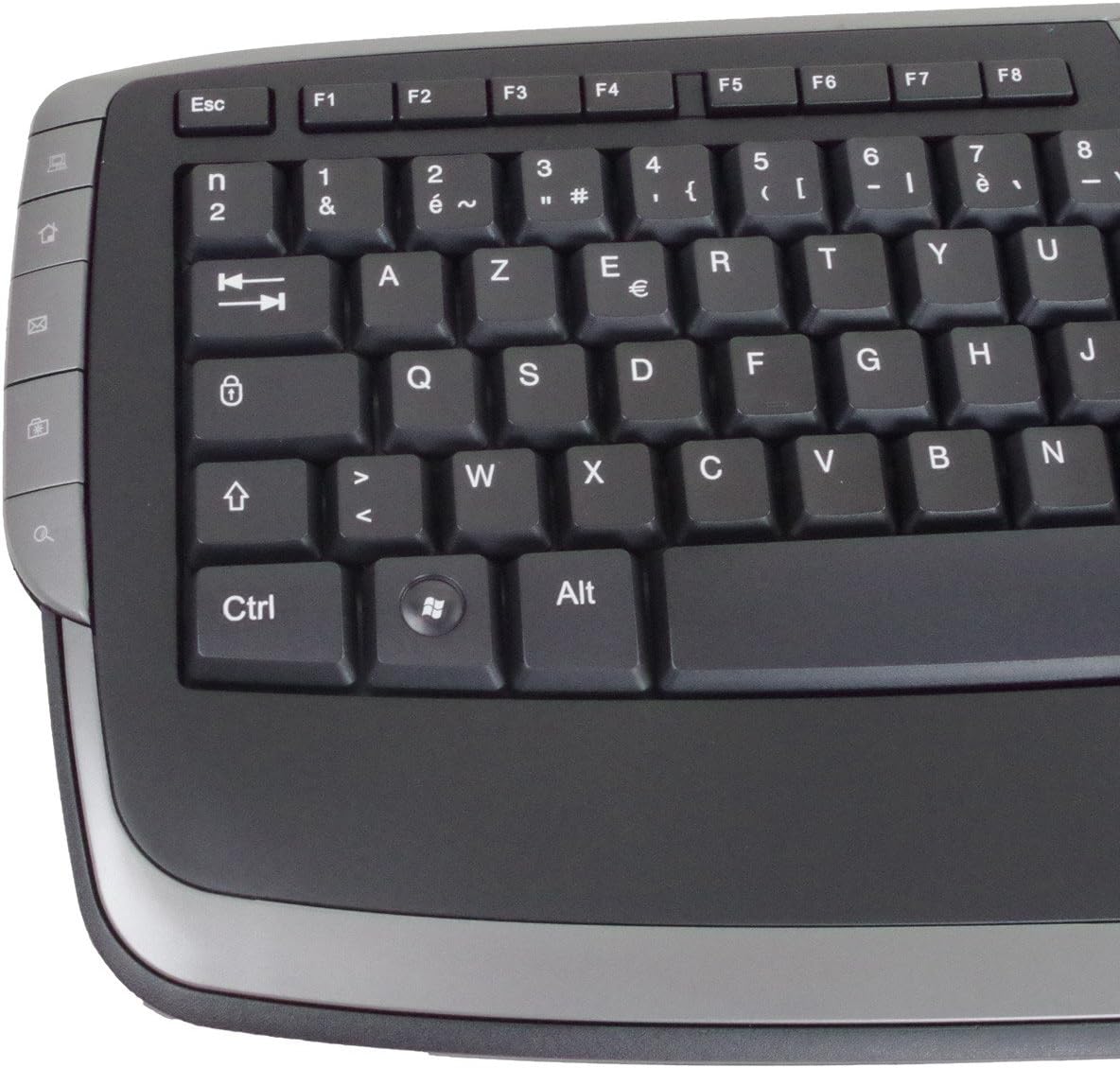
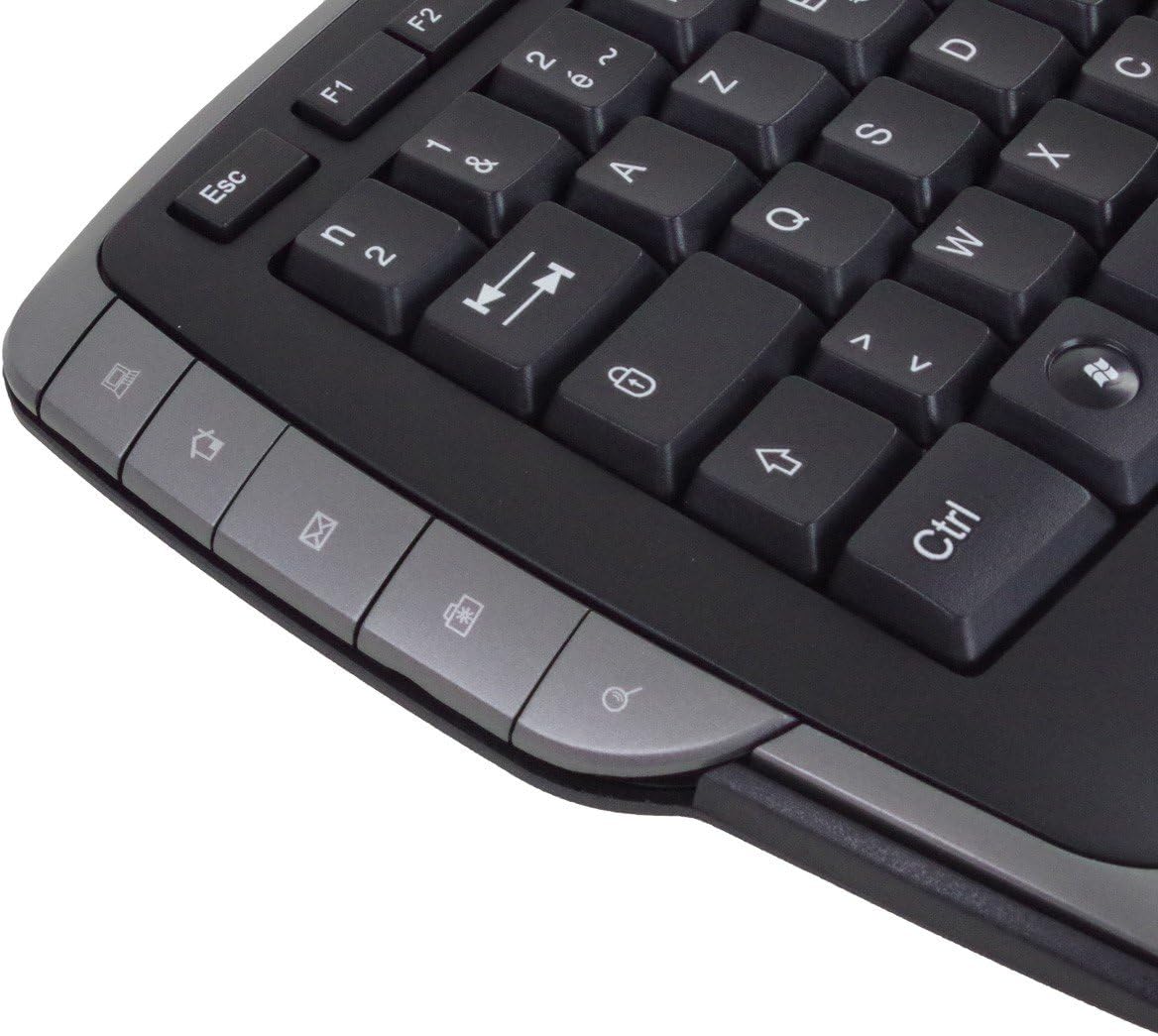
The Grundig 72847 keyboard features an Azerty layout, a wired USB connection, and an ergonomic design. It includes dedicated multimedia and office direct keys for enhanced functionality and supports both Windows and Mac operating systems.
2. สินค้าหมดview
The Grundig 72847 keyboard is designed for comfortable and efficient typing. It features a standard Azerty key layout, along with additional function keys.
2.1 คุณสมบัติหลัก
- Azerty Layout: Standard key arrangement primarily used in French-speaking regions.
- การเชื่อมต่อ USB แบบใช้สาย: Ensures stable and reliable connectivity.
- การออกแบบตามหลักสรีรศาสตร์: Contoured shape for comfortable use and reduced strain.
- คีย์มัลติมีเดีย: 8 dedicated keys for quick access to media controls (volume, play/pause, etc.).
- Office Direct Keys: 17 additional keys for common office functions, enhancing productivity.
- ไฟ LED แสดงสถานะสีน้ำเงิน: Signal illumination for various functions.
- ความเข้ากันได้กว้าง: Supports Windows and Mac operating systems.
2.2 Keyboard Components
Familiarize yourself with the main components of your Grundig 72847 keyboard:

- Standard Azerty Keys: Alphanumeric, symbol, and function keys (F1-F12).
- ปุ่มกดตัวเลข: Located on the right side for data entry.
- Multimedia Control Keys: Located above the function keys and on the left/right sides.
- Office Direct Keys: Additional shortcut keys for common office applications.
- สาย USB: For connecting the keyboard to your computer.

3. การตั้งค่า
Follow these steps to connect your Grundig 72847 keyboard to your computer.
- แกะคีย์บอร์ดออก: นำคีย์บอร์ดออกจากบรรจุภัณฑ์อย่างระมัดระวัง
- ค้นหาพอร์ต USB: Identify an available USB port on your computer (PC or Mac).
- เชื่อมต่อสาย USB: Insert the USB connector of the keyboard cable into the USB port on your computer.
- การติดตั้งไดร์เวอร์ (อัตโนมัติ): Your operating system (Windows or Mac) should automatically detect and install the necessary drivers. This process may take a few moments.
- ตรวจสอบการทำงาน: Once installed, test the keyboard by typing in a text editor or browser to ensure all keys are responsive.
โดยทั่วไปแล้ว ไม่จำเป็นต้องใช้ซอฟต์แวร์หรือไดรเวอร์เพิ่มเติมสำหรับการใช้งานพื้นฐาน
4. คู่มือการใช้งาน
The Grundig 72847 keyboard offers standard typing functionality along with convenient multimedia and office shortcut keys.
4.1 การพิมพ์มาตรฐาน
Use the alphanumeric and symbol keys for text input. The Azerty layout is standard for regions like France and Belgium.
4.2 ปุ่มมัลติมีเดีย
The keyboard includes 8 dedicated multimedia keys for quick control of media playback and volume. These are typically located above the function keys (F1-F12) or on the side bezels.
- เพิ่ม/ลดเสียง/ปิดเสียง: ปรับระดับเสียง
- เล่น/หยุดชั่วคราว: ควบคุมการเล่นสื่อ
- เพลงก่อนหน้า/ถัดไป: นำทางผ่านสื่อ files.
- หยุด: Halt media playback.
4.3 Office Direct Keys
The 17 office direct keys provide shortcuts to frequently used functions, improving workflow efficiency. Refer to the key labels for specific functions, which may include:
- อีเมล: เปิดโปรแกรมอีเมลเริ่มต้นของคุณ
- Web เบราว์เซอร์: Launch your default web เบราว์เซอร์
- คอมพิวเตอร์ของฉัน: เปิด file นักสำรวจ
- ค้นหา: Activate the system search function.
- เครื่องคิดเลข: เปิดแอปพลิเคชันเครื่องคิดเลข
- นอน: Put the computer into sleep mode.
The exact functionality of these keys may depend on your operating system and installed software.
5. การบำรุงรักษา
Proper care and maintenance will help extend the life of your keyboard.
- การทำความสะอาด:
- ถอดแป้นพิมพ์ออกจากคอมพิวเตอร์ของคุณก่อนทำความสะอาด
- ใช้ผ้านุ่มไม่เป็นขุยเช็ดเล็กน้อยampชุบน้ำหรือน้ำยาทำความสะอาดอ่อนๆ เพื่อเช็ดพื้นผิว
- หลีกเลี่ยงการใช้สารเคมีรุนแรง น้ำยาทำความสะอาดที่มีฤทธิ์กัดกร่อน หรือตัวทำละลาย
- ใช้ลมอัดเพื่อกำจัดฝุ่นละอองและเศษต่างๆ ออกจากระหว่างปุ่ม
- พื้นที่จัดเก็บ: ควรเก็บแป้นพิมพ์ไว้ในที่สะอาดและแห้ง หลีกเลี่ยงอุณหภูมิที่สูงหรือต่ำเกินไป และแสงแดดโดยตรง
- หลีกเลี่ยงการหกเลอะ: เก็บของเหลวให้ห่างจากแป้นพิมพ์เพื่อป้องกันไม่ให้ส่วนประกอบภายในได้รับความเสียหาย
6 การแก้ไขปัญหา
If you encounter issues with your Grundig 72847 keyboard, try the following solutions:
- แป้นพิมพ์ไม่ตอบสนอง:
- ตรวจสอบให้แน่ใจว่าสาย USB เชื่อมต่อกับคีย์บอร์ดและคอมพิวเตอร์อย่างแน่นหนา
- ลองเชื่อมต่อคีย์บอร์ดกับพอร์ต USB อื่นบนคอมพิวเตอร์ของคุณ
- รีสตาร์ทเครื่องคอมพิวเตอร์ของคุณ
- ทดสอบแป้นพิมพ์บนคอมพิวเตอร์เครื่องอื่นเพื่อตรวจสอบว่าปัญหาอยู่ที่แป้นพิมพ์หรือคอมพิวเตอร์เครื่องเดิม
- คีย์เฉพาะไม่ทำงาน:
- Check for any physical obstructions or debris under the key.
- ทำความสะอาดแป้นพิมพ์ตามที่อธิบายไว้ในส่วนการบำรุงรักษา
- Multimedia/Office Keys Not Functioning:
- Ensure your operating system and applications are up to date.
- Some functions may require specific software or settings within your operating system.
หากปัญหายังคงมีอยู่หลังจากลองขั้นตอนเหล่านี้แล้ว โปรดติดต่อฝ่ายสนับสนุนลูกค้า
7. ข้อมูลจำเพาะ
| คุณสมบัติ | รายละเอียด |
|---|---|
| หมายเลขรุ่น | 72847 |
| ออกแบบ | Azerty |
| สี | สีดำด้าน |
| ประเภทการเชื่อมต่อ | USB (แบบมีสาย) |
| ความยาวสายเคเบิล | ประมาณ 1.4 ม. |
| ขนาด (กว้าง x ลึก x สูง) | Approx. 47.5 x 19.5 x 2.7 / 3.8 cm |
| น้ำหนัก | ประมาณ 910 กรัม |
| คีย์ไลฟ์ | 8,000,000 การดำเนินการ |
| สวิตซ์ชีวิต | 8,000,000 การดำเนินการ |
| อุณหภูมิในการทำงาน | -5 ถึง 40 °C |
| ความชื้นในการทำงาน | 20% ถึง 90% |
| ไฟ LED แสดงสถานะ | สีฟ้า |
| ระบบที่เข้ากันได้ | วินโดวส์, แมค |
| จำนวนคีย์มัลติมีเดีย | 8 |
| Number of Office Direct Keys | 17 |
8. การรับประกันและการสนับสนุน
For warranty information and customer support, please refer to the documentation provided with your purchase or contact your retailer. You may also visit the official Grundig webเว็บไซต์เพื่อขอความช่วยเหลือเพิ่มเติม
โปรดเก็บหลักฐานการซื้อของคุณไว้เพื่อเรียกร้องการรับประกัน


