การแนะนำ
This manual provides comprehensive instructions for setting up, operating, maintaining, and troubleshooting your Logitech MK270 Wireless Keyboard and Mouse Combo. Please read this manual carefully before using the product to ensure optimal performance and longevity.

The Logitech MK270 Wireless Keyboard and Mouse Combo, featuring a full-size keyboard and a compact mouse, designed for reliable wireless connectivity.
มีอะไรอยู่ในกล่อง
Upon unboxing your Logitech MK270 combo, verify that all components are present:
- คีย์บอร์ดไร้สาย
- เมาส์ไร้สาย
- ตัวรับสัญญาณ Nano USB
- Two AAA Batteries (for keyboard)
- One AA Battery (for mouse)
- เอกสารประกอบการใช้งาน

An illustration showing the keyboard, mouse, USB receiver, and batteries as included in the product packaging.
การตั้งค่า
- ใส่แบตเตอรี่:
Open the battery compartments on the underside of both the keyboard and the mouse. Insert the provided AAA batteries into the keyboard and the AA battery into the mouse, ensuring correct polarity. Close the battery compartments securely.
- ค้นหาตัวรับ USB:
The Nano USB receiver is typically found within the packaging or stored inside the mouse's battery compartment for convenience during transport.

The Nano USB receiver is securely placed in the top flap of the product box for easy retrieval.
- เชื่อมต่อเครื่องรับ:
Plug the Nano USB receiver into an available USB port on your computer. The system should automatically detect and install the necessary drivers. This is a plug-and-play device, requiring no additional software installation for basic functionality.
- เปิดเครื่อง:
Ensure the power switches on both the keyboard and mouse are in the "ON" position. The devices should connect wirelessly to your computer within a few seconds.
- ความเข้ากันได้ของระบบ:
The Logitech MK270 combo is compatible with various Windows operating systems, including Windows XP, Windows Vista, Windows 7, Windows 8, and Windows 10. It is also fully compatible with Windows 11.
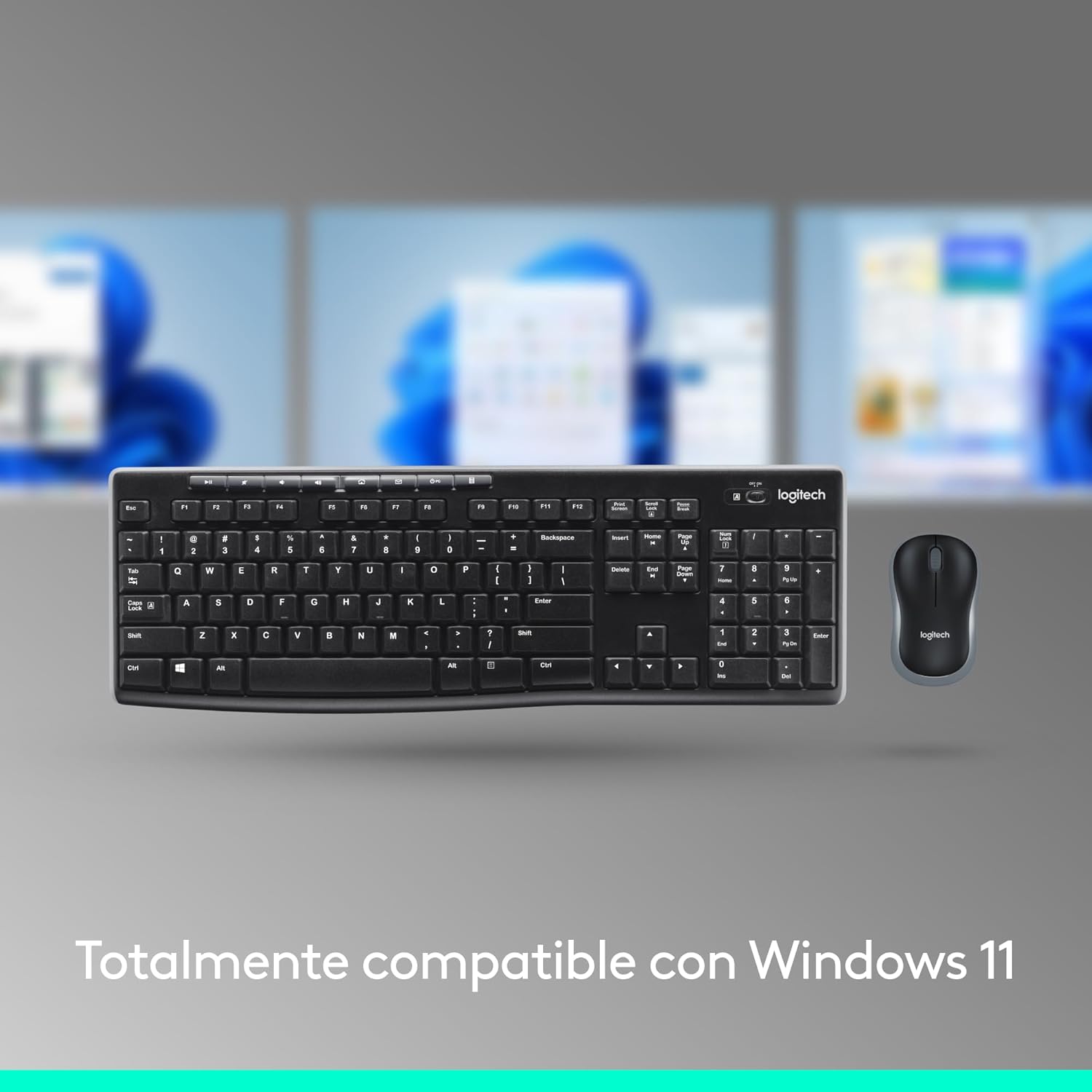
The Logitech MK270 combo is designed for full compatibility with Windows 11, ensuring seamless operation.
คำแนะนำการใช้งาน
คุณสมบัติแป้นพิมพ์:
- เค้าโครงขนาดเต็ม: The keyboard features a standard full-size layout, including a numeric keypad and dedicated arrow keys for comfortable and efficient typing.
- โปรต่ำfile, Quiet Keys: ออกแบบด้วยโปรไฟล์ต่ำfile keys that provide a comfortable typing experience with reduced noise.
- ขาปรับเอียงได้: Two sturdy tilt legs on the underside allow you to adjust the keyboard's angle for personalized comfort.
- ปุ่มลัดมัลติมีเดีย: Access common functions quickly with 8 dedicated multimedia hotkeys. These include controls for internet browsing, email, play/pause, and volume adjustment.
คุณสมบัติเมาส์:
- Compact and Ambidextrous Design: The mouse is compact and ergonomically designed for comfortable use by both left-handed and right-handed users.
- การควบคุมเคอร์เซอร์อย่างราบรื่น: Provides precise and smooth cursor control for easy navigation across most surfaces.

รายละเอียด view highlighting the 8 multimedia controls, on/off switch, full-size keyboard with numeric pad, ambidextrous mouse design, smooth cursor control, compact size, and the use of recycled plastic in both devices.
การซ่อมบำรุง
- การทำความสะอาด: ใช้ผ้านุ่มและแห้งเช็ดทำความสะอาดพื้นผิวของแป้นพิมพ์และเมาส์ สำหรับคราบสกปรกฝังแน่น ให้เช็ดเบาๆamp สามารถใช้ผ้าชุบสบู่เหลวอ่อนๆ เช็ดได้ โดยระวังอย่าให้ของเหลวเข้าไปในตัวเครื่อง
- ความต้านทานการรั่วไหล: The keyboard features a spill-resistant design, meaning it can withstand minor liquid spills (up to 60 ml). However, it is not waterproof and should not be submerged in any liquid. In case of a spill, immediately power off the keyboard and allow it to dry completely before reuse.
- การเปลี่ยนแบตเตอรี่:
The keyboard has an approximate battery life of 36 months, and the mouse has an approximate battery life of 12 months. When performance degrades or the low battery indicator (if present) illuminates, replace the batteries with new AAA (keyboard) and AA (mouse) alkaline batteries. Always dispose of used batteries responsibly.
- การจัดการพลังงาน: Utilize the on/off switches on both the keyboard and mouse when not in use for extended periods to conserve battery life.

The keyboard is designed to be spill-resistant, capable of handling small liquid splashes. Note that it is not waterproof and should not be immersed.
การแก้ไขปัญหา
| ปัญหา | วิธีแก้ปัญหาที่เป็นไปได้ |
|---|---|
| แป้นพิมพ์หรือเมาส์ไม่ตอบสนอง |
|
| การเชื่อมต่อล่าช้าหรือขาดๆ หายๆ |
|
| เคอร์เซอร์เมาส์เคลื่อนไหวผิดปกติหรือไม่ราบรื่น |
|
ข้อมูลจำเพาะ
| คุณสมบัติ | รายละเอียด |
|---|---|
| ยี่ห้อ | โลจิเทค |
| หมายเลขรุ่น | 920-004513 |
| เทคโนโลยีการเชื่อมต่อ | 2.4 GHz Wireless (Nano USB Receiver) |
| ช่วงสาย | สูงถึง 10 เมตร (33 ฟุต) |
| ขนาดแป้นพิมพ์ (ยาว x กว้าง x สูง) | 44.1 x 14.9 x 1.8 ซม. (17.36 x 5.87 x 0.71 นิ้ว) |
| น้ำหนักคีย์บอร์ด (รวมแบตเตอรี่) | 498 กรัม (17.57 ออนซ์) |
| ขนาดเมาส์ (ยาว x กว้าง x สูง) | 9.9 x 6.0 x 3.9 ซม. (3.90 x 2.36 x 1.54 นิ้ว) |
| น้ำหนักเมาส์ (รวมแบตเตอรี่) | 75.2 กรัม (2.65 ออนซ์) |
| ประเภทแบตเตอรี่คีย์บอร์ด | 2 x AAA alkaline batteries (included) |
| ประเภทแบตเตอรี่เมาส์ | 1 x AA alkaline battery (included) |
| อายุการใช้งานแบตเตอรี่ของคีย์บอร์ด | นานถึง 36 เดือน |
| อายุการใช้งานแบตเตอรี่ของเมาส์ | นานถึง 12 เดือน |
| ความเข้ากันได้ของระบบปฏิบัติการ | Windows XP, Windows Vista, Windows 7, Windows 8, Windows 10, Windows 11 |
| คุณสมบัติของแป้นพิมพ์ | Full-size layout, low-profile keys, adjustable tilt legs, 8 multimedia hotkeys, spill-resistant design (max 60ml) |
| คุณสมบัติของเมาส์ | Compact, ambidextrous design, smooth optical tracking |
| เนื้อหาพลาสติกรีไซเคิล | Keyboard: 54% post-consumer recycled plastic; Mouse: 49% post-consumer recycled plastic |

Detailed dimensions of the Logitech MK270 keyboard, showing length, width, and height.

Detailed dimensions of the Logitech MK270 mouse, showing length, width, and height.
การรับประกันและการสนับสนุน
Logitech products typically come with a limited hardware warranty. For specific warranty details, duration, and terms applicable to your region, please refer to the warranty information included with your product documentation or visit the official Logitech support webเว็บไซต์.
For technical support, driver downloads, FAQs, and further assistance, please visit the official Logitech support page:
ข้อมูลด้านสิ่งแวดล้อม
Logitech is committed to sustainability. The plastic parts of the MK270 keyboard and mouse combo include certified post-consumer recycled plastic, with 54% in the keyboard and 49% in the mouse. This initiative helps give plastics a second life and reduces the product's carbon footprint.

An image illustrating the process of giving plastics a second life, highlighting the use of recycled materials in the MK270 keyboard and mouse.


