1. บทนำ
The Memorex Music CD-R is a recordable compact disc designed for high-quality audio, data, and game recording. Featuring a black recording surface, this multi-purpose disc offers reliable performance for various digital storage needs. It is ideal for music recording, multimedia presentations, photo archiving, and the preservation of important data.
Each disc provides 80 minutes of audio recording time or 700MB of data storage, with a maximum recording speed of 40x. As a CD-R, it is a "write once" medium, meaning data recorded onto the disc cannot be erased or overwritten, ensuring data integrity for archival purposes.
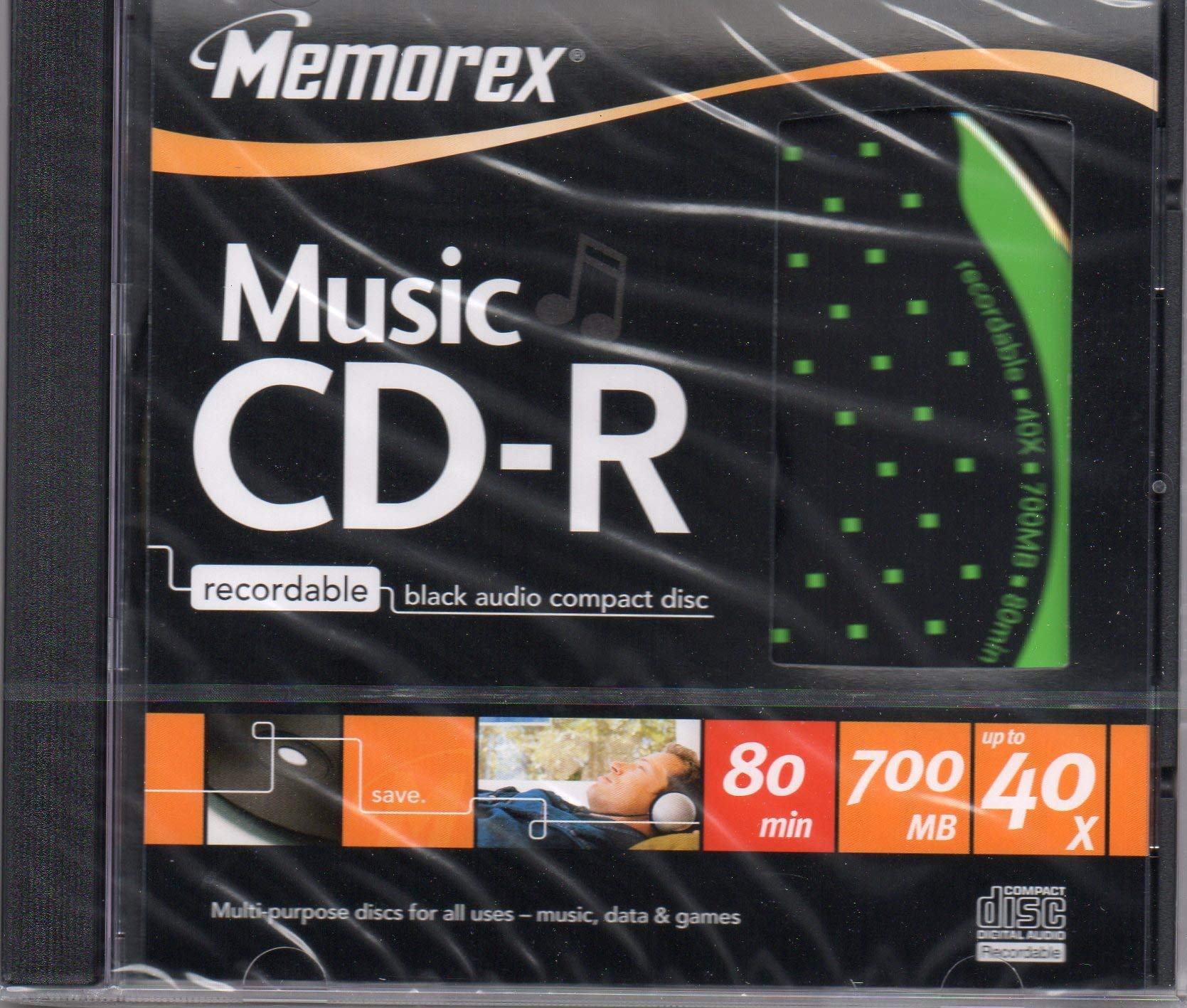
Figure 1: Memorex Music CD-R Recordable Black Audio Compact Disc. This image shows the front of the CD-R packaging, highlighting the Memorex brand and product type.
2. การตั้งค่า
Before recording, ensure your CD burner drive and recording software are compatible with CD-R media. Most modern CD/DVD drives support CD-R recording. No special setup is required for the disc itself, beyond ensuring it is clean and free from damage.
- ความเข้ากันได้: Verify your CD/DVD burner drive supports CD-R media.
- ซอฟต์แวร์: Use appropriate CD burning software (e.g., Nero, Windows Media Player, iTunes, or other dedicated burning applications).
- การตรวจสอบดิสก์: Before use, visually inspect the disc for any scratches, dust, or smudges. A clean disc ensures optimal recording quality.
3. คู่มือการใช้งาน
The Memorex Music CD-R is a "write once" disc, meaning once data is recorded, it cannot be erased or altered. This makes it suitable for permanent archiving. Follow these general steps for recording:
- ใส่แผ่นดิสก์: Place the Memorex CD-R into your computer's CD/DVD burner drive.
- เปิดตัวซอฟต์แวร์: Open your preferred CD burning software.
- เลือกประเภทโครงการ: เลือกประเภทของโปรเจ็กต์ที่คุณต้องการสร้าง (เช่น แผ่นซีดีเพลง, แผ่นซีดีข้อมูล, แผ่นซีดี MP3)
- เพิ่ม Files: Drag and drop the audio tracks, data files, or images you want to record onto the disc into the software interface. Ensure the total size does not exceed 700MB or 80 minutes.
- กำหนดค่าการตั้งค่า: Select your desired recording speed (up to 40x). For critical recordings, a slower speed may improve reliability.
- Burn Disc: Initiate the burning process. Do not interrupt the process once it has started.
- เสร็จสิ้นการทำแผ่นดิสก์: Most software will automatically finalize the disc, making it readable on other CD players or computers.
Refer to the table below for common uses of CD-R media:

Figure 2: Best Use of Different CD Formats. This image displays a table comparing the suitability of CD-R and CD-RW for various applications, indicating that CD-R is suitable for copying audio, making audio CDs, photo storage, archiving video/music/data, multimedia presentations, data backup, and large data file distribution. It also shows pictograms for disc handling and care.
CD-R Usage Scenarios:
- Copying an Audio CD: Ideal for creating duplicates of audio CDs.
- Making an Audio CD: Perfect for compiling custom music mixes.
- พื้นที่จัดเก็บรูปภาพ: Reliable for archiving digital photographs.
- Photo Storage Combined with Slide Show: Suitable for creating photo albums with slideshow capabilities.
- Archiving Video, Music, Data: Excellent for long-term storage of various media types.
- Storage Requiring "Audit Trail" for Medical, Financial and Legal Use: The "write once" nature ensures data integrity for compliance.
- Multimedia Presentation: Useful for distributing presentations.
- Data Back-up: A dependable solution for backing up important files.
- Distribution of Large Data Files: Effective for sharing large files that do not require frequent updates.
4. การบำรุงรักษาและการดูแล
Proper care of your Memorex Music CD-R discs will ensure their longevity and data integrity. Follow these guidelines:
- การจัดการ: Always hold the disc by its edges or by the center hole to avoid touching the recording surface.
- การทำความสะอาด: If the disc becomes dirty, gently wipe it with a soft, lint-free cloth in a straight line from the center to the outer edge. Do not wipe in a circular motion. Avoid abrasive cleaners or solvents.
- พื้นที่จัดเก็บ: Store discs in jewel cases or protective sleeves to prevent scratches and dust accumulation. Keep them away from direct sunlight and extreme temperatures. The recommended operating and storage temperature range is -5°C to 55°C.
- หลีกเลี่ยงการดัด: Do not bend the disc, as this can cause irreparable damage to the data layer.
- หลีกเลี่ยงรอยขีดข่วน: Protect the disc surface from scratches, which can lead to read errors and data loss.
Figure 3: CD-R Handling and Care Pictograms. This image illustrates proper handling and care for CD-R discs, showing symbols for avoiding bending, extreme temperatures, scratches, and proper cleaning and storage methods.
5 การแก้ไขปัญหา
If you encounter issues while recording or playing back your Memorex Music CD-R, consider the following:
- ข้อผิดพลาดในการบันทึก:
- ตรวจสอบให้แน่ใจว่าดิสก์สะอาดและไม่มีรอยขีดข่วน
- Verify your CD burner drive is functioning correctly and its firmware is up to date.
- Try a slower recording speed.
- ปิดแอปพลิเคชันอื่น ๆ ที่กำลังทำงานอยู่เบื้องหลังเพื่อปลดปล่อยทรัพยากรระบบ
- Ensure you have enough free hard drive space for temporary files during the burning process.
- Check if the disc capacity (700MB/80 minutes) is exceeded by your data.
- ปัญหาการเล่น:
- ทำความสะอาดดิสก์อย่างละเอียดตามที่อธิบายไว้ในส่วนการบำรุงรักษา
- Try playing the disc in a different CD/DVD player or computer drive to rule out a drive issue.
- Ensure the playback device is compatible with CD-R media.
- Verify the disc was finalized correctly during the burning process.
6. ข้อมูลจำเพาะ
| ยี่ห้อ | เมโมเร็กซ์ |
| หมายเลขรุ่น | B00CDS3UTK |
| ประเภทแผ่นดิสก์ | ซีดี-อาร์ (แผ่นซีดีบันทึกได้) |
| Recording Surface | สีดำ |
| ความจุของหน่วยความจำ | 700MB |
| Recording Capacity (Audio) | 80 นาที |
| Maximum Recording Speed | 40 เท่า |
| น้ำหนักสินค้า | 4.2 ออนซ์ |
| ขนาดแพ็คเกจ | 5.59 x 4.88 x 0.39 นิ้ว |
| อุณหภูมิในการทำงาน | -5°C ถึง 55°C |
| ผู้ผลิต | เมโมเร็กซ์ |
| วันที่พร้อมใช้งานครั้งแรก | วันที่ 17 ธันวาคม 2013 |
7. การรับประกันและการสนับสนุน
For product support and further information, please refer to the official Memorex webเว็บไซต์หรือติดต่อผู้ผลิตโดยตรง
- เป็นทางการ Webเว็บไซต์: เยี่ยม www.memorexlive.com for product updates and support resources.
- ผู้ผลิต: Memorex Products Europe Ltd., Harmondsworth UB7 OLJ, UK.
- ลิขสิทธิ์: ©2006 สงวนลิขสิทธิ์.
This product is designed for reliability and performance. Please retain your purchase receipt for any warranty claims, though specific warranty details are not provided with this manual. For return policy information, please refer to your retailer's terms of sale.


