1. บทนำ
Thank you for choosing the Clatronic KA 3473 Drip Coffee Maker. This manual provides essential information for the safe and efficient operation, maintenance, and troubleshooting of your new appliance. Please read these instructions carefully before first use and keep them for future reference.

Image 1: Clatronic KA 3473 Drip Coffee Maker, white, with a full carafe of coffee.
2. คำแนะนำด้านความปลอดภัย
ปฏิบัติตามข้อควรระวังด้านความปลอดภัยพื้นฐานต่อไปนี้เสมอเมื่อใช้เครื่องใช้ไฟฟ้า:
- อ่านคำแนะนำทั้งหมดก่อนใช้งานเครื่อง
- อย่าสัมผัสพื้นผิวที่ร้อน ใช้ที่จับหรือลูกบิด
- เพื่อป้องกันไฟไหม้ ไฟฟ้าช็อต และการบาดเจ็บต่อบุคคล ห้ามจุ่มสายไฟ ปลั๊ก หรือเครื่องใช้ลงในน้ำหรือของเหลวอื่นๆ
- จำเป็นต้องมีการดูแลอย่างใกล้ชิดเมื่อมีเด็กหรือใช้งานเครื่องใช้ไฟฟ้าใดๆ ใกล้เด็ก
- ถอดปลั๊กออกเมื่อไม่ได้ใช้งานและก่อนทำความสะอาด ปล่อยให้เย็นลงก่อนใส่หรือถอดชิ้นส่วน และก่อนทำความสะอาดเครื่องใช้ไฟฟ้า
- ห้ามใช้งานเครื่องใช้ไฟฟ้าที่มีสายไฟหรือปลั๊กชำรุด หรือหลังจากที่เครื่องใช้ไฟฟ้าทำงานผิดปกติหรือได้รับความเสียหายในลักษณะใดๆ
- การใช้อุปกรณ์เสริมที่ไม่แนะนำโดยผู้ผลิตเครื่องใช้ไฟฟ้าอาจทำให้เกิดไฟไหม้ ไฟฟ้าช็อต หรือบาดเจ็บบุคคลได้
- ห้ามใช้กลางแจ้ง
- อย่าให้สายไฟห้อยออกจากขอบโต๊ะหรือเคาน์เตอร์ หรือสัมผัสพื้นผิวที่ร้อน
- ห้ามวางบนหรือใกล้เตาแก๊สหรือเตาไฟฟ้าที่ร้อน หรือในเตาอบที่อุ่น
- เสียบปลั๊กเข้ากับเครื่องใช้ไฟฟ้าก่อนเสมอ จากนั้นจึงเสียบสายไฟเข้ากับเต้ารับไฟฟ้าที่ผนัง หากต้องการตัดการเชื่อมต่อ ให้ปิดสวิตช์ควบคุมทั้งหมด จากนั้นถอดปลั๊กออกจากเต้ารับไฟฟ้าที่ผนัง
- ห้ามใช้เครื่องใช้ไฟฟ้าเพื่อวัตถุประสงค์อื่นนอกเหนือจากที่กำหนดไว้
- โถถูกออกแบบมาสำหรับใช้กับเครื่องนี้เท่านั้น ไม่ควรใช้กับช่วงบน
- ห้ามวางกาแฟร้อนบนพื้นผิวที่เย็นหรือเปียก
- ห้ามใช้เหยือกที่มีรอยแตกร้าว หรือเหยือกที่มีด้ามจับหลวมหรืออ่อนแอ
- ห้ามทำความสะอาดกาแฟด้วยน้ำยาทำความสะอาด แผ่นขัดเหล็ก หรือวัสดุขัดถูอื่นๆ
3. สินค้าหมดview และส่วนประกอบ
Familiarize yourself with the parts and key features of your Clatronic KA 3473 Drip Coffee Maker:
- ฝา
- Water Tank with Water Level Indicator
- ที่ยึดแผ่นกรอง (ถอดได้)
- วาล์วป้องกันการหยด
- เหยือกแก้วมีหูจับ
- จานอุ่น
- สวิตช์เปิด/ปิดพร้อมไฟแสดงสถานะ
- Cable Storage (at the back)

ภาพที่ 2: จบแล้วview of the coffee maker highlighting its capacity (12-14 cups, 1.5 liters) and power (900 Watt).

ภาพที่ 3: รายละเอียด view of the water level indicator and the anti-drip mechanism.
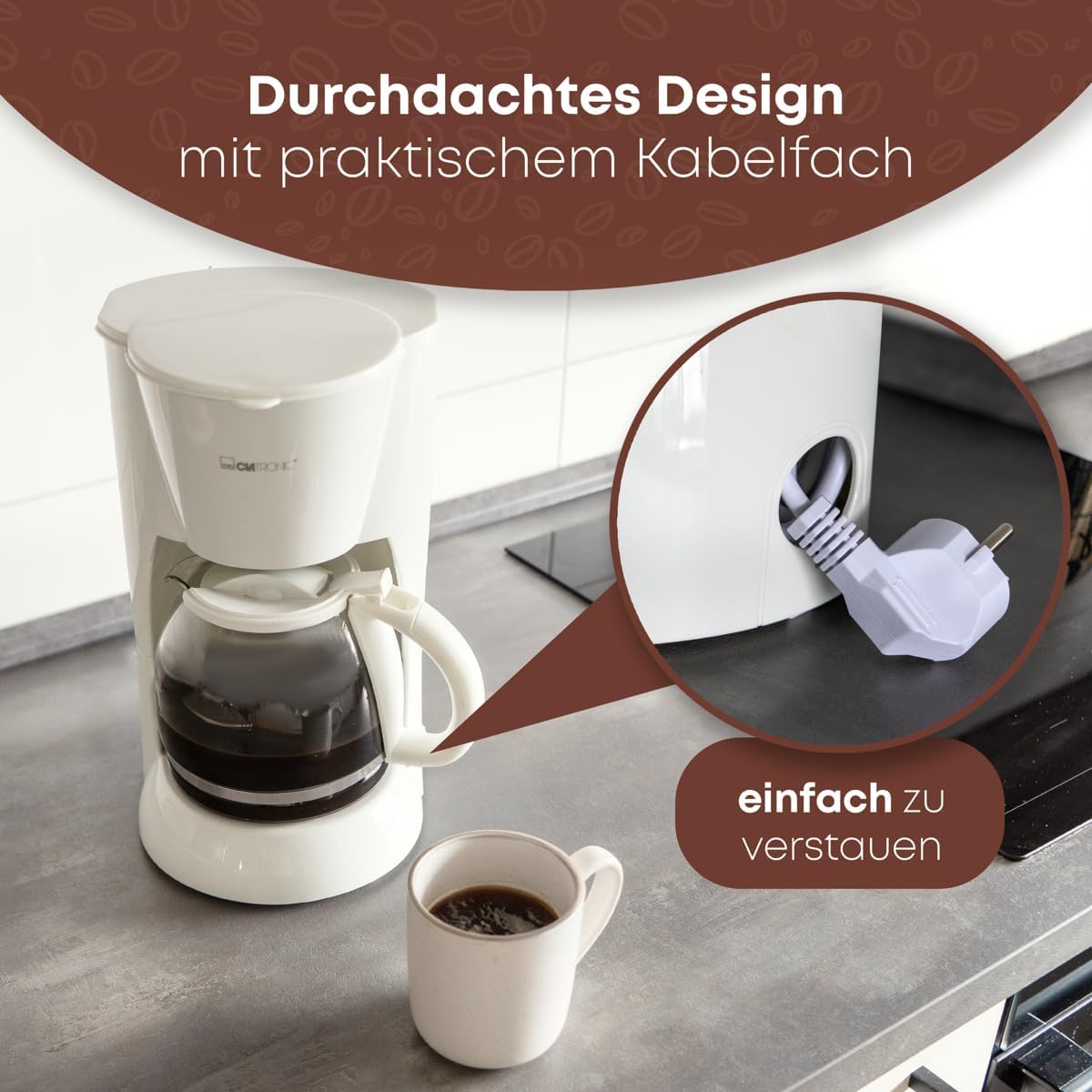
Image 4: The practical cable storage compartment located at the back of the appliance for easy tidying.
4. การตั้งค่าและการใช้งานครั้งแรก
ก่อนใช้เครื่องชงกาแฟเป็นครั้งแรก ให้ทำตามขั้นตอนเหล่านี้:
- แกะ: Carefully remove the coffee maker and all accessories from the packaging.
- ทำความสะอาด: Wash the glass carafe, lid, and removable filter holder in warm, soapy water. Rinse thoroughly and dry.
- รอบการชงครั้งแรก (การทำความสะอาด):
- Fill the water tank with clean water up to the "MAX" level (1.5 liters).
- Place the empty filter holder into its position. Do not add coffee grounds.
- Place the glass carafe with its lid on the keep-warm plate.
- เสียบเครื่องใช้ไฟฟ้าเข้ากับเต้ารับไฟฟ้าที่เหมาะสม (230V)
- กดสวิตช์เปิด/ปิด ไฟแสดงสถานะจะสว่างขึ้น
- Allow the water to brew through completely.
- Once the brewing cycle is complete, turn off the appliance and discard the water.
- Repeat this process 2-3 times to ensure the appliance is thoroughly cleaned.
- เครื่องชงกาแฟของคุณพร้อมใช้งานแล้ว
5. คู่มือการใช้งาน
ทำตามขั้นตอนเหล่านี้เพื่อชงกาแฟ:
- เติมถังน้ำ: Open the lid and fill the water tank with fresh, cold water. Use the water level indicator on the side of the tank to measure the desired number of cups (up to 1.5 liters or 14 cups). Do not exceed the "MAX" level.
- เพิ่มกากกาแฟ: Place a paper filter (size 1x4 or similar) into the removable filter holder. Add the desired amount of ground coffee. A general guideline is one tablespoon of coffee grounds per cup, but adjust to your personal taste.
- ตำแหน่งกาน้ำ: Ensure the glass carafe with its lid is correctly placed on the keep-warm plate. The anti-drip valve will be pushed up by the carafe lid, allowing coffee to flow.
- เริ่มการต้มเบียร์: Plug the coffee maker into a power outlet and press the On/Off switch. The indicator light will illuminate, signaling that the brewing process has started.
- ให้บริการ: Once the brewing cycle is complete, the coffee maker will automatically switch to the keep-warm function. You can remove the carafe to pour coffee. The anti-drip system prevents dripping when the carafe is removed.
- ปิดเครื่องอัตโนมัติ: The keep-warm plate will automatically shut off after a period of time (typically 30-40 minutes) for safety and energy saving.
- ปิด: After serving, press the On/Off switch to turn off the appliance and unplug it from the wall outlet.
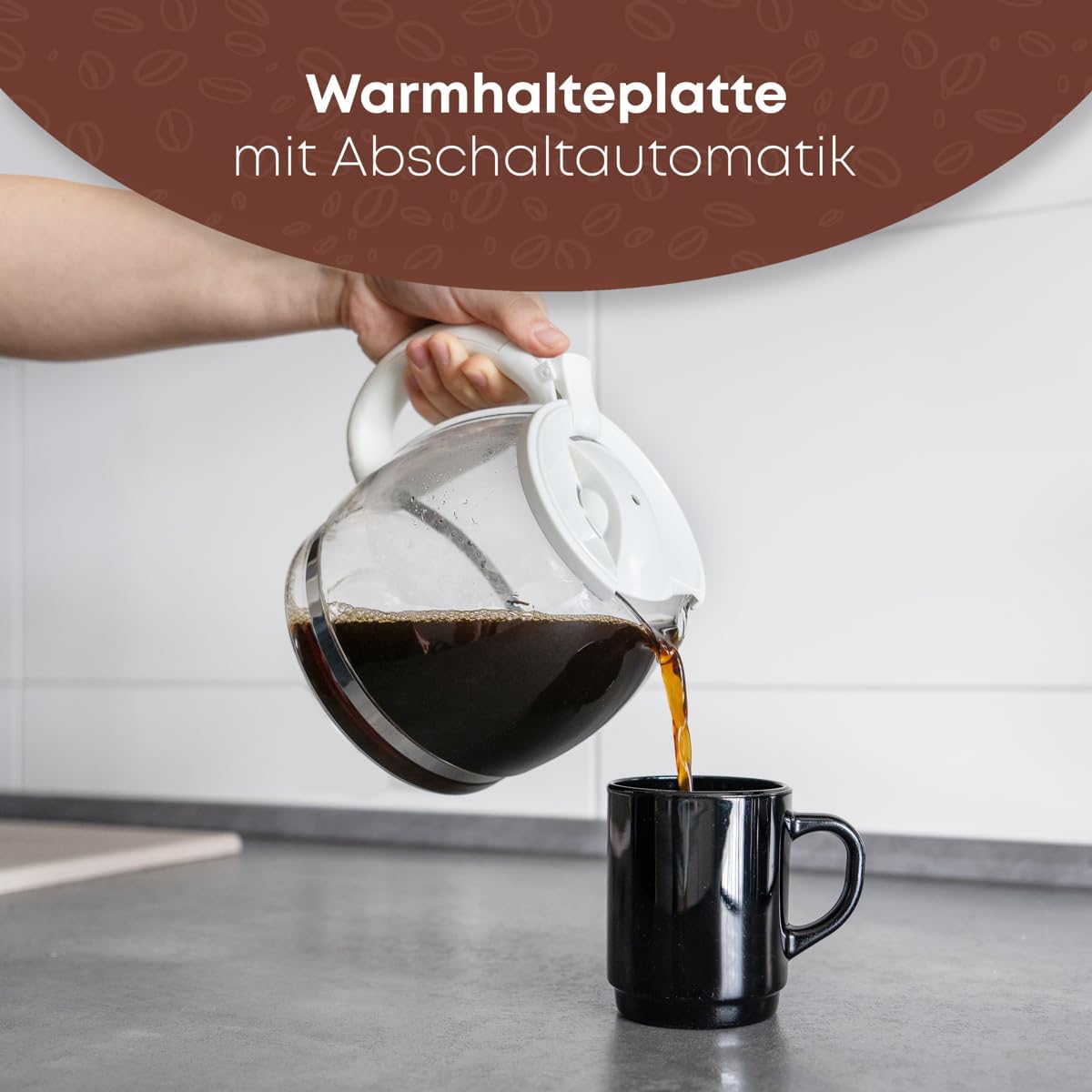
Image 5: Pouring freshly brewed coffee from the glass carafe into a mug.
6. การบำรุงรักษาและการทำความสะอาด
การทำความสะอาดอย่างสม่ำเสมอจะช่วยให้เครื่องชงกาแฟทำงานได้อย่างมีประสิทธิภาพสูงสุดและยืดอายุการใช้งาน
- การทำความสะอาดรายวัน:
- ถอดปลั๊กเครื่องชงกาแฟและปล่อยให้เครื่องเย็นสนิทก่อนทำความสะอาดทุกครั้ง
- ถอดที่ใส่ตัวกรองออก แล้วทิ้งกากกาแฟและกระดาษกรองที่ใช้แล้ว
- Wash the glass carafe, lid, and removable filter holder in warm, soapy water. Rinse thoroughly and dry. These parts are generally dishwasher-safe (top rack), but hand washing is recommended for longevity.
- เช็ดด้านนอกของเครื่องชงกาแฟด้วยฟองนุ่มdamp ผ้า. ห้ามใช้น้ำยาทำความสะอาดที่มีฤทธิ์กัดกร่อนหรือแผ่นใยขัด
- ห้ามจุ่มตัวเครื่องหลัก สายไฟ หรือปลั๊กในน้ำหรือของเหลวอื่นใดโดยเด็ดขาด
- การขจัดตะกรัน: Mineral deposits from water can build up over time and affect performance. Descale your coffee maker every 2-4 weeks, depending on water hardness and frequency of use.
- Prepare a descaling solution: Mix white vinegar and water in equal parts, or use a commercial descaling agent according to its instructions.
- Pour the solution into the water tank up to the "MAX" level.
- วางเหยือกเปล่าลงบนจานรักษาความร้อน
- Turn on the coffee maker and let half of the solution brew through.
- Turn off the appliance and let it stand for 15-20 minutes to allow the solution to work.
- เปิดเครื่องชงกาแฟอีกครั้งและปล่อยให้สารละลายที่เหลือชงผ่าน
- Discard the solution and rinse the carafe.
- Run 2-3 cycles with clean water only to flush out any residual descaling solution.

Image 6: The removable filter holder, designed for easy cleaning under running water.
7 การแก้ไขปัญหา
หากคุณพบปัญหาเกี่ยวกับเครื่องชงกาแฟ โปรดดูปัญหาทั่วไปและวิธีแก้ไขต่อไปนี้:
| ปัญหา | สาเหตุที่เป็นไปได้ | สารละลาย |
|---|---|---|
| กาแฟไม่สามารถชงได้ | Appliance not plugged in; On/Off switch not pressed; No water in tank. | Ensure plug is securely in outlet; Press On/Off switch; Fill water tank. |
| กาแฟมีรสชาติอ่อน | Not enough coffee grounds; Coffee grounds too coarse; Water tank overfilled. | Add more coffee grounds; Use finer ground coffee; Ensure water level matches desired cups. |
| กาแฟล้นออกมาจากเครื่องกรอง | Too many coffee grounds; Filter holder clogged; Carafe not properly placed. | Reduce coffee grounds; Clean filter holder and anti-drip valve; Ensure carafe is centered on keep-warm plate. |
| เครื่องใช้ไฟฟ้ามีเสียงผิดปกติ | คราบหินปูนสะสม (ต้องขจัดคราบ) | ดำเนินการล้างตะกรันตามขั้นตอนที่อธิบายไว้ในหัวข้อ 6 |
| กาแฟไม่ร้อนพอ | Keep-warm plate not functioning; Appliance needs descaling. | Ensure appliance is on; Descale the coffee maker. |
หากปัญหายังคงมีอยู่หลังจากลองวิธีแก้ไขเหล่านี้แล้ว โปรดติดต่อฝ่ายสนับสนุนลูกค้า
8. ข้อมูลจำเพาะ
| คุณสมบัติ | รายละเอียด |
|---|---|
| ยี่ห้อ | คลาโทรนิค |
| แบบอย่าง | ก.ก.3473 |
| สี | สีขาว |
| ประเภทเครื่องชงกาแฟ | เครื่องชงกาแฟแบบหยด |
| ความจุ | 1.5 ลิตร (ประมาณ 12-14 ถ้วย) |
| เล่มที่tage | 230โวลต์ |
| พลัง | 900 วัตต์ |
| ขนาดสินค้า (กว้าง x ยาว x สูง) | 20 x 23 x 30 ซม. |
| น้ำหนักสินค้า | 1.8 กก. |
| คุณสมบัติพิเศษ | Anti-drip function, Water level indicator, Removable filter holder, Illuminated On/Off switch, Keep-warm plate with automatic shut-off, Cable storage. |
9. การรับประกันและการสนับสนุน
For warranty information or technical support, please refer to the warranty card included with your purchase or contact Clatronic customer service directly. Contact details can typically be found on the manufacturer's webไซต์หรือบนบรรจุภัณฑ์ผลิตภัณฑ์
Please have your model number (KA 3473) and purchase date ready when contacting support.


