การแนะนำ
This manual provides comprehensive instructions for the operation and maintenance of your new Sharp Aquos LCD TV Remote Control, model RRMCGA535WJSA. This genuine Sharp remote transmitter is designed to provide seamless control over your compatible Sharp Aquos LCD TV models. Please read this manual thoroughly before use to ensure proper functionality and to maximize your viewการสร้างประสบการณ์
ข้อมูลด้านความปลอดภัย
โปรดปฏิบัติตามข้อควรระวังด้านความปลอดภัยดังต่อไปนี้:
- อย่าให้รีโมทคอนโทรลโดนแสงแดดโดยตรง ความชื้นสูง หรืออุณหภูมิที่สูงหรือต่ำเกินไป
- หลีกเลี่ยงการทำรีโมทคอนโทรลตกหรือโดนแรงกระแทกรุนแรง
- Do not attempt to disassemble or modify the remote control. This may void the warranty and cause damage.
- เก็บแบตเตอรี่ให้พ้นมือเด็ก หากกลืนกิน ให้ไปพบแพทย์ทันที
- ทิ้งแบตเตอรี่ที่ใช้แล้วตามระเบียบข้อบังคับของท้องถิ่น ห้ามเผาทำลาย
เนื้อหาแพ็คเกจ
ตรวจสอบว่ามีรายการทั้งหมดอยู่ในแพ็คเกจ:
- Sharp Aquos LCD TV Remote Control (Model: RRMCGA535WJSA)
- คู่มือการใช้งาน (เอกสารนี้)
หมายเหตุ: โดยทั่วไปแบตเตอรี่จะไม่รวมอยู่ในชุดและต้องซื้อแยกต่างหาก
สินค้าเกินview
Familiarize yourself with the buttons and features of your remote control.

รูปที่ 1 : ด้านหน้า View ของการควบคุมระยะไกล
This image displays the front of the Sharp Aquos remote control, showing all primary buttons including power, input selection, channel, volume, numeric keypad, and navigation controls. The Sharp and Aquos logos are visible at the bottom.
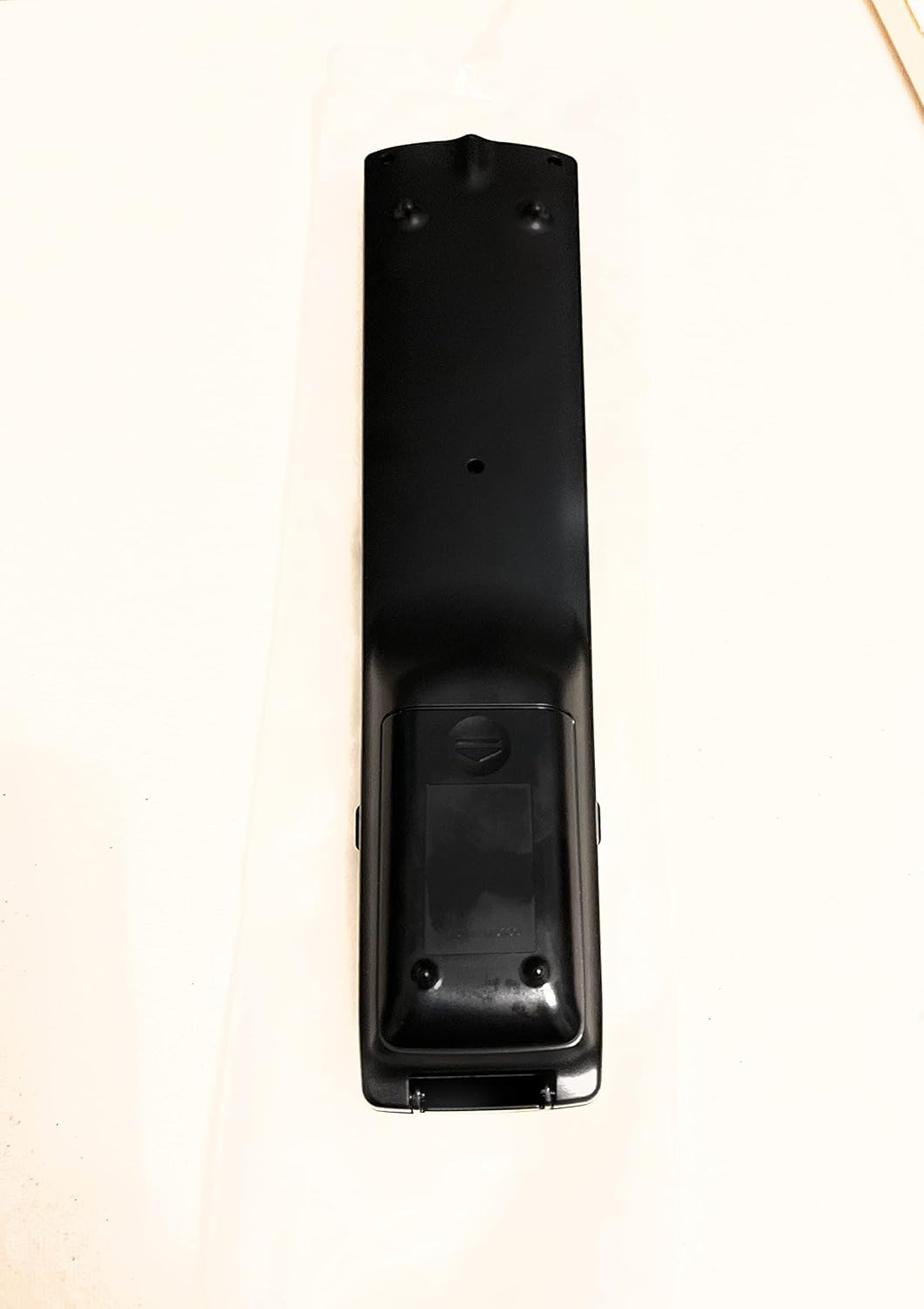
รูปที่ 2: ย้อนกลับ View ของการควบคุมระยะไกล
This image shows the rear side of the Sharp Aquos remote control, highlighting the smooth, ergonomic design and the battery compartment cover.

Figure 3: Remote Control with Battery Compartment Open
This image illustrates the Sharp Aquos remote control with its battery compartment cover slid open, revealing the space for battery insertion.

Figure 4: Close-up of Hidden Panel
This close-up image shows the lower section of the Sharp Aquos remote control with its hinged panel opened, revealing additional function buttons such as SLEEP, AUDIO, AV MODE, and CC (Closed Caption).
ปุ่มฟังก์ชั่น:
| ปุ่ม | การทำงาน |
|---|---|
| พลัง | เปิดหรือปิดทีวี |
| INPUT / SOURCE | Selects the input source (e.g., HDMI, AV, Component). |
| ช +/- | เปลี่ยนช่องทีวีขึ้นหรือลง |
| ฉบับ +/- | ปรับระดับเสียง |
| MUTE | ปิดเสียงหรือเปิดเสียงทีวี |
| เมนู | Opens the TV's on-screen menu. |
| เข้า | Confirms selections within the menu. |
| Navigation Arrows (Up/Down/Left/Right) | นำทางผ่านตัวเลือกเมนู |
| EXIT / RETURN | ออกจากเมนูปัจจุบันหรือกลับไปยังหน้าจอก่อนหน้า |
| แป้นตัวเลข (0-9) | กรอกหมายเลขช่องโดยตรง |
| นอน (under hidden panel) | Sets the TV to turn off automatically after a set period. |
| เสียง (under hidden panel) | Selects audio modes or tracks. |
| โหมดเอวี (under hidden panel) | Adjusts picture and sound settings for different content types. |
| CC (คำบรรยายปิด) (under hidden panel) | Turns closed captions on or off. |
การตั้งค่า
การติดตั้งแบตเตอรี่:
- ค้นหาช่องใส่แบตเตอรี่ที่ด้านหลังของรีโมทคอนโทรล (ดูรูปที่ 2)
- Slide the battery compartment cover downwards to open it (refer to Figure 3).
- ใส่แบตเตอรี่ AAA สอง (2) ก้อน (ไม่ได้รวมอยู่ด้วย) โดยตรวจสอบให้แน่ใจว่าขั้วบวก (+) และขั้วลบ (-) ตรงกับตัวบ่งชี้ภายในช่องใส่แบตเตอรี่อย่างถูกต้อง
- เลื่อนฝาปิดช่องใส่แบตเตอรี่กลับเข้าที่จนกระทั่งล็อคเข้าที่อย่างแน่นหนา
หมายเหตุ: ควรใช้แบตเตอรี่ใหม่และชนิดเดียวกันเสมอ ห้ามใช้แบตเตอรี่เก่าและใหม่ปะปนกัน หรือใช้แบตเตอรี่ต่างชนิดกัน
คำแนะนำการใช้งาน
การใช้งานพื้นฐาน:
- เปิด/ปิดเครื่อง: กดปุ่ม พลัง button to turn your Sharp Aquos TV on or off.
- การควบคุมระดับเสียง: กดปุ่ม โวล+ ปุ่มเพิ่มระดับเสียงและ เล่ม - เพื่อลดระดับเสียง
- การเลือกช่อง: ใช้ ช+ or CH - buttons to change channels sequentially. Alternatively, use the numeric keypad to directly enter a channel number.
- การเลือกแหล่งสัญญาณเข้า: กดปุ่ม ป้อนข้อมูล or แหล่งที่มา button to cycle through available input sources (e.g., HDMI 1, HDMI 2, AV, Component).
- ปิดเสียง: กดปุ่ม MUTE button to temporarily silence the TV audio. Press again to restore sound.
การนำทางเมนู:
- กดปุ่ม เมนู button to display the TV's on-screen menu.
- ใช้ ลูกศรนำทาง (Up, Down, Left, Right) to move through menu options.
- กดปุ่ม เข้า button to select a highlighted option or confirm a setting.
- กดปุ่ม EXIT or กลับ button to close the menu or go back to the previous menu level.
Advanced Functions (Hidden Panel):
Some advanced functions are located under a hinged panel at the bottom of the remote control (refer to Figure 4). Gently open this panel to access buttons such as:
- นอน: ตั้งเวลาให้ทีวีปิดเองโดยอัตโนมัติ
- เสียง: Adjusts audio settings or selects audio tracks.
- AV MODE: Cycles through preset picture and sound modes (e.g., Standard, Movie, Game).
- CC (คำบรรยายปิด): เปิดหรือปิดคำบรรยาย
การซ่อมบำรุง
การทำความสะอาด:
ในการทำความสะอาดรีโมทคอนโทรล ให้เช็ดเบาๆ ด้วยผ้าแห้งเนื้อนุ่ม ห้ามใช้น้ำยาทำความสะอาด น้ำยาขัดถู หรือสารเคมีใดๆ เพราะอาจทำให้พื้นผิวหรือชิ้นส่วนภายในเสียหายได้
การเปลี่ยนแบตเตอรี่:
Replace batteries when the remote control's response becomes sluggish or stops working. Follow the battery installation steps outlined in the "Setup" section. Always replace both batteries at the same time.
การแก้ไขปัญหา
| ปัญหา | สาเหตุที่เป็นไปได้ | สารละลาย |
|---|---|---|
| รีโมทคอนโทรลไม่ทำงาน | แบตเตอรี่หมดหรือใส่ไม่ถูกต้อง | เปลี่ยนแบตเตอรี่ใหม่โดยตรวจสอบให้แน่ใจว่าขั้วถูกต้อง (+/-) |
| ระยะการควบคุมระยะไกลไม่ดี | Weak batteries; obstruction between remote and TV; infrared sensor on TV is blocked. | Replace batteries. Ensure no objects are blocking the line of sight between the remote and the TV's IR sensor. |
| ปุ่มบางปุ่มไม่ตอบสนอง | Dirt or debris under the button; internal malfunction. | Clean the remote control. If the issue persists, the remote may require replacement. |
| TV not responding to any remote commands. | TV is unplugged or turned off; TV's IR sensor is faulty. | Ensure the TV is powered on and plugged in. Test with another remote if available. Consult TV's manual for IR sensor location. |
ข้อมูลจำเพาะ
| คุณสมบัติ | รายละเอียด |
|---|---|
| หมายเลขรุ่น | RRMCGA535WJSA |
| ยี่ห้อ | คม |
| อุปกรณ์ที่รองรับ | Sharp Aquos LCD Televisions (various models, see product title for list) |
| เทคโนโลยีการเชื่อมต่อ | อินฟาเรด (IR) |
| แหล่งพลังงาน | 2 x แบตเตอรี่ AAA (ไม่รวม) |
| ขนาด (โดยประมาณ) | 8.8 x 2.4 x 0.9 นิ้ว (ขนาดบรรจุภัณฑ์) |
| น้ำหนัก (โดยประมาณ) | 4 ออนซ์ |
| คุณสมบัติพิเศษ | Ergonomic design, Hidden function panel |
การรับประกันและการสนับสนุน
การปฏิเสธความรับผิดทางกฎหมาย:
This item is provided in new condition. Please note that this item is offered "as is" as it is past its original manufacturer's warranty period. Any implied warranties are disclaimed to the fullest extent permitted by law.
การสนับสนุนลูกค้า:
For further assistance or inquiries regarding your Sharp Aquos LCD TV, please refer to your television's original instruction manual or visit the official Sharp support website. For issues specifically with this replacement remote control, please contact the seller from whom it was purchased.


