การแนะนำ
The Spracht BluNote Pro is a versatile portable wireless speaker designed for both music playback and professional conference calls. It features Bluetooth connectivity, high-quality audio with a bass radiator, and advanced conferencing capabilities including dual MEMS microphones and echo/noise cancellation. Its compact design and rechargeable battery make it ideal for transport and extended use.
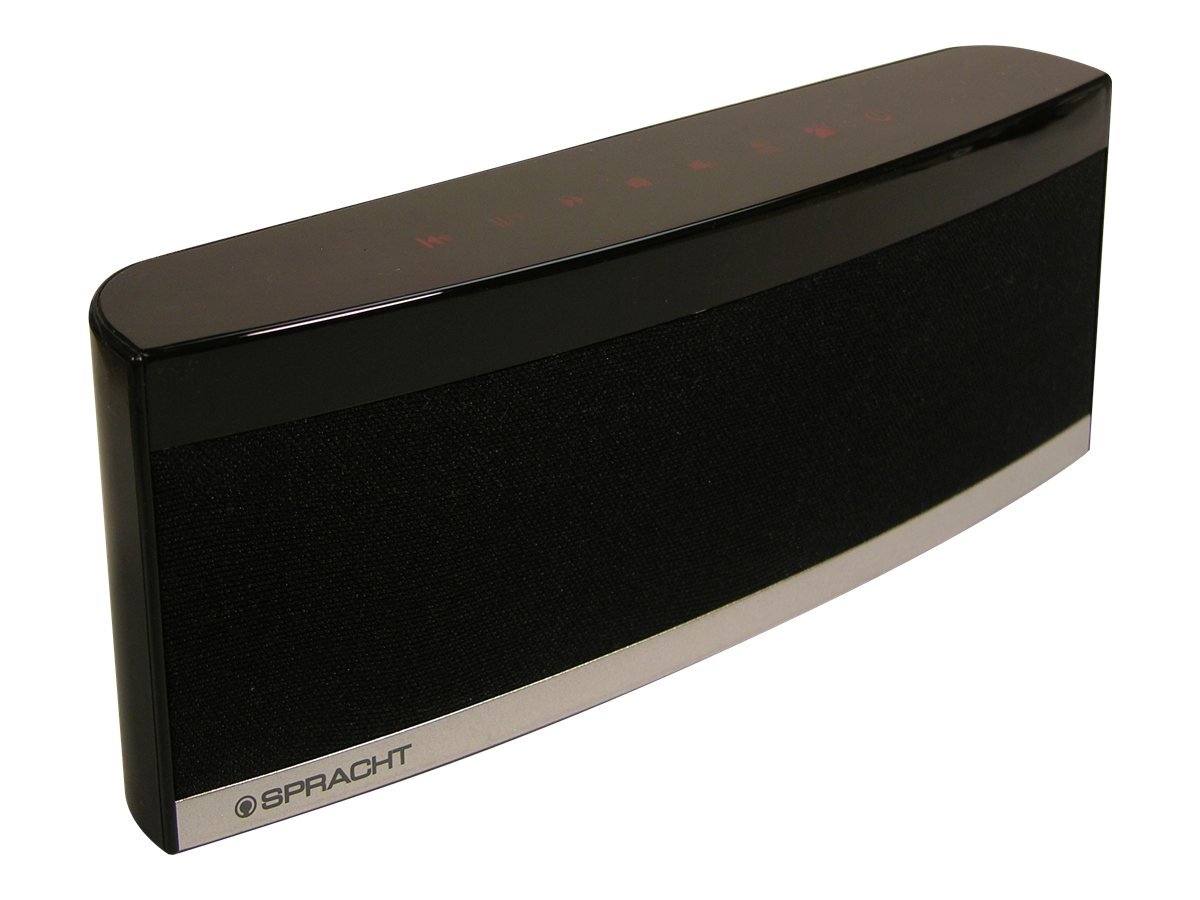
Image: The Spracht BluNote Pro speaker, a sleek black device with illuminated touch panel controls, shown on a surface.
มีอะไรอยู่ในกล่อง
- Spracht BluNote Pro portable wireless speaker
- AC adapter (120-240V)
- Rechargeable 1500 mAh Li-ion battery (pre-installed or separate)
- 3.5mm audio jack cable (for non-Bluetooth devices)
- User guide/registration card
คุณสมบัติ
- Bluetooth Stereo Speaker: โปรกระจายเสียงขั้นสูงfile (A2DP) for wireless audio streaming.
- ปรับปรุงเสียง: Passive bass radiator and two high-quality speakers deliver up to 5 watts of full-frequency range sound.
- การควบคุมแผงสัมผัส: Modern design with intuitive touch-sensitive buttons.
- แบตเตอรี่ใช้งานได้ยาวนาน: Rechargeable 1500 mAh Lithium-Ion battery for extended music playback or conference calls.
- Superior Conferencing: Dual MEMS microphones with impedance matching, Digital Signal Processing (DSP) for noise and echo cancellation, and full-duplex communication.
- การจัดการการโทร: Answer and make phone calls using the Push-To-Talk (PTT) button. Features Caller ID display.
- ขนาดกะทัดรัดและน้ำหนักเบา: ออกแบบมาให้พกพาสะดวก
- iOS Equalizer App: Free application available to further customize your audio experience. This app can increase the speaker's volume by up to 25% and provide additional sound enhancements.
วิดีโอ: จบแล้วview of the Spracht BluNote Pro speaker, demonstrating its features and compact design. This video highlights the touch panel controls, passive bass radiator, and its ability to handle phone calls.
การตั้งค่า
- การชาร์จแบตเตอรี่: Connect the provided AC adapter to the speaker's DC IN port and plug it into a power outlet. The battery indicator will show charging status. A full charge ensures maximum portability.
- การเปิด/ปิดเครื่อง: กดปุ่มค้างไว้ เปิด/ปิด button on the touch panel until the unit powers on or off.
- การจับคู่บลูทู ธ :
- Ensure the BluNote Pro is powered on.
- เปิดใช้งาน Bluetooth บนสมาร์ทโฟน แท็บเล็ต หรืออุปกรณ์ที่ใช้ Bluetooth อื่นๆ ของคุณ
- ค้นหา available devices and select "BluNote Pro" from the list.
- Once paired, the Bluetooth indicator light on the speaker will confirm the connection.
- Connecting Non-Bluetooth Devices: Use the supplied 3.5mm audio jack cable to connect the BluNote Pro to devices without Bluetooth capability. Insert one end into the speaker's AUX IN port and the other into your device's headphone jack.
คำแนะนำการใช้งาน
การเล่นเพลง
- เล่น/หยุดชั่วคราว: กดปุ่ม เล่น/หยุดชั่วคราว button to start or pause music playback.
- Next/Back Track: ใช้ เพลงถัดไป และ ย้อนกลับ buttons to navigate through your music.
- การปรับระดับเสียง: กดปุ่ม เพิ่มระดับเสียง or ลดระดับเสียง ปุ่มปรับระดับเสียง
- เพิ่มเสียงเบส: กดปุ่ม เพิ่มเสียงเบส button to enhance low-frequency sounds.
การประชุมทางโทรศัพท์
- การรับ / วางสาย: When a call comes in, the BluNote Pro will ring. Press the รับสายโทรศัพท์ button to accept the call. Press it again to end the call.
- หมายเลขผู้โทร: The numeric Caller ID display on the front panel will show the incoming caller's number.
- ไมโครโฟน: The dual MEMS microphones ensure clear voice pickup during calls, with integrated noise and echo cancellation for optimal communication.
- ดูเพล็กซ์เต็มรูปแบบ: The speaker supports full-duplex communication, allowing both parties to speak and hear simultaneously without interruption.
iOS Equalizer App
A free iOS Equalizer App is available to further customize your audio experience. This app can increase the speaker's volume by up to 25% and provide additional sound enhancements. Download it from the App Store and follow the in-app instructions for setup.
การซ่อมบำรุง
- การทำความสะอาด: ใช้ผ้าแห้งเนื้อนุ่มเช็ดทำความสะอาดภายนอกลำโพง หลีกเลี่ยงการใช้สารทำความสะอาดที่มีฤทธิ์กัดกร่อนหรือตัวทำละลาย
- การดูแลแบตเตอรี่ เพื่อยืดอายุการใช้งานแบตเตอรี่ ควรหลีกเลี่ยงการปล่อยให้แบตเตอรี่หมดจนเกลี้ยงบ่อยๆ ควรชาร์จแบตเตอรี่เป็นประจำ โดยเฉพาะอย่างยิ่งหากจะเก็บไว้เป็นเวลานาน
- พื้นที่จัดเก็บ: เก็บลำโพงไว้ในที่แห้งและเย็น หลีกเลี่ยงแสงแดดโดยตรงและอุณหภูมิที่สูงหรือต่ำเกินไป
การแก้ไขปัญหา
| ปัญหา | สารละลาย |
|---|---|
| ไม่สามารถจับคู่ผ่านบลูทูธได้ |
|
| ไม่มีเสียงหรือเสียงเบา |
|
| Poor call quality (echo/noise) |
|
| แบตเตอรี่ไม่ชาร์จ |
|
ข้อมูลจำเพาะ
| คุณสมบัติ | รายละเอียด |
|---|---|
| ชื่อรุ่น | BluNote+Chat |
| หมายเลขรุ่น | WS-4012 |
| ประเภทลำโพง | ลำโพงพกพา |
| เทคโนโลยีการเชื่อมต่อ | บลูทูธ |
| เทคโนโลยีการสื่อสารไร้สาย | บลูทูธ |
| ช่วงบลูทูธ | สูงสุด 10 เมตร (33 ฟุต) |
| กำลังขับสูงสุดของลำโพง | 5 วัตต์ |
| โหมดเอาต์พุตเสียง | สเตอริโอ |
| การกำหนดค่าช่องเสียงรอบทิศทาง | 2.0 |
| แหล่งพลังงาน | AC Adapter, Rechargeable Lithium Ion Battery |
| ประเภทแบตเตอรี่ | แบตเตอรี่ลิเธียมไอออน 1500 mAh (มีมาให้ในชุด) |
| วิธีการควบคุม | Touch Panel, App |
| ขนาดสินค้า (ลึก x กว้าง x สูง) | 1.38" x 9" x 3.25" (3.5 ซม. x 22.8 ซม. x 8.2 ซม.) |
| น้ำหนักสินค้า | 9.6 ออนซ์ (272 กรัม) |
| อุณหภูมิในการทำงาน | 14 ถึง 131 องศาฟาเรนไฮต์ (-10 ถึง 55 องศาเซลเซียส) |
| คุณสมบัติพิเศษ | Dual MEMS Mics, DSP Noise/Echo Cancellation, Caller ID, Bass Boost |
| อุปกรณ์ที่รองรับ | แล็ปท็อป, สมาร์ทโฟน, แท็บเล็ต, โทรทัศน์ |
การรับประกันและการสนับสนุน
The Spracht BluNote Pro is covered by a Limited Warranty. For specific warranty terms and conditions, please refer to the documentation included with your product or visit the official Spracht webเว็บไซต์.
For technical assistance, troubleshooting, or customer service inquiries, please contact Spracht customer support through their official channels. Contact information can typically be found on the manufacturer's webเว็บไซต์หรือในบรรจุภัณฑ์ของผลิตภัณฑ์


