1. บทนำ
This manual provides instructions for the proper setup, operation, and maintenance of your Nady MSC3 Microphone Stand Kit. Please read this manual thoroughly before using the product to ensure optimal performance and longevity.
2. เนื้อหาบรรจุภัณฑ์
ตรวจสอบว่ามีสินค้าทั้งหมดที่ระบุไว้ด้านล่างอยู่ในแพ็คเกจของคุณ:
- Nady Dynamic Microphone
- Adjustable Tripod Microphone Stand
- คลิปไมโครโฟน
- 15 ft XLR to 1/4" (6.35mm) Audio Cable

Image: Complete Nady MSC3 Microphone Stand Kit components.
3. คำแนะนำในการตั้งค่า
Follow these steps to assemble and prepare your microphone stand kit for use:
- ประกอบขาตั้งกล้อง:
Unfold the tripod legs of the microphone stand until they are fully extended and stable. Adjust the height of the stand by loosening the height adjustment clutch, extending the upper shaft to the desired height, and then tightening the clutch securely.
- Attach the Microphone Clip:
Screw the microphone clip onto the threaded top of the stand's upper shaft. Ensure it is tightened firmly to prevent the microphone from rotating or falling.
- เสียบไมโครโฟน:
Gently insert the Nady dynamic microphone into the microphone clip. The clip is designed to hold the microphone securely.
- เชื่อมต่อสายสัญญาณเสียง:
Connect the XLR end of the provided 15 ft cable to the XLR input port at the bottom of the microphone. Connect the 1/4" (6.35mm) end of the cable to the microphone input of your audio interface, mixing console, digital recorder, or ampชีวิต.
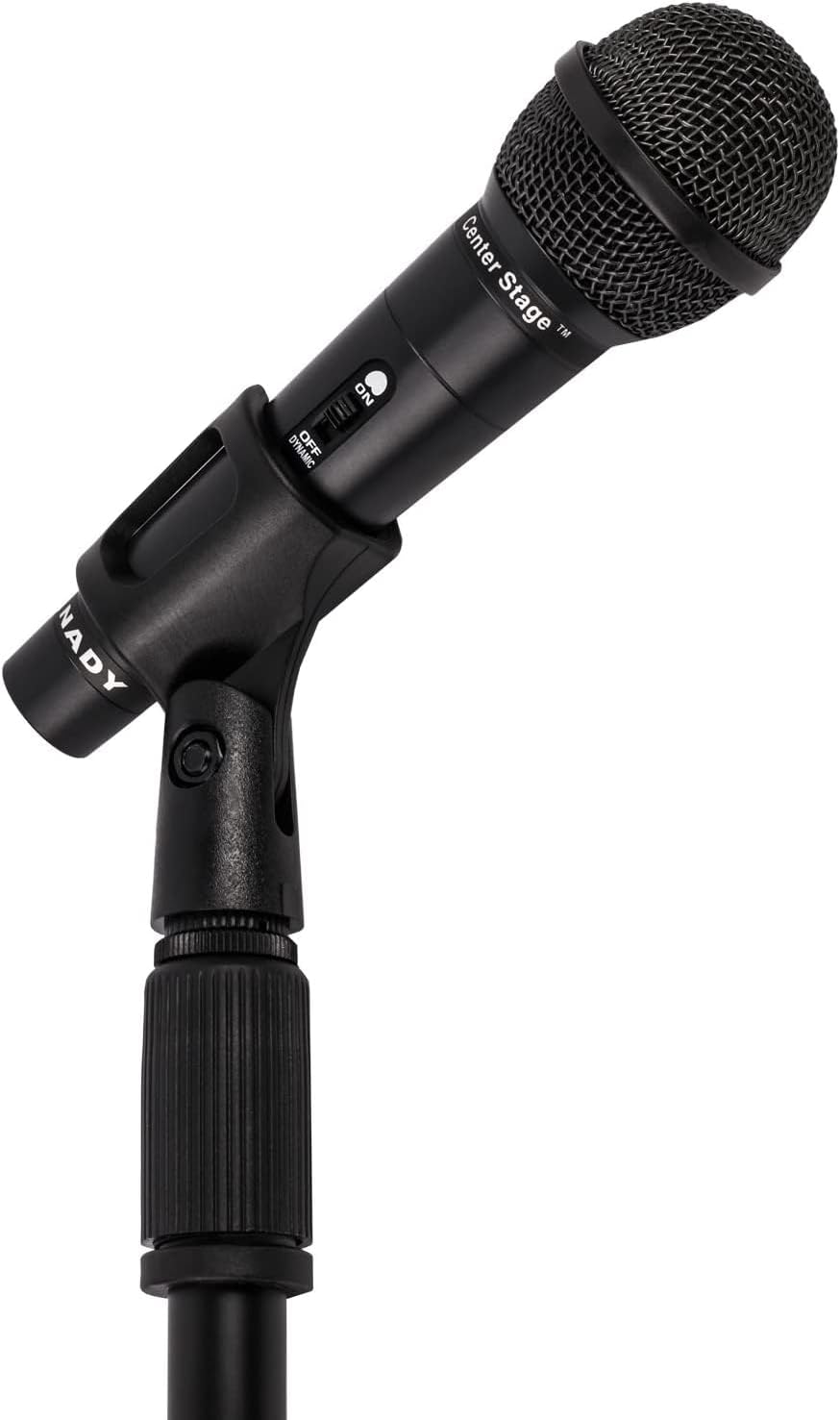
Image: Nady microphone mounted on the adjustable stand.
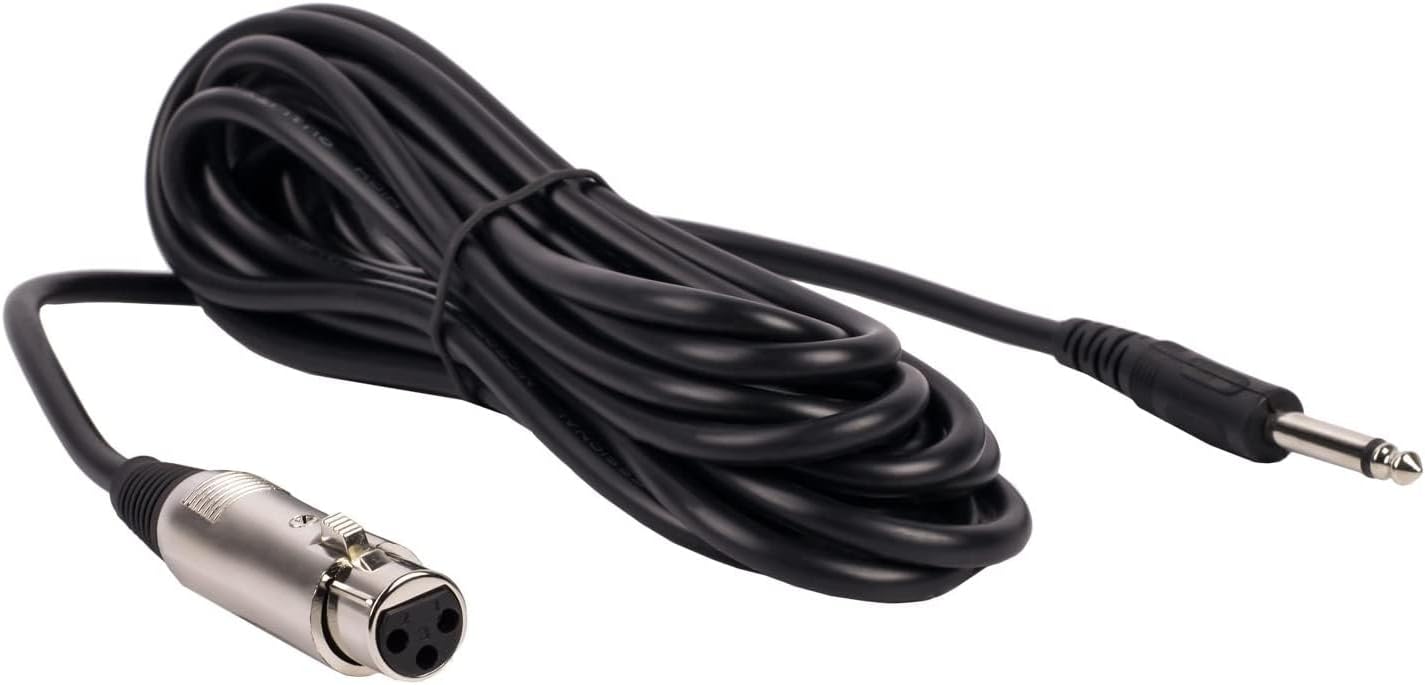
Image: The included 15 ft XLR to 1/4" audio cable.
4. คู่มือการใช้งาน
Once assembled, operate your Nady microphone kit as follows:
- สวิตช์เปิด/ปิดไมโครโฟน:
Locate the ON/OFF switch on the microphone body. Slide the switch to the 'ON' position to activate the microphone. Slide it to 'OFF' when not in use to prevent unwanted noise or feedback.
- Audio Device Connection:
Ensure your audio device (mixer, amplifier, etc.) is powered on and its input volume for the microphone channel is set to a low level before increasing it gradually to avoid sudden loud sounds.
- การวางตำแหน่งไมโครโฟน:
Position the microphone approximately 2-6 inches from the sound source for optimal vocal or instrument pickup. Experiment with distance and angle to achieve the desired sound quality.

Image: Nady microphone with visible ON/OFF switch.
5. การบำรุงรักษา
Proper maintenance ensures the longevity and performance of your microphone kit:
- การทำความสะอาด: Use a soft, dry cloth to wipe down the microphone and stand. Avoid using liquid cleaners or solvents, as they may damage the finish or internal components.
- พื้นที่จัดเก็บ: When not in use, store the microphone and stand in a dry, cool place, away from direct sunlight and extreme temperatures. Disassemble the stand for compact storage if needed.
- การดูแลสายเคเบิล: Avoid kinking or sharply bending the audio cable. Coil it loosely when storing to prevent damage to the internal wiring.
6 การแก้ไขปัญหา
หากคุณพบปัญหา โปรดดูปัญหาทั่วไปและวิธีแก้ไขต่อไปนี้:
| ปัญหา | สาเหตุที่เป็นไปได้ / วิธีแก้ไข |
|---|---|
| ไม่มีเสียงออก |
|
| คุณภาพเสียงไม่ดี / มีเสียงรบกวน |
|
| Stand Instability |
|
7. ข้อมูลจำเพาะ
Key technical specifications for the Nady MSC3 Microphone Kit (Model Nad-6572):
- ฟอร์มแฟคเตอร์ของไมโครโฟน: แบบถือด้วยมือ
- รูปแบบขั้ว: ทิศทางเดียว
- เทคโนโลยีการเชื่อมต่อ: เอ็กซ์แอลอาร์
- ประเภทตัวเชื่อมต่อ: XLR to 1/4" (6.35mm)
- อิมพีแดนซ์: 600 โอห์ม
- ความไวต่อเสียง: 55 เดซิเบล
- อัตราส่วนสัญญาณต่อเสียงรบกวน: 60 เดซิเบล
- การตอบสนองความถี่: สูงถึง 20 กิโลเฮิรตซ์
- แหล่งพลังงาน: Corded Electric (via audio device)
- วัสดุ: โลหะ
- น้ำหนักของสินค้า (ชุด): ประมาณ 3.7 ปอนด์
- การใช้ที่แนะนำ: ร้องเพลง คาราโอเกะ
- อุปกรณ์ที่รองรับ: Audio Interfaces, Mixing Consoles, Digital Recorders, Ampไลเออร์
8. การรับประกันและการสนับสนุน
For warranty information or technical support regarding your Nady MSC3 Microphone Stand Kit (Model Nad-6572), please refer to the documentation included with your purchase or visit the official Nady website. Contact their customer service for assistance with product issues or inquiries.


