1. บทนำ
This user manual provides essential information for the safe and effective use of the Connect 30679 5A Domestic Mains Fuse. Please read this manual thoroughly before installation and operation to ensure proper function and safety.
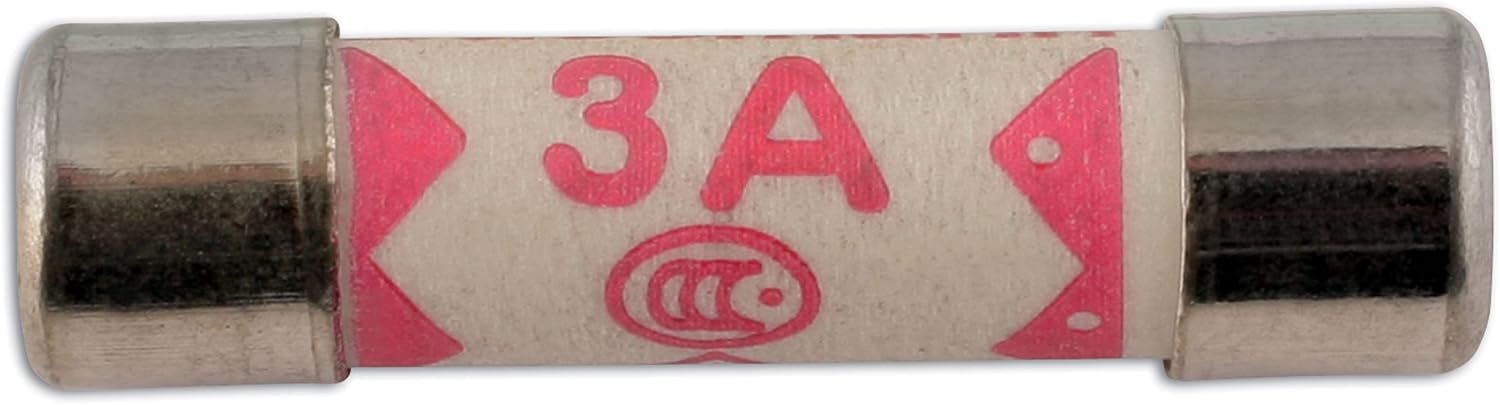
Image 1: Connect 5A Domestic Mains Fuse, a cylindrical component with metal caps on both ends and a '3A' marking (representing a fuse of this type, for a 5A product).
2. ข้อมูลด้านความปลอดภัย
Always prioritize safety when working with electrical components. Disconnect power before handling fuses. Fuses are critical safety devices designed to protect electrical circuits from overcurrent. Using incorrect fuse ratings can lead to electrical hazards, fire, or damage to equipment.
- การตัดการเชื่อมต่อไฟฟ้า: Always ensure the power supply to the circuit is completely disconnected before attempting to replace or inspect a fuse.
- การให้คะแนนที่ถูกต้อง: Never bypass a fuse or use a fuse with a higher amperage rating than specified for the circuit. This can lead to severe damage or fire.
- ปรึกษาผู้เชี่ยวชาญ: If you are unsure about any aspect of fuse replacement or electrical work, consult a qualified electrician.
3. การตั้งค่าและการติดตั้ง
The Connect 30679 5A Domestic Mains Fuse is designed for plug mount applications, commonly found in standard electrical plug tops or certain appliances. Follow these steps for proper installation:
- ระบุตำแหน่งช่องใส่ฟิวส์: Locate the fuse holder within the electrical plug or appliance. This is typically a small compartment that can be opened or unscrewed.
- ตัดการเชื่อมต่อไฟฟ้า: Ensure the device is unplugged from the mains power supply.
- ถอดฟิวส์เก่าออก (ถ้ามี): Carefully remove the existing fuse. Note its physical size and amperage rating for comparison.
- ใส่ฟิวส์ใหม่: Insert the Connect 30679 5A Domestic Mains Fuse into the fuse holder. Ensure it is seated firmly and correctly, making good contact with the terminals.
- ผู้ถือที่ปลอดภัย: Close the fuse compartment or re-screw the cover securely.
- ทดสอบ: Reconnect power and test the circuit to ensure proper operation of the device.
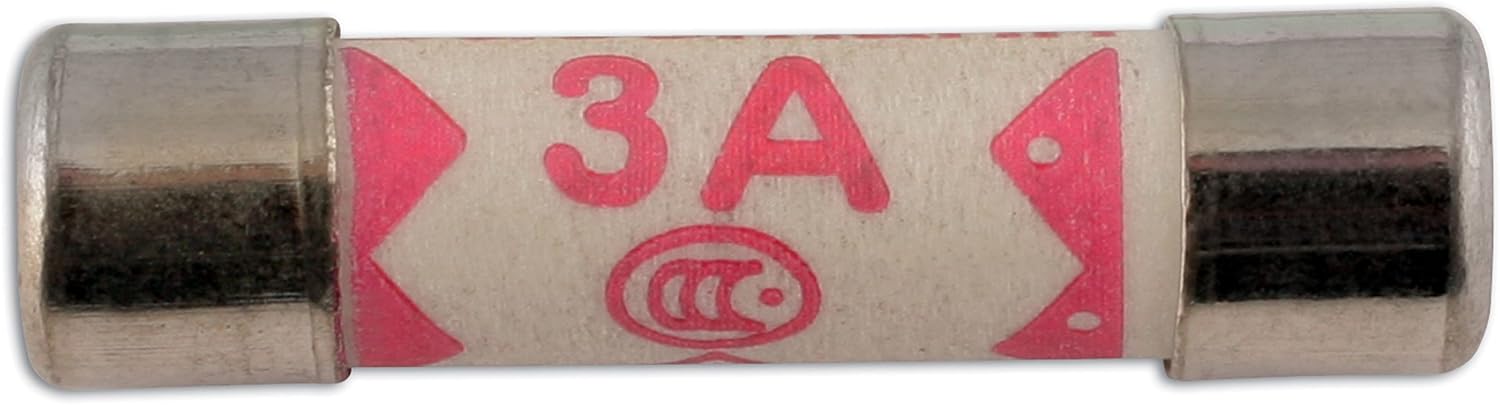
ภาพที่ 2: ภาพระยะใกล้ view of the 5A Domestic Mains Fuse, highlighting its cylindrical shape and metal end caps.
4. หลักการทำงาน
A fuse operates as a sacrificial device designed to protect an electrical circuit from excessive current. Inside the fuse is a thin wire or filament with a specific melting point. When the current flowing through the fuse exceeds its rated ampยุค (5 Amps for this model) for a predetermined duration, the internal wire heats up and melts, creating an open circuit. This action immediately stops the flow of electricity, preventing damage to connected appliances, wiring, or potential fire hazards. Once a fuse blows, it must be replaced with a new one of the identical rating.
5. การบำรุงรักษา
Fuses are passive components and generally require no routine maintenance other than replacement when they blow. However, periodic inspection of the fuse holder and surrounding connections can help ensure optimal performance and safety.
- การทดแทน: Always replace a blown fuse with a new fuse of the exact same ampคะแนนเรจ (5 Amps) and physical dimensions. Using a fuse with a different rating can compromise safety.
- การทำความสะอาด: Ensure the fuse holder contacts are clean and free from dust, dirt, or corrosion. Clean contacts ensure a good electrical connection and prevent overheating.
- การตรวจสอบ: Periodically inspect the fuse holder for any signs of damage, such as cracks, discoloration, or loose connections.
6 การแก้ไขปัญหา
The primary troubleshooting scenario for a fuse is when it blows. If a fuse blows repeatedly, it indicates an underlying electrical problem that must be investigated and resolved.
| ปัญหา | สาเหตุที่เป็นไปได้ | สารละลาย |
|---|---|---|
| Device not powering on after fuse replacement. | Incorrect fuse rating, faulty new fuse, or underlying electrical issue in the device/circuit. | Verify the new fuse is indeed 5 Amps. Ensure the fuse is properly seated. Check for other electrical faults in the device or circuit. |
| Fuse blows immediately after replacement. | Severe short circuit or persistent overload in the electrical circuit. | Do not replace the fuse again immediately. This indicates a serious electrical fault. Disconnect the device from power and consult a qualified electrician to diagnose the underlying issue. |
| Fuse appears intact but device is not working. | Poor contact in the fuse holder, or the problem is unrelated to the fuse itself. | Ensure the fuse is clean and making good contact within its holder. Check other components of the device or the power supply for faults. |
7. ข้อมูลจำเพาะ
Key specifications for the Connect 30679 5A Domestic Mains Fuse:
- แบบอย่าง: 30679
- ยี่ห้อ: เชื่อมต่อ
- พิมพ์: Domestic Mains Fuse
- คะแนนปัจจุบัน: 5 Amps
- ประเภทการติดตั้ง: เสียบปลั๊ก
- วัสดุ: โพลีคาร์บอเนต
- ขนาดโดยประมาณ (ยาว x กว้าง x สูง): 0.79 x 4.33 x 6.3 inches (Note: These dimensions likely refer to the packaging for a pack of fuses, not a single fuse.)
- น้ำหนักสินค้าโดยประมาณ: 4.2 ounces (Note: This weight likely refers to the packaging for a pack of fuses.)
- ปริมาณบรรจุ: 50 ชิ้น
Please note that the dimensions and weight provided are typically for the product packaging containing multiple fuses, not for a single fuse unit.
8. การรับประกันและการสนับสนุน
As a consumable electrical component, individual fuses typically do not carry an extended warranty. However, Connect Workshop Consumables is committed to providing quality products.
For any concerns regarding product quality, manufacturing defects, or general support, please refer to the retailer's return policy or contact Connect Workshop Consumables directly through their official channels. Keep your purchase receipt as proof of purchase.
For further assistance or to find more information about Connect products, please visit the official Connect webเว็บไซต์.


