สินค้าเกินview
The Fitbit Aria Wi-Fi Smart Scale is designed to help you track your weight, body fat percentage, and Body Mass Index (BMI) with ease. This stylish black scale connects to your home Wi-Fi network and can recognize up to 8 different users, automatically syncing individual data to their respective Fitbit accounts.

รูปที่ 1: จากบนลงล่าง view of the Fitbit Aria Wi-Fi Smart Scale.
คุณสมบัติที่สำคัญ ได้แก่:
- Automatic Wi-Fi Sync: Aria syncs automatically and wirelessly through your home Wi-Fi network.
- การจดจำผู้ใช้หลายคน: Automatically recognizes up to eight different people, syncing data to their private Fitbit dashboards.
- การวัดอย่างครอบคลุม: Measures weight, percentage body fat, and BMI.
- ใช้แบตเตอรี่: Uses 4 AA batteries (included), eliminating the need for a power cord.
- การออกแบบที่ทนทาน: Features a tempered glass platform and ABS base, designed to work in humid bathroom environments.
คู่มือการติดตั้ง
Follow these steps to set up your Fitbit Aria Wi-Fi Smart Scale:
- ติดตั้งแบตเตอรี่: Open the battery compartment on the underside of the scale and insert the 4 AA batteries provided.
- Download Fitbit App: To set up for the first time and view your stats, you'll need the Fitbit app. Download it on your smartphone (iPhone 4S and later, iPad 3rd Gen and later, leading Android and Windows devices) or use a computer (Windows XP and later, Mac OS X 10.5 and up).
- เชื่อมต่อกับ Wi-Fi: The Aria scale syncs automatically and wirelessly through your home Wi-Fi network. Ensure your network meets the requirements: Wireless 802.11b, WEP/WPA/WPA2 personal security, Automatic (DHCP) IP setup (static IP configuration not supported). Follow the in-app instructions to connect your scale to your Wi-Fi network.
- สร้าง/เข้าสู่ระบบบัญชี Fitbit: If you don't have one, create a free Fitbit account. Log in to your account through the app.
- เพิ่มผู้ใช้: The scale automatically recognizes up to eight different people. You can add and manage users through your Fitbit account settings.
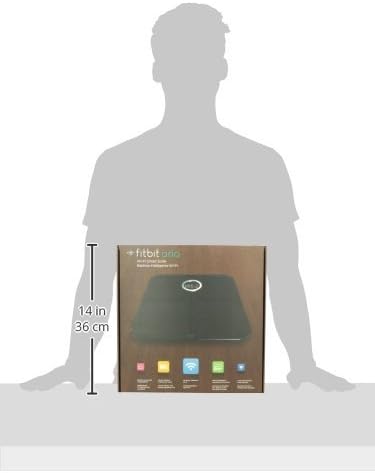
Figure 2: Packaging showing the approximate dimensions of the Fitbit Aria scale (31.2 cm x 31.2 cm x 3.3 cm).
คำแนะนำการใช้งาน
Using your Fitbit Aria Wi-Fi Smart Scale is straightforward:
- การจัดวาง: For the most reliable readings, place the scale on a hard, flat surface (not carpet).
- เหยียบย่าง: Step onto the scale barefoot. Ensure your feet are dry and positioned evenly on the tempered glass platform. The scale will automatically turn on.
- การวัด : The scale will display your weight first, then calculate and display your body fat percentage and BMI. It will also show your initials if it recognizes you.
- การซิงค์ข้อมูล: Once the measurement is complete, the scale will automatically sync the data to your Fitbit account via Wi-Fi. You can view your progress, trends, and other health metrics on the Fitbit app or dashboard.
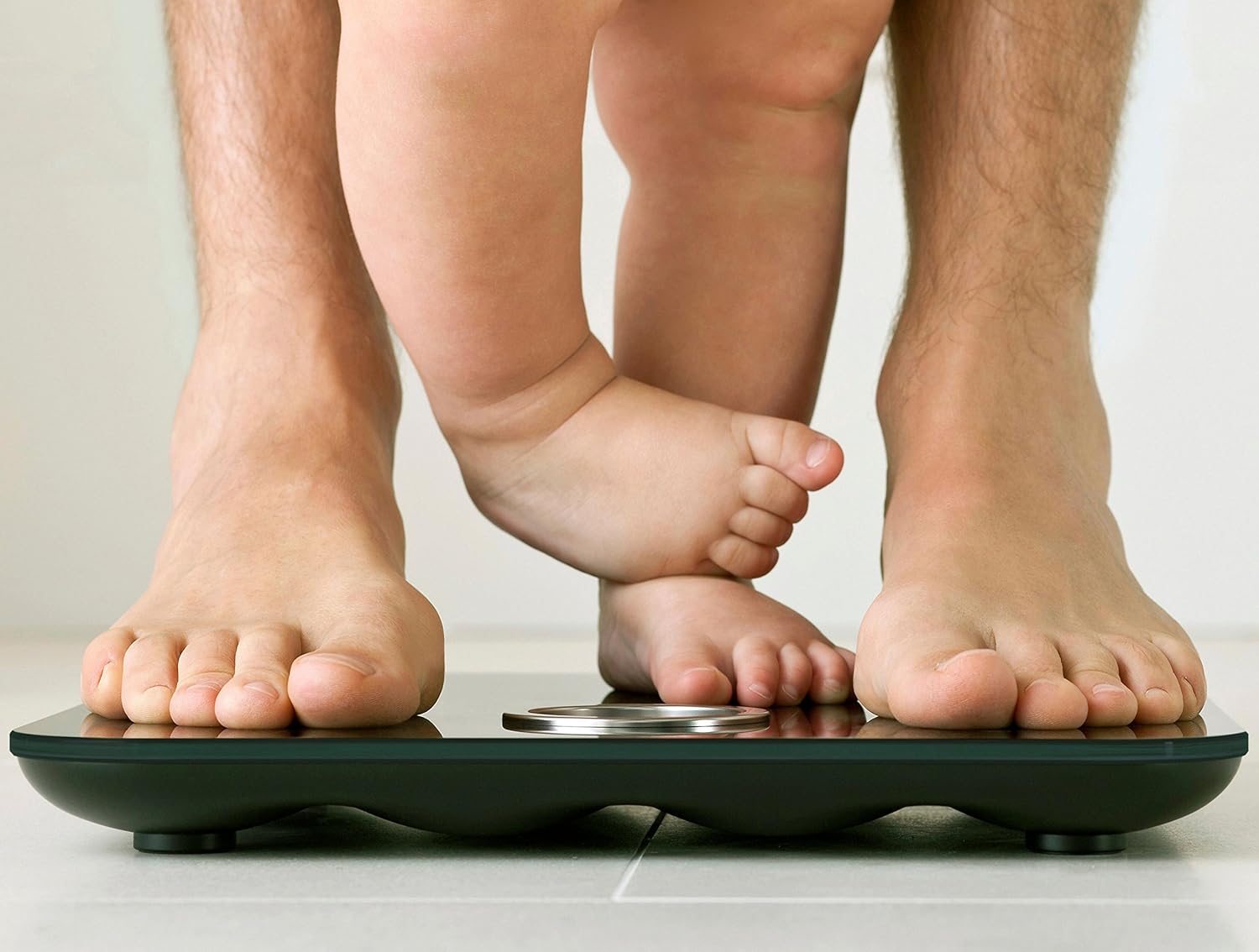
Figure 3: Proper foot placement on the Fitbit Aria Wi-Fi Smart Scale for accurate measurements.
คำเตือนด้านความปลอดภัยที่สำคัญ:
- • Do not use if you have a pacemaker or other internal medical device, or are pregnant.
- • Not intended for use by children under 10.
การซ่อมบำรุง
To ensure the longevity and accuracy of your Fitbit Aria Wi-Fi Smart Scale, follow these maintenance guidelines:
- การทำความสะอาด: Wipe the glass platform with a damp cloth and mild detergent. Avoid abrasive cleaners. Thoroughly dry the glass top after cleaning.
- ความต้านทานน้ำ: The Aria is designed for humid bathroom environments. Some condensation will not damage it. However, the scale should not be submerged. Avoid splashing large amounts of water on the scale.
- การเปลี่ยนแบตเตอรี่: The scale uses 4 standard 1.5V size AA batteries. Replace them when the low battery indicator appears on the display or in the Fitbit app.
- พื้นที่จัดเก็บ: เก็บเครื่องชั่งไว้ในที่แห้งและห่างจากอุณหภูมิที่สูงหรือต่ำเกินไป
การแก้ไขปัญหา
If you encounter issues with your Fitbit Aria Wi-Fi Smart Scale, consider the following:
- การอ่านค่าที่ไม่ถูกต้อง: Ensure the scale is placed on a hard, flat surface. Soft surfaces like carpet can affect accuracy.
- ไม่มีจอแสดงผล/พลังงาน: ตรวจสอบว่าติดตั้งแบตเตอรี่อย่างถูกต้องและมีประจุเพียงพอ เปลี่ยนแบตเตอรี่หากจำเป็น
- ปัญหาการเชื่อมต่อ Wi-Fi:
- Verify your Wi-Fi network is 802.11b compatible and uses WEP/WPA/WPA2 personal security.
- Ensure your router is set to Automatic (DHCP) IP setup. Static IP configuration is not supported.
- Try restarting your Wi-Fi router and the scale.
- Ensure the scale is within range of your Wi-Fi network.
- User Recognition Problems: มั่นใจได้เลยว่ามือโปรของคุณfile information (height, age, gender) is accurate in your Fitbit account. Step on the scale barefoot and dry.
- Slipping Hazard: To prevent slipping or accidents, thoroughly dry the glass top and your feet before stepping on the scale.
ข้อมูลจำเพาะ
| คุณสมบัติ | รายละเอียด |
|---|---|
| หมายเลขรุ่น | FB201บี |
| ขนาดสินค้า | 12.28 x 1.31 x 12.28 นิ้ว; 4.7 ปอนด์ |
| ช่วงน้ำหนัก | 9-158กก. (20-350 ปอนด์) |
| เทคโนโลยีการเชื่อมต่อ | Wi-Fi (802.11b) |
| แหล่งพลังงาน | แบตเตอรี่ AA 4 ก้อน (รวมอยู่ด้วย) |
| อุณหภูมิในการทำงาน | 41° ถึง 104° F (5° ถึง 40° C) |
| ความชื้นสัมพัทธ์ | 0-95% |
| ผู้ผลิต | Fitbit Inc |
| วันที่พร้อมใช้งานครั้งแรก | 9 เมษายน 2012 |
การรับประกันและการสนับสนุน
For detailed warranty information and further support, please refer to the official Fitbit website or the comprehensive user guide available in PDF format:
For any issues not covered in this manual, please contact Fitbit customer support.


