1. บทนำ
The PreSonus Central Station Plus is a professional studio monitor control center designed to provide comprehensive management of audio sources and speaker systems in a studio environment. It features a transparent passive audio path, multiple input and output options, and an included remote control for convenient desktop operation. This manual provides detailed instructions for setting up, operating, and maintaining your Central Station Plus.
2. เนื้อหาบรรจุภัณฑ์
Verify that all items listed below are included in your Central Station Plus package:
- PreSonus Central Station Plus Main Unit
- PreSonus CSR-1 Remote Control
- แหล่งจ่ายไฟ DC 12V ภายนอก
- DB9 Remote Control Cable
- Owner's Manual and Registration Card
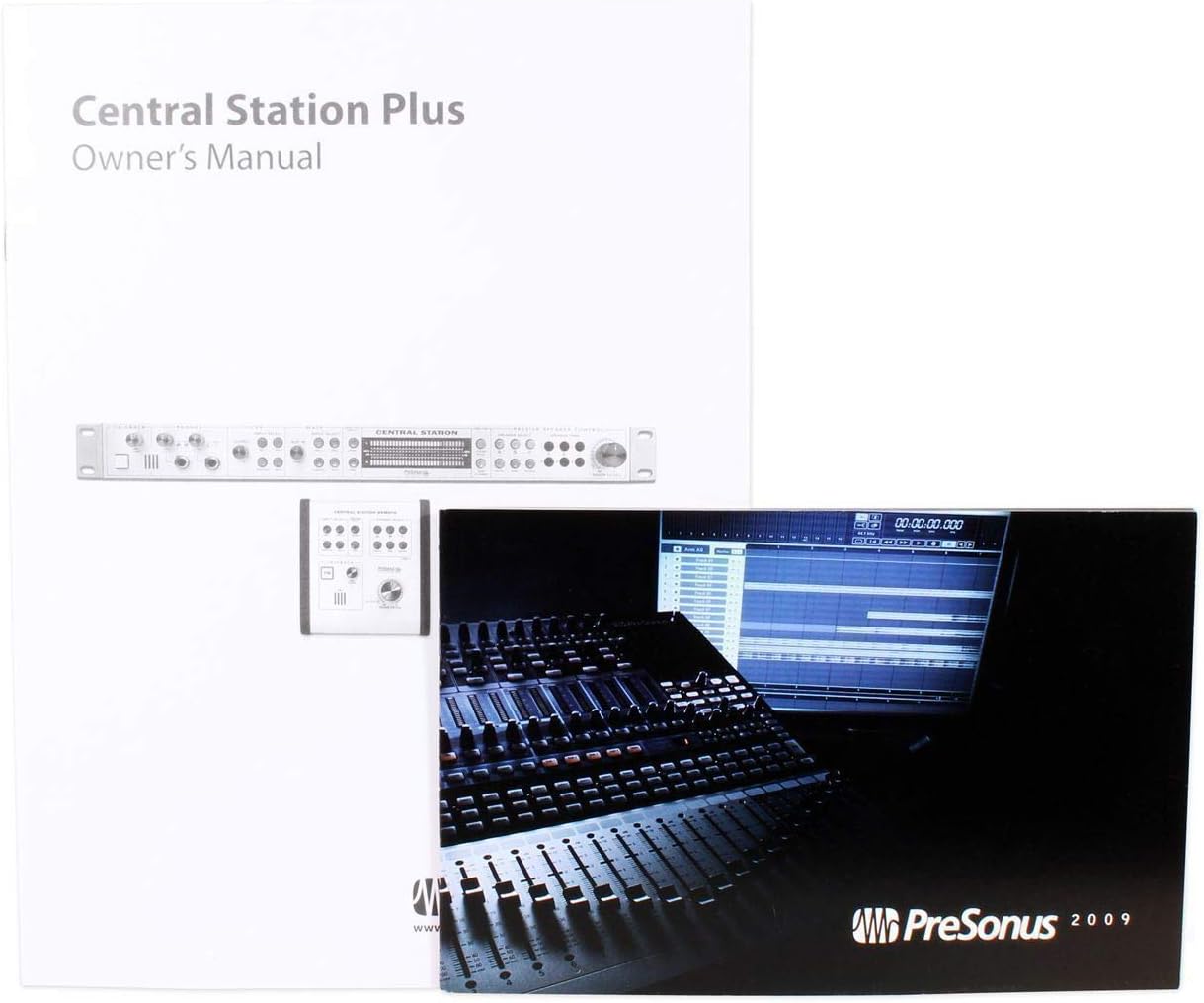
Image: Contents of the PreSonus Central Station Plus package, including the owner's manual and other documentation.

Image: The included external power adapter and the DB9 cable for connecting the CSR-1 remote control.
3. การตั้งค่า
Follow these steps to set up your Central Station Plus:
- การจัดวาง: The Central Station Plus is designed for 1U rack mounting or desktop use. Ensure adequate ventilation around the unit.
- การเชื่อมต่อไฟฟ้า: Connect the included 12V DC power supply to the 'POWER' input on the rear panel of the Central Station Plus, then plug the power supply into an appropriate AC outlet.
- การเชื่อมต่อการควบคุมระยะไกล: Connect the CSR-1 remote control to the 'REMOTE CONTROL' port on the rear panel of the Central Station Plus using the supplied DB9 cable.
- การเชื่อมต่ออินพุตเสียง:
- อินพุตแบบอะนาล็อก: Connect your stereo analog sources (e.g., audio interface outputs, mixer outputs) to the 'ANALOG INPUTS' (TRS 1, TRS 2, AUX) on the rear panel.
- อินพุตดิจิตอล: Connect your S/PDIF digital sources (coaxial or optical TOSLINK) to the 'DIGITAL INPUTS' on the rear panel.
- การเชื่อมต่อเอาต์พุตลำโพง: Connect your studio monitors to the 'SPEAKER OUTPUTS' (A, B, C) on the rear panel. Each output set has dedicated trim pots for level matching.
- การเชื่อมต่อหูฟัง: Connect your headphones to the 'PHONES' outputs on the front panel.

Image: The rear panel of the Central Station Plus, illustrating the various analog and digital input/output connections, power input, and remote control port.
4. คู่มือการใช้งาน
The Central Station Plus and its CSR-1 remote control provide intuitive access to all monitoring functions.

Image: The PreSonus Central Station Plus main unit (bottom) and the CSR-1 remote control (top right), showing their front panels with controls and indicators.

Image: Close-up of the CSR-1 Remote Control, highlighting input select buttons, speaker select buttons, talkback controls, and the main level knob.
4.1. การเลือกอินพุต
- ใช้ เลือกอินพุต buttons (TRS 1, TRS 2, AUX, S/PDIF, TOS) on the front panel or CSR-1 remote to choose your desired audio source. Only one input can be active at a time.
4.2. การคัดเลือกผู้บรรยาย
- Select your active speaker pair using the เลือกลำโพง buttons (A, B, C) on the front panel or CSR-1 remote. You can switch between up to three pairs of studio monitors.
- Adjust the individual speaker output levels using the SPEAKER TRIM pots on the main unit's front panel to match the sensitivity of your monitors.
4.3. Main Level Control
- ขนาดใหญ่ ระดับหลัก knob on the front panel and CSR-1 remote controls the overall output volume to the selected speakers.
4.4. การตรวจสอบหูฟัง
- The Central Station Plus features two independent headphone amplifiers. Adjust the volume for each headphone output using the dedicated โทรศัพท์ level knobs on the front panel.
4.5. ฟังก์ชันสนทนาโต้ตอบ
- กดปุ่ม TB button on the front panel or CSR-1 remote to activate the talkback microphone. This allows communication with musicians in a separate room or headphone mix.
- Adjust the talkback microphone level using the ระดับไมค์ ลูกบิด
4.6. การวัด
- The dual 30-segment, fast-acting, peak-hold LED meters provide visual feedback of your audio levels.
4.7. ฟังก์ชั่นเพิ่มเติม
- ใบ้: Silences all speaker outputs.
- ติ่มซำ: Reduces the speaker output level by a fixed amount (typically 20dB) for temporary level reduction without losing your main volume setting.
- โมโน: Sums the stereo signal to mono, useful for checking phase compatibility and mono playback.
5. คุณสมบัติ
The PreSonus Central Station Plus offers a robust set of features for professional studio monitoring:
- Three sets of stereo analog inputs and two sets of 192 kHz S/PDIF digital inputs.
- Three sets of stereo speaker outputs with individual Select switches and trim pots.
- Transparent passive audio path, ensuring signal integrity without coloration.
- Onboard talkback microphone and talkback input for communication.
- Dual 30-segment, fast-acting, peak-hold LED metering for accurate level monitoring.
- Remote controllable via the included Control Station Remote (CSR-1).
- Two screaming-loud headphone ampลิตเตอร์
6. การเชื่อมต่อ
The Central Station Plus provides a variety of connectivity options:
- อินพุตแบบอะนาล็อก: TRS (balanced 1/4-inch), RCA.
- อินพุตดิจิตอล: S/PDIF (coaxial), TOSLINK (optical).
- เอาต์พุตลำโพง: TRS (balanced 1/4-inch).
- เอาท์พุตหูฟัง: 1/4-inch stereo.
- รีโมทคอนโทรล: ขั้วต่อ DB9
7. การบำรุงรักษา
To ensure the longevity and optimal performance of your Central Station Plus:
- รักษาความสะอาดของเครื่องโดยการเช็ดด้วยผ้าแห้งนุ่มๆ หลีกเลี่ยงการใช้สารเคมีรุนแรงหรือน้ำยาทำความสะอาดที่มีฤทธิ์กัดกร่อน
- ตรวจสอบให้แน่ใจว่ามีการระบายอากาศที่เหมาะสมเพื่อป้องกันภาวะความร้อนมากเกินไป
- หลีกเลี่ยงการให้เครื่องสัมผัสกับความชื้นหรืออุณหภูมิที่สูงหรือสูงเกินไป
- ตรวจสอบการเชื่อมต่อสายเคเบิลทั้งหมดเป็นระยะ เพื่อให้แน่ใจว่าแน่นหนาดีแล้ว
8 การแก้ไขปัญหา
If you encounter issues with your Central Station Plus, consider the following common troubleshooting steps:
- ไม่มีไฟฟ้า: Verify the power supply is correctly connected to the unit and a working AC outlet. Check the power switch on the rear panel.
- ไม่มีเอาต์พุตเสียง:
- ตรวจสอบให้แน่ใจว่าเลือกแหล่งอินพุตที่ถูกต้อง
- Verify the correct speaker output (A, B, or C) is selected.
- Check the Main Level knob and headphone level knobs are turned up.
- Ensure the MUTE button is not engaged.
- ตรวจสอบสายสัญญาณเสียงทั้งหมดว่าเชื่อมต่อถูกต้องและอยู่ในสภาพสมบูรณ์หรือไม่
- เสียงเพี้ยน:
- ลดระดับสัญญาณอินพุตจากอุปกรณ์ต้นทางของคุณ
- Adjust the Speaker Trim pots on the Central Station Plus.
- ตรวจสอบให้แน่ใจว่าสายเคเบิลทั้งหมดเชื่อมต่ออย่างถูกต้องและไม่เสียหาย
- รีโมทคอนโทรลไม่ตอบสนอง: Ensure the DB9 cable is securely connected between the main unit and the CSR-1 remote.
For further assistance, please refer to the PreSonus support webเว็บไซต์หรือติดต่อฝ่ายบริการลูกค้าของพวกเขา
9. ข้อมูลจำเพาะ
| ข้อมูลจำเพาะ | ค่า |
|---|---|
| น้ำหนักสินค้า | 5 ปอนด์ |
| ขนาดสินค้า | 19 x 1.75 x 6.25 นิ้ว |
| หมายเลขรุ่นสินค้า | Central Station Plus |
| ชื่อสี | เงิน |
| อุปกรณ์ที่รองรับ | Monitors, Headphones |
| ซอฟต์แวร์ที่รองรับ | สตูดิโอวัน |
| ความเข้ากันได้ของระบบปฏิบัติการ | ลินุกซ์, วินโดวส์, มอสซาเรธ |
| เล่มที่tage | 1.5 Volts (internal, unit uses 12V DC external power supply) |
| เทคโนโลยีการเชื่อมต่อ | TRS, RCA, S/PDIF, TOSLINK, 1/4" |
| จำนวนช่องสัญญาณ | 4 (stereo inputs/outputs) |
10. การรับประกันและการสนับสนุน
PreSonus products are designed for reliability and performance. For information regarding warranty coverage, product registration, technical support, and service, please visit the official PreSonus website or contact their customer support department directly. Keep your proof of purchase for warranty claims.
PreSonus Support: www.presonus.com/support


