1. บทนำ
The AKG CK33 is a high-performance hypercardioid condenser microphone capsule designed for professional audio applications. It is particularly effective in environments where ambient noise from the sides needs to be minimized, or when sound sources are at a greater distance from the microphone. The capsule features a robust metal housing and is compatible with any mounting module from the AKG DAM Series. Its gold-plated contacts are large-area and self-cleaning, equipped with deep threads to ensure secure connection, prevent misalignment, and provide extended operational life.
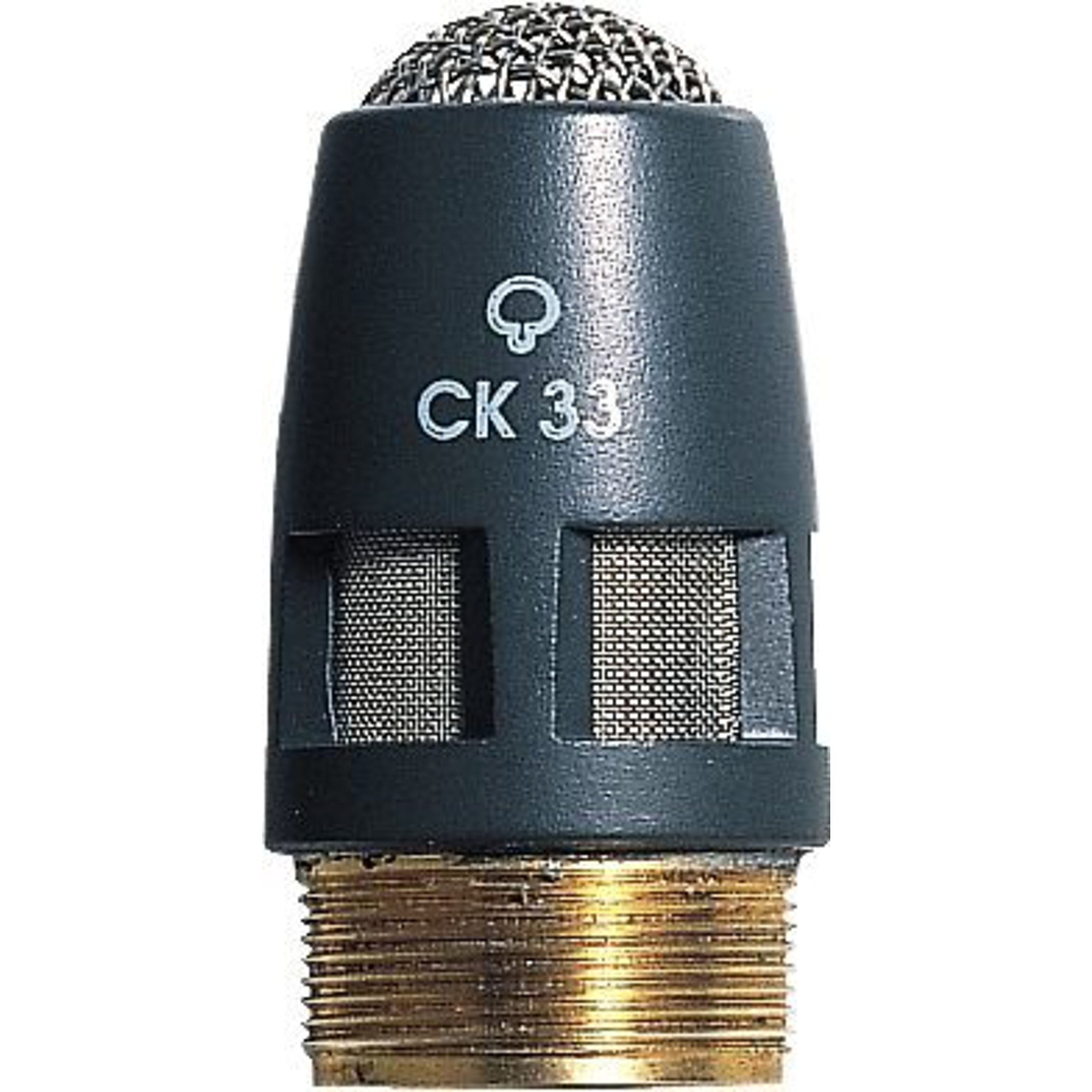
Image: The AKG CK33 Hypercardioid Condenser Microphone Capsule, shown with its included windscreen.
คุณสมบัติหลัก:
- Hypercardioid Polar Pattern: Effectively eliminates noise originating from the sides, focusing on the desired sound source.
- 95-Degree Pickup Angle: Optimized for capturing sound from greater distances, making it suitable for various setups.
- ช่วงความถี่กว้าง: Provides speech-optimized audio performance, ensuring clarity and intelligibility.
- Efficient 2-in-1 Windscreen: Reduces wind noise and plosive sounds for cleaner recordings.
- Reliable Capsule Contacts: Features large-area, self-cleaning, gold-plated contacts with deep threads to prevent connection issues and ensure durability.
2. เนื้อหาบรรจุภัณฑ์
ตรวจสอบว่ามีรายการทั้งหมดอยู่ในแพ็คเกจ:
- AKG CK33 High-Performance Hypercardioid Condenser Microphone Capsule
- W30 Windscreen
3. การตั้งค่า
- แกะส่วนประกอบ: Carefully remove the CK33 microphone capsule and the W30 windscreen from their packaging.
- Attach to Mounting Module: The CK33 capsule is designed to integrate with AKG DAM Series mounting modules. Align the deep threads of the capsule with the corresponding threads on your DAM Series module. Gently twist the capsule clockwise until it is securely fastened. Avoid overtightening.
- ติดตั้งกระจกหน้ารถ: Place the two-part W30 windscreen over the microphone capsule. Ensure it fits snugly to provide optimal protection against wind and pop noises.
- เชื่อมต่อกับระบบเสียง: Once assembled, connect your DAM Series module (with the CK33 capsule attached) to your audio mixer or interface using an appropriate XLR cable. Ensure phantom power (+48V) is supplied by your mixer or interface, as this is a condenser microphone.
4. คู่มือการใช้งาน
- ตำแหน่งการวางไมโครโฟน: Position the microphone with the CK33 capsule facing the sound source. Due to its hypercardioid polar pattern, the microphone is most sensitive directly in front and least sensitive at 120 degrees off-axis. This characteristic helps in rejecting sounds from the sides.
- ระยะทาง: The 95-degree pickup angle allows for effective sound capture even when the source is at a greater distance. Experiment with distance to achieve the desired balance between direct sound and room ambiance.
- การใช้กระจกหน้ารถ: Always use the W30 windscreen to minimize plosive sounds (e.g., 'p' and 'b' sounds) and reduce unwanted wind noise, especially in live or outdoor settings.
- ได้รับ Stagการลง: Adjust the gain on your mixer or interface to achieve a strong signal without clipping. Monitor audio levels carefully.
- พลังปีศาจ: Ensure phantom power is consistently supplied to the microphone for proper operation.
5. การบำรุงรักษา
- การทำความสะอาด: Use a soft, dry cloth to clean the exterior of the microphone capsule. Do not use liquid cleaners or solvents, as these can damage the sensitive components.
- ติดต่อฝ่ายดูแล: The gold-plated contacts are self-cleaning. Avoid touching them directly with your fingers to prevent oil and dirt transfer.
- พื้นที่จัดเก็บ: When not in use, store the microphone capsule in a protective case or its original packaging to shield it from dust, moisture, and physical damage.
- การจัดการ: Handle the capsule with care. Avoid dropping or subjecting it to strong impacts, which can affect its performance.
6 การแก้ไขปัญหา
- ไม่มีเสียงออก:
- Verify that phantom power (+48V) is enabled on your mixer or audio interface.
- Check all cable connections (microphone to module, module to mixer).
- Ensure the capsule is securely screwed onto the mounting module.
- Confirm input gain levels on your mixer are appropriately set.
- เสียงผิดเพี้ยน:
- Reduce the input gain on your mixer or interface.
- Ensure the sound source is not too close to the microphone, causing overload.
- เสียงรบกวนพื้นหลังมากเกินไป:
- Confirm the microphone's hypercardioid pattern is correctly oriented towards the desired sound source.
- Minimize ambient noise in the recording environment.
- Ensure the W30 windscreen is properly installed to reduce wind and pop noises.
- การเชื่อมต่อไม่ต่อเนื่อง:
- Check the tightness of the capsule on the mounting module.
- Inspect XLR cables for damage or loose connections.
7. ข้อมูลจำเพาะ
| ข้อมูลจำเพาะ | ค่า |
|---|---|
| ปัจจัยรูปแบบไมโครโฟน | Gooseneck (when mounted on compatible module) |
| ขนาดรายการ (ยาว x กว้าง x สูง) | 6.5 x 4.95 x 2.55 นิ้ว |
| แหล่งพลังงาน | Corded Electric (via phantom power) |
| วัสดุ | สแตนเลส |
| อัตราส่วนสัญญาณต่อเสียงรบกวน | 78 เดซิเบล |
| จำนวนช่องสัญญาณ | 1 |
| ยูพีซี | 885038003045 |
| น้ำหนักสินค้า | 0.32 ออนซ์ (0.02 ปอนด์) |
| ชื่อรุ่น | 2765X00220 |
| เทคโนโลยีการเชื่อมต่อ | มีสาย |
| ประเภทขั้วต่อ | XLR (via mounting module) |
| สี | สีเทา |
| รูปแบบขั้ว | Hypercardioid (Unidirectional) |
| ความไวเสียง | 33 เดซิเบล |
8. ข้อมูลการรับประกัน
This AKG product is covered by a manufacturer's warranty. For specific details regarding warranty duration, terms, and conditions, please refer to the warranty card included with your product or visit the official AKG webไซต์นี้ โปรดเก็บหลักฐานการซื้อไว้เพื่อใช้ยืนยันการรับประกัน
9. การสนับสนุน
For further assistance, technical support, or to access additional resources such as FAQs and software updates, please visit the official AKG webเว็บไซต์:
You may also contact AKG customer service directly through the contact information provided on their webเว็บไซต์.


