สินค้าเกินview
The Inovonics EN4204R is a 4-zone add-on receiver designed with relay outputs. It facilitates the programming and supervision of up to four Inovonics wireless transmitters. This device is integral for expanding wireless security and control systems, providing reliable communication and output control.
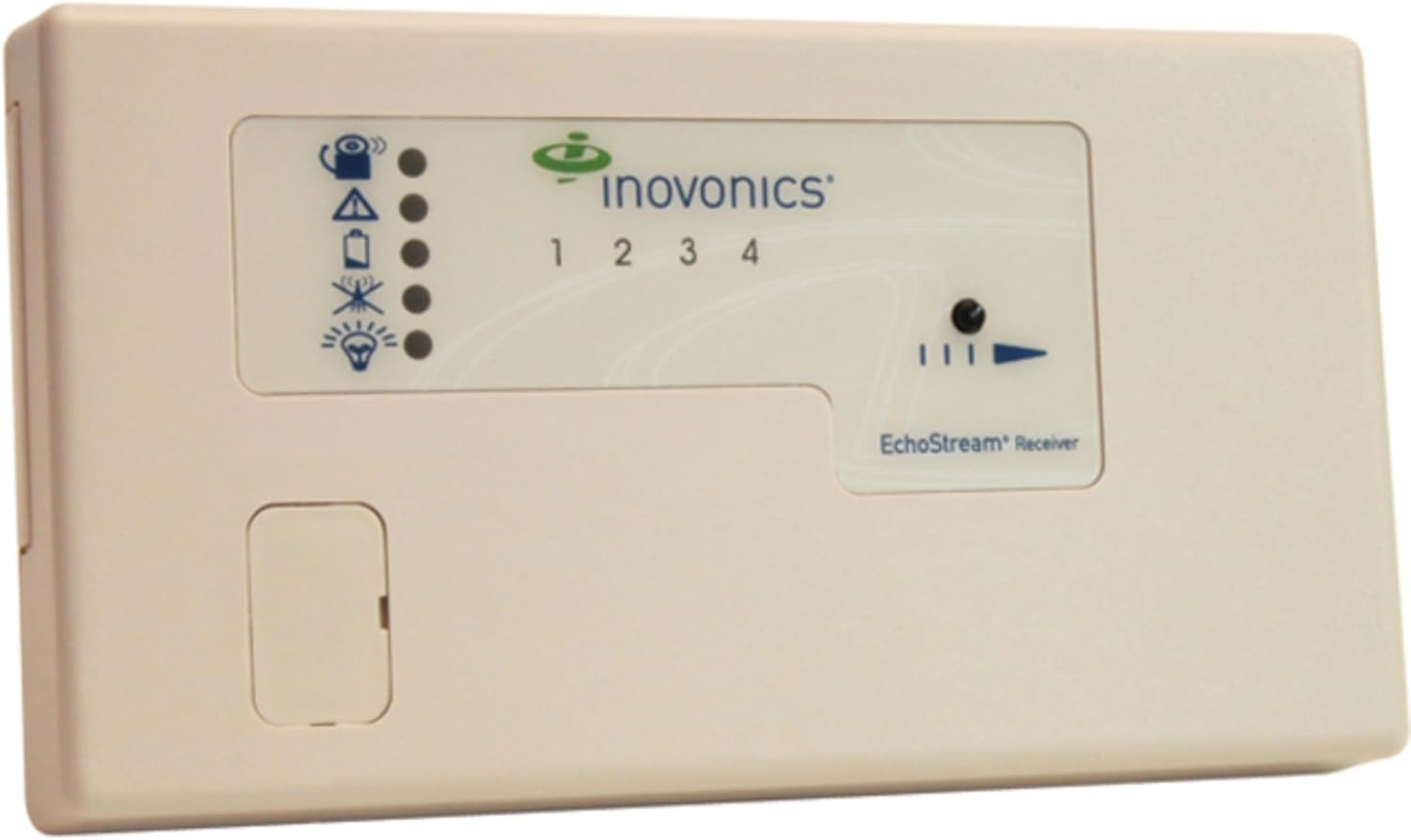
รูปที่ 1: ด้านหน้า view of the Inovonics EN4204R 4-Point/5-Relay Output Receiver. The device features a light-colored casing with a clear panel displaying the Inovonics logo, four numbered indicators (1-4), and various status icons including signal strength, alert, and power indicators. A small, rectangular access panel is visible on the lower left.
การติดตั้งและการตั้งค่า
Proper setup is crucial for optimal performance of the EN4204R receiver. Follow these steps carefully:
- ตำแหน่งการติดตั้ง: Select a central location within the intended coverage area, away from large metal objects or electrical interference. Ensure the mounting surface is stable.
- การเชื่อมต่อไฟฟ้า: Connect the receiver to a stable 1.5 Volt power source. Refer to the wiring diagram for correct polarity.
- Wiring Relay Outputs: Identify the five relay outputs. Wire these outputs according to your system's requirements for controlling external devices or alarm panels.
- ตำแหน่งการวางเสาอากาศ: Position the antenna vertically for best reception. Avoid coiling or bending the antenna wire.
- Enrolling Transmitters: Refer to the specific instructions for your Inovonics transmitters to enroll them with the EN4204R receiver. This typically involves placing the receiver in learn mode and activating each transmitter.
- การทดสอบ: After installation, thoroughly test all enrolled transmitters to ensure they communicate reliably with the receiver and that all relay outputs function as expected.
คำแนะนำการใช้งาน
The EN4204R operates by receiving signals from paired Inovonics transmitters and activating its corresponding relay outputs. Understanding the status indicators is key to monitoring its operation.
ตัวบ่งชี้สถานะ:
- ไฟแสดงสถานะพลังงาน: A solid light indicates the receiver is powered on.
- Signal Strength Indicators (1-4): These lights correspond to the four zones/transmitters. A flashing light indicates a signal received from the respective transmitter. The intensity or pattern may indicate signal quality.
- Trouble Indicator: Illuminates to indicate a system fault or low battery condition in an enrolled transmitter.
- ตัวบ่งชี้สถานะรีเลย์: Lights associated with each relay output illuminate when the corresponding relay is activated.
Relay Output Functionality:
Each of the five relay outputs can be configured to respond to specific events from enrolled transmitters, such as alarms, supervisory signals, or tamper events. Consult your system's programming guide for detailed configuration options.
การซ่อมบำรุง
The Inovonics EN4204R receiver is designed for low maintenance. Regular checks can help ensure its continued reliability.
- การทำความสะอาด: ควรเช็ดทำความสะอาดภายนอกเครื่องรับสัญญาณด้วยผ้าแห้งเนื้อนุ่มเป็นระยะ ห้ามใช้สารทำความสะอาดที่มีฤทธิ์กัดกร่อนหรือตัวทำละลาย
- สภาพแวดล้อม : Ensure the receiver is kept within its specified operating temperature and humidity ranges. Avoid exposure to direct sunlight, moisture, or extreme temperatures.
- การทดสอบระบบ: Conduct routine system tests as recommended by your security or control system provider to verify communication between transmitters and the receiver, and the functionality of all relay outputs.
- อัพเดตเฟิร์มแวร์: Check the Inovonics website for any available firmware updates for your model. Follow the instructions provided by the manufacturer for any update procedures.
การแก้ไขปัญหา
If you encounter issues with your EN4204R receiver, refer to the following common troubleshooting steps:
| ปัญหา | สาเหตุที่เป็นไปได้ | สารละลาย |
|---|---|---|
| เครื่องรับสัญญาณไม่เปิดใช้งาน | ไม่มีแหล่งจ่ายไฟ; แรงดันไฟฟ้าไม่ถูกต้องtage; faulty wiring. | ตรวจสอบการเชื่อมต่อสายไฟและระดับเสียงtage (1.5V). Check wiring for shorts or disconnections. |
| Transmitter not communicating with receiver | Transmitter out of range; low transmitter battery; transmitter not enrolled; interference. | Move transmitter closer to receiver. Replace transmitter battery. Re-enroll transmitter. Check for sources of RF interference. |
| Relay output not activating | Incorrect programming; faulty relay; wiring issue. | Verify relay programming in your system. Check wiring to the external device. If problem persists, contact technical support. |
| Trouble indicator illuminated | Low battery in enrolled transmitter; supervisory fault. | Identify the specific transmitter causing the fault and address its issue (e.g., replace battery). Consult your system's event log. |
ข้อมูลจำเพาะ
- แบบอย่าง: EN4204R
- ยี่ห้อ: Inovonics
- ขนาดสินค้า : 8 x 1 x 4 นิ้ว
- น้ำหนักสินค้า: 0.01 ออนซ์
- เล่มที่tage: 1.5 โวลต์
- จำนวนหน่วย: 1.0 จำนวน
- ความสามารถในการนำกลับมาใช้ซ้ำ: ใช้ครั้งเดียว
- วันที่เข้าใช้งานครั้งแรก: วันที่ 24 สิงหาคม 2010
- ผู้ผลิต: INOVONICS
- คำอธิบาย: 4 Zone Add-On Receiver with Relay Outputs for programing and supervising up to 4 Inovonics transmitters
ข้อมูลการรับประกัน
Inovonics products are typically covered by a limited warranty against defects in materials and workmanship. For specific warranty terms and conditions, please refer to the documentation included with your product or visit the official Inovonics webไซต์นี้ โปรดเก็บหลักฐานการซื้อไว้เพื่อใช้ยืนยันการรับประกัน
สนับสนุน
For technical assistance, product inquiries, or further support, please contact Inovonics customer service. You may find contact information on the official Inovonics website or within the product packaging. When contacting support, please have your product model number (EN4204R) and serial number ready.


