1. คำแนะนำด้านความปลอดภัยที่สำคัญ
Please read these instructions carefully before operating the device and retain them for future reference. Failure to follow these instructions may result in electric shock, fire, or other hazards.
- อย่าให้เครื่องนี้โดนฝนหรือความชื้น
- ห้ามปิดกั้นช่องระบายอากาศใดๆ
- ห้ามติดตั้งใกล้แหล่งความร้อนใดๆ
- ใช้เฉพาะอุปกรณ์เสริม/สิ่งที่แนบตามที่ผู้ผลิตกำหนดเท่านั้น
- ถอดปลั๊กเครื่องใช้ไฟฟ้านี้ในระหว่างพายุฝนฟ้าคะนองหรือเมื่อไม่ได้ใช้งานเป็นเวลานาน
2. สินค้าหมดview
The Bernstein RAC20 Designradio is a high-quality audio system featuring a 3D sound system, FM/AM radio, clock, and alarm functions, all housed in an elegant wooden casing with a high-gloss finish.

รูปที่ 2.1 : ด้านหน้า view of the Bernstein RAC20 Designradio, showing the clock, tuning dial, volume knob, and control buttons.
คุณสมบัติหลัก:
- 3D Sound System for immersive audio experience.
- High-quality FM/AM radio tuner with excellent reception.
- Integrated clock and alarm functions.
- Headphone output for private listening.
- Elegant wooden casing with a piano black high-gloss finish.
- Internet radio reception capability.
3. เนื้อหาบรรจุภัณฑ์
ตรวจสอบให้แน่ใจว่าสินค้าทุกชิ้นครบถ้วนและอยู่ในสภาพดีก่อนแกะกล่อง:
- Bernstein RAC20 Designradio Unit
- คู่มือการใช้งาน (เอกสารนี้)
- สายสัญญาณเสียงขนาด 3.5 มม.
4. การตั้งค่า
4.1. การแกะกล่องและการจัดวาง
- นำวิทยุออกจากบรรจุภัณฑ์อย่างระมัดระวัง
- Place the radio on a stable, flat surface away from direct sunlight, heat sources, and moisture.
- ให้แน่ใจว่ามีการระบายอากาศเพียงพอรอบๆ เครื่อง
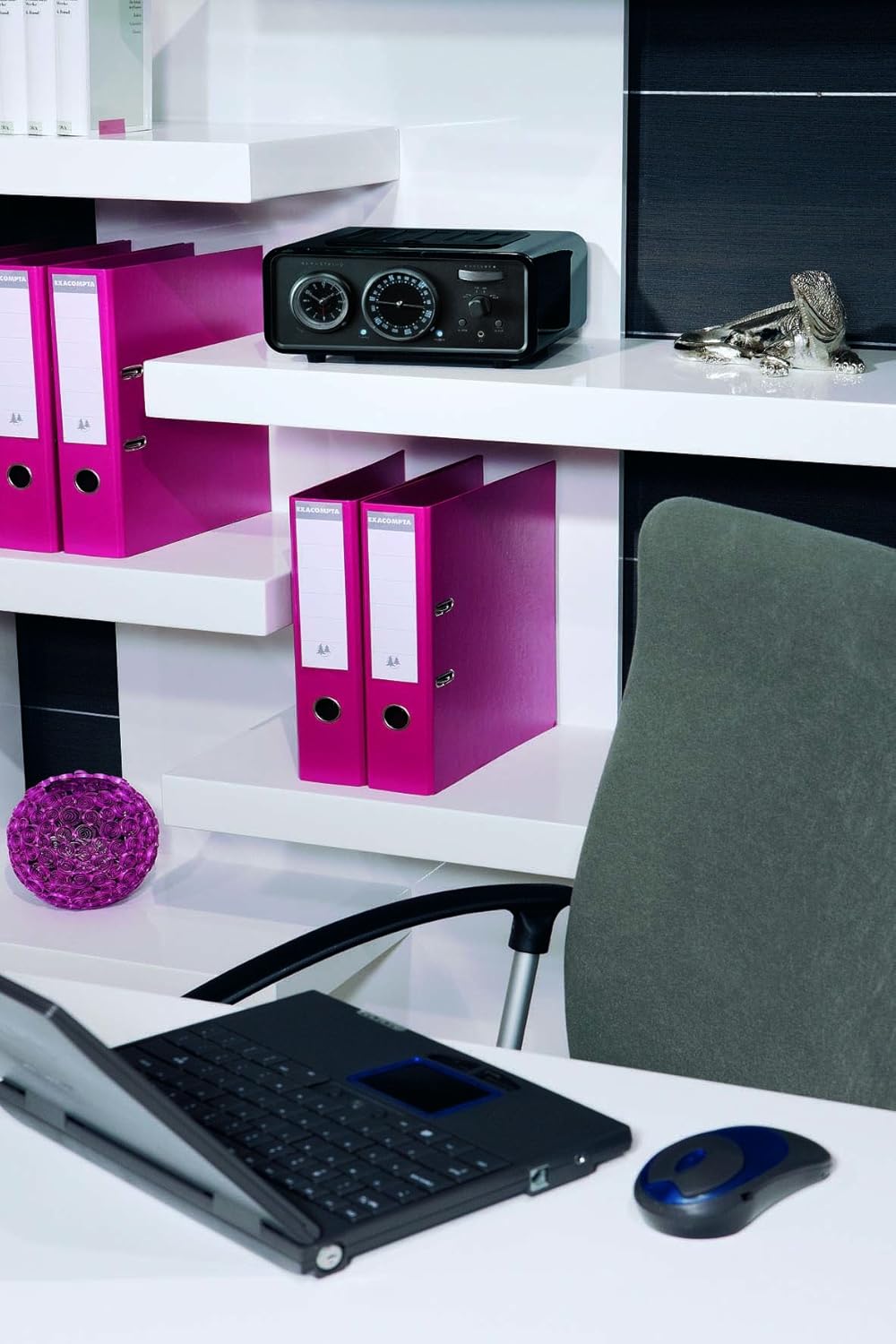
Figure 4.1: The Bernstein RAC20 Designradio positioned on a shelf in an office setting.
4.2. การเชื่อมต่อไฟฟ้า
The Bernstein RAC20 is battery-powered. Ensure fresh batteries are inserted into the designated compartment. (Note: Batteries are not included.)
4.3. การเชื่อมต่อเสาอากาศ
For optimal FM/AM reception, extend the telescopic antenna fully. Adjust its position for the best signal quality.
5. คู่มือการใช้งาน
5.1. การเปิด/ปิดเครื่อง
กดปุ่ม พลัง button located on the front panel to turn the radio on or off. A blue indicator light will illuminate when the unit is on.
5.2. การควบคุมระดับเสียง
หมุนขนาดใหญ่ ปริมาณ หมุนปุ่มตามเข็มนาฬิกาเพื่อเพิ่มระดับเสียง และหมุนทวนเข็มนาฬิกาเพื่อลดระดับเสียง
5.3. Radio Tuning (FM/AM)
- Select the desired band (FM or AM) using the เอฟเอ็ม/เอเอ็ม สวิตช์.
- หมุน การปรับแต่ง dial to search for radio stations. The frequency will be displayed on the dial.
- Adjust the antenna for clearer reception if needed.

Figure 5.1: Close-up of the Bernstein RAC20's front panel, highlighting the tuning and volume controls.
5.4. การตั้งนาฬิกา
The clock is located on the left side of the front panel. Refer to the specific instructions in the included quick start guide for detailed clock setting procedures, as this model features an analog clock display.
5.5. การตั้งปลุก
หากต้องการตั้งนาฬิกาปลุก ให้กดปุ่ม เตือน button. Use the tuning dial or dedicated buttons (if present) to set the desired alarm time. Press เตือน again to confirm. The alarm can be set to wake you with radio or a buzzer sound.
5.6. ฟังก์ชั่นการนอนหลับ
กดปุ่ม นอน button to activate the sleep timer. Each press cycles through preset sleep times (e.g., 15, 30, 60, 90 minutes). The radio will automatically turn off after the selected duration.
5.7. Using the AUX Input
Connect external audio devices (e.g., smartphone, MP3 player, laptop) to the AUX IN port using the supplied 3.5mm audio cable. Switch the input selector to อ๊อกซ์ to play audio from the connected device.
5.8. เอาต์พุตหูฟัง
Plug standard 3.5mm headphones into the headphone jack for private listening. The main speaker will be muted automatically when headphones are connected.
6. การบำรุงรักษา
6.1. การทำความสะอาด
Wipe the unit with a soft, dry cloth. Do not use abrasive cleaners, waxes, or solvents as they may damage the high-gloss finish.
6.2. การเปลี่ยนแบตเตอรี่
When the sound quality deteriorates or the unit fails to power on, replace the batteries with new ones of the same type. Dispose of old batteries responsibly.
7 การแก้ไขปัญหา
| ปัญหา | สาเหตุที่เป็นไปได้ | สารละลาย |
|---|---|---|
| ไม่มีไฟฟ้า | แบตเตอรี่หมดหรือใส่ไม่ถูกต้อง | เปลี่ยนแบตเตอรี่ ตรวจสอบให้แน่ใจว่าใส่ขั้วถูกต้อง |
| การรับสัญญาณวิทยุไม่ดี | Antenna not extended or poorly positioned; weak signal. | Extend and adjust antenna; try moving the unit to a different location. |
| ไม่มีเสียงออกจากช่อง AUX | AUX cable not fully connected; incorrect input selected; external device volume too low. | Check cable connections; ensure AUX input is selected; increase volume on external device. |
| นาฬิกาปลุกไม่ส่งเสียง | Alarm not set correctly; volume too low. | Verify alarm settings; increase volume. |
8. ข้อมูลจำเพาะ
| คุณสมบัติ | รายละเอียด |
|---|---|
| แบบอย่าง | Bernstein RAC 20 Piano Black |
| ยี่ห้อ | Bernstein (Manufacturer: Bernstein, Brand listed in specs: Audiovox) |
| เทคโนโลยีจูนเนอร์ | เอฟเอ็ม,เอเอ็ม |
| รองรับคลื่นวิทยุ | เอเอ็ม,เอฟเอ็ม |
| ฮาร์ดแวร์อินเตอร์เฟซ | เสียง 3.5 มม |
| อุปกรณ์ที่รองรับ | Smartphone, MP3 player, Laptop, Speaker |
| คุณสมบัติพิเศษ | Internet radio reception |
| แหล่งพลังงาน | ใช้พลังงานจากแบตเตอรี่ |
| รวมแบตเตอรี่ | เลขที่ |
| ขนาด (แพ็คเกจ) | 41.4 x 31.4 x 17.4 ซม. |
| น้ำหนัก (แพ็คเกจ) | 3.9 กก. |
| ASIN | B0041GT30M |
| GTIN | 04039684496508 |
9. การรับประกันและการสนับสนุน
For warranty information and technical support, please refer to the contact details provided on the product packaging or the official Bernstein webไซต์นี้ โปรดเก็บหลักฐานการซื้อไว้เพื่อใช้ยืนยันการรับประกัน
For further assistance, you may contact the manufacturer:
Manufacturer: Bernstein
Model: Bernstein RAC 20 Piano Black
ASIN: B0041GT30M


