การแนะนำ
This manual provides essential information for setting up, operating, and maintaining your Logitech Wireless Mouse M215. Please read this manual thoroughly before using the product to ensure optimal performance and longevity.
เนื้อหาแพ็คเกจ
- Logitech Wireless Mouse M215
- ตัวรับสัญญาณนาโน USB
- แบตเตอรี่ AA 1 ก้อน (ติดตั้งมาแล้วหรือมีให้ในชุด)
- เอกสารสำหรับผู้ใช้ (คู่มือนี้)
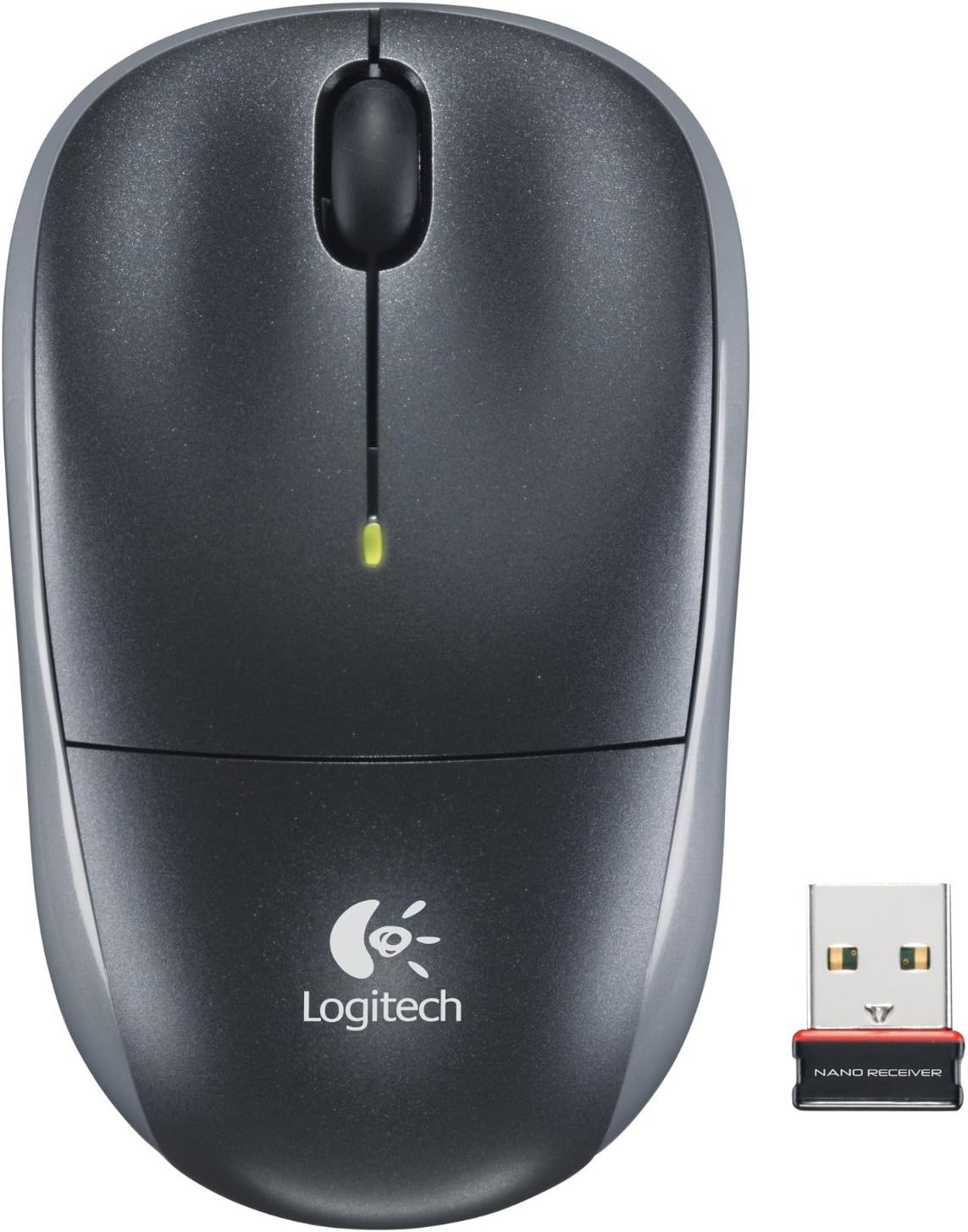
Image: The Logitech Wireless Mouse M215, a compact dark grey mouse with a scroll wheel and two main buttons, shown alongside its small USB Nano Receiver. The mouse features the Logitech logo on its palm rest.
การตั้งค่า
1. ติดตั้งแบตเตอรี่
The Logitech Wireless Mouse M215 requires one AA battery. The battery compartment is located on the underside of the mouse. Open the compartment, insert the AA battery ensuring correct polarity (+/-), and close the compartment. A battery is included with the mouse.
2. Connect USB Nano Receiver
Locate an available USB port on your computer (desktop or laptop). Insert the USB Nano Receiver firmly into the USB port. Your operating system should automatically detect and install the necessary drivers. No additional software installation is typically required.
3. Power On Mouse
On the underside of the mouse, locate the On/Off switch. Slide the switch to the "On" position. The mouse is now ready for use.
คำแนะนำการใช้งาน
The Logitech Wireless Mouse M215 provides intuitive control for your computer.
- คลิกซ้าย: กดปุ่มซ้ายเพื่อเลือกรายการ เปิดลิงก์ หรือเปิดใช้งานฟังก์ชันต่างๆ
- คลิกขวา: กดปุ่มขวาเพื่อเปิดเมนูบริบทหรือเข้าถึงตัวเลือกเพิ่มเติม
- ล้อเลื่อน: หมุนวงล้อเลื่อนขึ้นหรือลงเพื่อเลื่อนดูเอกสารต่างๆ และ web หน้า
- Middle Click (Scroll Wheel Button): Press the scroll wheel down to activate middle-click functions, such as opening links in new tabs or auto-scrolling.
- ความเคลื่อนไหว: Move the mouse across a flat surface to control the cursor on your screen. The optical sensor provides smooth and precise tracking.
The mouse is designed for comfortable use, allowing for easy text selection and effortless scrolling.
การซ่อมบำรุง
- การทำความสะอาด: Use a soft, dry cloth to clean the exterior of the mouse. For stubborn dirt, a slightly damp สามารถใช้ผ้าได้ แต่ต้องแน่ใจว่าไม่มีความชื้นเข้าไปในส่วนประกอบภายใน หลีกเลี่ยงน้ำยาทำความสะอาดหรือตัวทำละลายที่มีฤทธิ์กัดกร่อน
- การเปลี่ยนแบตเตอรี่: When the battery indicator light (if present) glows red or mouse performance degrades, replace the AA battery. Ensure the mouse is turned off before replacing the battery.
- การจัดเก็บเครื่องรับ: The USB Nano Receiver can be stored inside the mouse's battery compartment when not in use, which is convenient for travel and prevents loss.
การแก้ไขปัญหา
| ปัญหา | สารละลาย |
|---|---|
| เมาส์ไม่ตอบสนอง |
|
| การเคลื่อนไหวของเคอร์เซอร์ไม่แน่นอนหรือกระตุก |
|
| เมาส์หลุดการเชื่อมต่อบ่อยครั้ง |
|
ข้อมูลจำเพาะ
- แบบอย่าง: ม.215 (910-001543)
- การเชื่อมต่อ: ระบบไร้สาย 2.4 GHz (ตัวรับสัญญาณนาโน USB)
- การตรวจจับการเคลื่อนไหว: ออฟติคอล
- ประเภทแบตเตอรี่: 1 x AA (รวมอยู่ด้วย)
- ขนาด : 5.88 x 3.5 x 8.25 นิ้ว (ขนาดสินค้า)
- น้ำหนัก: 8 ออนซ์ (น้ำหนักสินค้า)
- ผู้ผลิต: บริษัท โลจิเทค อิงค์
- สี: Black, red and blue
การรับประกันและการสนับสนุน
สำหรับข้อมูลการรับประกันและการสนับสนุนทางเทคนิค โปรดเยี่ยมชมเว็บไซต์ฝ่ายสนับสนุนอย่างเป็นทางการของ Logitech website or refer to the warranty card included with your product. You can also visit the ร้านค้า Logitech บน Amazon สำหรับรายละเอียดเพิ่มเติม
โลจิเทค อิงค์
ASIN: B003OX1LEO


