1. สินค้าหมดview
The MANHATTAN SuperSpeed USB 3.0 A-Male to Micro B-Male Cable (Model 325417) is designed for high-speed data transfer and reliable connectivity between SuperSpeed USB devices and a SuperSpeed USB hub or computer. This cable supports data transfer rates up to 5 Gbps, which is significantly faster than Hi-Speed USB 2.0. Its construction includes full shielding, molded boots, and a flexible PVC jacket to minimize EMI interference and ensure maximum conductivity, providing efficient and stable data transmissions.
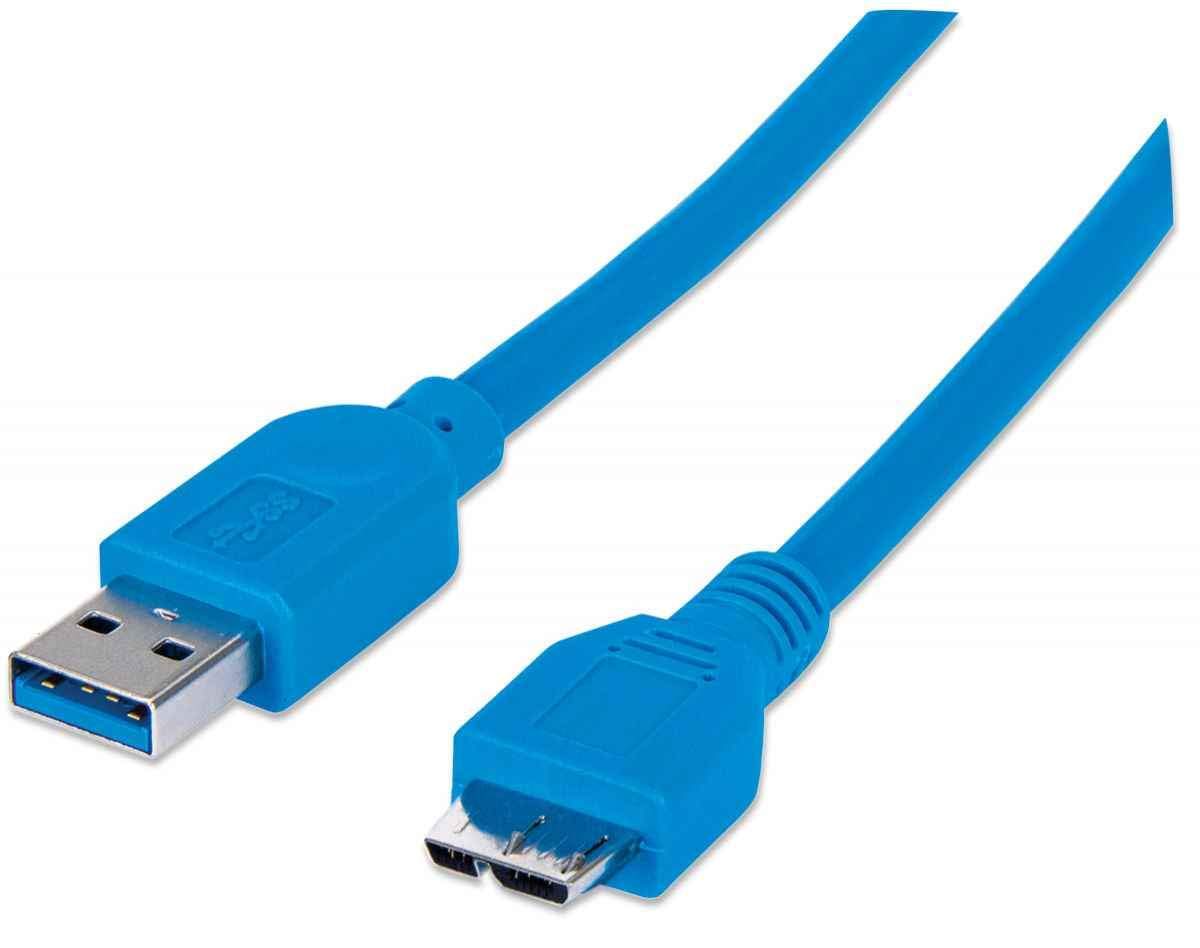
Figure 1: MANHATTAN SuperSpeed USB 3.0 A-Male to Micro B-Male Cable. This image displays the full length of the blue USB 3.0 cable with its A-Male and Micro B-Male connectors.
2. คำแนะนำในการตั้งค่า
2.1 การเชื่อมต่อสายเคเบิล
Follow these steps to properly connect your MANHATTAN SuperSpeed USB 3.0 cable:
- Identify the USB 3.0 A-Male connector (typically rectangular with a blue interior) on one end of the cable.
- Identify the USB 3.0 Micro B-Male connector (a smaller, trapezoidal connector with a blue interior) on the other end.
- Insert the USB 3.0 A-Male connector into an available USB 3.0 port on your computer, laptop, or USB hub. Ensure the port is also USB 3.0 compatible for optimal performance.
- Insert the USB 3.0 Micro B-Male connector into the corresponding Micro B port on your SuperSpeed USB device (e.g., external hard drive, camera).
- Ensure both connections are firm and secure.

Figure 2: Close-up of the USB 3.0 A-Male and Micro B-Male connectors. This image shows both ends of the cable, illustrating their distinct shapes and blue internal coloring, which signifies USB 3.0 compatibility.
3. การดำเนินการ
3.1 การถ่ายโอนข้อมูล
Once connected, the cable facilitates high-speed data transfer between your computer/hub and the connected device. SuperSpeed USB 3.0 allows for bi-directional data transfer at speeds up to 5 Gbps, enabling quick synchronization and backup of large files. The actual transfer speed may vary depending on the capabilities of the connected devices and the system's overall performance.
3.2 การจ่ายพลังงาน
In addition to data transfer, the cable also provides power to compatible devices. This allows you to charge or power your Micro B-enabled device directly from the USB 3.0 port of your computer or hub, eliminating the need for a separate power adapter for some devices.
4. การดูแลรักษา
- การจัดการ: Avoid sharp bends or kinks in the cable, as this can damage the internal wiring and shielding.
- การทำความสะอาด: ใช้ผ้าแห้งนุ่มๆ เช็ดทำความสะอาดสายเคเบิลและขั้วต่อ ห้ามใช้สารเคมีรุนแรงหรือวัสดุที่มีฤทธิ์กัดกร่อน
- พื้นที่จัดเก็บ: เมื่อไม่ใช้งาน ให้ม้วนสายเคเบิลอย่างหลวมๆ และเก็บไว้ในที่แห้งและเย็น หลีกเลี่ยงแสงแดดโดยตรงและอุณหภูมิที่สูงหรือต่ำเกินไป
- การเชื่อมต่อ / การตัดการเชื่อมต่อ: จับที่ขั้วต่อเสมอเมื่อเสียบหรือถอดสายเคเบิล แทนที่จะดึงที่สายเคเบิลโดยตรง
5 การแก้ไขปัญหา
| ปัญหา | วิธีแก้ปัญหาที่เป็นไปได้ |
|---|---|
| Device not recognized or detected. |
|
| ความเร็วในการถ่ายโอนข้อมูลช้า |
|
| การเชื่อมต่อไม่ต่อเนื่อง |
|
6. ข้อมูลจำเพาะทางเทคนิค
| คุณสมบัติ | รายละเอียด |
|---|---|
| ยี่ห้อ | แมนฮัตตัน |
| หมายเลขรุ่น | 325417 |
| ประเภทขั้วต่อ | USB 3.0 A-Male to Micro B-Male |
| ประเภทสายเคเบิล | ยูเอสบี |
| อัตราการถ่ายโอนข้อมูล | Up to 5 Gbps (SuperSpeed USB 3.0) |
| อุปกรณ์ที่รองรับ | Laptop, PC, SuperSpeed USB Micro B devices |
| คุณสมบัติพิเศษ | Data Transfer, High Speed |
| ขนาดสินค้า | ขนาดบรรจุภัณฑ์ 6 x 3.6 x 1.06 นิ้ว; น้ำหนัก 1.76 ออนซ์ |
| สี | สีฟ้า |

รูปที่ 3: รายละเอียด view of the USB 3.0 A-Male and Micro B-Male connectors. This image provides a close-up perspective of the connector ends, showing the internal structure and pin configuration.
7. ข้อมูลการรับประกัน
The MANHATTAN SuperSpeed USB 3.0 A-Male to Micro B-Male Cable (Model 325417) is backed by a รับประกันตลอดอายุการใช้งาน. This warranty covers defects in materials and workmanship under normal use. For specific terms and conditions, please refer to the official MANHATTAN webไซต์หรือติดต่อฝ่ายสนับสนุนลูกค้า

Figure 4: Product packaging displaying the 'LIFETIME WARRANTY' seal. This image shows the product in its retail packaging, highlighting the warranty information.
8. ข้อมูลสนับสนุนและการติดต่อ
For technical support, product inquiries, or further assistance, please visit the official MANHATTAN webเว็บไซต์หรือติดต่อฝ่ายบริการลูกค้าของพวกเขา
- เป็นทางการ Webเว็บไซต์: www.manhattan-products.com
- อ้างถึง website for regional contact details and support resources.


