1. บทนำ
Thank you for choosing the Varta 57662 Battery Charger. This manual provides essential information for the safe and effective use of your new charger. Please read all instructions carefully before operating the device and retain this manual for future reference.
2. คำแนะนำด้านความปลอดภัยที่สำคัญ
คำเตือน: การไม่ปฏิบัติตามคำแนะนำด้านความปลอดภัยเหล่านี้ อาจส่งผลให้เกิดไฟไหม้ ไฟฟ้าช็อต หรือการบาดเจ็บได้
- โปรดอ่านฉลาก คำเตือน และคำแนะนำที่ให้มาพร้อมกับผลิตภัณฑ์ก่อนใช้งานทุกครั้ง
- อย่าให้เครื่องชาร์จโดนฝนหรือความชื้นมากเกินไป
- ห้ามใช้งานเครื่องชาร์จหากได้รับแรงกระแทกอย่างรุนแรง ทำตก หรือได้รับความเสียหายอื่นๆ
- ห้ามถอดแยกชิ้นส่วนเครื่องชาร์จ แนะนำให้ช่างผู้ชำนาญเข้ารับบริการซ่อมบำรุงทั้งหมด
- ตรวจสอบให้แน่ใจว่าใช้เครื่องชาร์จในบริเวณที่มีอากาศถ่ายเทได้ดี
- เก็บให้พ้นจากมือเด็ก
- Only charge battery types specified by the manufacturer. Charging other battery types may cause them to burst, leading to injury and damage.
3. สินค้าหมดview
The Varta 57662 is a compact and efficient battery charger designed for various battery types. Its robust construction ensures reliable performance.
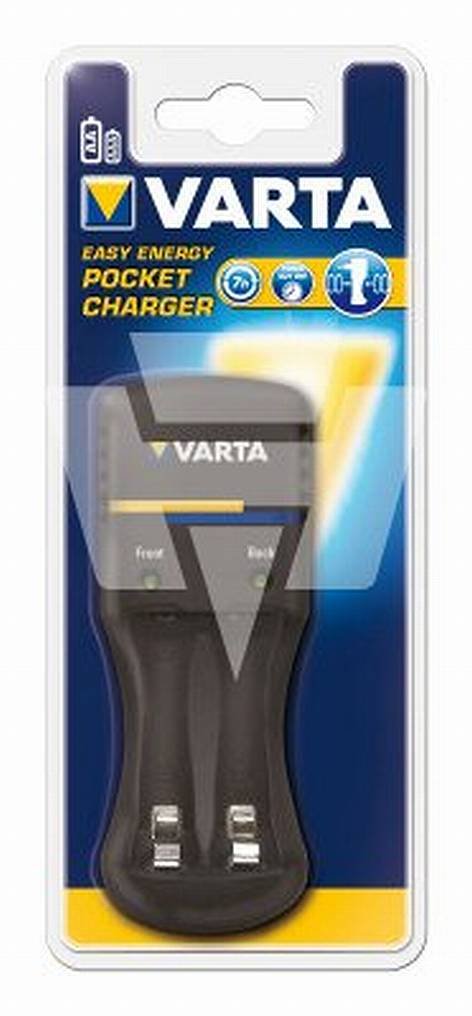
Figure 1: Varta 57662 Battery Charger. This image displays the main unit of the Varta 57662 Battery Charger, highlighting its compact design and essential features.
4. คำแนะนำในการตั้งค่า
- แกะกล่องเครื่องชาร์จ: Carefully remove the Varta 57662 Battery Charger from its packaging. Inspect for any signs of damage.
- เลือกตำแหน่ง: วางเครื่องชาร์จบนพื้นผิวที่มั่นคงและเรียบ ในบริเวณที่มีอากาศถ่ายเทสะดวก และหลีกเลี่ยงแสงแดดโดยตรง แหล่งความร้อน และความชื้น
- เชื่อมต่อกับพลังงาน: Plug the charger's power cord into a standard electrical outlet. Ensure the outlet voltage ตรงกับข้อกำหนดของเครื่องชาร์จ
- เตรียมแบตเตอรี่: Ensure the batteries to be charged are clean and free from corrosion. Refer to your battery's manual for specific preparation steps.
5. คู่มือการใช้งาน
Follow these steps to safely charge your batteries:
- ใส่แบตเตอรี่: Carefully insert the batteries into the charging slots, observing the correct polarity (+ and -). Incorrect insertion can damage the batteries and the charger.
- เริ่มชาร์จ: The charger will typically begin charging automatically once batteries are inserted and power is connected. Refer to the charger's indicator lights for charging status.
- ตรวจสอบการชาร์จ: Do not leave the charger unattended for extended periods. Observe the charging indicators.
- ถอดแบตเตอรี่ออก: Once charging is complete (indicated by the charger's lights), unplug the charger from the power outlet before removing the batteries.
- ร้านแบตเตอรี่: Store charged batteries in a cool, dry place.
6. การบำรุงรักษาและการดูแล
- การทำความสะอาด: Disconnect the charger from the power supply before cleaning. Use a soft, dry cloth to wipe the exterior. Do not use liquid cleaners or solvents.
- พื้นที่จัดเก็บ: When not in use, store the charger in a dry, dust-free environment.
- การตรวจสอบ: Periodically inspect the power cord and charger casing for any signs of damage. If damage is found, discontinue use and contact customer support.
7 การแก้ไขปัญหา
| ปัญหา | สาเหตุที่เป็นไปได้ | สารละลาย |
|---|---|---|
| เครื่องชาร์จไม่เปิด | No power supply; Faulty outlet; Damaged power cord | Check power connection; Try a different outlet; Inspect power cord for damage |
| แบตเตอรี่ไม่ชาร์จ | Incorrect battery insertion; Incompatible battery type; Batteries are fully charged or defective | Ensure correct polarity; Verify battery compatibility; Test batteries in another device or replace |
| เครื่องชาร์จร้อนเกินไป | Poor ventilation; Overloaded charger; Internal fault | Ensure adequate ventilation; Do not charge incompatible batteries; Discontinue use and contact support |
8. ข้อมูลจำเพาะทางเทคนิค
- ยี่ห้อ: วาร์ตา
- หมายเลขรุ่น: 57662
- ขนาดสินค้า : 8 x 8.5 x 19.5 ซม.
- น้ำหนักสินค้า: 223 กรัม
- ASIN: B003AQEUUW
- ผู้ผลิต: วาร์ตา
- วันที่พร้อมใช้งานครั้งแรก: วันที่ 28 กันยายน 2010
9. การรับประกันและการสนับสนุน
For warranty information and customer support, please refer to the documentation included with your purchase or visit the official Varta webไซต์ เก็บหลักฐานการซื้อของคุณไว้เพื่อใช้ในกรณีเรียกร้องการรับประกัน