1. บทนำ
Thank you for choosing the LogiLink PX0014 7-inch Digital Photo Frame. This device allows you to display your digital photos in a convenient and stylish manner. This manual provides essential information for setting up, operating, and maintaining your digital photo frame to ensure optimal performance and longevity.
2. สินค้าหมดview
2.1 คุณสมบัติหลัก
- 7-inch LCD display with a resolution of 480 x 234 pixels.
- 16:10 aspect ratio for wide-screen viewการไอเอ็นจี
- Supports JPEG image format.
- Equipped with a USB port for external storage.
- Supports SD/SDHC and Multimedia Card (MMC) memory cards.
- Includes Calendar and Clock functions.
2.2 เนื้อหาบรรจุภัณฑ์
กรุณาตรวจสอบแพ็คเกจสำหรับรายการต่อไปนี้:
- LogiLink PX0014 Digital Photo Frame
- อะแดปเตอร์แปลงไฟ
- คู่มือการใช้งาน (เอกสารนี้)
- รีโมทคอนโทรล (ถ้ามี)
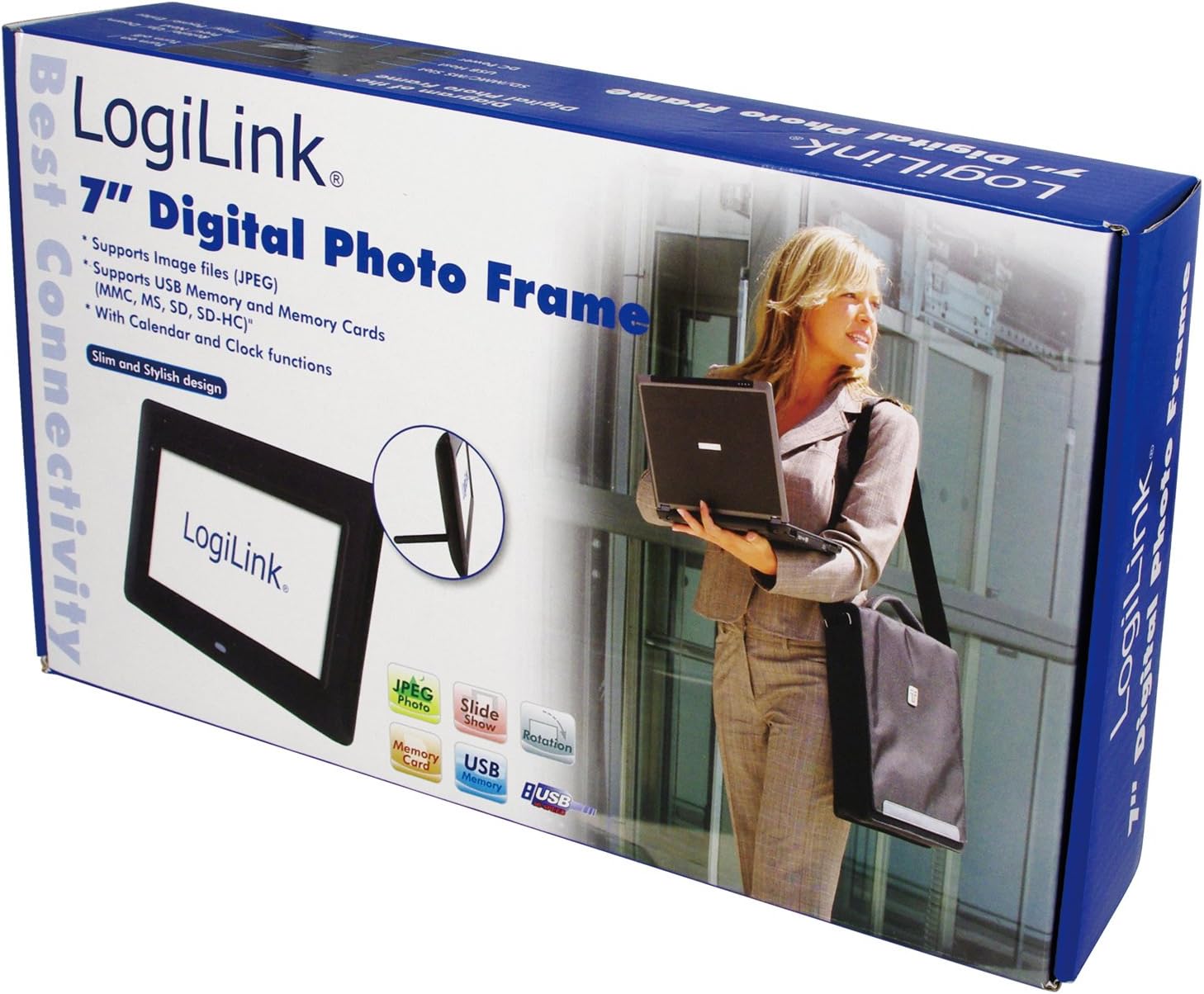
Image 1: The LogiLink PX0014 Digital Photo Frame packaging, showing the product box with a woman holding a laptop and an inset image of the frame itself.
2.3 เค้าโครงอุปกรณ์
Familiarize yourself with the various parts of your digital photo frame:

Image 2: The LogiLink PX0014 Digital Photo Frame, a black rectangular frame with a white screen displaying the LogiLink logo, positioned in front of its product packaging.
Refer to the diagram in the included quick start guide for specific button and port locations, typically including:
- ปุ่มเปิด/ปิด: เพื่อเปิด/ปิดอุปกรณ์
- ปุ่มนำทาง: For menu navigation and photo selection.
- ช่องใส่การ์ดหน่วยความจำ: For SD/SDHC and MMC cards.
- พอร์ต USB: สำหรับการเชื่อมต่อแฟลชไดรฟ์ USB
- พอร์ต DC IN: สำหรับการเชื่อมต่ออะแดปเตอร์ไฟฟ้า
- Stand Slot: สำหรับติดตั้งขาตั้งที่ให้มาด้วย
3. การตั้งค่า
3.1 การเชื่อมต่อสายไฟ
- Insert the small end of the power adapter into the DC IN port on the back or side of the photo frame.
- เสียบปลายอีกด้านของอะแดปเตอร์แปลงไฟเข้ากับเต้ารับไฟฟ้าทั่วไป
- The frame should power on automatically or can be turned on using the power button.
3.2 Inserting Memory Cards or USB Drives
The LogiLink PX0014 supports SD/SDHC, MMC memory cards, and USB flash drives.
- Ensure the photo frame is powered off or in standby mode before inserting or removing storage devices.
- สำหรับเมมโมรี่การ์ด: Locate the appropriate memory card slot. Insert the card with the metal contacts facing down (or as indicated by the slot diagram) until it clicks into place.
- สำหรับแฟลชไดรฟ์ USB: เสียบแฟลชไดรฟ์ USB เข้ากับพอร์ต USB
- Once inserted, power on the frame. The frame should automatically detect the storage device and display its contents or prompt you to select a source.
4. คู่มือการใช้งาน
4.1 การนำทางพื้นฐาน
Use the buttons on the back/side of the frame or the remote control (if included) to navigate the menus. Typically, there are buttons for:
- เมนู: เข้าสู่เมนูหลัก
- EXIT/RETURN: Goes back to the previous screen or exits the menu.
- ARROW Keys (Up/Down/Left/Right): นำทางผ่านตัวเลือกต่างๆ
- ENTER/OK: ยืนยันการเลือก
4.2 Viewing ภาพถ่าย
- From the main menu, select 'Photo' or 'Browse'.
- Choose the desired storage source (e.g., 'SD Card', 'USB Drive').
- Navigate to the folder containing your JPEG images.
- เลือกรูปภาพที่จะ view it individually, or select 'Slideshow' to start an automatic presentation of all images in the folder.
- You can typically adjust slideshow intervals and transition effects in the settings menu.
4.3 Calendar and Clock Functions
The LogiLink PX0014 includes a built-in calendar and clock. To access and set these functions:
- Go to the main menu and select 'Settings' or 'System'.
- Look for options like 'Date & Time' or 'Calendar'.
- Adjust the current date, time, and time format as needed using the navigation buttons.
- Some models allow displaying the clock or calendar alongside photos during a slideshow. Check the settings for these display options.
5. การบำรุงรักษา
5.1 การทำความสะอาดหน้าจอ
To clean the LCD screen, gently wipe it with a soft, lint-free cloth. For stubborn smudges, slightly dampen the cloth with water or a non-abrasive screen cleaner. Avoid using harsh chemicals or abrasive materials, as these can damage the screen surface.
5.2 การดูแลรักษาและการจัดเก็บทั่วไป
- Keep the digital photo frame away from direct sunlight, high temperatures, and excessive humidity.
- หลีกเลี่ยงการทำอุปกรณ์หล่นหรือกระแทกอย่างรุนแรง
- When not in use for extended periods, unplug the power adapter and store the frame in a cool, dry place.
6 การแก้ไขปัญหา
If you encounter issues with your LogiLink PX0014, refer to the following common problems and solutions:
| ปัญหา | สาเหตุที่เป็นไปได้ | สารละลาย |
|---|---|---|
| เฟรมไม่สามารถเปิดเครื่องได้ | อะแดปเตอร์ไฟฟ้าไม่ได้เชื่อมต่อหรือมีข้อบกพร่อง เต้ารับไฟฟ้าไม่ทำงาน | ตรวจสอบให้แน่ใจว่าอะแดปเตอร์แปลงไฟเชื่อมต่อกับโครงและเต้ารับไฟฟ้าที่ใช้งานได้แน่นหนาแล้ว ลองเสียบกับเต้ารับอื่นดู |
| ไม่มีภาพแสดง | No memory card/USB drive inserted; unsupported file รูปแบบเสียหาย files. | Insert a memory card or USB drive with JPEG images. Ensure images are in JPEG format. Try different images or reformat the storage device (backup data first). |
| Cannot read memory card/USB drive. | Improper insertion; incompatible format; faulty card/drive. | Reinsert the card/drive correctly. Ensure it is formatted to FAT32. Try a different card/drive. |
| รีโมทคอนโทรลไม่ทำงาน | Battery depleted; obstruction; remote not pointed at sensor. | Replace the battery. Ensure there are no obstructions between the remote and the frame's IR sensor. Point the remote directly at the sensor. |
7. ข้อมูลจำเพาะ
| คุณสมบัติ | รายละเอียด |
|---|---|
| ยี่ห้อ | โลจิลิงค์ |
| หมายเลขรุ่น | พีเอ็กซ์0014 |
| ขนาดสินค้า | 24.99 x 24.99 x 15.01 ซม. |
| น้ำหนักสินค้า | 300 กรัม |
| ขนาดหน้าจอ | 7 นิ้ว |
| ปณิธาน | 480 x 234 พิกเซล |
| อัตราส่วนภาพ | 16:10 น. |
| เทคโนโลยีการเชื่อมต่อ | ยูเอสบี |
| เครื่องอ่านการ์ด | Multimedia Card, Memory Card (SD/SDHC) |
| แหล่งพลังงาน | สายไฟ |
| วิธีการควบคุม | รีโมทคอนโทรล |
8. ข้อมูลการรับประกัน
LogiLink products are designed and manufactured to the highest quality standards. This product is covered by a limited warranty from the date of purchase. Please refer to the warranty card included in your package or visit the official LogiLink webเว็บไซต์สำหรับข้อกำหนดและเงื่อนไขการรับประกันโดยละเอียดที่เฉพาะเจาะจงกับภูมิภาคของคุณ
9. การสนับสนุน
For technical assistance, product inquiries, or to report any issues not covered in this manual, please contact LogiLink customer support. You can typically find contact information, including phone numbers, email addresses, and online support portals, on the official LogiLink webงาน (www.logilink.eu).


